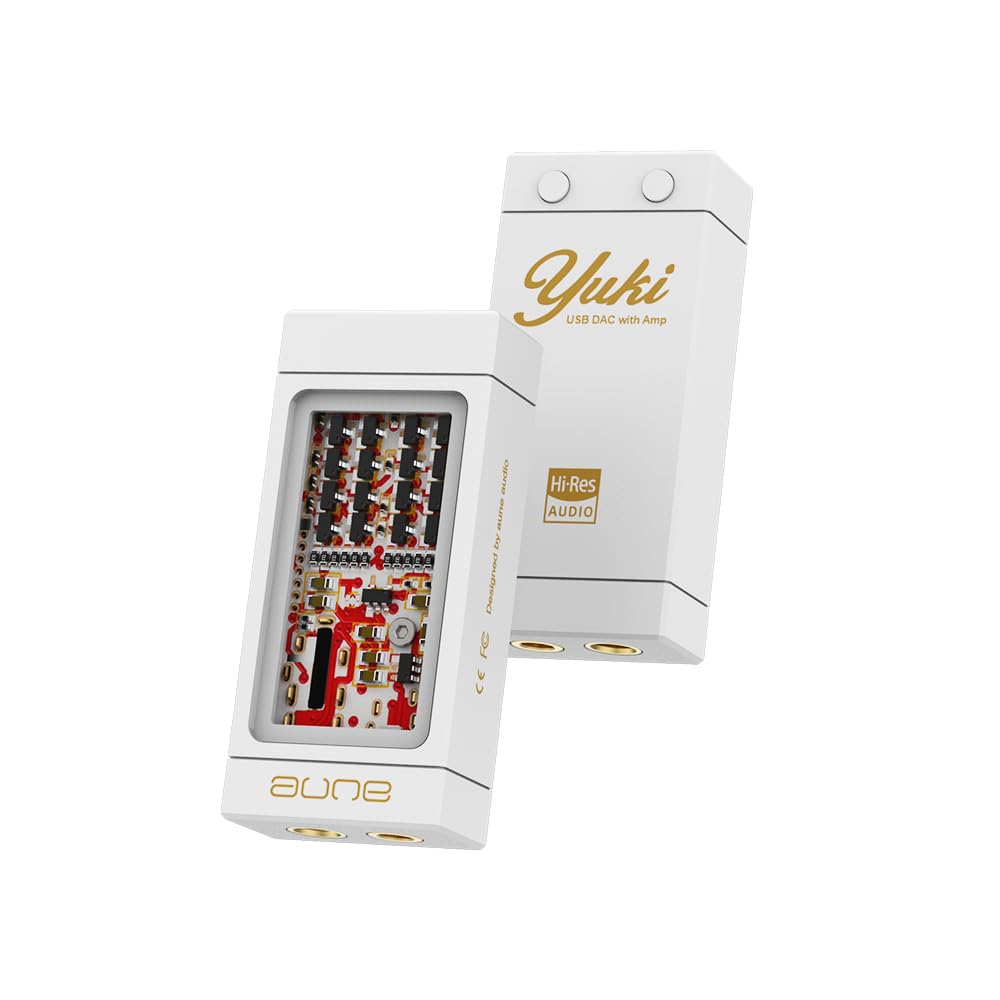
Model: YUKI | Brand: Aune
The Aune Yuki is a portable Digital-to-Analog Converter (DAC) with an integrated headphone amplifier, designed to enhance the audio experience for smartphones, PCs, and laptops. It features a unique dual-layer structure, separating the DAC and amplifier circuits for optimal sound quality. With support for high-resolution audio up to 32bit/768kHz and DSD256, and both 3.5mm and 4.4mm outputs, the Yuki aims to deliver a high-fidelity listening experience.

Figure 1: Illustration of the Aune Yuki's dual DAC chip architecture with independent channels.

Figure 2: Visual representation of the ±5V boost converter for the headphone amp and the hybrid ceramic PCB for improved high frequencies.

Figure 3: Aune Yuki connected to a smartphone, transforming it into a high-resolution audio player.

Figure 4: Aune Yuki connected to a laptop, enabling high-resolution audio playback up to 32bit/768kHz DSD256.
The Aune Yuki features two buttons on its back for volume adjustment. The button with the dot is for Volume Up, and the other button is for Volume Down. These buttons control the device's internal volume.
To switch between high gain and low gain modes, press and hold both Volume Up and Volume Down buttons simultaneously for 2 seconds. You will notice a change in volume, indicating the gain level has been adjusted. High gain is suitable for harder-to-drive headphones, while low gain is ideal for sensitive IEMs.
For devices that support UAC1.0 (such as the Nintendo Switch), please hold down the Volume Up button on the Yuki and do not release it until the two devices are connected by cable and the Yuki is powered on. This ensures proper recognition and functionality.
Video 1: Demonstrates volume control and gain level adjustment on the Aune Yuki, along with UAC1.0 device connection instructions. This video is provided by Wuhan Aune Acoustics Co.,Ltd.
| USB Input Max Bit Depth: | 32 bits |
| Max Samptaxa de ling: | 768 kHz |
| Max DSD Rate (Native): | DSD512 |
| Single-Ended 3.5mm Output: | |
| Nivel de saída: | 2.0 Vrms |
| Nivel de ruído: | 2.6μV |
| THD+N: | 0.00036 % @ 1 kHz |
| Potencia de saída: | 90 mW @ 30 Ω |
| Balanced 4.4mm Output: | |
| Nivel de saída: | 4.0 Vrms |
| Nivel de ruído: | 2.9μV |
| THD+N: | 0.00033 % @ 1 kHz |
| Potencia de saída: | 160 mW @ 30 Ω |
| Dimensións: | 53.5*24*13 (mm) |
| Dimensións do produto: | 4.02 x 3.98 x 0.1 polgadas; 4.16 onzas |
| Tipo de interface: | USB |
| Vol. Subministración máximatage: | 5 voltios |

Figure 5: Detailed specifications and port layout of the Aune Yuki.
For warranty information and technical support, please refer to the official Aune websitio web ou póñase en contacto directamente co servizo de atención ao cliente. Garde o recibo de compra para reclamacións de garantía.
 |
Manual do usuario de Aune S9c Pro: DAC e auriculares AmpGuía de lifier Manual de usuario completo para o Aune S9c Pro, un DAC e auriculares de alta fidelidade amplifer. Coñece as súas características, especificacións, a disposición dos paneis frontal e traseiro e os modos de funcionamento, incluíndo DAC USB, emparellamento de transporte dixital e auriculares ampificación, entrada de reloxo externa e conectividade Bluetooth. |
 |
aune X7s Pro Class-A Headphone AmpManual de usuario máis vivo User manual for the aune X7s Pro, a high-quality class-A balanced output headphone amplifier. Learn about its features, specifications, and operating instructions for use as a headphone amplifier ou pre-ampmáis vivo. |
 |
Manual do usuario do reprodutor de música en rede Aune S10N: características, especificacións e conexións Manual de usuario completo para o reprodutor de música en rede aune S10N. Obtén información sobre as súas características, especificacións, conexións, control remoto, configuración e capacidades de transmisión. |
 |
Manual de usuario do DAC Aune X8 XVIII, edición do 18.º aniversario Manual de usuario do DAC Aune X8 XVIII Edición 18.º aniversario, que detalla as súas características, especificacións, funcionamento a través de USB, coaxial, óptico e Bluetooth, e saída balanceada. |
 |
Auriculares Aune S17 totalmente discretos de clase A totalmente balanceados AmpManual de usuario máis vivo Manual de usuario para o Aune S17, uns auriculares insignia totalmente discretos de clase A totalmente balanceados amplificador. Detalla as características, as especificacións, o funcionamento e a información de seguridade para entusiastas do son. |
 |
aune USB DAC Driver Installation and DSD Playback Guide Comprehensive guide for installing aune USB DAC drivers and configuring professional audio players like Foobar2000, JRiver Media Center, Audirvana Plus, and Amarra for DSD native playback. |