1. Introdución
This manual provides essential information for the safe and efficient use of your Aiwa A65QUHDX3-GTV 65-inch QLED 4K Ultra HD Google Smart TV. Please read these instructions thoroughly before operating the television and retain them for future reference.
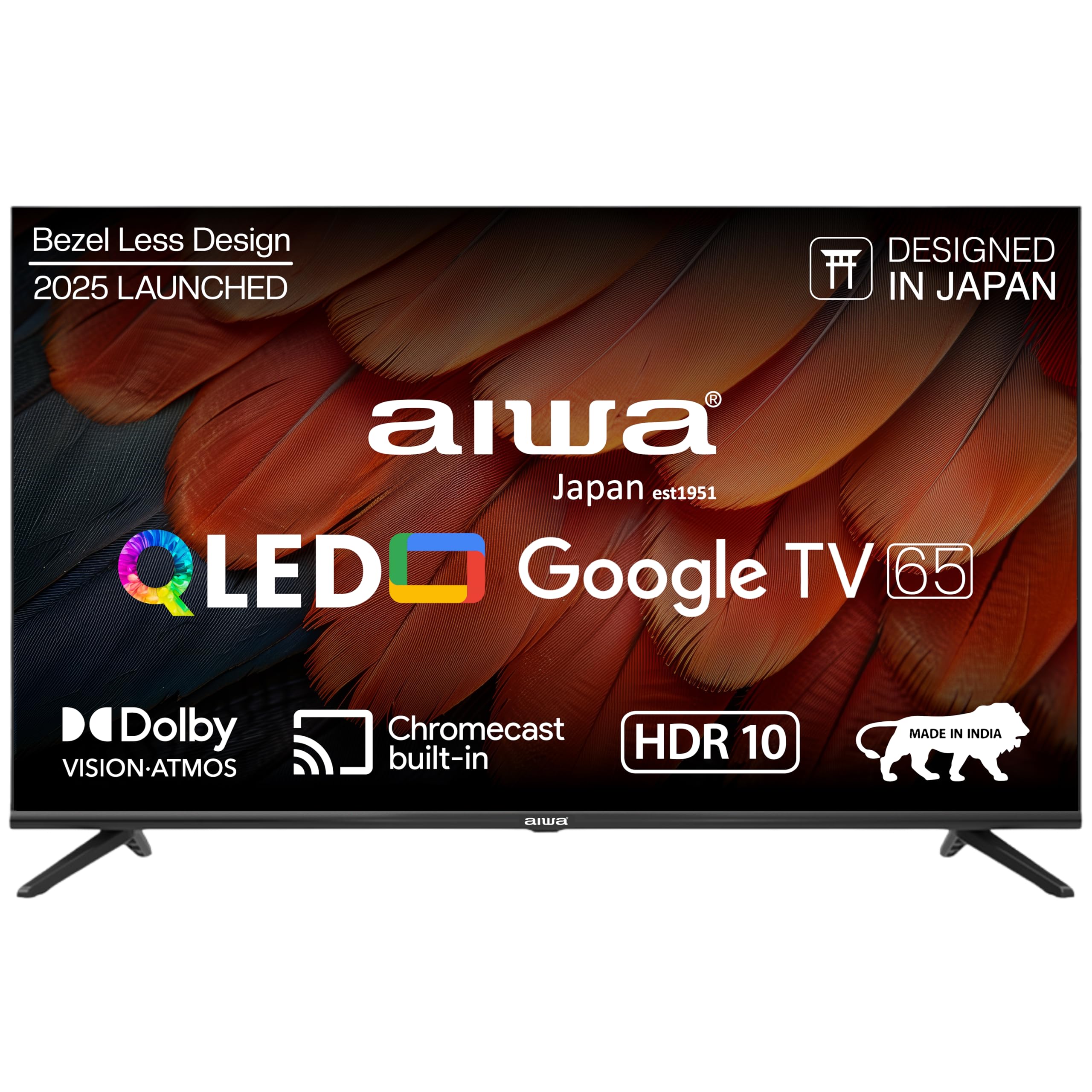
Figura 1.1: Fronte view of the Aiwa A65QUHDX3-GTV 65-inch QLED Smart TV.

Figure 1.2: Aiwa A65QUHDX3-GTV showcasing its ultra sleek design.
2. Información de seguridade
Siga sempre as seguintes precaucións de seguridade para evitar descargas eléctricas, incendios ou danos no televisor:
- Non expoñas o televisor á choiva nin á humidade.
- Non abras a televisión casing. Encomende todo o mantemento a persoal cualificado.
- Asegúrese de que haxa unha ventilación axeitada. Non bloquee as aberturas de ventilación.
- Evite colocar o televisor preto de fontes de calor ou baixo a luz solar directa.
- Use só o cable de alimentación subministrado co televisor.
- Manteña as pilas fóra do alcance dos nenos.
3. Que hai na caixa
Verifica que estean presentes todos os compoñentes ao desembalar:
- Televisor LED 1N
- 4N Screws for stand/wall mount
- Mando a distancia 1N
- 2 pilas AAA N (para o control remoto)
- 1N User Manual with Warranty Card
- 1N Set Table Stand
- 1N Wallmount bracket
4. Configuración
4.1 Instalación física
Your Aiwa TV supports both table-top and wall-mount installations. Choose the method suitable for your environment.
Instalación de soportes de mesa
- Coloque con coidado a pantalla do televisor sobre unha superficie suave e plana para evitar danala.
- Attach the provided table stands to the designated slots at the bottom of the TV using the included screws.
- Ensure the stands are securely fastened.
- Levante con coidado o televisor ata a súa posición vertical sobre unha superficie estable.
Instalación de montaxe en parede
If using the wall mount, follow the instructions provided with the wall mount kit. Professional installation is recommended for wall mounting.

Figure 4.1: Dimensions of the Aiwa A65QUHDX3-GTV 65-inch QLED Smart TV.
4.2 Conexión de periféricos
The TV features an array of ports for various devices. Refer to the back panel image for port locations.

Figura 4.2: Traseira view of the TV displaying connectivity ports.

Figura 4.3: detallada view of the TV's connectivity ports including LAN, HDMI, USB, Antenna In, and AV In.
- Portos HDMI (x3): Connect Blu-ray players, gaming consoles, set-top boxes, or other HDMI-enabled devices.
- Portos USB (x2): Conecta dispositivos de almacenamento USB para reproducir contido multimedia ou actualizar software.
- Porto LAN: Conecta un cable Ethernet para unha conexión a internet por cable.
- Entrada de antena: Conecta unha antena ou un sinal de televisión por cable.
- Entrada AV: Conecta dispositivos antigos usando cables de vídeo composto e audio estéreo.
- Bluetooth: Pair wireless headphones, soundbars, or other Bluetooth devices.
- Wi-Fi: Conéctate á rede sen fíos da túa casa para acceder a internet.
4.3 Acendido inicial e asistente de configuración
- Conecte o cable de alimentación ao televisor e despois a unha toma de corrente.
- Prema o botón de acendido/apagado do mando a distancia ou do propio televisor.
- Siga as instrucións en pantalla para completar a configuración inicial, incluíndo a selección do idioma, a conexión de rede e o inicio de sesión na conta de Google.
5. Instrucións de funcionamento
5.1 Control remoto
The included smart remote control allows for easy navigation and voice commands.

Figure 5.1: Smart Remote Control with dedicated quick access buttons for streaming services and voice control functionality.
- Botón de encendido: Acende ou apaga o televisor.
- Pad de navegación: Use the directional buttons to move through menus and the center button to select.
- Botón Atrás: Volve á pantalla anterior.
- Botón de inicio: Accede á pantalla de inicio de Google TV.
- Subir/Baixar o volume: Axusta o volume de audio.
- Botón de silencio: Silencia ou activa o son.
- Botón do asistente de voz: Activa o Asistente de Google para comandos de voz.
- Botóns de acceso rápido: Dedicated buttons for Netflix, Prime Video, YouTube, and Disney+Hotstar.
5.2 Interface de Google TV
Your Aiwa Smart TV runs on Google TV, offering a personalized content experience.

Figure 5.2: Google TV home screen displaying a wide range of applications and content.

Figure 5.3: Google TV interface with personalized content suggestions.
- Recomendacións de contido: The TV provides personalized suggestions based on your viewing history and preferences.
- Lista de vixilancia: Engade películas e series á túa lista de reprodución para máis tarde viewing.
- Pro persoalfile: Crear un profesional individualfiles for each user to receive tailored content.
- Kids Profile: Set up a dedicated profile for children with age-appropriate content and parental controls.
- Asistente de Google: Usa comandos de voz para buscar contido, controlar dispositivos domésticos intelixentes e obter información.
- Chromecast integrado: Transmite contido directamente desde o teu teléfono intelixente ou tableta á televisión.
5.3 Axustes de imaxe e son
Axusta a configuración da imaxe e o son para optimizar o teu viewexperiencia ing.
Modos de imaxe
Access picture settings through the TV menu to select from various modes:
- Vivo: Enhances colors and brightness for a dynamic picture.
- Estándar: Configuración predeterminada axeitada para a maioría dos contidos.
- Deporte: Optimizes motion and color for sports broadcasts.
- Película: Provides a cinematic experience with accurate colors.
- Usuario: Allows custom adjustment of brightness, contrast, color, and sharpness.
- Aforro de enerxía: Reduces power consumption by adjusting brightness.
The QLED display supports Dolby Vision and HDR10 for enhanced contrast and color depth.

Figure 5.4: Explanation of Quantum Dot nanocrystals technology for vibrant picture quality.

Figure 5.5: Crysta Tech Vision for enhanced detail and Black Reflect anti-glare technology.
Modos de son
Select sound modes to match your content:
- Estándar: General audio setting.
- Deporte: Enhances dialogue and crowd noise for sports.
- Película: Provides a rich, immersive audio experience.
- Música: Optimiza o audio para a reprodución de música.
The TV features Aiwa Signature Sound and Dolby Atmos for high-fidelity audio.

Figure 5.6: Aiwa Signature Sound, crafted to perfection in Japan, for high fidelity audio.
6. Mantemento
6.1 Limpeza do televisor
- Desconecte sempre o televisor antes de limpalo.
- Usa un pano suave e seco para limpar a pantalla e a carcasa.
- Para marcas difíciles, espolvoree lixeiramenteampEnxágüe o pano con auga ou cun limpador de pantallas suave e non abrasivo.
- Non empregue alcohol, benceno, disolventes nin outras substancias volátiles.
6.2 Actualizacións de software
Your Google TV may receive automatic software updates. Ensure your TV is connected to the internet to receive the latest features and security patches. You can also manually check for updates in the TV's settings menu.
7 Solución de problemas
Se tes problemas co teu televisor, consulta as seguintes solucións habituais:
| Problema | Posible Solución |
|---|---|
| Sen electricidade / a televisión non se acende | Ensure the power cord is securely connected to both the TV and the power outlet. Check if the power outlet is working. Try pressing the power button on the TV itself. |
| Sen imaxe / Mala calidade de imaxe | Check cable connections (HDMI, Antenna). Ensure the correct input source is selected. Adjust picture settings (brightness, contrast, mode). For antenna, rescan channels. |
| Sen son / Son baixo | Check volume level and ensure TV is not muted. Verify audio cable connections if using external speakers. Check sound settings and sound mode. |
| O control remoto non funciona | Replace batteries in the remote control. Ensure there are no obstructions between the remote and the TV's IR sensor. Re-pair the Bluetooth remote if applicable. |
| Smart TV features not working / Slow performance | Check internet connection (Wi-Fi or LAN). Restart the TV by unplugging it for a few minutes. Clear app cache or reinstall problematic apps. Ensure software is up to date. |
| Casting issues (Chromecast) | Ensure your casting device and TV are on the same Wi-Fi network. Restart both the TV and the casting device. |
8. Especificacións
Detailed technical specifications for the Aiwa A65QUHDX3-GTV:
| Característica | Detalle |
|---|---|
| Marca | Aiwa |
| Modelo | A65QUHDX3 |
| Tamaño da pantalla | 65 polgadas |
| Tecnoloxía de visualización | QLED |
| Resolución | 4K Ultra HD (3840 x 2160 píxeles) |
| Taxa de actualización | 60 Hz |
| Viewángulo ing | 178 graos |
| Sistema Operativo | Google TV |
| Memoria RAM | 2 GB |
| Capacidade de almacenamento | 16 GB |
| Coprocesador gráfico | Mali-450 GPU |
| Conectividade | Wi-Fi (Dual band), Bluetooth (2-way), HDMI 2.0 (x3), USB 2.0 (x2), LAN (x1) |
| Potencia de saída de audio | 24 vatios |
| Funcións de audio | Aiwa Signature Sound, Dolby Atmos, Stereo Audio |
| Características especiais | 4K Ultra HD, Built-in Apps, Voice Control, HDR10, Google OS, Flat Screen, Miracast, Smart Features, Dolby Vision, Crysta Tech Vision, Black Reflect |
| Dimensións do produto (con soporte) | 10 x 9.8 x 83 cm (approx. 145.2 cm width, 89.6 cm height) |
| Peso do elemento | 18.6 kg |
| Fonte de enerxía | CA 220 voltios |
| Wattage | 150 vatios |
9. Garantía e soporte
9.1 Información da garantía
Your Aiwa A65QUHDX3-GTV television comes with a manufacturer's warranty. Please refer to the included Warranty Card for detailed terms, conditions, and duration of the warranty period.
9.2 Atención ao cliente
For technical assistance, installation services, or any product-related inquiries, please contact Aiwa customer support:
- Liña de atención ao cliente: 1800-120-5619
- Service is available across 19000+ pincodes in India.

Figure 9.1: Aiwa provides installation and service support across India.


