1. Produto rematadoview
The RadioShack N409 rechargeable battery charger is designed to power your devices efficiently, whether at home, in the office, or during travel. This versatile charger supports both AA and AAA rechargeable batteries, including high-capacity 2500mAh batteries. Its compact and portable design makes it convenient for on-the-go use. The charger features LED indicators to display charging progress and incorporates intelligent charging technology to optimize charging speed and protect batteries from overcharging, extending their lifespan. It includes a Micro USB cable and a USB adapter for flexible charging options.
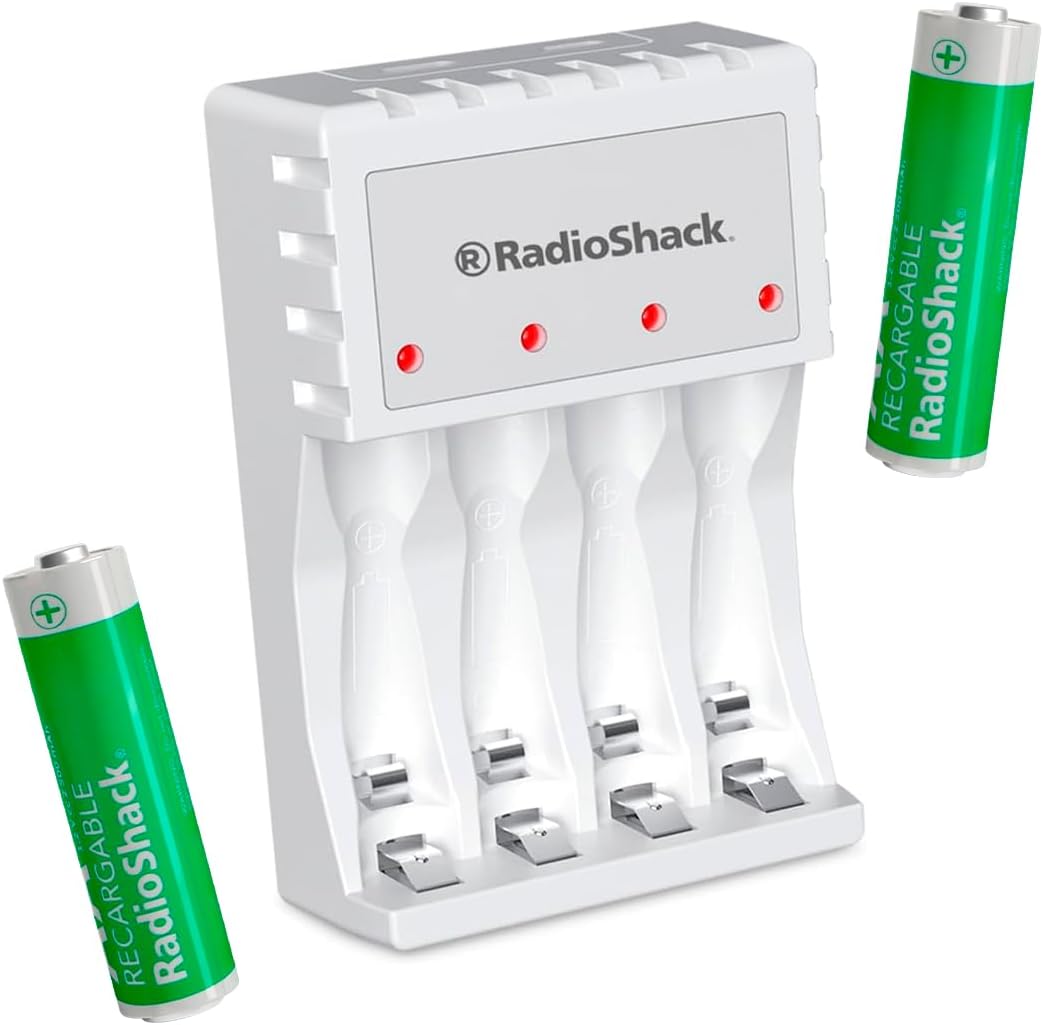
Figure 1: RadioShack N409 Charger with included AA batteries.
2. Contido do paquete
Verifica que todos os elementos estean presentes no paquete:
- 1 x RadioShack N409 AA/AAA Rechargeable Battery Charger
- 2 x AA 2500 mAh Rechargeable Batteries
- 1 x cable de carga micro USB
- 1 x USB Wall Adapter

Figura 2: Todos os compoñentes incluídos no paquete.
3. Configuración
- Conecte o cargador: Insert the Micro USB end of the charging cable into the charger's Micro USB port. Connect the standard USB end of the cable to the included USB wall adapter, a computer's USB port, or another compatible USB power source.
- Encendido: Plug the USB wall adapter into a standard electrical outlet. The charger's LED indicators may briefly illuminate.
- Inserir pilas: Carefully insert AA or AAA rechargeable batteries into the charging slots, ensuring correct polarity (+ and - ends match the markings on the charger). The charger can accommodate up to four batteries simultaneously.

Figure 3: Charger connected to a power source.
4. Instrucións de funcionamento
- Proceso de carga: Once batteries are correctly inserted and the charger is powered, the corresponding LED indicators will illuminate to show that charging is in progress.
- Indicadores LED: The LED indicators provide information on the charging status. When a battery is fully charged, the charger's intelligent technology will automatically reduce the charging current or shut off the charging process for that slot to prevent overcharge and conserve energy.
- Eliminación da batería: Once charging is complete, carefully remove the batteries from the charger.
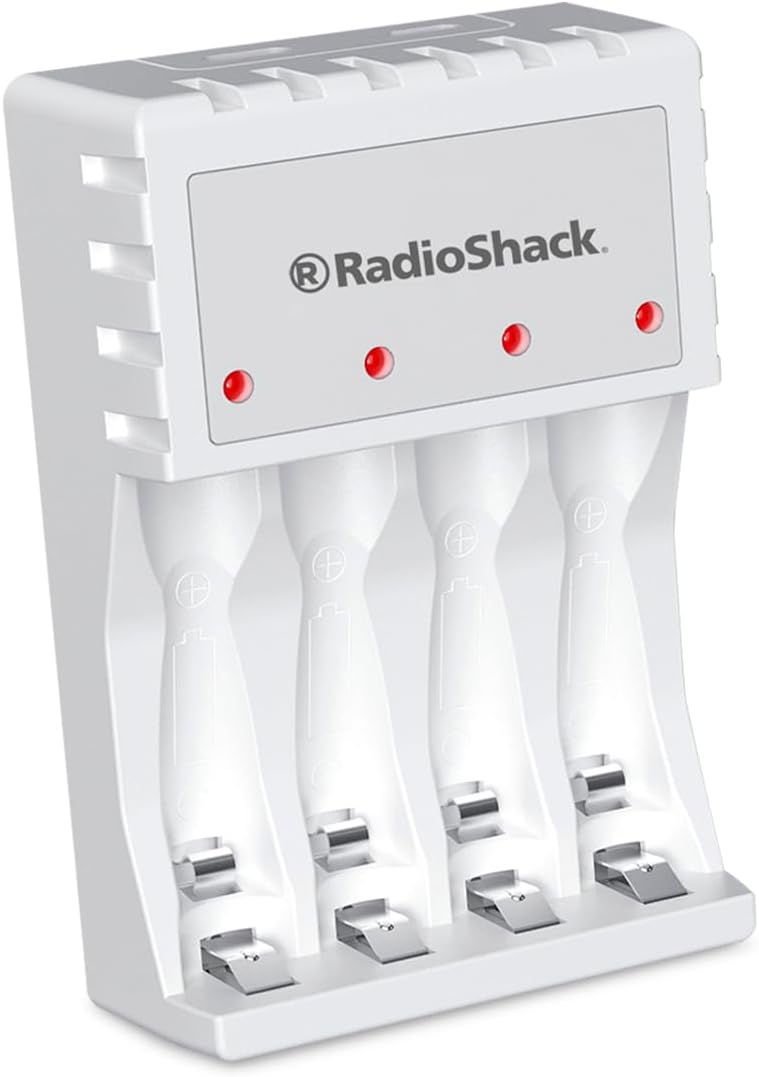
Figure 4: LED indicators on the charger.
5. Mantemento
- Limpeza: Disconnect the charger from the power source before cleaning. Use a soft, dry cloth to wipe the surface of the charger. Do not use liquid cleaners or abrasive materials.
- Almacenamento: Garde o cargador nun lugar fresco e seco, lonxe da luz solar directa e de temperaturas extremas cando non o estea a usar.
- Coidado da batería: For optimal battery life, avoid completely draining rechargeable batteries before recharging them.
6 Solución de problemas
| Problema | Causa posible | Solución |
|---|---|---|
| O indicador LED non se acende. | Charger not connected to power, or battery inserted incorrectly. | Ensure the charger is securely plugged into a working power outlet. Re-insert batteries, verifying correct polarity. |
| As baterías non se cargan. | Batteries are non-rechargeable, damaged, or fully charged. | Confirm batteries are rechargeable (NiMH or NiCd). Try charging different batteries. If batteries are already full, the charger will stop charging. |
| Carga lenta. | Low power USB source or high-capacity batteries. | Use the included USB wall adapter for optimal charging speed. Charging high-capacity batteries naturally takes longer. |
7. Especificacións
| Característica | Detalle |
|---|---|
| Modelo | N409 |
| Tipos de batería compatibles | AA, AAA (Rechargeable) |
| Vol. De entradatage | 5 voltios |
| Vol. De saídatage | 1.5 voltios |
| Dimensións (L x W x H) | 6.3 x 2.4 x 9.3 cm |
| Peso | 200 g |
| Baterías incluídas | 2 x AA 2500 mAh |
| Interfaz de carga | Micro USB |
| Características | LED Indicators, Intelligent Charging Protection (Overcharge protection) |
8. Información de seguridade
- Use only with rechargeable AA and AAA batteries. Do not attempt to charge non-rechargeable batteries.
- Non expoñas o cargador á auga nin a humidade excesiva.
- Non desmonte nin modifique o cargador.
- Manter fóra do alcance dos nenos.
- Unplug the charger from the power source when not in use or during electrical storms.
- Asegúrate dunha ventilación axeitada durante a carga. Non cubras o cargador.
9. Garantía e soporte
For product support, technical assistance, or warranty inquiries, please contact RadioShack customer service. Refer to your purchase documentation for specific warranty terms and contact information.
Note: This manual provides general guidelines. Specific warranty terms may vary by region and retailer.


