1. Produto rematadoview
These NIIMBOT thermal label refills are designed for use with NIIMBOT D11, D110, D101, and H1S label makers. They are self-adhesive, water-resistant, oil-resistant, and friction-resistant, making them suitable for various labeling needs without the need for ink or toner.
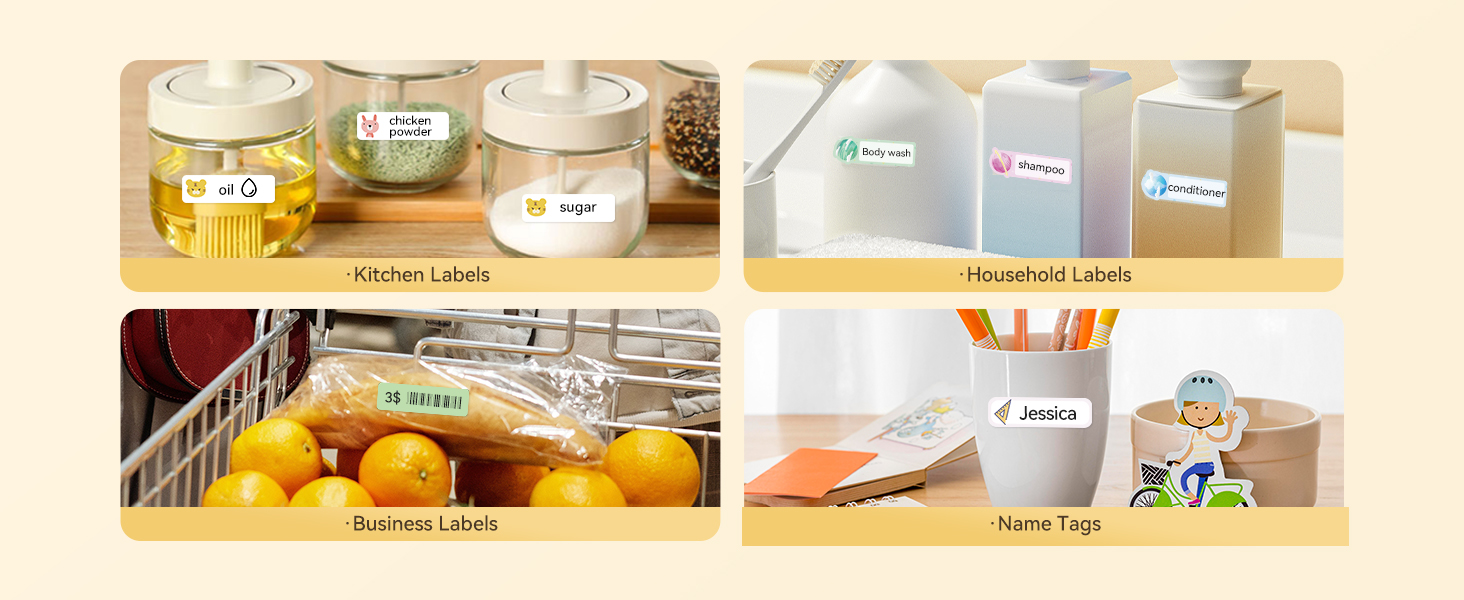
Image: Key features of NIIMBOT thermal labels, highlighting their durability and ink-free printing.
2. Configuración e instalación
2.1 Carga do rolo de etiquetas
- Open the cover of your NIIMBOT label maker.
- Insert the label roll into the designated compartment, ensuring the labels face upwards and the leading edge extends slightly out of the printer slot.
- Close the cover securely. The label maker's intelligent identification chip will automatically recognize the label type and size.
Atención: Do not tear or damage the sticker on the side of the label roll, as it contains the printing sensor chip necessary for automatic recognition and proper printing.

Image: A roll of NIIMBOT labels showing the dimensions (14mm x 30mm) and quantity per roll.
2.2 Conexión á aplicación
Ensure your NIIMBOT label maker is charged and powered on. Connect to the label maker via Bluetooth using the official NIIMBOT app on your smartphone or tablet. The app will guide you through the connection process.
Video: Demonstrates the setup and various applications of NIIMBOT D11/D110 label tapes, including loading the tape and printing labels for kitchen, home, toy, and file organización.
3. Instrucións de funcionamento
3.1 Designing Your Label
- Open the NIIMBOT app and select the recognized label template.
- Tap on the text area to enter your desired content.
- Utilize the app's editing features to customize the label:
- Estilo: Adjust text bolding, italics, and alignment.
- Tipo de letra: Choose from various fonts and adjust font size.
- Alignment/Mirror: Position text within the label and mirror for specific applications.
3.2 Impresión de etiquetas
- Once your label design is complete, tap the 'Print' button in the app.
- Confirm the print settings, including the number of copies and print density.
- Initiate printing. The label maker will dispense the printed label.
- Tear off the label along the serrated edge of the label maker.

Imaxe: Examples of NIIMBOT labels used for organizing items in a home, office, school, and for general classification.
4. Mantemento
- Keep the label maker and label rolls in a clean, dry environment away from direct sunlight and extreme temperatures.
- Regularly clean the print head with a soft, lint-free cloth to ensure optimal print quality. Do not use harsh chemicals.
- Ensure the label roll is properly seated to prevent paper jams and maintain print accuracy.
5 Solución de problemas
5.1 Labels Not Printing or Printing Blank
- Check if the label roll is installed correctly with the printing surface facing upwards.
- Ensure the printing sensor chip on the side of the roll is intact and not covered.
- Verify that the label maker is connected to the app via Bluetooth and the correct label template is selected.
5.2 Mala calidade de impresión
- Limpe o cabezal de impresión como se describe na sección Mantemento.
- Adjust the print density setting within the NIIMBOT app.
- Ensure the label roll is not old or damaged.
5.3 Problemas de conexión
- Restart both your label maker and your mobile device.
- Ensure Bluetooth is enabled on your device and the label maker is within range.
- Update the NIIMBOT app to the latest version.
6. Especificacións
| Característica | Detalle |
|---|---|
| Marca | NIIMBOT |
| Compatibilidade de modelos | NIIMBOT D11, D110, D101, H1S |
| Tipo de etiqueta | Thermal Label (No Ink Required) |
| Dimensións da etiqueta | 0.55" X 1.18" (14 X 30mm) |
| Cor | Branco |
| Etiquetas por rolo | 210 |
| Number of Rolls | 3 Rolos |
| Material | Paper (BPA Free) |
| Características especiais | Water-resistant, Oil-resistant, Friction-resistant, Tear-resistant, Scratch-resistant, Intelligent Identification Chip |
| Peso do elemento | 1.76 onzas |
| Dimensións do paquete | 2.32 x 2.09 x 2.05 polgadas |
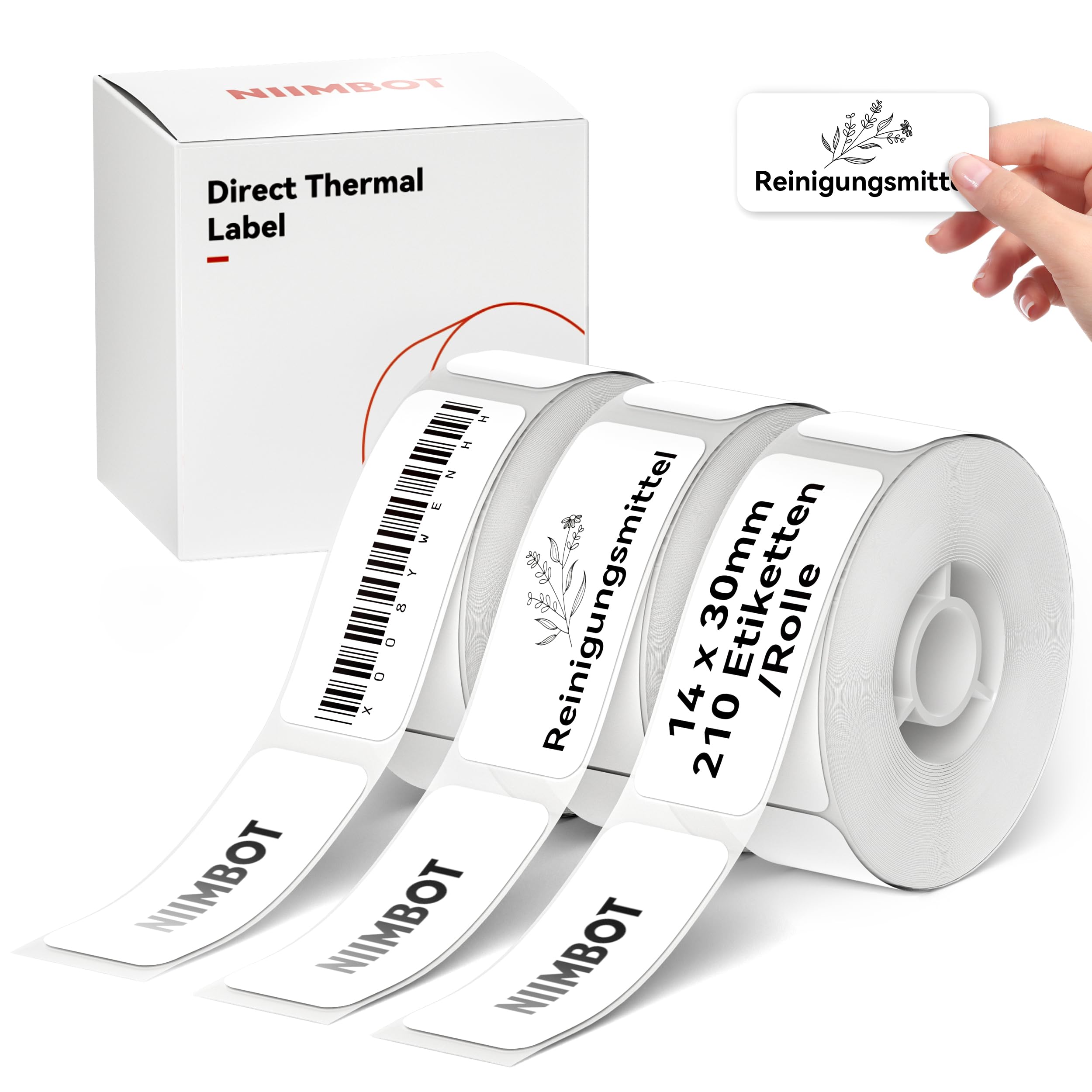
Image: Three rolls of white NIIMBOT thermal labels, model D-TAPE-3R, with dimensions 14x30mm.
7. Garantía e soporte
For warranty information and customer support, please refer to the documentation included with your NIIMBOT label maker or visit the official NIIMBOT website. You can also contact NIIMBOT customer service directly for assistance with product inquiries, troubleshooting, or replacement parts.
NIIMBOT Official Websitio: www.niimbot.com


