1. Introdución
Thank you for choosing the Maxcom FW58 Vanad Pro Smartwatch. This manual provides essential information for setting up, operating, and maintaining your device. The FW58 Vanad Pro is designed to enhance your daily life by offering comprehensive health monitoring, seamless communication, and robust activity tracking capabilities. Its lightweight design and customizable features make it an ideal companion for both busy individuals and active sports enthusiasts.
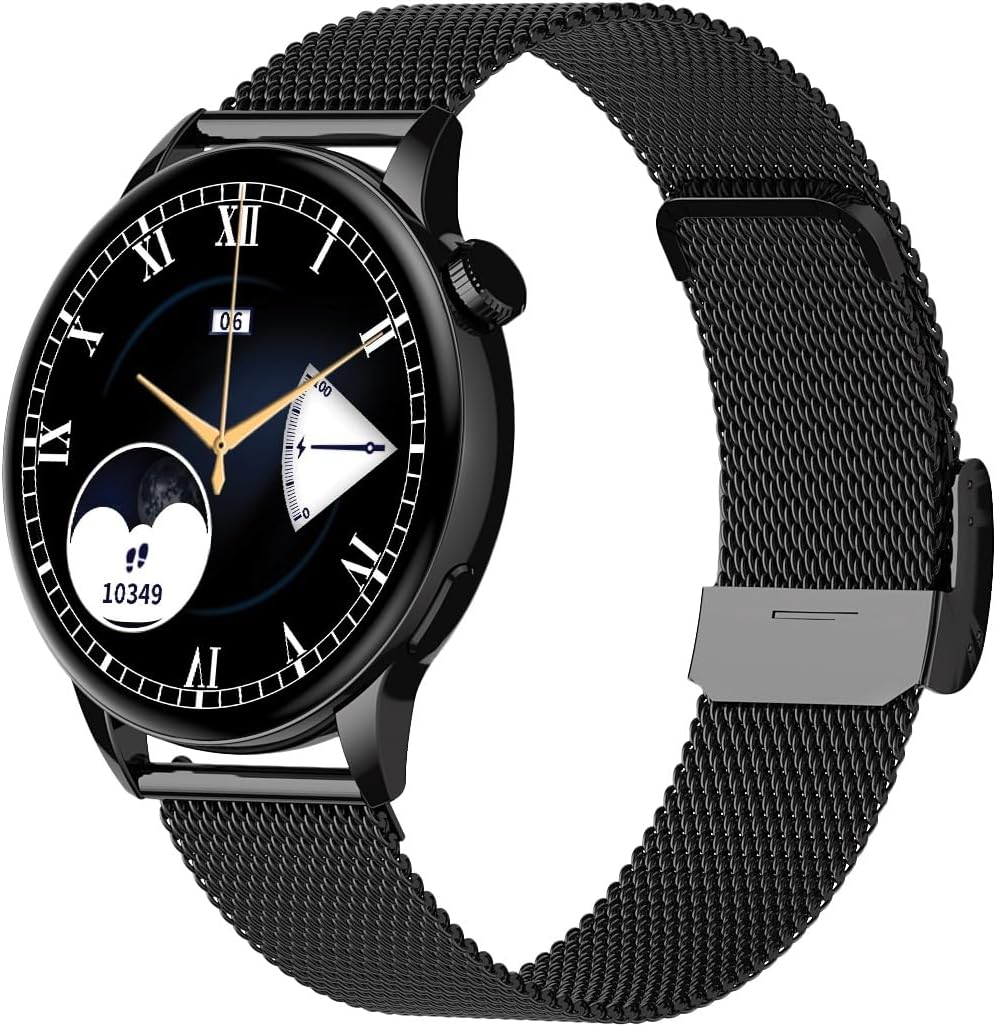
Image 1.1: Maxcom FW58 Vanad Pro Smartwatch, showcasing its elegant design with a black mesh strap and a classic watch face.
2. Configuración
2.1. Contido do paquete
Antes de comezar, asegúrate de que todos os elementos estean presentes no teu paquete:
- Maxcom FW58 Vanad Pro Smartwatch
- Cable de carga magnética
- Additional Silicone Strap
- Manual de usuario (este documento)
2.2. Carga do reloxo intelixente
For optimal performance, fully charge your smartwatch before first use.
- Connect the magnetic charging cable to the charging contacts on the back of the smartwatch. Ensure the pins align correctly.
- Conecta o extremo USB do cable a un adaptador de corrente USB estándar (recoméndase 5 V/1 A) ou ao porto USB dun ordenador.
- A pantalla do reloxo indicará o estado da carga. Unha carga completa adoita tardar aproximadamente 2 horas.

Imaxe 2.1: Traseira view of the Maxcom FW58 Smartwatch, highlighting the optical sensor for health monitoring and the magnetic charging contacts.
2.3. Emparellamento co teu teléfono intelixente
To unlock all features, pair your smartwatch with the dedicated Maxcom smartwatch application on your smartphone.
- Download the official Maxcom smartwatch application from your smartphone's app store (e.g., Google Play Store or Apple App Store). Busca "Maxcom Smartwatch" or refer to the QR code in the quick start guide if provided.
- Asegúrate de que o Bluetooth estea activado no teu smartphone.
- Open the Maxcom app and follow the on-screen instructions to add a new device.
- Select "FW58" from the list of available devices. Confirm the pairing request on both your phone and the smartwatch.
3. Funcionamento do reloxo intelixente
3.1. Navegación básica
The Maxcom FW58 features a responsive touchscreen and a side button/crown for navigation.
- Pantalla táctil: Desliza o dedo cara á esquerda/dereita, arriba/abaixo para navegar polos menús e as funcións. Toca para seleccionar.
- Botón lateral/coroa: Press to wake the screen, return to the home screen, or access the app menu. Rotate the crown (if applicable) to scroll through lists or adjust settings.

Imaxe 3.1: Pro lateralfile of the Maxcom FW58 Smartwatch, illustrating the physical crown and button for intuitive control and navigation.
3.2. Características de comunicación
- Facer/Recibir chamadas: Once paired, you can answer incoming calls directly from your smartwatch. You can also initiate calls from your watch's call log or contacts (synced via the app).
- Notificacións: Receive real-time notifications for SMS messages, app alerts, emails, social media updates, and news directly on your wrist. Manage notification settings through the Maxcom app.
3.3. Monitorización da saúde
The smartwatch provides various health metrics to help you monitor your well-being.
- Frecuencia cardíaca: Continuous or on-demand heart rate monitoring.
- Presión arterial: Measure your blood pressure (for reference only, not a medical device).
- Oxíxeno no sangue (SpO2): Monitorea os teus niveis de saturación de osíxeno no sangue.
- Seguimento do sono: Monitoriza automaticamente os teus patróns de sono, incluíndo o sono profundo, o sono lixeiro e as horas de vixilia.
3.4. Seguimento de actividade e modos deportivos
Track your daily activity and specific workouts.
- Actividade diaria: Records steps taken, calories burned, and distance traveled (mileage).
- Modos deportivos: Select from various sports modes such as fitness, hiking, running, badminton, cycling, and football to track specific workout data.
3.5. Control da música
Control music playback on your connected smartphone directly from your smartwatch. Play, pause, skip tracks, and adjust volume without needing to access your phone.
3.6. Personalización
Personalize your smartwatch experience.
- Ver caras: Choose from over 100 pre-installed watch face models or download more via the Maxcom app to match your style or mood.
- Estilo de menú: Customize the layout and appearance of your smartwatch menu.
- Substitución da correa: Easily change between the included mesh and silicone straps to suit different occasions or activities.

Image 3.2: A digital watch face on the Maxcom FW58 Smartwatch, showing steps and heart rate data.

Image 3.3: The Maxcom FW58 Smartwatch showcasing a dynamic and colorful digital watch face option.
4. Mantemento
4.1. Cleaning the Smartwatch
Regular cleaning helps maintain the device's appearance and functionality.
- Limpe a pantalla e o corpo cun pano suave e sen fiapos.
- Para manchas difíciles, lixeiramente dampEnxágüe o pano con auga. Evite o uso de produtos químicos agresivos ou materiais abrasivos.
- Clean the sensor area on the back of the watch regularly to ensure accurate readings.
4.2. Coidado da batería
Para prolongar a duración da batería:
- Evita temperaturas extremas.
- Non deixes o reloxo completamente descargado durante períodos prolongados.
- Charge the device using only the provided charging cable.
4.3. Resistencia á auga (IP67)
The Maxcom FW58 Vanad Pro Smartwatch is rated IP67, meaning it is protected against dust ingress and can withstand immersion in water up to 1 meter for up to 30 minutes. While it is suitable for daily use and splashes, it is not recommended for swimming, diving, or high-pressure water activities.
5 Solución de problemas
If you encounter issues with your smartwatch, try the following solutions:
| Problema | Solución |
|---|---|
| O reloxo non se acende | Ensure the watch is fully charged. Press and hold the side button for 5-10 seconds. |
| Non se pode emparellar co teléfono intelixente | Ensure Bluetooth is on. Restart both the watch and phone. Clear app cache/data. Try pairing again. |
| Lecturas de saúde inexactas | Ensure the watch is worn snugly on your wrist. Clean the sensor area. Remain still during measurements. |
| Notificacións non recibidas | Check app notification permissions on your phone. Ensure the watch is connected via Bluetooth. Verify notification settings within the Maxcom app. |
5.1. Restablecemento de fábrica
If problems persist, you may need to perform a factory reset. This will erase all data on the smartwatch and restore it to its original settings. Navigate to 'Settings' on your smartwatch, then look for 'System' or 'Reset' options.
6. Especificacións
| Característica | Detalle |
|---|---|
| Número de modelo | FW58 |
| Tamaño de visualización | 1.5 polgadas |
| Duración da batería | 6-10 days (intensive use) |
| Peso | 46 g |
| Dimensións da caixa | 44 x 38 x 10 mm |
| Tamaño da correa | 255 x 20 mm |
| Resistencia á auga | IP67 (ata 1 metro durante 30 minutos) |
| Conectividade | Bluetooth |
| Correas incluídas | Mesh and Silicone |
7. Garantía e soporte
7.1. Información da garantía
Maxcom products are manufactured to the highest quality standards. For detailed warranty terms and conditions, please refer to the warranty card included with your purchase or visit the official Maxcom websitio. Garda o comprobante de compra para reclamacións de garantía.
7.2. Atención ao cliente
If you require further assistance or have questions not covered in this manual, please contact Maxcom customer support:
- Websitio: Visit the official Maxcom support websitio para preguntas frecuentes, actualizacións de software e formularios de contacto.
- Correo electrónico/Teléfono: Refer to the contact information provided on the Maxcom websitio web ou a embalaxe do teu produto.


