Introdución
Thank you for choosing the Bigben 5000mAh MagSafe Compatible Wireless Power Bank. This portable power bank is designed to provide convenient wireless charging for compatible devices, as well as wired charging via its USB-C port. Please read this manual carefully before using the product to ensure safe and optimal performance.
Información de seguridade
Para evitar lesións ou danos no dispositivo, observe as seguintes precaucións de seguridade:
- Non expoñas o cargador portátil a temperaturas extremas, á luz solar directa nin ao lume.
- Non mergulles o banco de enerxía en auga nin noutros líquidos.
- Evita deixar caer, golpear ou desmontar o banco de enerxía.
- Manter fóra do alcance dos nenos.
- Emprega só cables e adaptadores de carga certificados.
- Se a batería externa se incha, emite un cheiro ou se quenta excesivamente, interrompa o seu uso inmediatamente.
- Desfágase do banco de enerxía de forma responsable segundo a normativa local.
Contido do paquete
Comprobe se o paquete contén os seguintes elementos:
- Bigben 5000mAh MagSafe Compatible Wireless Power Bank
- Cable de carga USB-C a USB-C
- Manual de usuario (este documento)
Produto rematadoview
Familiarize yourself with the components of your power bank:

Imaxe: Fronte view of the Bigben 5000mAh Power Bank, highlighting the LED indicator lights and the USB-C port.
- Luces indicadoras LED: Four small lights indicating the remaining battery level.
- Porto USB-C: For charging the power bank and for wired device charging.
- Superficie de carga sen fíos: The flat surface designed for MagSafe compatible wireless charging.
- Botón de encendido: Activa a carga sen fíos e comproba o nivel da batería.
Configuración
Cargando o Power Bank
Antes do primeiro uso, carga completamente o teu banco de enerxía.
- Conecta o cable USB-C fornecido ao porto USB-C do cargador portátil.
- Conecta o outro extremo do cable USB-C a un adaptador de parede USB compatible (non incluído).
- The LED indicator lights will illuminate to show the charging status. When all four LEDs are solid, the power bank is fully charged.
Estado do indicador LED:
- 1 LED: 0-25 % de carga
- 2 LED: 25-50 % de carga
- 3 LED: 50-75 % de carga
- 4 LED: 75-100 % de carga
En funcionamento
Carga sen fíos (compatible con MagSafe)
This power bank supports MagSafe compatible wireless charging up to 10W.
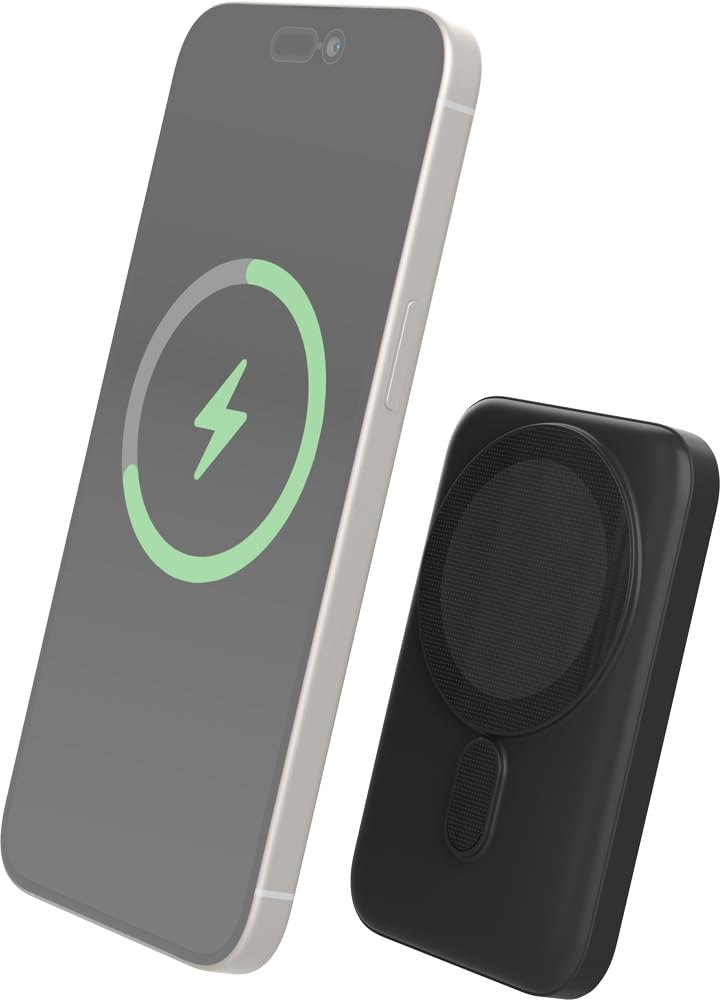
Image: The Bigben power bank magnetically connected to the back of a smartphone, illustrating the wireless charging function.
- Ensure your device is MagSafe compatible or has a MagSafe compatible case.
- Align the power bank with the back of your device. The magnets will snap it into place.
- The power bank will automatically begin charging your device. The LED indicators on the power bank will show its remaining charge.
- Para deter a carga, simplemente desconecte o banco de enerxía do dispositivo.
Note: For optimal magnetic attachment and charging efficiency, ensure there are no obstructions between the power bank and your device.
Carga por cable
You can also charge devices using a USB-C cable.
- Connect one end of a USB-C cable (not included, or use the provided one if suitable) to the power bank's USB-C port.
- Conecta o outro extremo do cable ao porto de carga do teu dispositivo.
- O banco de enerxía comezará a cargar o teu dispositivo automaticamente.
Mantemento
Limpeza
- Disconnect the power bank from all devices and power sources before cleaning.
- Limpar a superficie cun pano suave, seco e sen fiapos.
- Non use produtos químicos agresivos, disolventes de limpeza ou deterxentes fortes.
Almacenamento
- Garda o banco de enerxía nun lugar fresco e seco, lonxe da luz solar directa e de temperaturas extremas.
- Se a gardas durante un período prolongado, carga a batería externa aproximadamente ao 50 % cada tres meses para manter o estado da batería.
Resolución de problemas
| Problema | Posible Solución |
|---|---|
| O banco de enerxía non se está cargando |
|
| O dispositivo non se carga sen fíos |
|
| Device not charging via cable |
|
| Os indicadores LED non funcionan |
|
Especificacións
| Característica | Detalle |
|---|---|
| Número de modelo | 6128 |
| Capacidade da batería | 5000 mAh |
| Saída sen fíos | Up to 10W (MagSafe Compatible) |
| Porto de entrada/saída | USB-C |
| Peso | Aproximadamente 300 g |
Garantía e Soporte
Bigben products are designed and manufactured to the highest standards. For warranty information or technical support, please refer to the warranty card included with your purchase or visit the official Bigben websitio.
For further assistance, please contact Bigben customer service.


