Introdución
The Logitech K585 Multi-Device Slim Wireless Keyboard is designed for seamless multi-tasking across various devices. This manual provides comprehensive instructions for setting up, operating, maintaining, and troubleshooting your keyboard to ensure optimal performance and longevity.

The Logitech K585 keyboard, showcasing its slim design and rose color, with a built-in cradle for devices.
O que hai na caixa
Verifica que todos os compoñentes estean presentes no teu paquete:
- Teclado inalámbrico delgado multidispositivo Logitech K585
- 2 AAA batteries (pre-installed or separate)
- Logitech Unifying USB receiver
- Documentación para o usuario (este manual)

An illustration of the items included in the product packaging: the K585 keyboard and two AAA batteries.
Configuración
1. Instalación da batería
The keyboard requires two AAA batteries for operation. If not pre-installed, open the battery compartment located on the top edge of the keyboard, insert the batteries, and close the compartment. The Unifying USB receiver is also stored in this compartment.
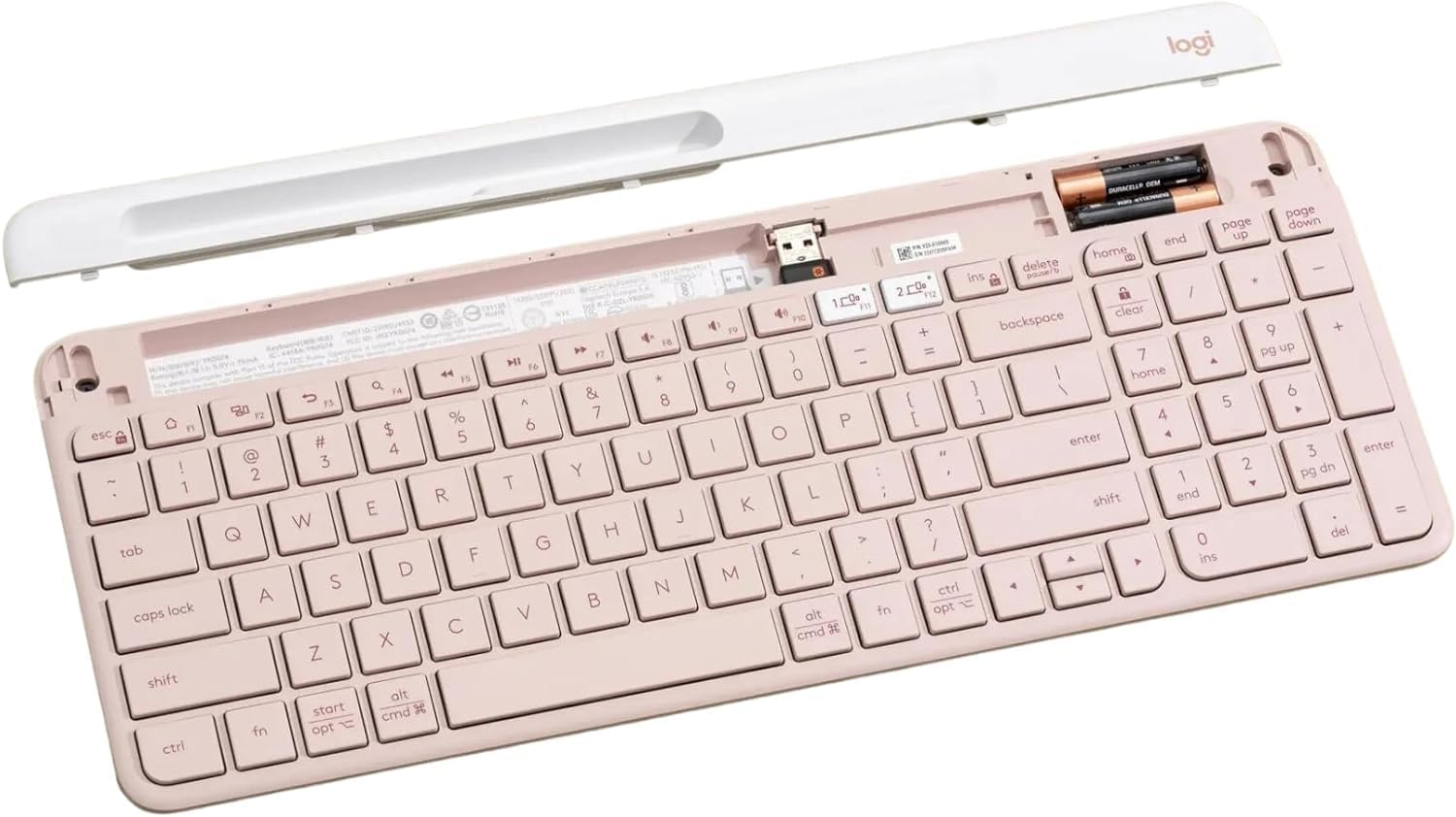
O interno view of the keyboard, highlighting the battery slots and the dedicated storage for the USB receiver.
2. Connecting via USB Receiver
- Remove the Unifying USB receiver from the battery compartment.
- Conecte o receptor USB a un porto USB dispoñible no seu ordenador.
- Acenda o teclado usando o interruptor de acendido situado no lado dereito.
- O teclado debería conectarse automaticamente ao teu dispositivo.
3. Conectando a través de Bluetooth
The K585 keyboard supports Bluetooth Low Energy (BLE) for wireless connection.
- Asegúrate de que o teclado estea acendido.
- Manteña premida unha das teclas Easy-Switch (1 ou 2) durante tres segundos ata que a luz LED que está enriba da tecla comece a parpadear rapidamente. Isto indica o modo de emparellamento.
- On your device (computer, tablet, smartphone), go to Bluetooth settings and select
Documentos relacionados - K585 ROSE

Guía de configuración do teclado multidispositivo Logitech K585
Guía de configuración completa para o teclado sen fíos Logitech K585 Multi-Device Slim. Aprende a instalar as pilas, conectar mediante un receptor USB ou Bluetooth, emparellar con varios dispositivos e seleccionar deseños de sistemas operativos.
Logitech K480 Multi-Device Bluetooth Keyboard Manual de usuario
Unha guía completa para configurar, conectar e solucionar problemas do teclado Bluetooth multidispositivo Logitech K480 para un funcionamento sen problemas con ordenadores, tabletas e teléfonos intelixentes en varios sistemas operativos.
Teclado multidispositivo Logitech K780: guía de funcións, configuración e conectividade
Explore the Logitech K780 Multi-Device Keyboard. This guide covers its features, how to connect to computers, phones, and tablets via Bluetooth Smart or Unifying receiver, and enhanced functions for various operating systems.
Teclado multidispositivo Logitech K780: funcións, conectividade e guía de configuración
Descubra o teclado multidispositivo Logitech K780, un teclado versátil deseñado para cambiar sen problemas entre ordenadores, teléfonos intelixentes e tabletas. Esta guía detalla as súas características, as opcións de conectividade dual (Bluetooth Smart e receptor unificador), as funcións melloradas e as instrucións de configuración para varios sistemas operativos.
Tastiera Logitech K780 Multi-Device: funcionalidade, conexión e deseño
Guía completa do teclado Logitech K780 Multi-Device, coas súas funcións, conectar máis dispositivos mediante Bluetooth Smart e Unifying, optimizar funcións e deseño dobre para varios sistemas operativos.
Teclado multidispositivo Logitech K780: conectividade sen fisuras para todos os teus dispositivos
Explore the Logitech K780 Multi-Device Keyboard. Learn how to connect and use this versatile keyboard with your computer, tablet, and smartphone via Unifying or Bluetooth Smart for enhanced productivity. Discover its features, setup, and multi-device pairing.