Introdución
This manual provides detailed instructions for the installation, operation, and maintenance of your CAMECHO 10.1 Inch HD CCTV Monitor (Model K0202). Please read this manual thoroughly before using the product to ensure proper function and longevity. Keep this manual for future reference.
Produto rematadoview
Características clave
- 10.1-inch Portable Monitor: Features built-in speakers, 1024x600 RGB high resolution, and a 16:9 aspect ratio. Supports 9-30V DC power input (12V AC adapter recommended).
- Multifunctional Mini Screen: Compatible with VGA, AVI, HDMI, DVD, PC, CCTV, and TV systems. Suitable for security monitoring, vehicle displays, reversing camera systems, and general computer use. Note: Not designed for advanced gaming applications (e.g., 3A Masterpieces).
- Multi-Input Modes: Offers 4 input modes (HDMI, VGA, AV1, AV2). Easily switch between modes using a cable connection and the AV1/AV2 button.
- Two-Channel Video Input: Supports two external P&HD cameras. When the car reverses, it automatically switches to the rear camera screen. When reversing is finished, the device switches back to DVD/VCD video. Supports PAL/NTSC video systems.
- Fácil instalación: The adjustable stand allows for flexible viewing angles and screen rotation. Portable design for use at home, in the car, or while traveling. Note: If used for video games, this power supply should not operate for a long period.
Contido do paquete
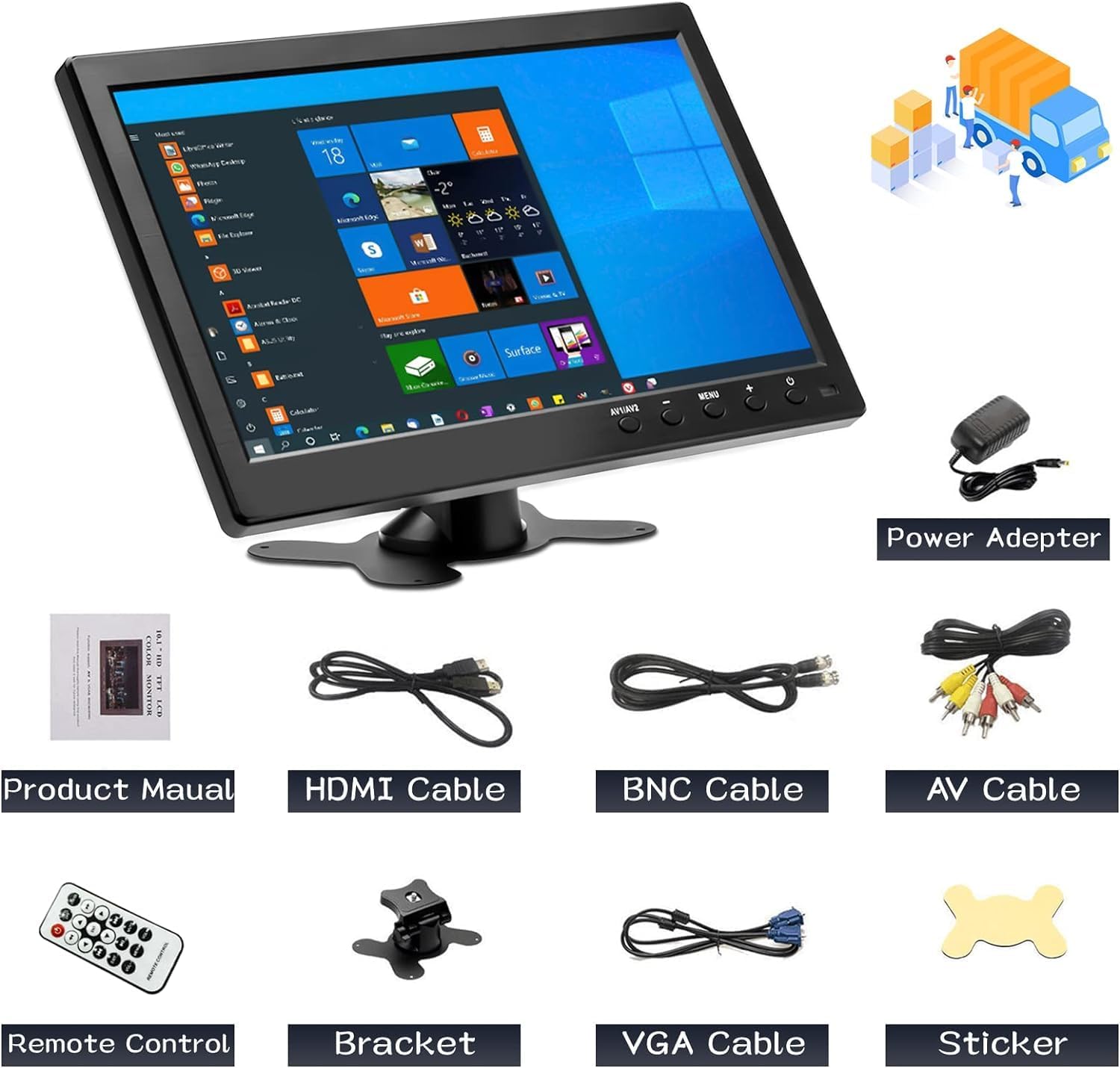
Figura 1: Contido do paquete
The package includes the CAMECHO 10.1 inch monitor, power adapter, product manual, HDMI cable, BNC cable, AV cable, remote control, bracket, VGA cable, and a sticker.
Verifique que todos os elementos que se indican a continuación estean incluídos no seu paquete:
- CAMECHO 10.1 Inch Monitor
- Adaptador de alimentación
- Manual do produto (este documento)
- Cable HDMI
- Cable BNC
- Cabo AV
- Control remoto
- Soporte axustable
- Cable VGA
- Adhesivo
Configuración
Conectando o monitor
The monitor supports multiple input interfaces for versatile connectivity. Refer to the diagram below for port identification.

Figure 2: Rear Panel Connections and Input Types
The monitor features Power, VGA, HDMI, AV (Audio/Video), USB, and BNC input ports. Connect your devices accordingly.
- Conexión de alimentación: Connect the provided power adapter to the "Power" port on the monitor and then to a suitable power outlet (9-30V DC input, 12V AC adapter).
- Entrada de vídeo:
- HDMI: Use the HDMI cable to connect to devices like Raspberry Pi, game consoles, or other HDMI-enabled sources.
- VGA: Use the VGA cable to connect to laptops or desktop computers.
- AV (Audio/Vídeo): Use the AV cable to connect to devices such as DVRs.
- BNC: Connect security cameras directly using a BNC cable.
- USB: For connecting USB devices like U-disks or card readers.
- Montaxe: Attach the adjustable bracket to the monitor and secure it on a flat surface. Adjust the viewángulo segundo sexa necesario.
Instrucións de funcionamento
Encendido/apagado
Preme o POTENCIA button on the monitor or the remote control to turn the device on or off.
Cambio de modos de entrada
The monitor supports multiple input sources. To switch between them:
- Preme o AV1/AV2 button on the monitor or the remote control to cycle through HDMI, VGA, AV1, and AV2 inputs.
- For two-channel video input (e.g., car reversing cameras), the monitor will automatically switch to the rear camera view when reversing is detected and return to the previous video source once reversing is complete.
Display Modes (When connected to a PC/Laptop)
When connected to a computer, the monitor can operate in different display modes:
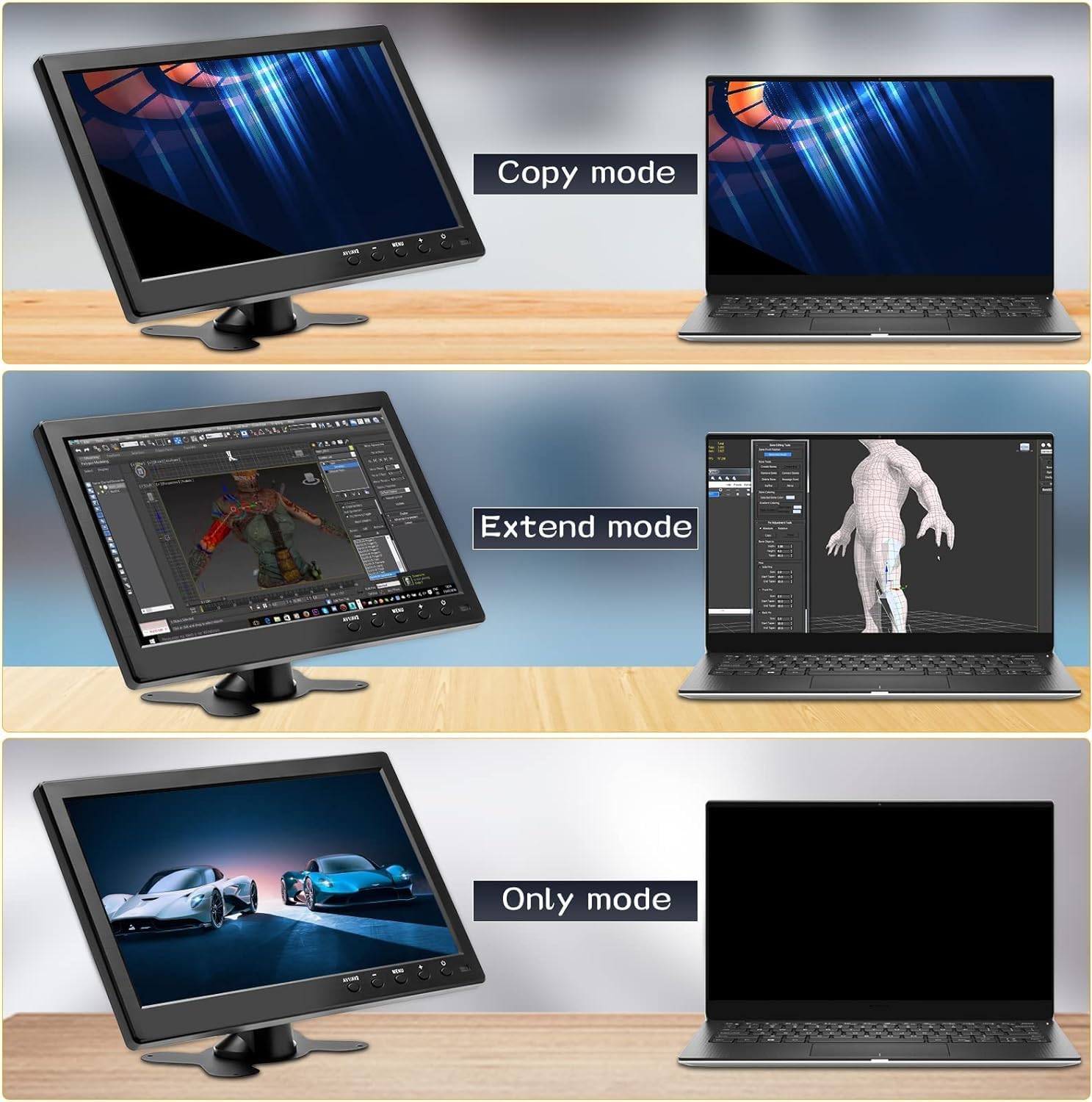
Figure 3: Display Modes
The monitor supports Copy, Extend, and Only modes when connected to a computer.
- Modo de copia: Duplicates the content of your primary display.
- Modo de extensión: Amplía o escritorio en ambas pantallas, proporcionando máis espazo en pantalla.
- Only Mode: Uses only the CAMECHO monitor as the display, turning off the primary display (e.g., laptop screen).
These modes are typically configured through your computer's display settings.
Usando o mando a distancia
The included remote control allows for convenient operation of the monitor's functions. Refer to the diagram for button layout.

Figure 4: Monitor Dimensions and Remote Control Layout
The remote control provides access to power, input selection, menu navigation, volume control, and media playback functions.
- POTENCIA: Acende ou apaga o monitor.
- USB: Selects USB input mode.
- ARRIBA/Abaixo/esquerda/dereita: Navega polas opcións do menú.
- ENT (Enter): Confirma a selección nos menús.
- MENÚ: Abre o menú de visualización en pantalla (OSD).
- VOL + / VOL-: Axusta o volume.
- SAÍDA: Sae do menú ou función actual.
- PLAY/PAUSE, Fast Forward, Fast Backward, Next, Previous: Media playback controls (functionality depends on the connected device and input mode).
Altofalantes incorporados
The monitor features built-in dual speakers for audio output, primarily active in HDMI, AV, and USB signal modes.

Figure 5: Built-in Dual Speakers
The monitor includes integrated speakers for audio playback from HDMI, AV, and USB sources.
Aplicacións
The CAMECHO 10.1 Inch HD CCTV Monitor is designed for a variety of uses:

Figure 6: Monitor Applications
The monitor is suitable for business meetings, gaming, security monitoring, and entertainment.
- Business & Productivity: Ideal as a secondary display for laptops during meetings or for extending your workspace.
- Xogos: Connect game consoles via HDMI for a compact gaming experience.
- Seguimento de seguridade: Directly connect CCTV cameras via BNC for surveillance.
- Entretemento: Watch movies or TV shows by connecting DVD players or other media sources via HDMI or AV.
- Uso do vehículo: Functions as a backup camera monitor or for in-car entertainment.
Mantemento
Para garantir a lonxevidade e o rendemento óptimo do seu monitor, siga estas pautas de mantemento:
- Limpeza: Usa un pano suave e seco para limpar a pantalla e o exterior. Para marcas difíciles, limpa lixeiramenteampLimpa o pano con auga ou cunha solución de limpeza apta para pantallas. Evita produtos químicos agresivos ou materiais abrasivos.
- Apagado: Always power off the monitor and disconnect it from the power source before cleaning or when not in use for extended periods.
- Ventilación: Asegúrate de que as aberturas de ventilación do monitor non estean bloqueadas para evitar o sobrequecemento.
- Almacenamento: Garde o monitor nun lugar fresco e seco, lonxe da luz solar directa e de temperaturas extremas.
- Manexo: Handle the monitor with care to avoid physical damage.
Resolución de problemas
If you encounter issues with your CAMECHO monitor, refer to the following common troubleshooting steps:
| Problema | Causa posible | Solución |
|---|---|---|
| Non hai imaxe na pantalla |
|
|
| Sen son |
|
|
| Imaxe parpadeante ou inestable |
|
|
| O control remoto non funciona |
|
|
Especificacións
| Característica | Detalle |
|---|---|
| Marca | CAMECHO |
| Modelo | K0202 |
| Tamaño da pantalla | 10.1 polgadas |
| Tecnoloxía de pantalla | LCD |
| Resolución | 1024x600 (HD) |
| Relación de aspecto | 16:9 |
| Brillo | 400 cd/m² |
| Relación de contraste | 500:1 |
| Tempo de resposta | 10 milisegundos |
| Taxa de actualización | 60 Hz |
| Viewángulo ing | 170 Degrees (Actual) / 85 Degrees (Stated) |
| Interface de hardware | HDMI, USB, VGA, BNC, AV |
| Total de portos USB | 1 |
| Vol. De entradatage | 12 Volts (DC 9-30V compatible) |
| Características adicionais | Built-in Speakers, Portable |
| Dimensións do produto | 41 x 7 x 32 cm |
| Peso do elemento | 1.12 quilogramos |
| Tipo de instalación | Mesa |
| Periféricos compatibles | Wide range of devices with VGA, USB, HDMI, BNC, or AV output |
Información enerxética

Figure 7: Energy Data Sheet
Detailed energy consumption and technical specifications for the monitor.

Figura 8: Etiqueta de eficiencia enerxética
The monitor has an energy efficiency class of E, consuming 7 kWh per 1000 hours.
For more detailed energy information, please refer to the official EPREL database: https://eprel.ec.europa.eu/qr/1438817
Garantía e Soporte
CAMECHO is committed to providing high-quality products and customer support.

Figure 9: CAMECHO Support Commitment
CAMECHO offers 24-hour support, high-quality products, and technical assistance.

Figure 10: Customer Support Contact
For assistance or user manual inquiries, please contact CAMECHO customer support.
For technical support, warranty claims, or any questions regarding your CAMECHO monitor, please contact us at:
Spare parts are guaranteed to be available for a minimum of 1 year from the date of product discontinuation.


