1. Introdución
This user manual provides essential information for the safe and efficient operation of your Strong 24-inch HD TV, model SRT24HE4023C. Please read this manual thoroughly before using the product and retain it for future reference.
The Strong SRT24HE4023C is a compact and versatile 24-inch (60 cm) HD Ready television, specifically designed for portability with its 12V power input, making it ideal for use in caravans, campers, or other mobile environments. It features a triple tuner for various signal receptions and multiple connectivity options.
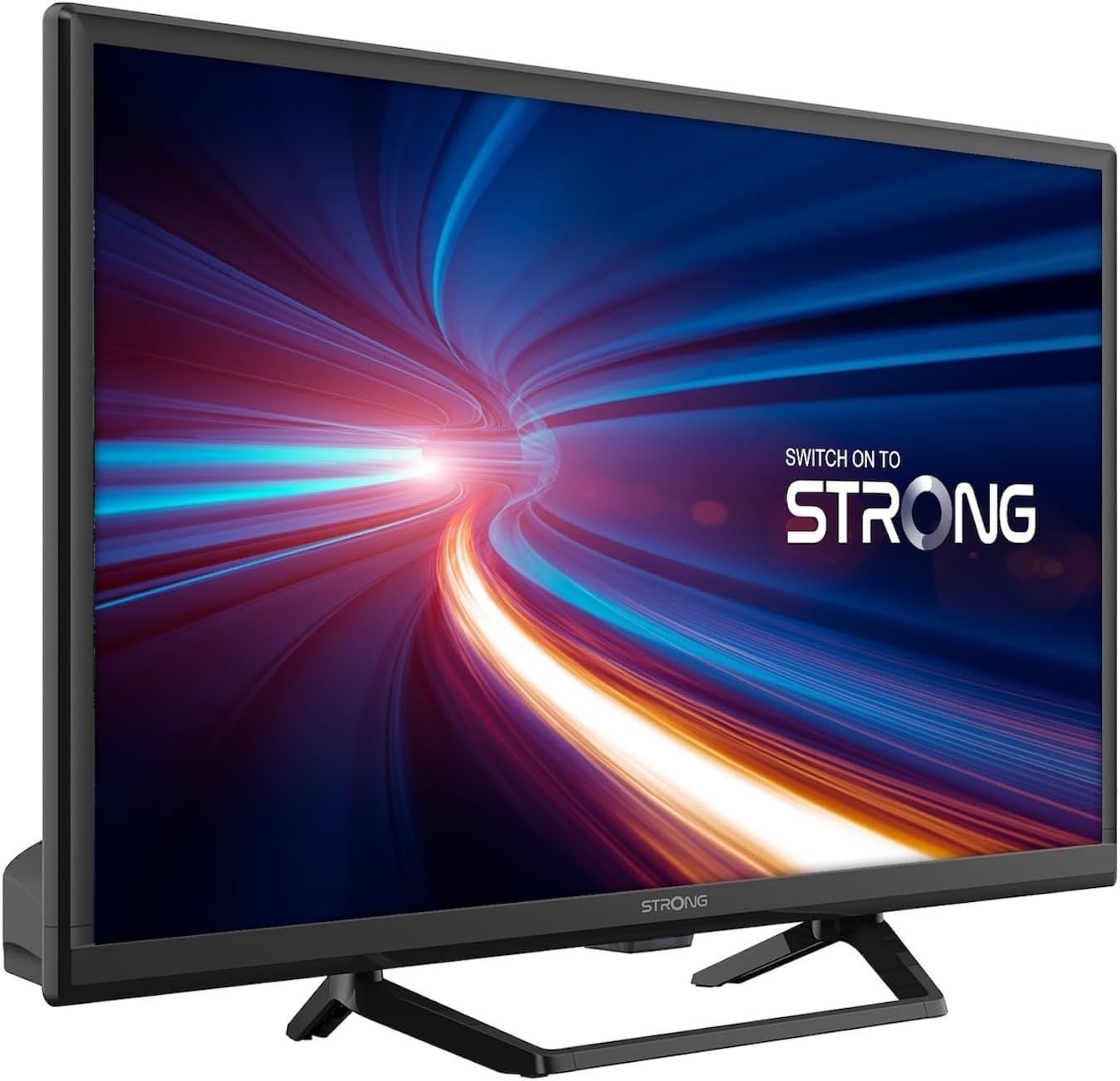
Figura 1.1: Fronte view of the Strong 24-inch HD TV.
2. Contido do paquete
Ao desembalar, asegúrese de que todos os artigos que se indican a continuación estean presentes e en bo estado. Se falta algún artigo ou está danado, póñase en contacto co seu vendedor inmediatamente.
- Strong 24-inch HD TV (SRT24HE4023C)
- Soporte de TV
- Mando a distancia (require 2 pilas AAA, incluídas)
- Manual de usuario (este documento)
3. Configuración
3.1. Montaxe do soporte
Carefully place the TV screen-down on a soft, clean surface to prevent scratches. Attach the provided stand to the base of the TV using the designated screws. Ensure the stand is securely fastened before placing the TV upright.
3.2. Conexión de alimentación
This TV operates on a 12V DC power supply, making it suitable for mobile applications. Connect the 12V power adapter to the TV's power input port and then to a compatible 12V power source. Ensure the power source can provide sufficient current for the TV's operation.
3.3. Conectando Dispositivos Externos
O televisor ofrece varias opcións de conectividade:
- Portos HDMI (x2): Connect Blu-ray players, game consoles, or other HDMI-enabled devices. One port supports ARC (Audio Return Channel).
- Porto USB (x1): For playing multimedia files desde dispositivos de almacenamento USB.
- Entrada mini AV: Para conectar dispositivos antigos con saídas de vídeo composto e audio estéreo.
- Antenna Input (ANT in): Connect a terrestrial antenna for DVB-T/T2 reception.
- Satellite Input (SAT in): Connect a satellite dish for DVB-S/S2 reception.
- Ranura CI: Inserir un módulo de interface común para canles cifradas.
- Saída SPDIF: For digital audio output to an external sound system.
- Jack para auriculares: Para escoita privada.

Figura 3.1: Traseira view showing various connectivity ports.
4. Instrucións de funcionamento
4.1. Instalación por primeira vez
When you power on the TV for the first time, a setup wizard will guide you through initial settings such as language, country, and channel scanning. Follow the on-screen prompts to complete the setup.
4.2. Exploración de canles
The TV features a triple tuner (DVB-T/T2, DVB-C, DVB-S/S2) for receiving digital terrestrial, cable, and satellite broadcasts. To scan for channels:
- Preme o MENÚ botón do seu control remoto.
- Navega ata o Canle or Instalación menú.
- Seleccione Escaneo automático or Escaneo manual depending on your preference and connection type.
- Follow the on-screen instructions to start the scan.
4.3. Using the Electronic Program Guide (EPG)
The EPG provides a schedule of current and upcoming TV programs. To access the EPG, press the EPG button on your remote control. You can browse programs, view details, and set reminders.
4.4. Multimedia Playback via USB
Insert a USB storage device into the USB port. The TV will typically prompt you to open the media browser. You can play various multimedia files, including videos, photos, and music.
4.5. Parental Control and Hotel Mode
The TV includes parental control features to restrict access to certain channels or programs based on age ratings. Hotel mode provides advanced settings for managing TV functions in a multi-unit environment.
5. Mantemento
5.1. Limpeza do televisor
Before cleaning, always unplug the TV from the power source. Use a soft, dry cloth to wipe the screen and cabinet. For stubborn marks, lightly dampen the cloth with water or a mild, non-abrasive screen cleaner. Never spray liquid directly onto the TV.
5.2. Substitución da batería do control remoto
The remote control uses two AAA batteries. If the remote control's range decreases or it stops responding, replace both batteries with new ones, ensuring correct polarity.
6 Solución de problemas
Se tes problemas co teu televisor, consulta os seguintes problemas e solucións comúns antes de contactar co servizo de atención ao cliente.
| Problema | Causa posible | Solución |
|---|---|---|
| Sen poder | Power cable disconnected; no power from source. | Check power cable connection. Ensure 12V power source is active. |
| Sen imaxe, pero hai son | Incorrect input source selected; loose cable connection. | Preme o FONTE button to select the correct input. Check HDMI/AV cable connections. |
| Sen son, pero si imaxe | Volume too low or muted; audio settings incorrect. | Increase volume. Check mute status. Adjust audio output settings in the menu. |
| Mala calidade de imaxe | Weak signal; incorrect resolution. | Check antenna/satellite connection. Perform a channel scan. Adjust picture settings. |
| O control remoto non funciona | Batteries depleted or incorrectly inserted. | Replace batteries, ensuring correct polarity. Ensure no obstructions between remote and TV. |
7. Especificacións
| Característica | Detalle |
|---|---|
| Modelo | SRT24HE4023C |
| Tamaño da pantalla | 24 polgadas (60 cm) |
| Tecnoloxía de visualización | LED, IPS Panel |
| Resolución | 1366 x 768p (HD Ready) |
| Relación de aspecto | 16:9 |
| Taxa de actualización | 60 Hz |
| Tempo de resposta | 5 milisegundos |
| Sintonizadores | DVB-T/T2, DVB-C, DVB-S/S2 |
| Códec de vídeo | HEVC 265 10-bit |
| Portos HDMI | 2 (1 with ARC support) |
| Portos USB | 1 |
| Outras entradas/saídas | Mini AV In, CI Slot, SPDIF Out, Headphone Jack |
| Decodificación de audio | DTS |
| Fonte de alimentación | 12 voltios CC |
| Dimensións (W x H x D) | 55.29 x 36.6 x 14.78 cm (con soporte) |
| Peso | 2.5 kg |
| Soporte de parede VESA | Soportado |
| Clase de eficiencia enerxética | E (View EPREL details) |
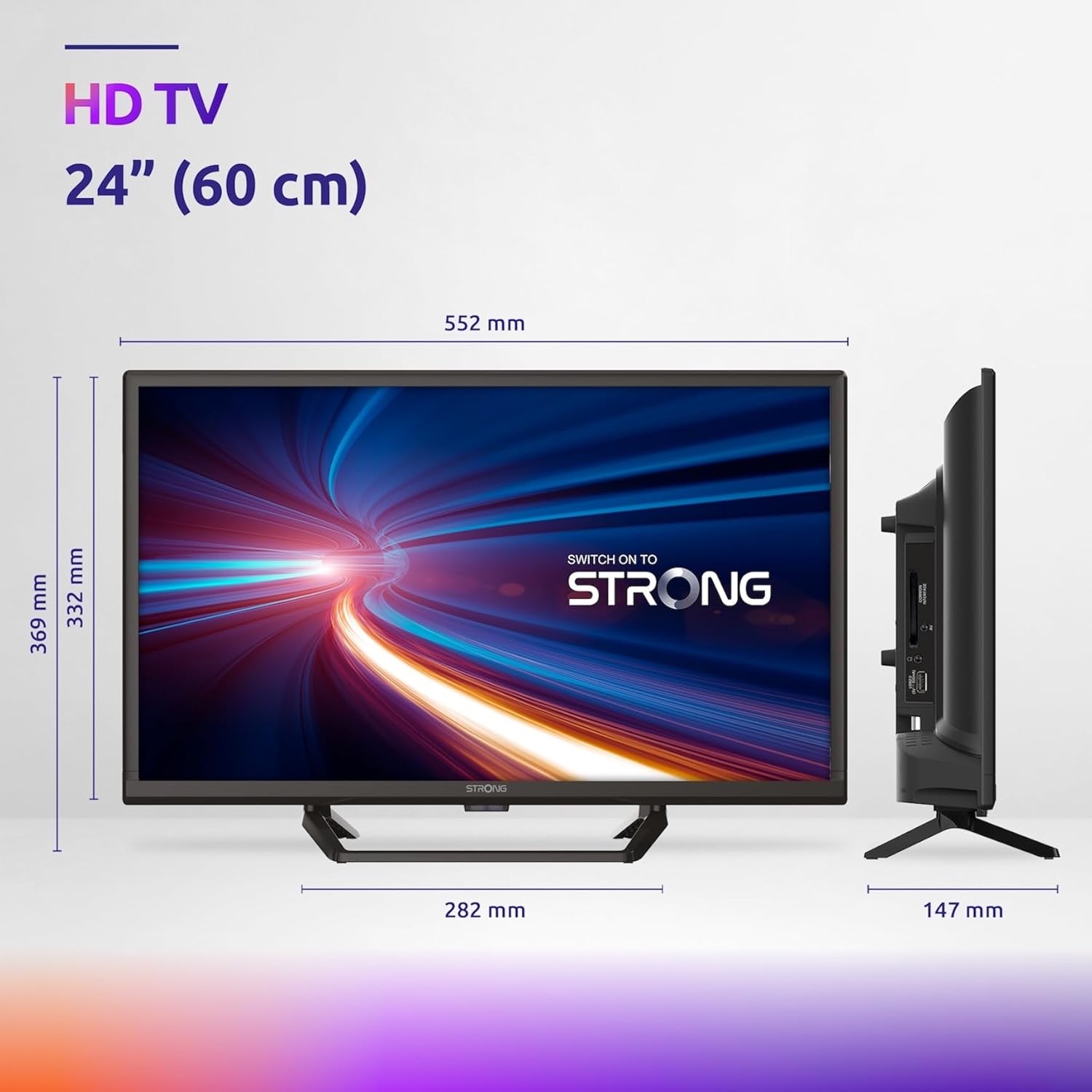
Figure 7.1: Product dimensions of the Strong 24-inch HD TV.

Figure 7.2: Energy efficiency label for the Strong SRT24HE4023C TV.
8. Garantía e soporte
Strong products are designed for reliability and performance. For warranty information and technical support, please refer to the warranty card included with your product or visit the official Strong websitio. Garde o recibo da compra como xustificante de compra para reclamacións de garantía.
Para obter máis axuda, tamén pode consultar o Tenda de marca forte en Amazon para obter información e recursos adicionais sobre o produto.


