Introdución
This manual provides essential information for setting up, operating, and maintaining your TCL 605 smartphone. Please read this guide thoroughly to ensure optimal performance and longevity of your device.
O que hai na caixa
Verifica que todos os elementos estean presentes no paquete do teu produto:
- Smartphone TCL 605
- Cable USB
- Cell Phone Cover
- Cargador 10W
- Ferramenta de expulsión da bandexa da SIM
- Protector de pantalla
Dispositivo rematadoview
Familiarize yourself with the physical components of your TCL 605 smartphone.

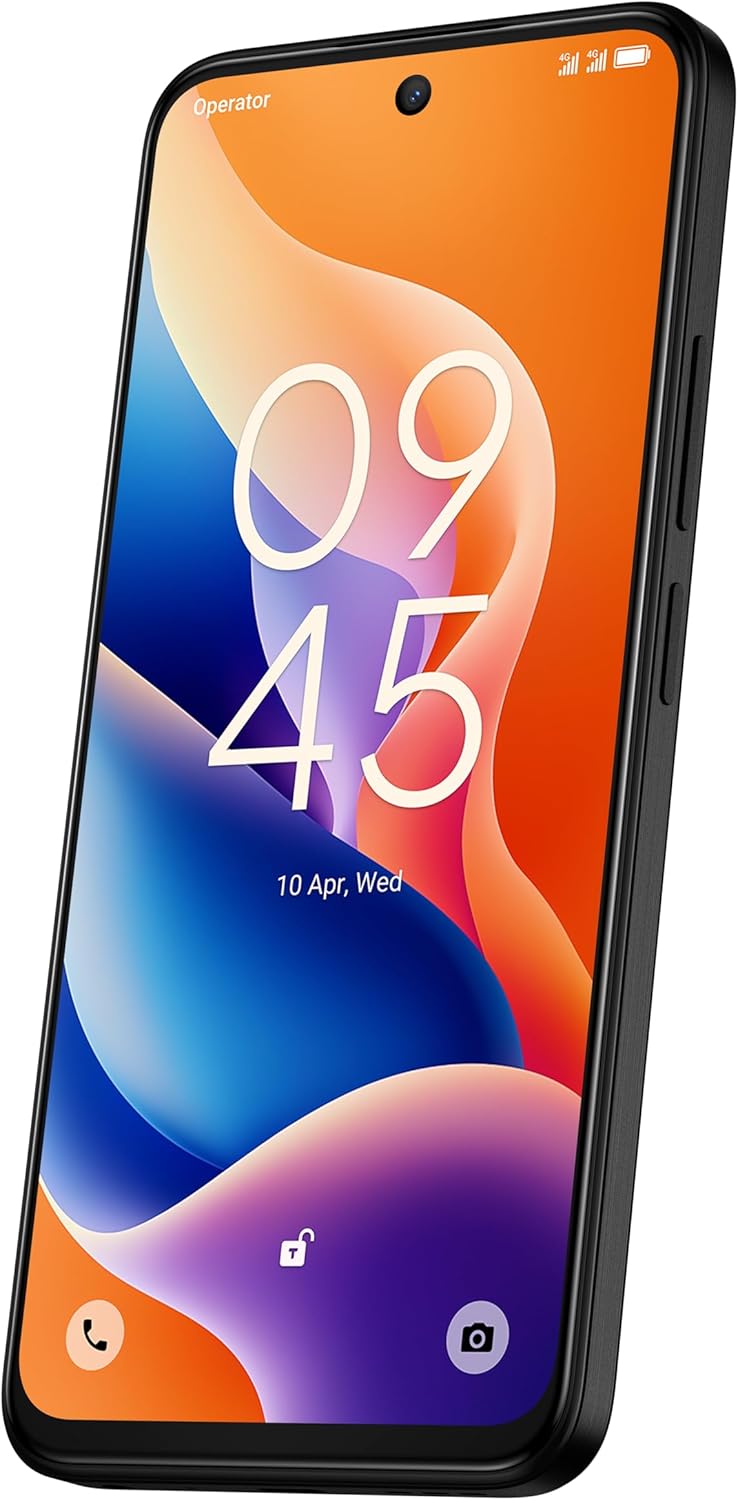
Imaxe: Fronte view of the TCL 605 smartphone, highlighting its 6.7-inch HD+ display and front camera.

Imaxe: Lateral view of the TCL 605 smartphone, illustrating the placement of the power button and volume controls.
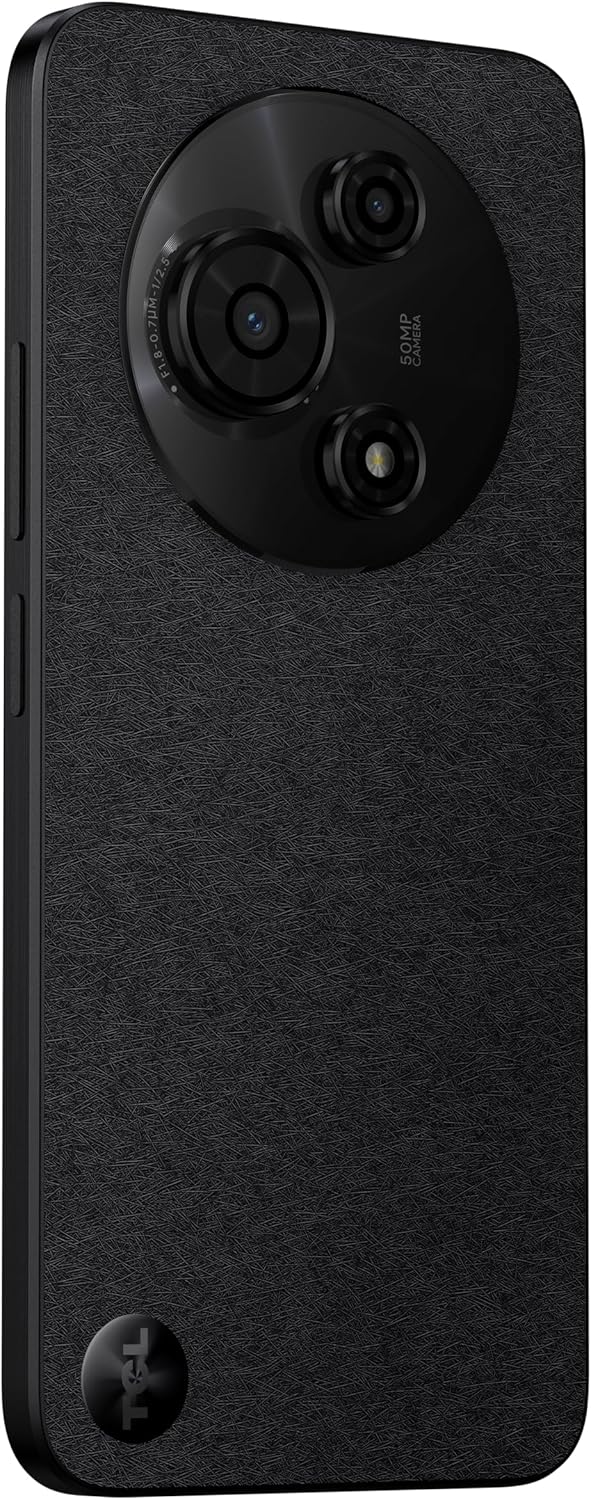
Imaxe: Costas view of the TCL 605 smartphone, showcasing the distinctive circular camera module housing the 50MP main camera.
Configuración
1. Inserir a tarxeta SIM
- Localiza a bandexa da tarxeta SIM no lateral do teu dispositivo.
- Insira a ferramenta de expulsión da bandexa da SIM no pequeno orificio que hai xunto á bandexa e prema suavemente ata que esta saia.
- Coloque a(s) tarxeta(s) nano-SIM e/ou tarxeta microSD na bandexa cos contactos dourados cara abaixo. Asegúrese de que estean correctamente asentadas.
- Volva a introducir coidadosamente a bandexa no dispositivo.
2. Acendido inicial
- Manteña premido o botón de acendido (situado no lateral) ata que apareza o logotipo de TCL.
- Siga as instrucións en pantalla para completar a configuración inicial, incluíndo a selección do idioma, a conexión wifi e a configuración da conta de Google.
3. Cargando a batería
Before first use, it is recommended to fully charge your device. Connect the USB cable to the phone's charging port and the other end to the 10W charger. Plug the charger into a power outlet.
Operando o seu dispositivo
Visualización e navegación
The TCL 605 features a 6.7-inch HD+ display with a 90Hz refresh rate for smooth scrolling and improved visual fluidity.
- Xestos táctiles: Use standard Android gestures such as tap, swipe, pinch-to-zoom, and long-press for navigation and interaction.
- Pantalla de inicio: Personaliza a pantalla de inicio con widgets, accesos directos de aplicacións e fondos de pantalla.
- Notificacións: Desliza o dedo cara abaixo desde a parte superior da pantalla para acceder ao panel de notificacións e á configuración rápida.
Rendemento e almacenamento
Your TCL 605 is equipped with an Octa-Core processor and 4GB RAM, expandable up to 14GB with RAM Boost technology, ensuring seamless performance for multitasking. It offers 256GB of internal storage, capable of storing over 100,000 photos.

Image: The TCL 605 smartphone showcasing its 6.7-inch display with a dynamic lock screen, indicating the time and date.
Características da cámara
The TCL 605 features a 50MP hybrid rear camera (main + macro) and a 5MP front camera. It supports HDR mode for vibrant colors.
Facendo fotos e vídeos
- Abre a aplicación Cámara.
- Selecciona o modo desexado (Foto, Vídeo, Retrato, Macro, etc.).
- Toca o botón do obturador para capturar unha foto ou iniciar/deter a gravación de vídeo.
- Usa os controis de zoom na pantalla para axustar a ampliación.
Modos da cámara
- Cámara principal de 50 MP: Captura imaxes de alta resolución con nitidez.
- Modo macro: Allows for detailed close-up shots of small objects.
- Modo HDR: Enhances dynamic range for more vibrant and balanced photos in challenging lighting conditions.
- Cámara frontal de 5 MP: Ideal para selfies e videochamadas.
Imaxe: Unha detallada view of the TCL 605's circular camera module, emphasizing the 50MP main lens and its surrounding sensors.
Xestión da batería
The TCL 605 is equipped with a 5200mAh battery, designed for up to 2 days of usage. It supports 18W fast charging.
Consellos para prolongar a duración da batería
- Reduce o brillo da pantalla.
- Desactiva o Wi-Fi, o Bluetooth e o GPS cando non estean en uso.
- Pechar aplicacións en segundo plano.
- Activar o modo de aforro de batería.
Conectividade
O teu dispositivo admite varias opcións de conectividade:
- Wi-Fi: Conéctate a redes sen fíos para acceder a internet.
- Bluetooth: Emparéllase con auriculares sen fíos, altofalantes e outros dispositivos compatibles.
- NFC (Near Field Communication): Use for contactless payments and quick data transfer with compatible devices.
- USB: Connect to a computer for data transfer or use with a USB-C accessory.
- GPS: GPS integrado para servizos de localización e navegación.
Durabilidade
The TCL 605 features enhanced IP54 durability, proven by a 3-minute water-wash test. This provides protection against dust and splashing water. Note: The phone is not professionally water-resistant but is splash-proof, water-repellent, and dust-proof for everyday use. It has passed a 3-minute water-wash test under specific lab conditions. These features may degrade with daily use. Do not charge the phone in humid conditions. The warranty excludes water damage, including damage from immersion in liquids such as seawater, chlorinated water, or drinks. IP54 rating conditions differ from lab tests.
Rematadas as características do produtoview
Vídeo: Un overview of the TCL 605 smartphone's key features, including its display, storage capacity, seamless performance, camera capabilities, battery life, fast charging, and IP54 durability.
Especificacións
| Característica | Detalle |
|---|---|
| Modelo | TCL 605 (T517J) |
| Sistema Operativo | Android 15 |
| Mostrar | 6.7-inch HD+ 90Hz (720x1600 resolution) |
| Procesador | Octa-Core (MediaTek Helio, 2 GHz) |
| RAM | 4GB (expandable to 14GB with RAM Boost) |
| Almacenamento interno | 256 GB |
| Cámara traseira | 50MP (Main & Macro) + 0.08MP |
| Cámara frontal | 5 MP |
| Capacidade da batería | 5200 mAh (5010 mililitros)amp Horas) |
| Cargando | 10W Charger included, supports 18W fast charging |
| Conectividade | Bluetooth, NFC, USB, Wi-Fi, GPS |
| Tipo de SIM | SIM dual |
| Dimensións | 0.83 x 7.62 x 16.56 cm |
| Peso | 380 g |
| Certificación | ANATEL: 01679250760 |
Resolución de problemas
Problemas comúns e solucións
- O dispositivo non se acende: Asegúrate de que a batería estea cargada. Conecta o cargador e agarda uns minutos antes de tentar acender de novo.
- A pantalla non responde: Try restarting the device by holding the Power button for approximately 10-15 seconds.
- Aplicacións que fallan: Borra a caché da aplicación problemática (Configuración > Aplicacións > [Nome da aplicación] > Almacenamento > Borrar caché). Se o problema persiste, reinstala a aplicación.
- Escasa duración da batería: Refer to the "Battery Management" section for tips to optimize battery usage.
- Problemas de conectividade (Wi-Fi/Bluetooth): Toggle Wi-Fi or Bluetooth off and on. Restart your device and/or the router/paired device.
For more complex issues, please refer to the official TCL support websitio ou póñase en contacto co servizo de atención ao cliente.
Garantía e Soporte
Your TCL 605 smartphone comes with a standard manufacturer's warranty. Please refer to the warranty card included in your package for specific terms and conditions.
For technical support, service, or additional information, please visit the official TCL websitio web ou póñase en contacto cos seus canais de atención ao cliente.
To consult product homologation, visit: sistemas.anatel.gov.br/sch


