1. Introdución
This manual provides essential information for the safe and efficient operation, maintenance, and troubleshooting of your Einhell TP-ET 18 Li BL-Solo 18V Cordless Compact Router. Please read these instructions carefully before using the tool and keep them for future reference.
The Einhell TP-ET 18 Li BL-Solo is a versatile cordless compact router designed for precision woodworking tasks such as edge milling, grooving, and decorative profiling. It features a powerful brushless motor for extended runtime and performance, electronic speed control, and a continuously adjustable milling depth.
2. Instrucións xerais de seguridade
ADVERTENCIA: Lea todas as advertencias de seguridade, instrucións, ilustracións e especificacións proporcionadas con esta ferramenta eléctrica. O incumprimento de todas as instrucións que se indican a continuación pode producir descargas eléctricas, incendios e/ou lesións graves.
2.1 Seguridade da zona de traballo
- Manter a zona de traballo limpa e ben iluminada. As zonas desordenadas ou escuras invitan a accidentes.
- Non utilice ferramentas eléctricas en atmosferas explosivas, como en presenza de líquidos, gases ou po inflamables. As ferramentas eléctricas crean faíscas que poden acender o po ou os fumes.
- Manteña os nenos e os espectadores afastados mentres manexa unha ferramenta eléctrica. As distraccións poden facer que perdas o control.
2.2 Seguridade eléctrica
- Os enchufes das ferramentas eléctricas deben coincidir coa toma de corrente. Nunca modifique o enchufe de ningún xeito.
- Evite o contacto corporal con superficies conectadas a terra, como tubos, radiadores, cociñas e frigoríficos. Hai un maior risco de descarga eléctrica se o seu corpo está conectado a terra ou a terra.
- Non expoña as ferramentas eléctricas á choiva ou a condicións de humidade. A auga que entra nunha ferramenta eléctrica aumentará o risco de descarga eléctrica.
2.3 Seguridade persoal
- Usa sempre protección ocular. Usa lentes de seguridade, lentes protectoras ou unha pantalla facial.
- Wear hearing protection when operating power tools for extended periods.
- Vístete correctamente. Non use roupa solta nin xoias. Manteña o cabelo e a roupa lonxe das partes móbiles.
- Mantéñase alerta, observa o que está a facer e use o sentido común ao manexar unha ferramenta eléctrica.
- Non forzar a ferramenta eléctrica. Use a ferramenta eléctrica correcta para a súa aplicación.
- Desconecte a batería da ferramenta eléctrica antes de facer calquera axuste, cambiar accesorios ou almacenar ferramentas eléctricas.
- Guarde as ferramentas eléctricas inactivas fóra do alcance dos nenos e non permita que persoas que non estean familiarizadas coa ferramenta eléctrica ou con estas instrucións a utilicen.
- Manter ferramentas eléctricas e accesorios. Comprobe a falta de aliñación ou a unión das pezas móbiles, a rotura de pezas e calquera outra condición que poida afectar o funcionamento da ferramenta eléctrica.
3. Compoñentes e contido da embalaxe
Your Einhell TP-ET 18 Li BL-Solo Cordless Compact Router package includes the following items:
- Einhell TP-ET 18 Li BL-Solo Compact Router (Tool Only)
- 2 x Collets (6mm and 8mm)
- Edge Milling Attachment
- 2 x Spanner Wrenches
- Copy Sleeve
- Suction Adapter
- Parada paralela
- Compass Tip
Note: Battery and charger are NOT included with this 'Solo' version and must be purchased separately as part of the Einhell Power X-Change system.

Figure 1: Einhell TP-ET 18 Li BL-Solo Cordless Compact Router with included accessories. This image displays the main router unit, two collets, two spanner wrenches, an edge milling attachment, a copy sleeve, a suction adapter, a parallel stop, and a compass tip.
4. Configuración
4.1 Instalación da batería
- Ensure the router is switched off.
- Align the battery pack with the battery port on the top of the router.
- Deslice a batería no porto ata que encaixe firmemente no seu lugar.
- Para retirala, prema o botón de liberación da batería e deslícea cara a fóra.
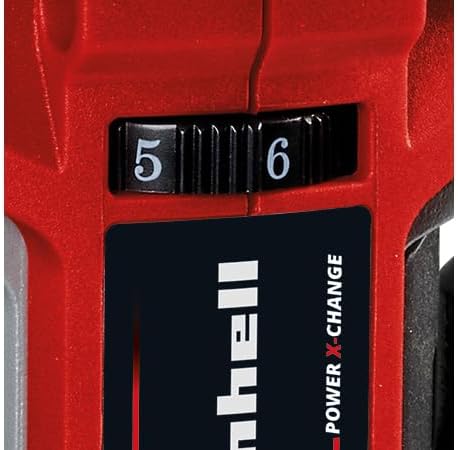
Figure 2: The Einhell TP-ET 18 Li BL-Solo router is supplied without a battery or charger, highlighting the need for separate purchase of Power X-Change batteries.
4.2 Router Bit Installation
- Asegúrate de retirar a batería por seguridade.
- Prema e manteña premido o botón de bloqueo do eixo para evitar que este xire.
- Loosen the collet nut using one of the provided spanner wrenches.
- Insert the desired router bit into the collet, ensuring it is seated firmly but not bottomed out.
- Tighten the collet nut securely with the spanner wrench while holding the spindle lock.

Imaxe 3: Primeiro plano view of the spindle lock button and collet area, essential for safe and easy router bit changes.
4.3 Attaching the Base Plate and Dust Extraction
- The transparent base plate is pre-installed. Ensure it is clean and free of debris.
- To attach the dust extraction adapter, align it with the designated port on the base plate and secure it. This allows connection to an external vacuum cleaner for a cleaner work environment.

Figure 4: The transparent base plate provides visibility of the workpiece during operation. The dust extraction port is visible for connecting a vacuum.
4.4 Adjusting Milling Depth
- Afrouxa a panca de axuste de profundidade.
- Rotate the fine adjustment knob to set the desired milling depth. The scale on the side indicates the depth in millimeters.
- Once the desired depth is set, tighten the depth adjustment lever to secure the router in position.
4.5 Attaching Guides (Parallel Stop, Compass Tip, Guide Roller)
Depending on your application, various guides can be attached to the router base for enhanced precision:
- Parada paralela: Used for routing parallel to an edge. Slide the parallel stop into the slots on the router base and secure it at the desired distance from the bit.
- Compass Tip: For cutting perfect circles. Attach the compass tip to the base and pivot it around a central point.
- Rodillo guía: For following curved edges or templates. Attach the guide roller to the base, ensuring it makes contact with the guide surface.
5. Instrucións de funcionamento
5.1 Acendido/Apagado
- To turn the router ON, slide the power switch to the 'I' position.
- To turn the router OFF, slide the power switch to the 'O' position.
5.2 Control de velocidade
The router features electronic infinitely variable speed control. Adjust the speed dial to match the material and router bit being used. Higher speeds are generally suitable for smaller bits and softer materials, while lower speeds are for larger bits and harder materials.

Figure 5: The speed control dial allows for precise adjustment of the router's RPM to suit different materials and applications.
5.3 Técnicas de enrutamento
- Asegúrate sempre de que a peza de traballo estea ben suxeitaampeditado antes do enrutamento.
- Arranque a fresadora antes de facer contacto coa peza de traballo.
- Move the router smoothly and consistently along the desired path. Avoid sudden movements or excessive pressure.
- For best results and to prevent kickback, always feed the router against the direction of bit rotation.
- When routing edges, use the edge milling attachment for precise chamfering.
5.4 Recollida de po
For a cleaner work environment and improved visibility, connect a suitable wet/dry vacuum cleaner to the suction adapter. This helps to remove wood chips and dust during operation.
6. Mantemento
6.1 Limpeza
- Desconecte sempre a batería antes de limpala.
- Regularly clean the router housing, base plate, and collet area to remove dust and debris. Use a soft brush or compressed air.
- Non use produtos de limpeza ou disolventes agresivos.
6.2 Router Bit Care
- Keep router bits sharp and clean. Dull bits can cause overheating and poor cutting performance.
- Store bits in a protective case to prevent damage.
6.3 Inspección xeral
- Check all screws and fasteners regularly to ensure they are tight.
- Inspect the power cord (if applicable, for charger) for damage.
- Ensure all ventilation openings are clear to prevent overheating.
7 Solución de problemas
| Problema | Causa posible | Solución |
|---|---|---|
| O enrutador non arranca | Batería non inserida correctamente ou descargada. | Check battery connection; charge or replace battery. |
| Poor cutting quality / Rough edges | Dull or damaged router bit. Incorrect speed setting. | Replace bit; adjust speed according to material. |
| Vibración excesiva | Router bit not properly secured. Damaged bit. | Re-tighten collet nut; replace damaged bit. |
| O motor sobrequenta | Blocked ventilation slots. Overloading the tool. | Clean ventilation slots; reduce cutting depth/feed rate. |
8. Especificacións
| Característica | Especificación |
|---|---|
| Modelo | TP-ET 18 Li BL-Solo |
| Número de peza | 4350415 |
| Voltage | 18 Volts (Power X-Change) |
| Tipo de motor | Sen escobillas |
| Altura de elevación | 40 mm |
| Tamaños de pinzas | 6 mm, 8 mm |
| Velocidade máxima de rotación | 3000 RPM (Note: Product description states 3000 RPM, title states 30000 RPM. Please verify with manufacturer for accurate specification.) |
| Dimensións do produto | 9.3 x 9.3 x 18.2 cm |
| Peso do elemento | 1.34 kg |
| Material | Aluminio, Plástico |
| Fonte de enerxía | Battery Powered (Li-Ion) |
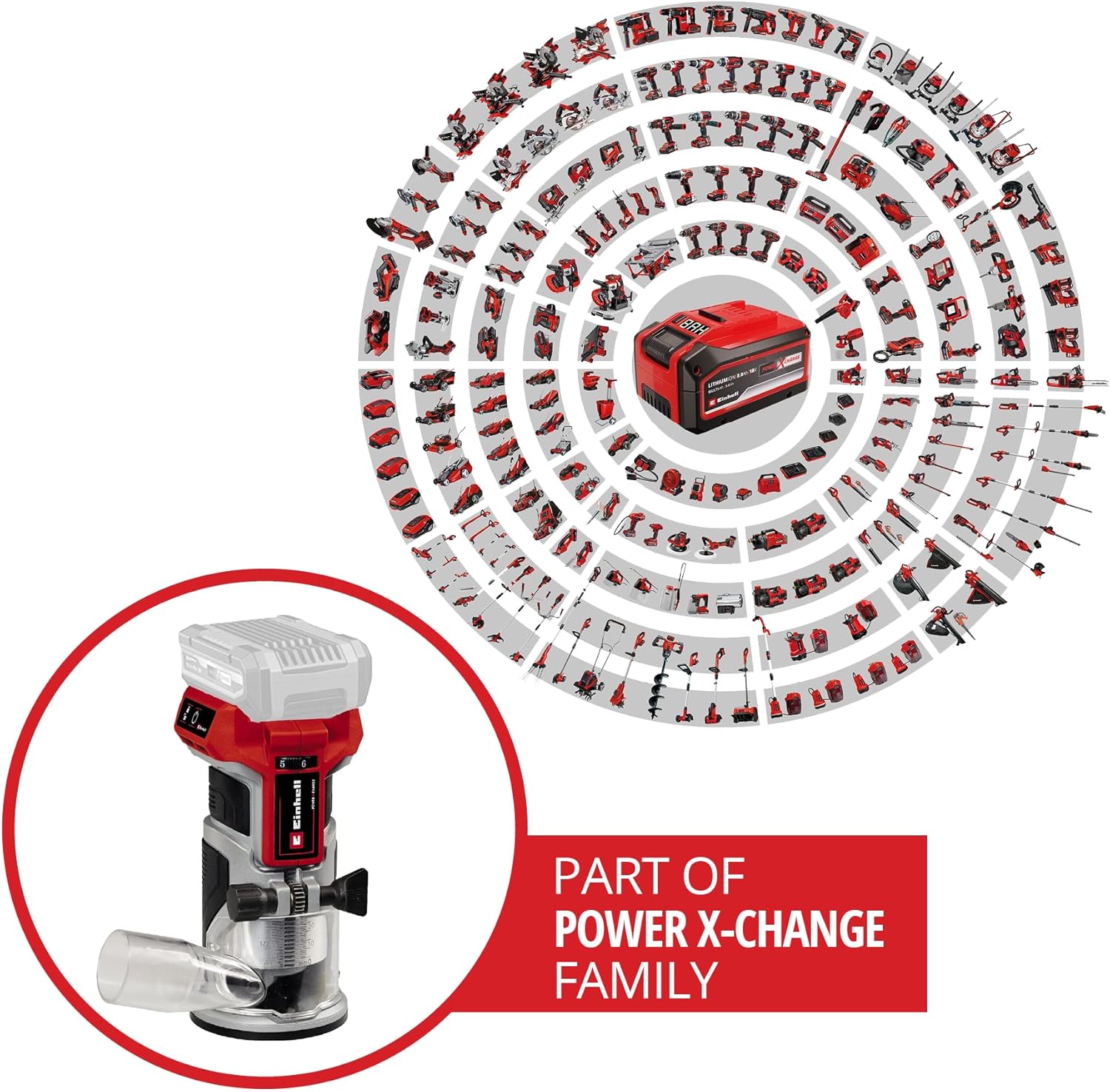
Figure 6: The Einhell TP-ET 18 Li BL-Solo is part of the Power X-Change family, allowing battery compatibility across a wide range of Einhell tools.

Figure 7: Illustration highlighting the benefits of the PurePOWER brushless motor, including increased lifespan, runtime, and power compared to conventional motors.
9. Garantía e soporte
Your Einhell TP-ET 18 Li BL-Solo Cordless Compact Router comes with a 2-year warranty, ensuring safety and durability for your DIY projects. For warranty claims, technical support, or to explore other Einhell products, please visit the official Einhell store or contact customer service.
Tenda oficial da marca: Einhell Canada Store
10. Vídeos de produtos
No official product videos from the seller directly related to the Einhell TP-ET 18 Li BL-Solo Cordless Compact Router were found in the provided data. Videos available were either for related products from other brands, from influencers, or for different Einhell tools.


