Introdución
This manual provides essential information for the safe and efficient use of your YEELIGHT W4 Smart Bulb. Please read these instructions carefully before installation and operation. Keep this manual for future reference.
The YEELIGHT W4 Smart Bulb is an E27 base LED bulb featuring dimmable functionality, color changing capabilities, and connectivity via Wi-Fi and Bluetooth for smart control.
Información de seguridade
- Ensure the power is turned off before installing or removing the bulb.
- Do not use with standard dimmers. This bulb is designed for smart dimming via the app or compatible smart home systems.
- Só apto para lugares secos. Non o expoña á auga nin á humidade.
- Do not disassemble the bulb. This will void the warranty.
- Operar dentro do volume especificadotage range (230 Volts).
Contido do paquete
Verifica que todos os elementos estean presentes no teu paquete:
- YEELIGHT W4 Smart Bulb (4 units)
- Manual de usuario (este documento)
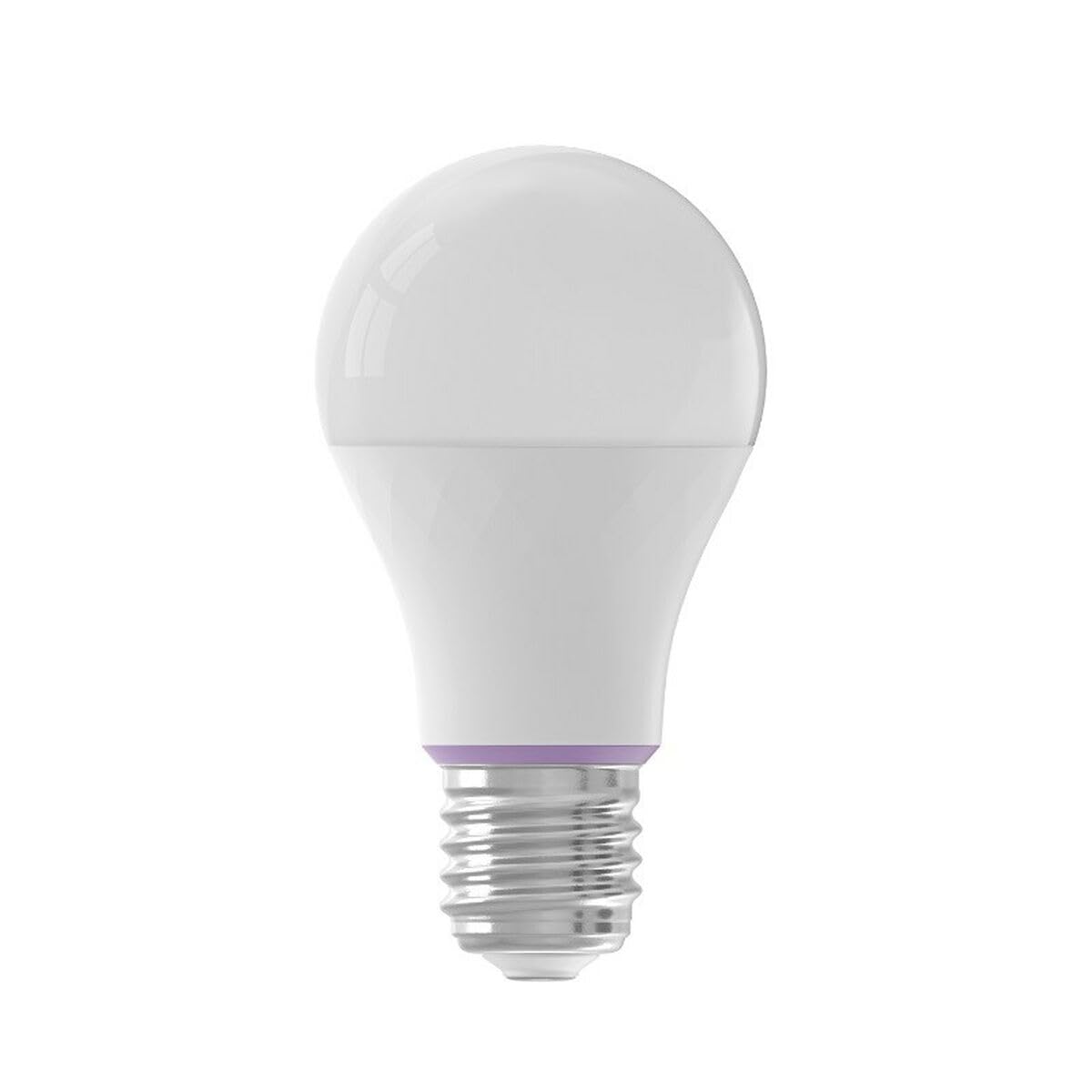
Image: YEELIGHT W4 Smart Bulb. This image displays the smart bulb, typically with an E27 screw base and a frosted or clear dome, indicating its design and form factor.
Especificacións
| Característica | Especificación |
|---|---|
| Número de modelo | YLQPD-0012 (S9144407) |
| Tipo de base | E27 |
| Conectividade | Wi-Fi, Bluetooth |
| Poder | 9 vatios |
| Equivalente incandescente | 60 vatios |
| Voltage | 230 voltios |
| Temperatura da cor | 6500 Kelvin (White) |
| Características especiais | Regulable, cambio de cor |
| Dimensións (L x W x H) | 14.92 x 9.94 x 10.04 cm |
| Peso | 620 gramos |
Configuración
1. Instalación de hardware
- Apagado: Ensure the power switch to the light fixture is in the OFF position before installation.
- Instalar lámpada: Screw the YEELIGHT W4 Smart Bulb into a standard E27 light socket. Do not overtighten.
- Encendido: Turn the power switch to the ON position. The bulb should light up, indicating it is ready for pairing.
2. Descarga da aplicación e emparellamento
- Descarga a aplicación: Descarga o oficial Yeelight App desde a App Store (iOS) ou a Google Play Store (Android).
- Crear conta: Open the Yeelight App and create a new account or log in to an existing one.
- Engadir dispositivo: Tap the "+" icon in the app to add a new device. Select the YEELIGHT W4 Smart Bulb from the list of available devices.
- Conectar a wifi: Follow the on-screen instructions to connect the bulb to your 2.4GHz Wi-Fi network. Ensure your phone is connected to the same 2.4GHz network during the pairing process.
- Emparejamento Bluetooth (opcional): The bulb also supports Bluetooth for local control. If Wi-Fi is unavailable or unstable, the app may prompt for Bluetooth pairing.
- Rename Bulb: Once connected, you can rename the bulb for easier identification (e.g., "Living Room Lamp").
En funcionamento
Control básico
- On/Off: Use the Yeelight App to turn the bulb on or off. You can also use the physical light switch, but this will cut power to the smart features.
- Adormecer: Adjust the brightness level from 1% to 100% using the slider in the Yeelight App.
- Cambio de cor: Select from a wide spectrum of colors or choose from preset scenes within the app.
Funcións avanzadas
- Programación: Set schedules for the bulb to turn on/off or change settings at specific times.
- Escenas: Crea escenas de iluminación personalizadas para diferentes ambientes ou actividades.
- Control de grupo: Group multiple YEELIGHT W4 bulbs together to control them simultaneously.
- Control de voz: Integrate with compatible smart home assistants (e.g., Google Assistant, Amazon Alexa) for voice commands. Refer to your smart assistant's setup guide for integration instructions.
- Control remoto: Control your bulbs from anywhere with an internet connection via the Yeelight App.
Mantemento
- Limpeza: Asegúrate de que a lámpada estea apagada e fría antes de limpala. Limpe cun pano suave e seco. Non empregues produtos de limpeza líquidos nin materiais abrasivos.
- Almacenamento: Se garda a lámpada durante un período prolongado, gárdea nun lugar fresco e seco, lonxe da luz solar directa.
- Actualizacións de firmware: Periodically check the Yeelight App for firmware updates to ensure optimal performance and access to new features.
Resolución de problemas
- A lámpada non se acende:
- Check if the light fixture has power.
- Asegúrate de que a lámpada estea aparafusada correcta e firmemente.
- Proba a lámpada noutra luminaria que funcione.
- Bulb not connecting to Wi-Fi:
- Asegúrate de que a túa rede Wi-Fi sexa de 2.4 GHz. A lámpada non admite redes de 5 GHz.
- Comproba o teu contrasinal da wifi.
- Achega a lámpada ao teu router Wi-Fi durante a configuración.
- Reset the bulb by turning it off and on five times consecutively (1-2 second intervals). The bulb will flash, indicating it's in pairing mode.
- Reinicia o teu enrutador.
- App cannot find the bulb:
- Asegúrate de que o Bluetooth estea activado no teu teléfono.
- Confirm the bulb is powered on and in pairing mode (if recently reset).
- Update the Yeelight App to the latest version.
- Dimming or color changing issues:
- Ensure the bulb is connected to the app and has a stable Wi-Fi connection.
- Avoid using external dimmers, as they can interfere with the bulb's smart dimming capabilities.
- Perform a bulb reset and re-pair if issues persist.
Garantía
YEELIGHT products are covered by a limited warranty. For detailed warranty terms and conditions, please refer to the official YEELIGHT website or contact customer support. Keep your purchase receipt as proof of purchase for warranty claims.
Apoio
For further assistance, technical support, or to report issues, please visit the official YEELIGHT support website or contact their customer service team. Contact information can typically be found on the YEELIGHT website or within the Yeelight App.
Websitio: www.yeelight.com


