Produto rematadoview
This manual provides detailed instructions for the operation and maintenance of your LEVOIT Humidifier and LEVOIT Core 600S Air Purifier. These devices are designed to improve your indoor air quality and comfort.
Características clave
- Effortless Comfort with Auto Mode: Advanced sensors automatically adjust humidity levels for a consistent and healthy environment.
- Powerful and Efficient Humidification: Achieves 4x faster humidification, runs up to 60 hours, and covers 505 ft².
- Multi-Role Suitability for All-Day Care: Features modes like Auto, Plant, and Sleep for various needs throughout the day.
- Super-Smart App Control: Monitor and adjust your humidifier remotely via the app, customize schedules, and access additional features.
- LEVOIT's Most Powerful Air Purifier: Scans and purifies air using enhanced technology for whole-house purification.
- Tested CADR for Ultra-Large Rooms: VortexAir Technology 3.0 purifies 635 ft² in 12 minutes or up to 3,175 ft² in 60 minutes (CADR: 410 CFM / 697 m³/h).
- 3-IN-1 Filtration: Presenta un 3-stage filtration system, including an Efficient Middle Filter, capturing at least 99.97% of airborne particles 0.3 microns in size.
Contido do paquete
Ao desembalar, asegúrese de que todos os artigos estean presentes e en bo estado:
- LEVOIT Humidifier (6L)
- LEVOIT Core 600S Air Purifier
- Air Purifier Filters (pre-installed or separate)
- Manual de usuario
- Cables de alimentación
Guía de configuración
Humidifier Setup
- Colocación: Place the humidifier on a flat, stable surface away from direct sunlight and heat sources. Ensure it is at least 6 inches (15 cm) from walls.
- Encher o depósito de auga: Remove the water tank from the base. Unscrew the tank cap and fill the tank with clean, cool tap water. Do not add essential oils directly into the water tank.
- Tanque seguro: Replace the tank cap securely and place the water tank back onto the humidifier base.
- Conexión de alimentación: Enchufe o cable de alimentación nunha toma eléctrica adecuada.
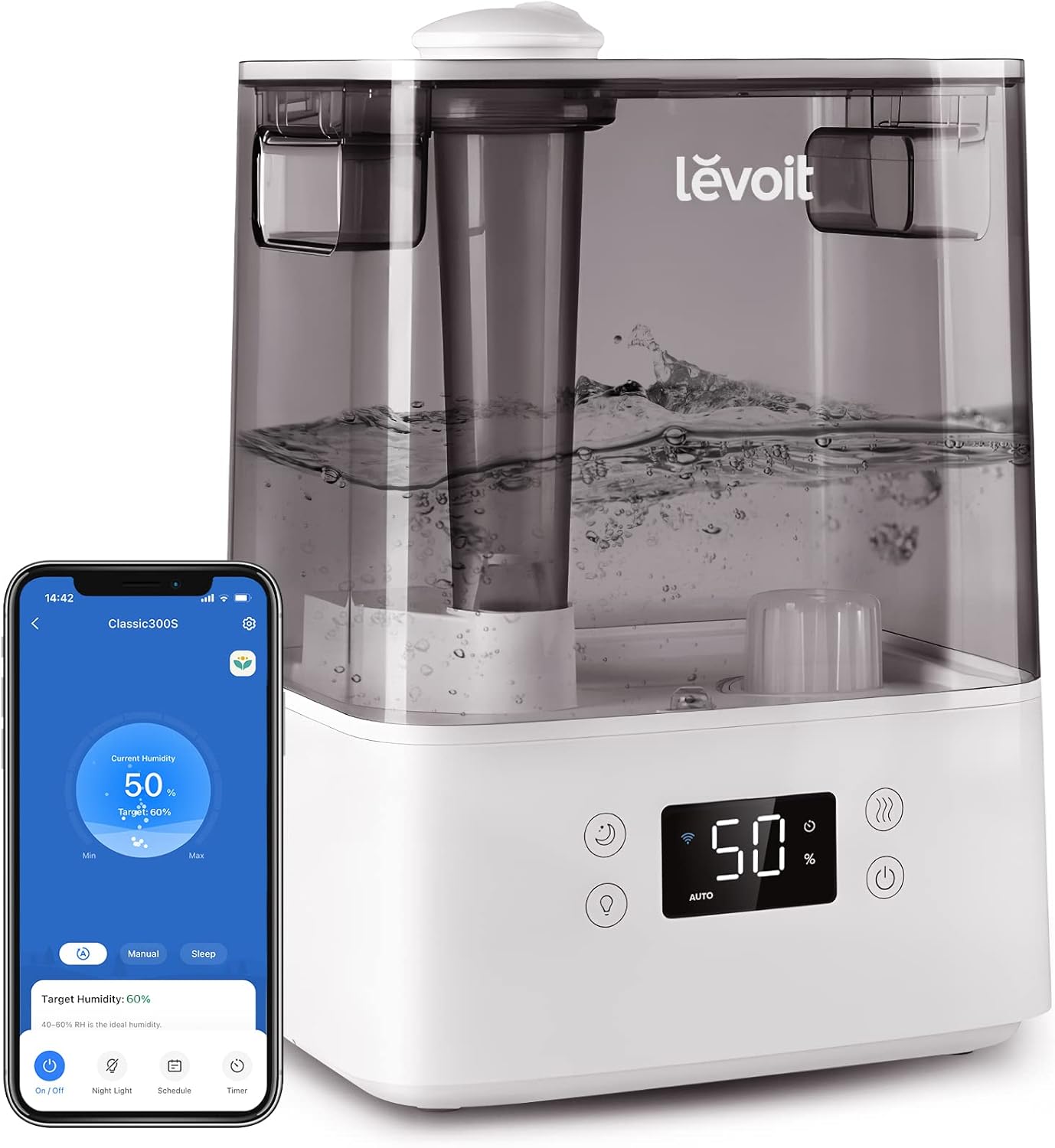
Image: The LEVOIT humidifier shown with its digital display and a smartphone displaying the companion app interface. This illustrates the smart control capabilities and the unit's design.
Air Purifier Setup
- Desempaquetar filtros: If filters are not pre-installed or are wrapped, remove all packaging from the filters.
- Instalar filtros: Open the filter compartment (usually at the bottom or back) and insert the 3-in-1 filtration system. Ensure it is seated correctly.
- Colocación: Place the air purifier on a firm, level surface. Allow at least 15 inches (38 cm) of clearance on all sides for optimal airflow.
- Conexión de alimentación: Enchufe o cable de alimentación nunha toma eléctrica adecuada.

Imaxe: Primeiro plano view of the LEVOIT Core 600S Air Purifier, highlighting its sleek gray design and perforated air intake. This image shows the main unit of the air purifier.

Image: An exploded diagram illustrating the three layers of the LEVOIT air purifier's filtration system: Pre-Filter, Efficient Middle Filter, and Efficient Activated Carbon Filter. Arrows indicate airflow and particle capture.
Instrucións de funcionamento
Funcionamento do humidificador
- Encendido/apagado: Press the power button to turn the humidifier on or off.
- Modo automático: Activate Auto Mode for the humidifier to automatically adjust mist output based on the ambient humidity, maintaining optimal levels (40-50% RH).
- Axuste do nivel de néboa: Manually adjust mist output to your desired level using the control panel or the VeSync app.
- Modo de suspensión: Engages a quiet operation mode with dimmed display lights for undisturbed rest.
- Plant Mode: Optimizes humidity for plant care.
- Smart Control (VeSync App): Download the VeSync app to control your humidifier remotely, set schedules, and access additional features.

Image: The LEVOIT humidifier operating in a living room, emitting mist. This demonstrates the product in a typical use environment, emphasizing its ability to maintain balanced humidity.

Image: The LEVOIT humidifier placed on a coffee table in a spacious living area with a family. This highlights the humidifier's coverage area and rapid humidification capabilities.
Funcionamento do purificador de aire
- Encendido/apagado: Press the power button to turn the air purifier on or off.
- Velocidade do ventilador: Adjust the fan speed manually to control the purification rate.
- Modo automático: The air purifier can automatically adjust its fan speed based on detected air quality (PM2.5 levels).
- Temporizador: Set a timer for the air purifier to operate for a specific duration.
- Smart Control (VeSync App): Use the VeSync app to monitor air quality, control settings, and schedule operation from anywhere.

Image: The LEVOIT Core 600S Air Purifier positioned in a large, open room, demonstrating its capability to cover extensive areas. This image emphasizes the product's suitability for large spaces.
Mantemento
Mantemento de humidificadores
- Limpeza diaria: Empty and rinse the water tank and base daily to prevent mineral buildup and mold growth.
- Limpeza semanal: For thorough cleaning, use white vinegar to descale the tank and base. Rinse thoroughly after cleaning.
- Filter/Cartridge Replacement: If your model includes a demineralization cartridge or filter, replace it as recommended by the manufacturer to maintain performance.
Mantemento do purificador de aire
- Substitución do filtro: Replace the 3-in-1 air filter every 6-8 months, or as indicated by the filter indicator light. Only use genuine LEVOIT replacement parts (Busca Core 600S-RF or B09MK89TXN). Off-brand filters may damage the air purifier and affect performance.
- Limpeza exterior: Limpe o exterior do purificador de aire cun pano suave e seco. Non empregue produtos de limpeza abrasivos nin solventes.
- Limpeza de sensores: Periodically clean the air quality sensor (if applicable) with a dry cotton swab to ensure accurate readings.
Resolución de problemas
| Problema | Causa posible | Solución |
|---|---|---|
| O humidificador non produce néboa. | Low water level; Tank not seated correctly; Mineral buildup. | Refill water tank; Re-seat tank properly; Clean the base and transducer. |
| O purificador de aire non se acende. | Not plugged in; Filters not installed correctly or packaging not removed. | Check power connection; Ensure all filter packaging is removed and filters are correctly inserted. |
| Problemas de conectividade da aplicación. | Incorrect Wi-Fi password; Device too far from router; Router issues. | Verify Wi-Fi password; Move device closer to router; Restart router and device. |
| Ruído inusual procedente da unidade. | Obstruction in fan/motor (air purifier); Loose parts; Mineral buildup (humidifier). | Check for obstructions; Ensure all parts are securely assembled; Clean unit thoroughly. |
Especificacións
| Característica | Detalle |
|---|---|
| Marca | LEVOIT |
| Model Number (Air Purifier) | Núcleo 600S |
| Humidifier Capacity | 6 litros |
| Humidifier Coverage Area | Ata 505 pés² |
| Air Purifier Coverage Area (CADR) | 635 ft² in 12 min / 3,175 ft² in 60 min (CADR: 410 CFM / 697 m³/h) |
| Air Purifier Filter Type | 3-in-1 Filtration (Pre-Filter, Efficient Middle Filter, Activated Carbon Filter) |
| Noise Level (Humidifier) | ≤ 30dB |
| Conectividade | Smart WiFi (VeSync App) |
Garantía e Soporte
For warranty information, please refer to the warranty card included with your product or visit the official LEVOIT website. For technical support, troubleshooting assistance, or to purchase genuine replacement parts, please contact LEVOIT customer service.
Política de devolución: Products purchased from Amazon typically have a 30-day return/replacement policy. Please check your purchase details for specific terms.
Genuine LEVOIT Filters: Always use genuine LEVOIT replacement parts to ensure optimal performance and to maintain your product's warranty. For Core 600S Air Purifier filters, search for "Core 600S-RF" or "B09MK89TXN".
You can visit the official LEVOIT Store on Amazon for more information: LEVOIT Store


