1. Introdución
This manual provides comprehensive instructions for the FINTIE Rotating Case, designed specifically for the iPad Air 13-inch (M3) 2025 and iPad Air 13-inch (M2) 2024 models. It covers proper installation, utilization of key features, and general maintenance to ensure optimal performance and longevity of your case.
1.1. Compatibilidade
This case is exclusively designed for the following iPad Air 13-inch models:
- iPad Air 13-inch (M3) 2025 (Model Numbers: A3268, A3269, A3271)
- iPad Air 13-inch (M2) 2024 (Model Numbers: A2898, A2899, A2900)
To verify your iPad model number, check the back of your device or navigate to Settings > General > About on your iPad.
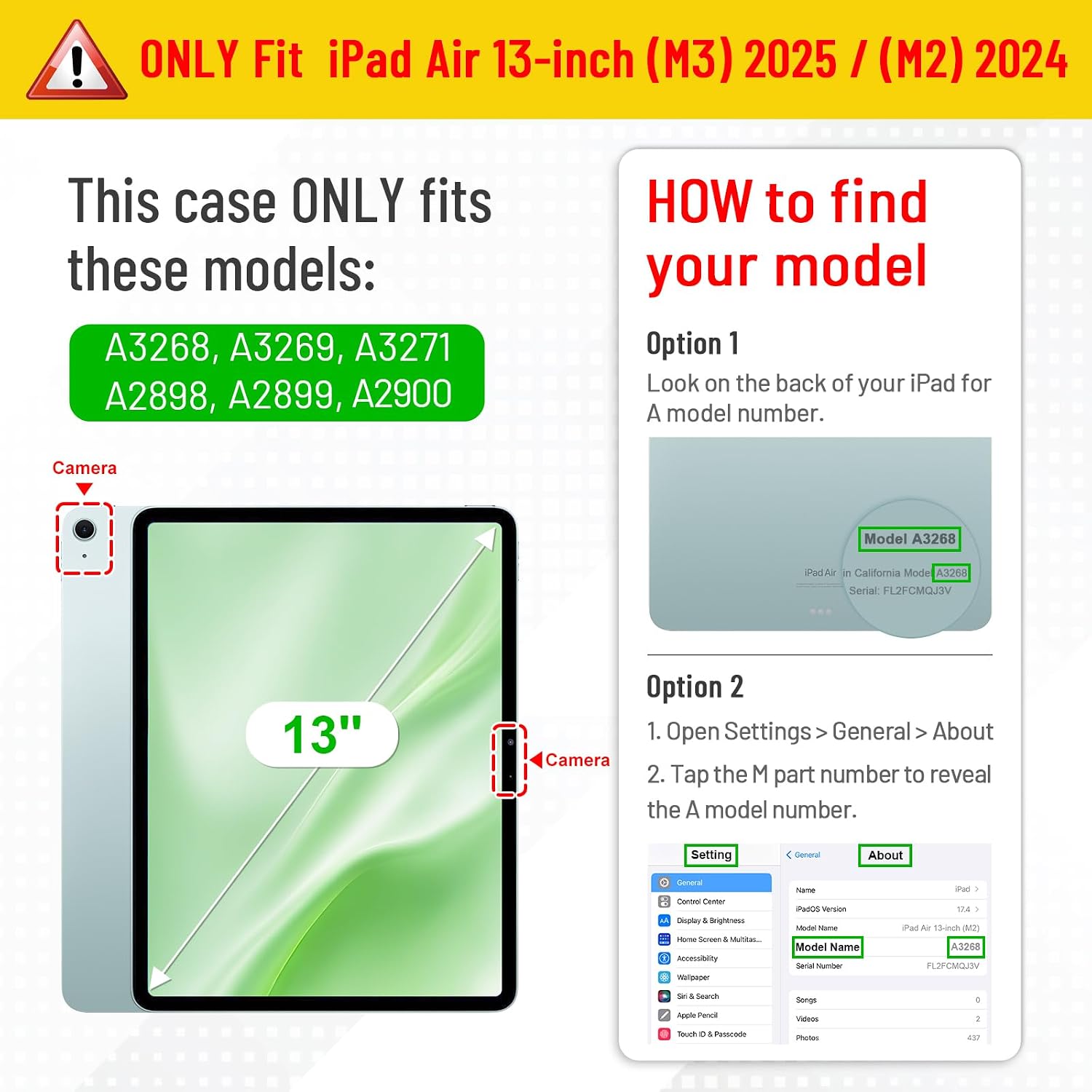
Figure 1: iPad Model Compatibility and Identification
2. Setup: Installing Your iPad
The FINTIE Rotating Case features a 'Snap-n-Roll' design for secure and easy installation of your iPad.
- Aliña o teu iPad coa funda, asegurándote de que o recorte da cámara e os portos coincidan.
- Gently snap the left side of your iPad into the case's frame.
- Press the right side of your iPad firmly until it securely snaps into place.
- Ensure all edges of the iPad are fully enclosed by the case for maximum protection.
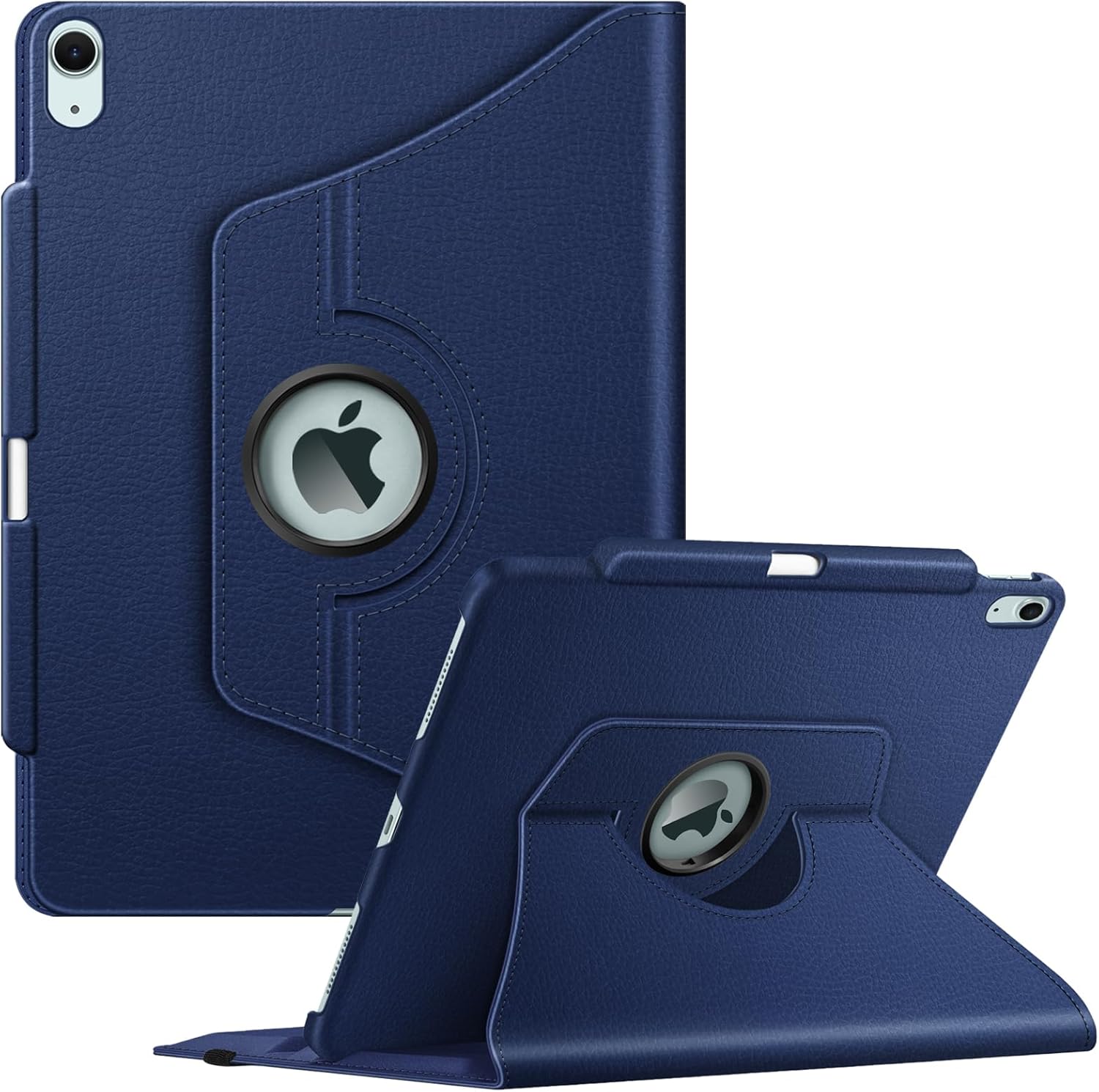
Figure 2: iPad securely installed in the FINTIE Rotating Case
2.1. Vídeo de instalación
Video 1: This video demonstrates the installation process of the iPad into the FINTIE Rotating Case, showcasing the secure fit and initial setup.
3. Instrucións de funcionamento
3.1. 360-Degree Rotation and Stand Functionality
The case features a rotating mechanism that allows you to switch between portrait and landscape viewing orientations. The integrated stand provides multiple viewángulos para un uso cómodo.
- To rotate: Gently swivel the iPad within the case's frame to achieve your desired orientation.
- To use the stand: Fold the front cover back and position the iPad into one of the two anti-slip grooves for stable viewing.

Figure 3: iPad in portrait and landscape stand modes

Figure 4: Adjustable stand with anti-slip grooves
3.2. Apple Pencil Holder and Wireless Charging
The case includes a dedicated built-in pencil holder to secure your Apple Pencil Pro. It also supports magnetic attachment and wireless charging of the Apple Pencil Pro while the case is on.
- To store the Apple Pencil: Place the Apple Pencil into the designated slot on the side of the case.
- To charge: Ensure the Apple Pencil is magnetically attached to the iPad's charging area. The case design allows for seamless wireless charging.

Figure 5: Apple Pencil Pro holder and wireless charging support
3.3. Función de activación/desactivación automática
The case is equipped with an auto wake/sleep feature. Opening the cover will automatically wake your iPad, and closing it will put your iPad to sleep, conserving battery life.

Figure 6: Auto Wake/Sleep functionality
3.4. Acceso con ID táctil
The case provides a precise cutout for the Touch ID sensor, allowing you to securely unlock your iPad without removing it from the case.

Figure 7: Touch ID access cutout
3.5. Secure Closure
An elastic band is integrated into the case design to hold the iPad securely closed when not in use or while on the go, providing additional protection.
4. Mantemento
To maintain the appearance and functionality of your FINTIE Rotating Case, follow these simple cleaning guidelines:
- Limpe o exterior cun suave, damp pano. Evite o uso de produtos químicos agresivos ou produtos de limpeza abrasivos.
- For stubborn stains, a mild soap solution can be used, followed by wiping with a clean, damp pano.
- Ensure the case is completely dry before reinserting your iPad.
5 Solución de problemas
If you encounter any issues with your FINTIE Rotating Case, consider the following:
- iPad non encaixa correctamente: Double-check the model numbers to ensure compatibility (refer to Section 1.1). Ensure the iPad is snapped in correctly on both sides.
- A activación/desactivación automática non funciona: Verify that your iPad is fully seated in the case and that the cover is closing completely.
- Apple Pencil not charging: Ensure the Apple Pencil is correctly aligned with the magnetic charging strip on your iPad.
For further assistance, please contact FINTIE customer support.
6. Especificacións
| Característica | Detalle |
|---|---|
| Dimensións do produto | 11.3 x 9.25 x 0.91 polgadas |
| Peso do elemento | 1.01 libras |
| Número de modelo | EPAW012 |
| Dispositivos compatibles | iPad Air 13-inch (M3) 2025 (A3268/A3269/A3271), iPad Air 13-inch (M2) 2024 (A2898/A2899/A2900) |
| Material | Dual Layer hard interior cover and premium synthetic leather exterior |
| Características especiais | 360-degree rotating stand, Apple Pencil holder with wireless charging support, Auto Wake/Sleep, Elastic band closure, Touch ID cutout |
| O que hai na caixa | 1 * Funda protectora |
7. Garantía e soporte
For warranty information or technical support regarding your FINTIE Rotating Case, please refer to the product packaging or visit the official FINTIE website. Contact details for customer service are typically provided with your purchase.
Tamén podes visitar o FINTIE Store on Amazon para obter información adicional sobre o produto e recursos de asistencia.


