1. Introdución
This manual provides essential information for the safe and efficient operation of your DieHard 300-Watt Portable Power Station. Please read this manual thoroughly before using the product and retain it for future reference.

Image 1.1: The DieHard 300-Watt Portable Power Station, a compact and robust power source.
2. Instrucións de seguridade
- Non desmonte, repare nin modifique a unidade.
- Avoid exposure to high temperatures, direct sunlight, or flammable materials.
- Manteña a unidade lonxe da auga e outros líquidos.
- Asegúrese de que haxa unha ventilación axeitada durante o uso e a carga.
- Manter fóra do alcance dos nenos e animais.
- Desfágase da unidade segundo a normativa local.
3. Produto rematadoview
The DieHard 300-Watt Portable Power Station is designed to provide reliable power for various applications, including home backup, outdoor recreation, and emergencies. It features multiple output ports and a clear LCD display.

Image 3.1: Front panel of the DieHard 300-Watt Portable Power Station, showing the LCD screen, control buttons, and various input/output ports.
Compoñentes:
- Pantalla LCD: Mostra o nivel da batería e a potencia de entrada/saídatage, e indicadores de estado.
- Botón de ON / OFF: Activa ou desactiva a unidade.
- Botón de acendido/apagado da luz: Controls the integrated LED light.
- Botón AC ON / OFF: Activates or deactivates the AC output.
- DC Input (12V-24V): For charging the power station via solar panel or car charger.
- AC Output (110V/60Hz): Standard wall outlet for AC devices.
- USB-A Outputs (QC3.0/18W): Three ports for charging USB devices.
- Saída USB-C: One port for charging USB-C compatible devices.
- DC Outputs (12V/10A): Two ports for DC devices.
- Cigarette Lighter Socket Output (12V/10A): One port for car accessories.
- Wireless Charging Pad (5W): Located on top for compatible devices.
4. Configuración e carga inicial
4.1 Desembalaxe
Carefully remove the power station and all accessories from the packaging. Verify that all components are present.
4.2 Cargo inicial
Before first use, fully charge the power station. The unit typically arrives with a partial charge. A full charge ensures optimal battery performance and longevity.
- Carga de CA: Connect the included AC adapter to the DC Input port on the power station and plug the adapter into a standard wall outlet. The LCD display will indicate charging status. Full charge from AC adapter takes approximately 5 hours.
- Carga do coche: Use the included car charger to connect the power station to your vehicle's 12V cigarette lighter socket. This method is most efficient when the car engine is running. Full charge from car charger takes approximately 7-9 hours.
- Solar Charging (Optional): Connect a compatible DieHard 120W or 200W solar panel (sold separately) to the DC Input port. Position the solar panel in direct sunlight for maximum efficiency. Charging time varies based on solar conditions. A 120W solar panel takes approximately 6-9 hours, and a 200W solar panel takes approximately 5-6 hours for a full charge under ideal conditions.

Image 4.1: Visual representation of estimated charging times for the DieHard 300-Watt Portable Power Station using various input methods.
5. Instrucións de funcionamento
5.1 Acendido/Apagado
Manteña premido o Alimentación ON/OFF button for a few seconds to turn the unit on or off. The LCD display will illuminate upon activation.
5.2 Uso dos portos de saída
- Saída CA: Preme o AC ON/OFF button to activate the AC outlet. Plug your AC-powered device into the port. Ensure the device's power consumption does not exceed 300 Watts continuous or 600 Watts peak.
- Saída DC: The DC ports (including the cigarette lighter socket) are typically active when the unit is powered on. Plug your 12V DC devices into the appropriate ports.
- Saídas USB: Plug your USB-A or USB-C devices into the corresponding ports. These ports are generally active when the unit is powered on.
- Carga sen fíos: Place your Qi-compatible device on the wireless charging pad located on top of the unit. Ensure the device is properly aligned for charging to begin.
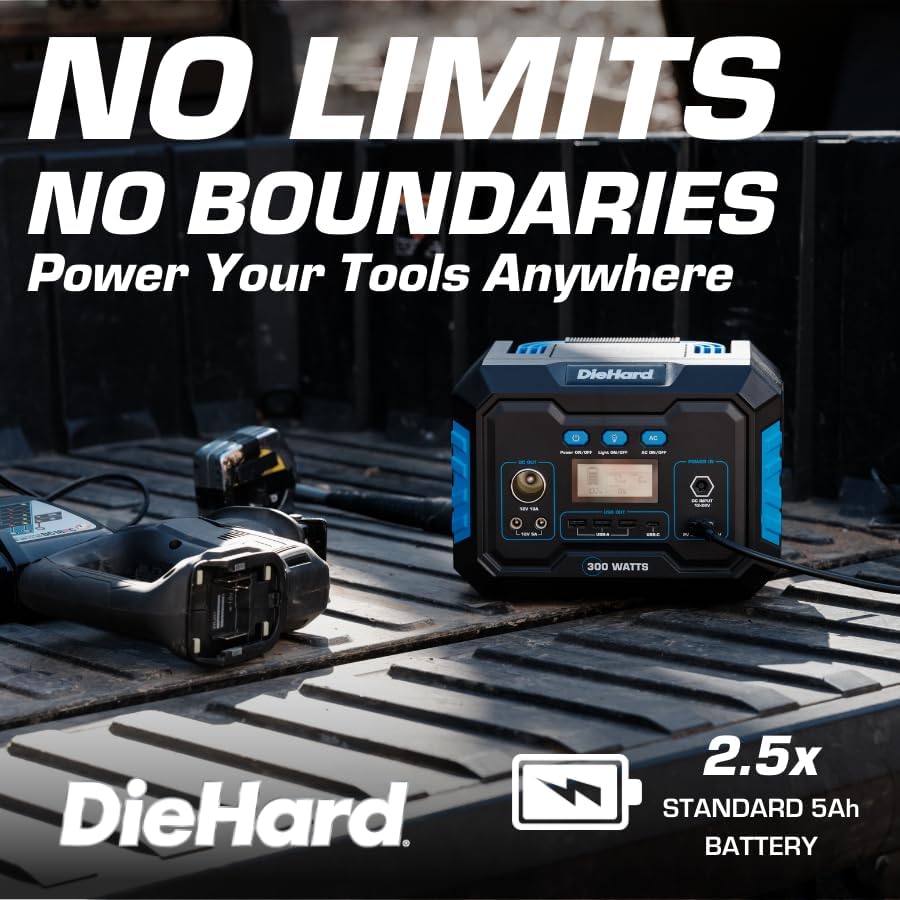
Image 5.1: The DieHard Power Station in use, charging multiple devices simultaneously inside a vehicle.
5.3 Función de luz LED
Preme o Luz ON/OFF button to cycle through different light modes (e.g., low, high, SOS). Press and hold to turn off the light.
5.4 Información da pantalla LCD
A pantalla LCD proporciona información en tempo real:
- Indicador de nivel de batería: Mostra a capacidade restante da batería.
- Entrada/Saída Augatage: Displays the current power input (charging) and output (discharging) in Watts.
- Iconas de estado: Indicates active AC/DC outputs, fan status, and warning indicators.
6. Mantemento
6.1 Limpeza
Empregue un pano seco e suave para limpar o exterior da central eléctrica. Non empregue produtos de limpeza abrasivos nin mergulle a unidade en auga.
6.2 Coidado e almacenamento da batería
- For optimal battery longevity, fully charge the unit every 3-6 months, even if not in use.
- When storing for extended periods, it is recommended to maintain a charge level of approximately 50%.
- Garde a central eléctrica nun lugar fresco e seco, lonxe da luz solar directa e de temperaturas extremas.
7 Solución de problemas
7.1 Unit Not Charging
- Ensure the charging cable and adapter are securely connected to both the power station and the power source.
- Verify that the wall outlet or car charger is functioning correctly.
- If using a solar panel, ensure it is in direct sunlight and properly connected. Check for any obstructions or damage to the panel or cables.
- Se o problema persiste, póñase en contacto co servizo de atención ao cliente.
7.2 No Output from Ports
- Asegúrese de que a central eléctrica estea acendida.
- For AC output, confirm the AC ON/OFF button has been pressed and the AC indicator is active on the LCD.
- Check the battery level. If the battery is critically low, the unit may automatically shut off outputs.
- Verify that the connected device is functioning and its power requirements do not exceed the power station's capacity. The unit has built-in overload protection.
7.3 Sobrequecemento
The power station has an internal cooling fan. If the unit becomes excessively hot, it may temporarily reduce output or shut down to prevent damage. Ensure adequate ventilation around the unit and clear any obstructions from the fan vents.
8. Especificacións
| Característica | Detalle |
|---|---|
| Número de modelo | DH-20001-01 |
| Tipo de batería | Ion de litio |
| Capacidade da batería | 288.6 Wh |
| Saída continua de CA | 300 vatios |
| AC Peak Output | 600 vatios |
| Saída CA Voltage / Frecuencia | 110 V / 60 Hz |
| Forma de onda de saída | Pura Sine Wave |
| Vol. De entrada CCtage Alcance | 12 V-24 V |
| Saída de CC (x2) | 12 V/10 A |
| DC Car Charger Port | 12 V/10 A |
| Saída USB-A (x3) | QC3.0 / 18W |
| Saída USB-C (x1) | Yes (details not specified, assumed standard) |
| Carga sen fíos | 5 vatios |
| Dimensións (L x W x H) | 8" x 6" x 6.5" |
| Peso | 9.3 libras |
| Temperatura de funcionamento | Not specified (refer to product packaging) |
| Fabricante | Huizhou Intelligent Energy Co., Ltd. |
9. Garantía e soporte
9.1 Información da garantía
This DieHard Portable Power Station is covered by a manufacturer's warranty. Please refer to the warranty card included with your product or visit the official DieHard websitio para consultar os termos e condicións detallados.
9.2 Atención ao cliente
For technical assistance, troubleshooting, or warranty claims, please contact DieHard customer support. Contact information can typically be found on the product packaging or the official DieHard websitio.


