1. Introdución
This manual provides essential information for the safe and efficient use of your Google TV 7000 Series 4K Ultra HD LED Television. Please read these instructions thoroughly before operating the device and retain them for future reference.
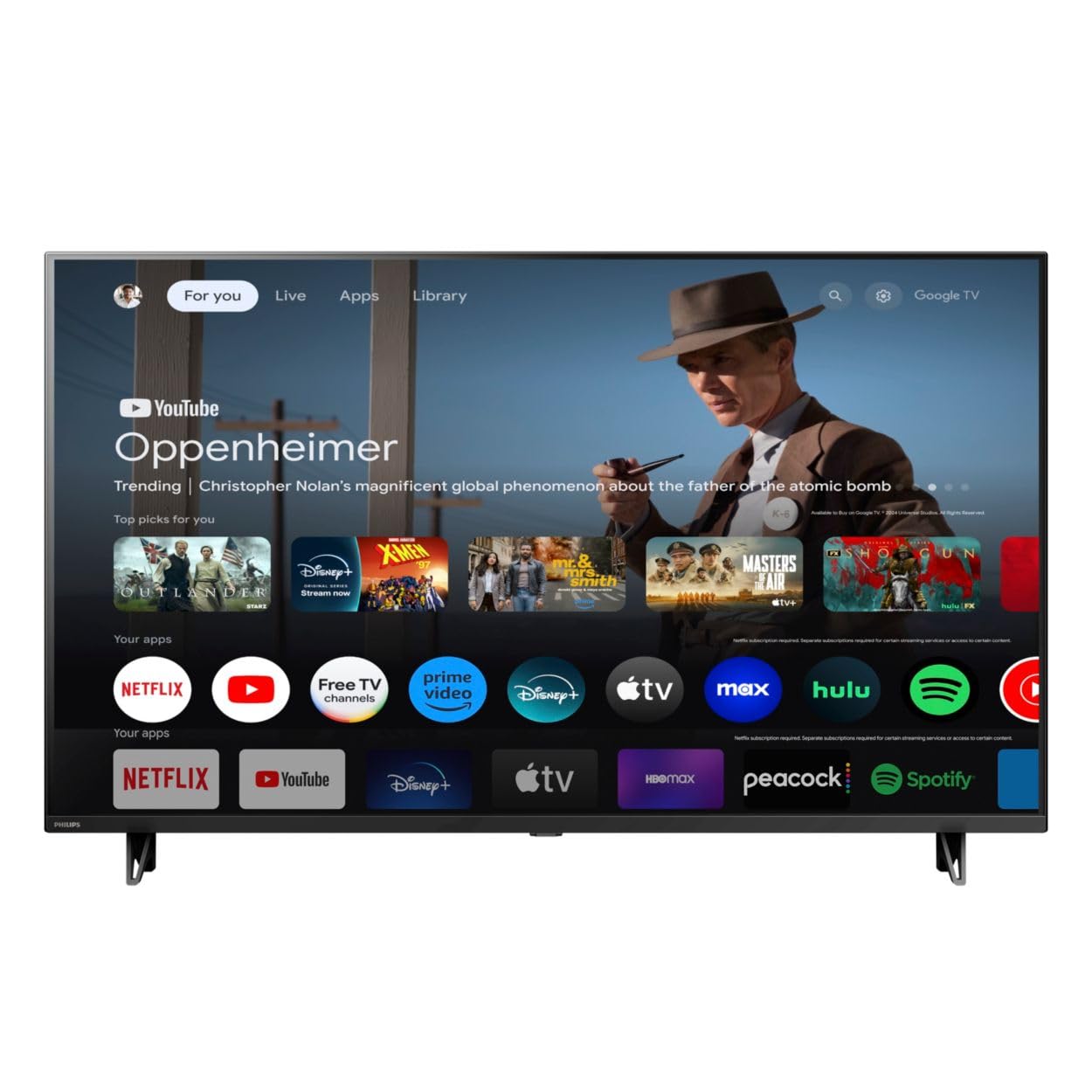
Fronte view of the Google TV 7000 Series 4K Ultra HD LED Television, showcasing o seu delgado bisel e pantalla.
2. Configuración
2.1 Desembalaxe e contido da embalaxe
Retire con coidado todos os elementos da embalaxe. Asegúrese de que estean presentes todos os compoñentes:
- Google TV 7000 Series Television
- Control remoto
- Pilas para mando a distancia
- Soporte de mesa
- Screws for tabletop stand
- Guía de inicio rápido
- Manual de usuario (este documento)
2.2 Conexión de enerxía
Connect the power cord to the TV's power input, then plug the other end into a wall outlet. Ensure the power outlet is easily accessible.
2.3 Conexión de dispositivos externos
Your television supports various connectivity options:
- HDMI: Connect devices like Blu-ray players, game consoles, or set-top boxes to the HDMI ports. This model features Audio Return Channel (HDMI 2).
- USB: Use the USB port for media playback or connecting compatible accessories.
- Ethernet: Para unha conexión a internet por cable estable, conecte un cable Ethernet ao porto LAN.
- Saída de auriculares: Conecta os auriculares para escoitar en privado.
- Saída de audio dixital (óptica): Para conectar sistemas de son externos.
- CVBS+Audio L/R In: Para conectar dispositivos analóxicos antigos.
2.4 Configuración inicial
Ao acender o televisor por primeira vez, este guiarache polo proceso de configuración inicial. Isto inclúe:
- Selección da lingua
- Connecting to a Wi-Fi network or using Ethernet
- Signing in with your Google account to access Google TV features and apps
- Scanning for available channels (ATSC, NTSC)
2.5 Opcións de montaxe
You can place your TV on a tabletop using the included stand or mount it on a wall.
- Soporte de mesa: Attach the tabletop stand using the provided screws as per the quick start guide.
- Montaxe na parede: For wall mounting, use a VESA compatible mount (600 x 400 mm). Consult a professional for wall mounting to ensure safety and proper installation.
3. Instrucións de funcionamento
3.1 Control remotoview
The remote control allows you to navigate the Google TV interface, adjust settings, and control playback. It supports voice control for Google Assistant.
3.2 Funcións básicas
- Potencia: Prema o botón de acendido para acender ou apagar o televisor.
- Volume: Use os botóns de volume para axustar o nivel de son.
- Canles: Use the channel buttons to switch between TV channels.
- Entrada: Select the desired input source (HDMI, USB, etc.).
3.3 Navegación da interface de Google TV
Use the directional pad and 'OK' button on your remote to navigate the Google TV home screen. The home screen provides access to your installed apps, recommended content, and settings.
3.4 Funcións intelixentes
- Chromecast integrado: Cast content from your compatible mobile devices or computer directly to your TV.
- Asistente de Google integrado: Press the Google Assistant button on your remote to use voice commands for searching content, controlling smart home devices, getting information, and more.
- Aplicacións de streaming: Access popular streaming services like Netflix, YouTube, Discovery+, Tubi TV, and Prime Video directly from the Google TV interface.
3.5 Axustes de imaxe e son
Personaliza o teu viewexperiencia de son e escoita a través do menú de configuración do televisor:
- Picture Style: Choose from various preset picture modes or customize settings like brightness, contrast, color, and sharpness. Features include Dynamic contrast, Film mode, Blue stretch, and Custom Color management.
- Soporte HDR: The TV supports HDR10 and HLG for enhanced contrast and color with compatible content.
- Modo de xogo: Optimize picture settings for gaming to reduce input lag.
- Estilo de son: Select sound presets or adjust bass and treble. Features include Dolby Audio and Auto Volume Leveling.
- Relación de aspecto: Adjust the screen aspect ratio (e.g., Automatic, 4:3, Movie Expand, Full).
3.6 Conectividade
Your TV offers various ways to connect to networks and devices:
- Wi-Fi: Conéctate sen fíos á túa rede doméstica para acceder a internet.
- Bluetooth: Connect compatible Bluetooth devices such as headphones or game controllers.
- Ethernet: Provides a stable wired internet connection.
4. Mantemento
4.1 Limpeza da pantalla e da carcasa do televisor
- Desconecte sempre o televisor antes de limpalo.
- Use un pano suave, seco e sen fiapos para limpar con coidado a pantalla e a carcasa do televisor.
- Para marcas difíciles, espolvoree lixeiramenteampEnxágüe o pano con auga ou cun limpador de pantallas especializado. Nunca pulverice o limpador directamente sobre a pantalla.
- Evite o uso de limpadores abrasivos, ceras ou disolventes.
4.2 Actualizacións de software
Your Google TV may receive automatic software updates to improve performance and add new features. Ensure your TV is connected to the internet to receive these updates. You can also manually check for updates in the settings menu.
4.3 Coidado do control remoto
Replace batteries when the remote control's response becomes sluggish. Do not mix old and new batteries or different types of batteries. Keep the remote control away from moisture and direct sunlight.
5 Solución de problemas
Se tes problemas co teu televisor, consulta as seguintes solucións habituais:
| Problema | Posible Solución |
|---|---|
| Sen poder | Comprobe se o cable de alimentación está ben conectado tanto ao televisor como á toma de corrente. Asegúrese de que a toma de corrente funcione. |
| Sen imaxe, pero hai son | Verifique que estea seleccionada a fonte de entrada correcta. Comprobe as conexións do dispositivo externo. |
| Sen son, pero si imaxe | Comprobe o nivel de volume e o estado de silenciamento. Asegúrese de que os sistemas de son externos estean conectados e acendidos correctamente. |
| O control remoto non funciona | Substitúa as pilas. Asegúrese de que non haxa obstrucións entre o mando a distancia e o sensor de infravermellos do televisor. |
| Problemas de conexión á rede | Reinicia o teu enrutador e o módem. Conéctate de novo á rede Wi-Fi ou comproba a conexión do cable Ethernet. |
| Picture quality issues (e.g., pixelation) | Check the signal strength for broadcast channels. For streaming content, ensure a stable internet connection. Adjust picture settings. |
5.1 Restablecemento de fábrica
If problems persist, a factory reset may resolve them. This will erase all personal settings and installed apps, returning the TV to its original factory state. Consult the on-screen menu for the factory reset option, usually found under System or Device Preferences in Settings.
6. Especificacións
Key technical specifications for the Google TV 7000 Series 4K Ultra HD LED Television:
| Característica | Especificación |
|---|---|
| Tamaño da pantalla | 43 polgadas |
| Tecnoloxía de visualización | LCD UltraHD Display, LED Backlight |
| Resolución | 4K (2160p) |
| Taxa de actualización | 120 PMR (Picture Motion Rate) |
| Formato HDR compatible | HDR10, HLG |
| Sistema Operativo | Android 11 (Google TV) |
| Tecnoloxía de conectividade | Bluetooth, Ethernet, USB, Wi-Fi |
| Funcións de audio | Dolby Audio, Auto Volume Leveling |
| Características especiais | Chromecast Built-in, Google Assistant Built-in, Game Mode, Digital Noise Reduction, MPEG artifact reduction, Dynamic contrast |
| Dimensións do produto (P x A x A) | 9.8" D x 37.9" W x 23.9" H |
| Peso do elemento | 14.99 libras |
| Estándar de montaxe VESA | 600 x 400 mm |
| Fabricante | Philips |
| Número de modelo | 43PUL7652/F7 |
| UPC | 609585254893 |
7. Garantía e soporte
7.1 Información da garantía
This product comes with a Limited Warranty. Please refer to the warranty card included in your package or contact the manufacturer for specific terms and conditions regarding coverage and duration.
7.2 Atención ao cliente
For technical assistance, troubleshooting beyond this manual, or warranty claims, please contact the manufacturer, Philips, or your retailer. Have your model number (43PUL7652/F7) and serial number ready when contacting support.