1. Introdución
The Aika AK-690 is a digital rechargeable pocket hearing aid designed to enhance auditory experiences. It features 16 channels for clear sound processing, active noise reduction technology, and a long-lasting battery. This manual provides essential information for the proper setup, operation, maintenance, and troubleshooting of your device.
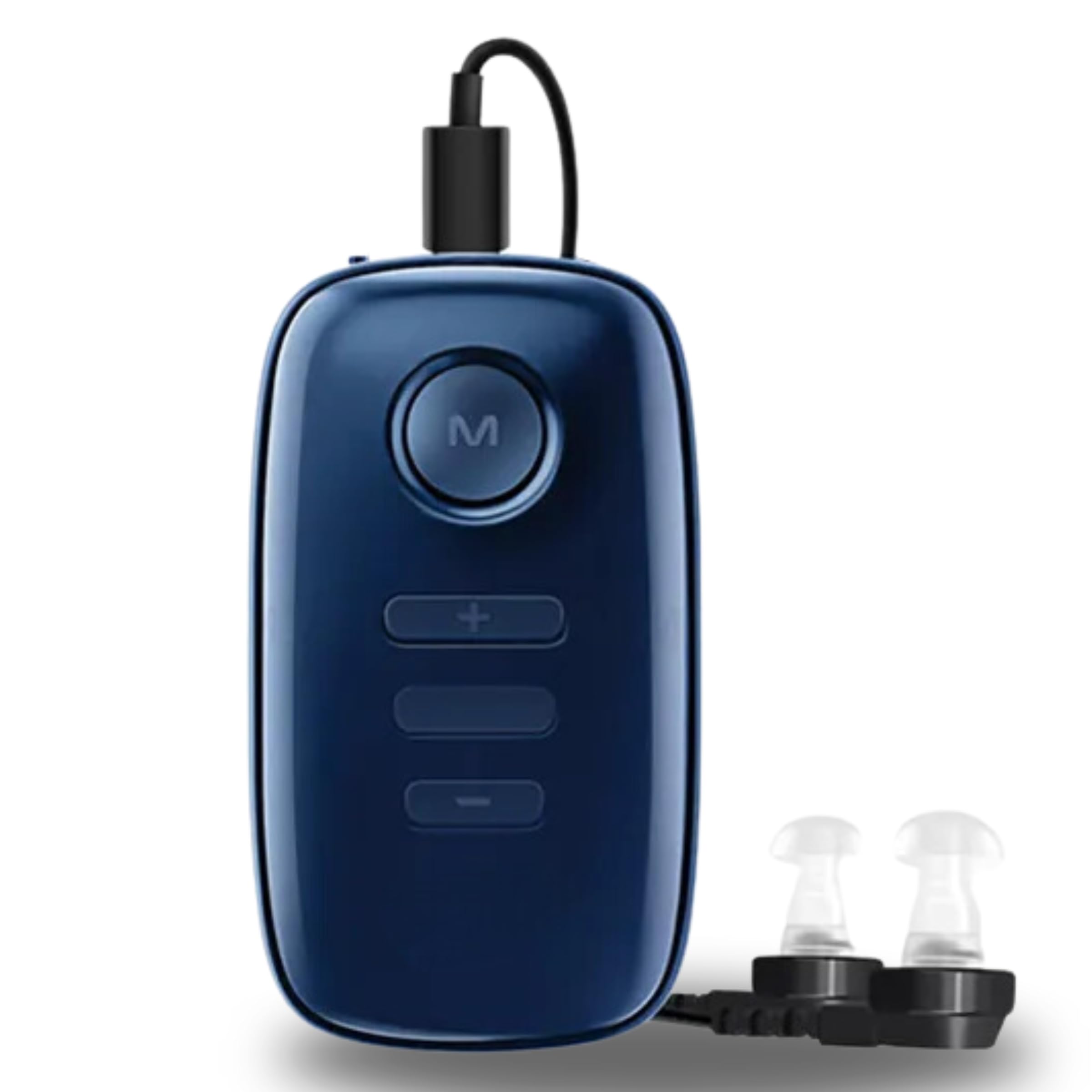
Figura 1: Fronte view of the Aika AK-690 Hearing Aid.
2. Product Components and Structure
Familiarize yourself with the different parts of your Aika AK-690 hearing aid to ensure correct usage.

Figure 2: Product Structure and Components.
- Receiver Cable: Connects the main unit to the receiver and eartip.
- Audio Port & Charging Port: Used for connecting the receiver cable and for charging the device.
- Botón de encendido: Controla o estado de acendido/apagado do dispositivo.
- Botón de modo (M): Cycles through different listening modes.
- Luz indicadora: Displays device status, such as charging or power on.
- Botón Volume +: Increases the sound ampnivel de lificación.
- Botón de volume: Decreases the sound ampnivel de lificación.
- Puntas dos oídos: Soft silicone tips that fit into the ear canal. Available in various sizes for comfort.
- Receptor: The part that delivers amplified sound into the ear canal.
3. Configuración
3.1 Carga inicial
Before first use, fully charge the hearing aid. Connect the charging cable to the Audio & Charging Port on the device and plug the other end into a suitable USB power adapter. The indicator light will show charging status. A full charge takes approximately 3 hours and provides up to 120 hours of playtime.
3.2 Attaching Eartips and Receiver
Select an eartip size that fits comfortably and securely in your ear canal. Attach the chosen eartip to the receiver. Then, connect the receiver cable to the Audio Port of the main unit.

Figure 3: Hearing aid with eartips.
3.3 Acendido/Apagado
Press and hold the Power button for a few seconds to turn the device on or off. The indicator light will illuminate when the device is powered on.
4. Instrucións de funcionamento
4.1 Como usar o dispositivo
Place the main unit in your pocket or clip it to your clothing. Gently insert the eartip into your ear canal until it feels secure and comfortable. Ensure the receiver cable is not twisted or pulled.

Figure 4: Proper wearing of the pocket hearing aid.
4.2 Axuste do volume
Usa o Volume + button to increase the sound level and the Volume - button to decrease it. Adjust the volume to a comfortable listening level, avoiding excessively loud settings that could cause discomfort or damage to hearing.
4.3 Cambio de modos
Preme o Modo (M) button to cycle through the available listening modes. Each mode is optimized for different acoustic environments.

Figure 5: Four modes for different scene requirements.
5. Modos de funcionamento
The Aika AK-690 offers four distinct listening modes:
- Modo normal: Xeral amplification suitable for quiet environments.
- Modo interior: Optimized for indoor settings, reducing common background noises like household appliances.
- Modo de reunión: Enhances speech clarity in group conversations or meetings, minimizing ambient chatter.
- Modo ao aire libre: Designed for open-air environments, reducing wind noise and other outdoor distractions.
6. Cargando
To charge your device, connect the provided USB charging cable to the charging port. The indicator light will show the charging status. A full charge takes approximately 3 hours. The device offers up to 120 hours of continuous use on a single charge.
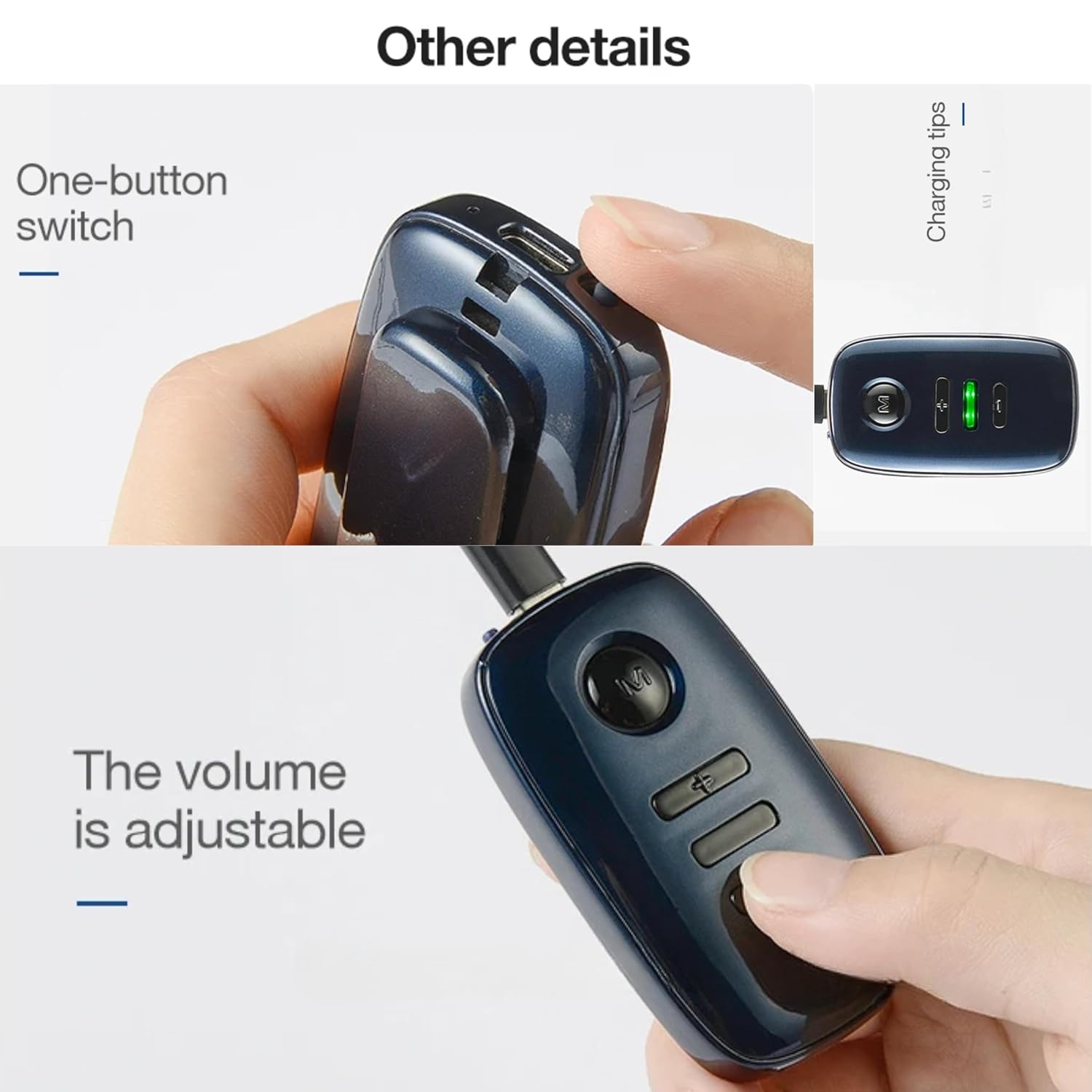
Figure 6: Charging port and indicator lights.
7. Mantemento e coidados
- Limpeza: Regularly clean the eartips and the main unit with a soft, dry cloth. Do not use water or cleaning solutions directly on the device.
- Almacenamento: When not in use, store the hearing aid in a cool, dry place, away from direct sunlight and extreme temperatures.
- Coidado da batería: Para prolongar a duración da batería, evite descargar completamente o dispositivo con frecuencia. Cárgueo regularmente, mesmo se non o usa a diario.
- Evitar a humidade: Protect the device from water, humidity, and sweat.
8 Solución de problemas
| Problema | Causa posible | Solución |
|---|---|---|
| Sen son ou son débil | Low battery; Volume too low; Eartip blocked; Device off. | Charge the device; Increase volume; Clean eartip; Turn device on. |
| Asubío ou son de retroalimentación | Eartip not properly sealed in ear; Volume too high; Eartip too small. | Re-insert eartip for a snug fit; Lower volume; Try a larger eartip. |
| O son está distorsionado | Low battery; Eartip blocked; Device malfunction. | Charge the device; Clean eartip; Contact customer support if problem persists. |
9. Especificacións
| Característica | Detalle |
|---|---|
| Número de modelo | AK-690 |
| Canles | 16 |
| Rango de frecuencias | 450 Hz a 3000 Hz |
| OSPL90 Max | ≤ 129dB +3dB |
| OSPL90 HFA Avg | 120 dB ± 4 dB |
| FOG50HFA Avg | 50 dB ± 5 dB |
| Distorsión harmónica total | ≤ 10 % |
| Hora de xogo | Ata 120 horas |
| Tempo de recarga | Aproximadamente 3 horas |
| Peso do elemento | 7 onzas |
| Dimensións do produto | 1.97 x 1.97 x 1.97 polgadas |
| Características especiais | Lightweight, Long Lasting Battery, Rechargeable, Soft Ear Buds |
| Tipo de control | Control de botón |
10. Información de seguridade
- Consult a medical professional before using any hearing aid if you have sudden hearing loss, ear discharge, or pain.
- Non expoñas o dispositivo a temperaturas extremas, á luz solar directa nin á humidade.
- Manter fóra do alcance dos nenos e das mascotas. As pezas pequenas poden supoñer un perigo de asfixia.
- Evite deixar caer o dispositivo ou sometelo a fortes impactos.
- Do not attempt to open or repair the device yourself. This will void the warranty and may cause damage.
11. Garantía e soporte
For warranty information or technical support, please refer to the documentation included with your purchase or contact the seller/manufacturer directly. Ensure you have your product model number (AK-690) and purchase details available when seeking support.


