1. Introdución
Thank you for choosing the SBS MagSafe Compatible Wireless Power Bank. This compact and versatile 5000 mAh power bank is designed to provide convenient and efficient charging for a wide range of devices, including iPhones with MagSafe technology, Android smartphones, e-readers, smartwatches, and TWS earphones. Its dual charging capabilities (wireless and USB-C) ensure your devices stay powered on the go. This manual provides essential information on how to set up, operate, and maintain your power bank.

Image 1: The SBS MagSafe Compatible Wireless Power Bank magnetically attached to the back of an iPhone, illustrating its primary use.
2. Produto rematadoview
2.1 Características principais
- Capacidade 5000 mAh: Provides sufficient power to charge most smartphones up to two times.
- Compatibilidade con MagSafe: Magnetic attachment and wireless charging for compatible iPhones.
- Universal Wireless Charging: Supports wireless charging for other Qi-enabled Android devices.
- USB-C 10W Output/Input: Fast and safe wired charging for various devices, and for recharging the power bank itself.
- Intelligent Charge (IC) Technology: Optimiza a velocidade de carga dos dispositivos conectados.
- Indicadores LED de estado: Four LEDs to precisely monitor the power bank's internal charge level.
- Deseño compacto e portátil: Easy to carry for on-the-go charging.
- Compañía aérea aprobada: Safe for transport in aircraft cabins.
- Características de seguridade: Includes short-circuit protection and overload protection.
2.2 Contido do paquete
- SBS MagSafe Compatible Wireless Power Bank (Model: TEBB5000MAG1CK)
- Cable de carga USB-A a USB-C

Image 2: The power bank's interface, highlighting its compatibility with various electronic devices.

Imaxe 3: Detallada view of the power bank's features, including wireless charging area and port labels.
3. Configuración
3.1 Carga inicial do banco de enerxía
Before first use, it is recommended to fully charge your SBS Power Bank. This ensures optimal performance and battery longevity.
- Connect the included USB-A to USB-C charging cable to the USB-C port on the power bank.
- Plug the USB-A end of the cable into a compatible USB wall adapter (not included) or a computer's USB port.
- Os indicadores LED do banco de enerxía acenden para mostrar o progreso da carga. Os catro LED estarán acesos de forma fixa cando estean completamente cargados.
A full charge typically takes several hours depending on the power source.
4. Instrucións de funcionamento
4.1 Comprobación do nivel da batería
Press the power button once to check the current battery level of the power bank. The four LED indicators will light up to show the remaining charge:
- 1 LED: 0-25% de carga
- 2 LED: 25-50% de carga
- 3 LED: 50-75% de carga
- 4 LED: 75-100% de carga
4.2 Charging Devices Wirelessly (MagSafe & Qi Compatible)
The power bank supports both MagSafe magnetic wireless charging for compatible iPhones and standard Qi wireless charging for other devices.
- For MagSafe Compatible iPhones: Align the power bank with the back of your iPhone. The magnets will automatically snap it into place, and wireless charging will begin.
- For Other Qi-Enabled Devices (e.g., Android phones): Place your device centrally on the wireless charging surface of the power bank. Ensure proper alignment for charging to initiate.
The power bank's LEDs may indicate active wireless charging. Remove your device once fully charged or when you no longer need to charge.
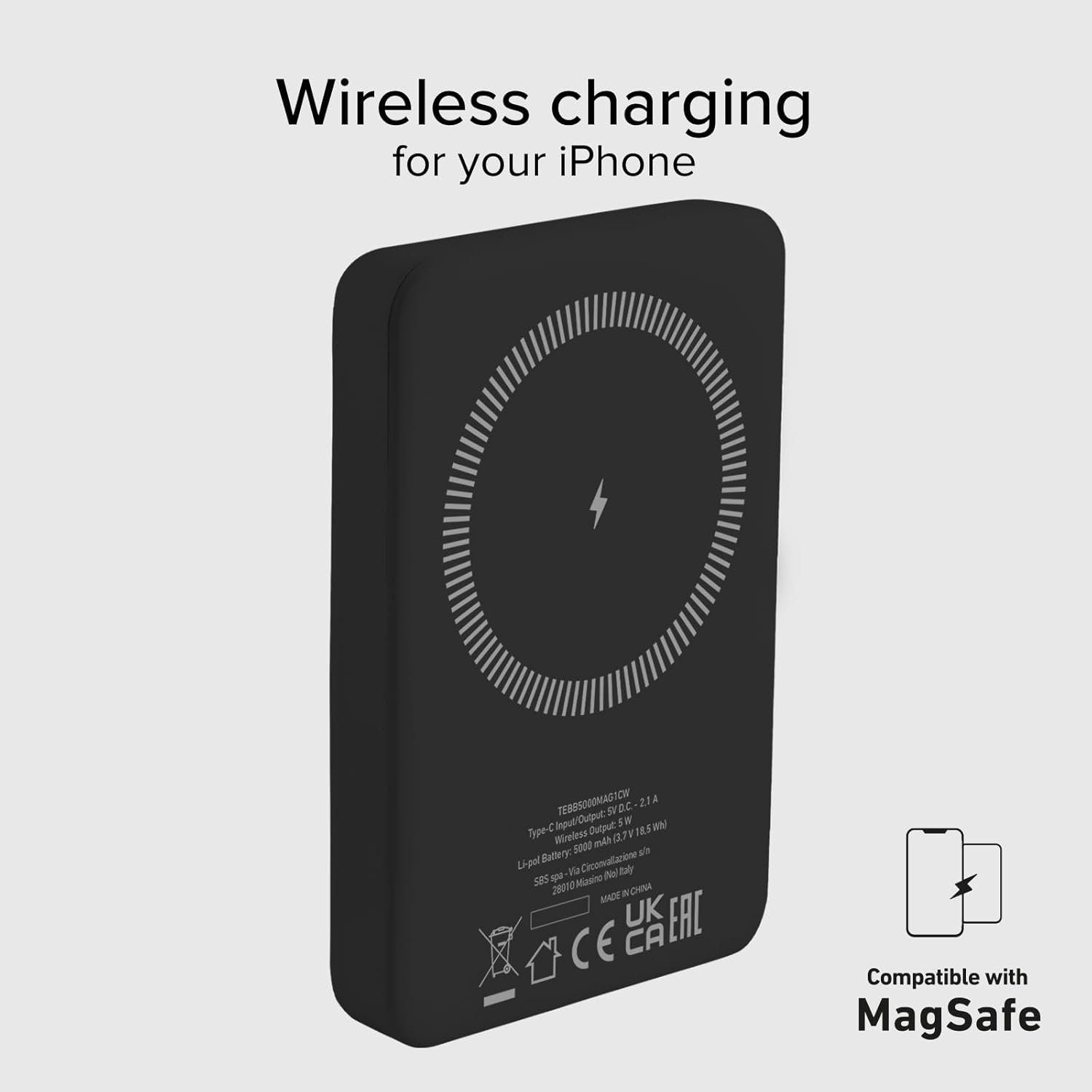
Image 4: The power bank's wireless charging surface, designed for MagSafe compatibility.

Image 5: Demonstrating the magnetic attachment of the power bank to a compatible iPhone.

Image 6: Wireless charging an Android device by placing it on the power bank.
4.3 Dispositivos de carga mediante cable USB-C
The USB-C port on the power bank can be used to charge devices that support wired charging.
- Connect one end of a compatible USB-C cable (or the included USB-A to USB-C cable with an appropriate adapter for your device) to the USB-C port on the power bank.
- Conecta o outro extremo do cable ao porto de carga do teu dispositivo.
- Charging will begin automatically. The power bank's Intelligent Charge (IC) technology will optimize the charging speed for your device.
The 10W output ensures rapid charging for most compatible devices.

Image 7: Charging a smartphone using the USB-C cable.
4.4 Carga simultánea
The power bank can charge one device wirelessly and another via the USB-C port simultaneously, though total output may be shared.

Image 8: The power bank allows for device usage while charging.
5. Mantemento
Un coidado e mantemento axeitados prolongarán a vida útil do teu banco de enerxía.
- Limpeza: Usa un pano suave e seco para limpar a superficie da batería externa. Non empregues produtos químicos agresivos nin materiais abrasivos.
- Almacenamento: Garda a batería externa nun lugar fresco e seco, lonxe da luz solar directa, de temperaturas extremas e da humidade.
- Coidado da batería: To maintain battery health, fully charge and discharge the power bank at least once every three months if not in regular use.
- Evita gotas: Protexa o dispositivo de golpes físicos e caídas.
- Exposición á auga: This power bank is not waterproof. Avoid exposure to water or other liquids.
6 Solución de problemas
If you encounter issues with your power bank, refer to the following common solutions:
- O banco de enerxía non se carga:
- Asegúrate de que o cable de carga estea conectado correctamente tanto ao banco de enerxía como á fonte de alimentación.
- Proba cun adaptador de parede USB ou un porto USB diferente.
- Verifica que a fonte de alimentación estea activa.
- O dispositivo non se carga sen fíos:
- Ensure your device is Qi-enabled or MagSafe compatible.
- Check that your device is correctly centered on the power bank's wireless charging surface.
- Retira calquera funda grosa do teléfono que poida interferir coa carga sen fíos.
- O dispositivo non se carga a través de USB-C:
- Asegúrate de que o cable USB-C estea conectado correctamente tanto á batería externa como ao dispositivo.
- Proba cun cable USB-C diferente.
- Verify your device's charging port is clean and free of debris.
- Carga lenta:
- Ensure you are using a compatible charging cable and adapter.
- Charging speed can be affected by the device's battery level (slower when nearly full).
- Avoid using your device heavily while charging.
- Os LED non se acenden:
- The power bank might be completely discharged. Connect it to a power source for a few minutes.
- Press the power button to activate the LED indicators.
If problems persist, please contact SBS customer support.
7. Especificacións
| Atributo | Detalle |
|---|---|
| Marca | SBS |
| Nome do modelo | Mag Power Bank Color |
| Número de modelo | TEBB5000MAG1CK |
| Capacidade da batería | 5000 millónsamper-hour (mAh) |
| Composición da batería | Polímero de litio |
| Porto de entrada/saída | 1 x USB-C (10W) |
| Saída de carga sen fíos | 5 W (sen fíos) |
| Voltage | 5 voltios |
| Dispositivos compatibles | Smartphones (iPhone, Android), E-readers, Speakers, Headphones, Smartwatches, MP3 Players, Cameras |
| Características especiais | Lightweight, Short-circuit Protection, Overload Protection, Wireless Charging, LED Indicator Lights |
| Peso | 187 g |
| Cor | Negro |
| Compoñentes incluídos | Cable de carga (USB-A a USB-C) |
| Airline Transportable | Yes (Cabin Allowed) |

Image 9: The power bank is approved for air travel.
8. Garantía e soporte
For warranty information and customer support, please refer to the documentation provided with your purchase or visit the official SBS website. You can also visit the SBS Brand Store on Amazon for more product information and support resources.
SBS Brand Store: https://www.amazon.it/stores/SBS/page/57FDEEEA-56BF-47BC-BBDB-9389D6E570BD


