1. Introdución
This user manual provides detailed instructions for the assembly, operation, and maintenance of your FLEXISPOT Lite Electric Standing Desk. Please read this manual thoroughly before installation and use to ensure proper function and safety. Keep this manual for future reference.
2. Información importante de seguridade
O incumprimento destas instrucións de seguridade pode provocar lesións ou danos no produto.
- The desk has a maximum load capacity of 70 kg (154 lb)Non excedas este límite de peso.
- A montaxe debe ser realizada por un adulto.
- Asegúrese de que todos os parafusos e parafusos estean ben axustados antes do uso.
- Keep children and pets away from the desk during operation to prevent injury from moving parts.
- Do not place hands or other objects near the lifting mechanism while the desk is in motion.
- Desconecte a alimentación antes de limpar ou realizar calquera mantemento.
- Use only the power adapter supplied with the desk.
- Avoid spilling liquids on the control panel or motor components.
3. Produto rematadoview e Características
The FLEXISPOT Lite Electric Standing Desk is designed to promote a healthy work environment by allowing seamless transitions between sitting and standing positions. It features a robust motor, memory presets, and an anti-collision system.

Figure 3.1: FLEXISPOT Lite Electric Standing Desk setup with accessories.
Características principais:
- Deseño ergonómico: Facilitates alternating between sitting and standing to reduce physical strain.
- Motor silencioso e duradeiro: Operates at less than 50 dB, ensuring a quiet workspace.
- Electric Height Adjustment with Memory: Easily adjust height with a control panel and save up to four preferred height settings.
- Construción robusta: Steel frame with a T-foot design provides stability and supports up to 70 kg.
- Escritorio espazoso: 140x60 cm maple tabletop with rounded corners and integrated wire holes.
- Anti-Collision Rebound Function: Automatically stops and reverses if an obstruction is detected during movement.
- Accesorios integrados: Includes two hooks and a cup holder for convenience.
4. Configuración e montaxe
This section outlines the general steps for assembling your FLEXISPOT Lite Electric Standing Desk. Refer to the separate assembly guide included in your package for detailed, step-by-step instructions and diagrams.
4.1 Desembalaxe
- Abra a embalaxe con coidado e retire todos os compoñentes.
- Place all parts on a clean, flat, and soft surface (e.g., a carpet) to prevent scratches.
- Comprobe que estean presentes todas as pezas listadas na guía de montaxe.
4.2 Identificación de compoñentes
Familiarízate cos compoñentes principais:
- Desktop sections
- Leg columns (lifting columns)
- Soportes para os pés
- Caixa de control
- Panel de control
- Adaptador de alimentación e cable
- Hardware (screws, bolts, tools)
- Accessories (hooks, cup holder)
4.3 Pasos de montaxe (xerais)
- Attach the lifting columns to the desktop frame.
- Secure the foot supports to the bottom of the lifting columns.
- Mount the control box and control panel to the underside of the desktop.
- Connect all cables from the motors to the control box, and then connect the power adapter.
- Attach the desktop sections together (if applicable) and secure them to the frame.
- Install the cup holder and hooks as desired.
Note: Refer to the detailed assembly manual for specific screw types, torque requirements, and visual aids for each step.
5. Manexo do escritorio
This section explains how to use the control panel to adjust your desk height and utilize its features.

Figure 5.1: Smart Control Panel.
5.1 Funcións do panel de control
- Pantalla LED: Mostra a altura actual do escritorio en centímetros.
- Botóns Arriba/Abaixo (▲ / ▼): Press and hold to continuously adjust the desk height upwards or downwards. Release the button to stop at the desired height.
- Sit/Stand Button (i): This button may function as a quick switch between a default sitting and standing height, or as a general indicator. Refer to your specific control panel model for exact functionality.
- Botóns de predefinición de memoria (1, 2, 3, 4): These buttons allow you to save and recall up to four preferred height settings.
5.2 Configuración de predefinicións de memoria
- Axuste o escritorio á altura desexada usando os botóns Arriba/Abaixo.
- Press the 'M' or 'Set' button (if available, otherwise proceed to step 3). The display may flash.
- Immediately press one of the number buttons (1, 2, 3, or 4) to save the current height to that preset. The display will show 'S-' followed by the number, confirming the setting.
5.3 Recuperación de predefinicións de memoria
Simply press the desired number button (1, 2, 3, or 4). The desk will automatically move to the saved height.
5.4 Anti-Collision Rebound Function
O escritorio está equipado cun sistema anticolisión. Se o escritorio atopa un obstáculo mentres se move cara arriba ou cara abaixo, deterase automaticamente e retrocederá lixeiramente para evitar danos ou lesións.
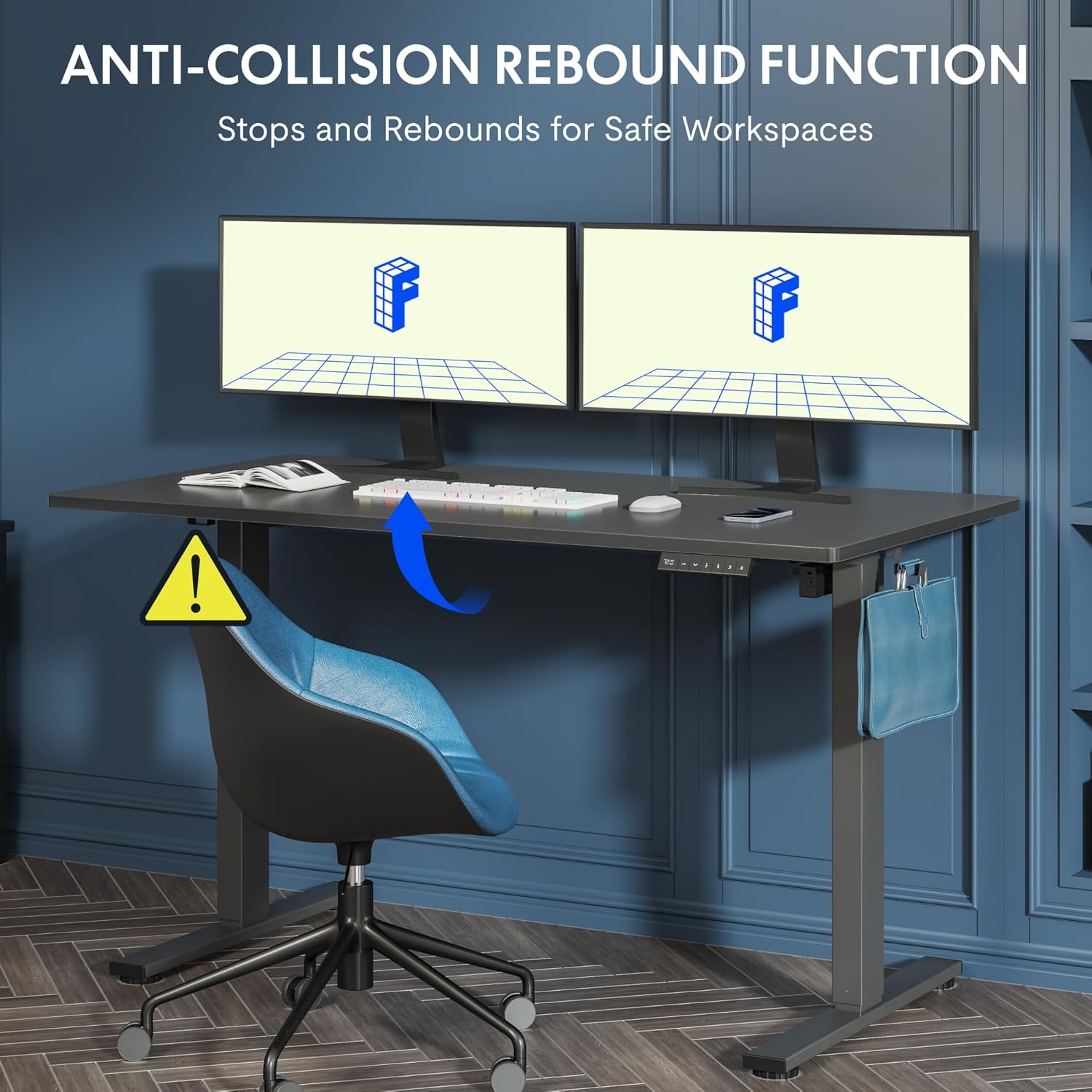
Figure 5.2: Anti-Collision Rebound Function in action.
6. Mantemento e coidados
Regular maintenance ensures the longevity and optimal performance of your standing desk.
- Limpeza: Limpa o escritorio e o marco cun pano suave eamp pano. Evite produtos de limpeza abrasivos ou produtos químicos agresivos.
- Inspección: Comprobe periodicamente todos os parafusos e bulóns para asegurarse de que estean ben axustados. Volva apertalos se é necesario.
- Xestión de cables Ensure all cables are neatly routed and not pinched or tangled, which could affect operation.
- Capacidade de carga: Do not overload the desk beyond its 70 kg capacity.
7. Guía de solución de problemas
Se tes problemas co teu escritorio, consulta os seguintes problemas e solucións comúns:
| Problema | Causa posible | Solución |
|---|---|---|
| O escritorio non se move nin responde aos controis. | Power cable disconnected; control box cable loose; motor cable loose. | Check all cable connections. Ensure the power cable is securely plugged into the wall outlet and the control box. |
| O escritorio móvese de xeito irregular ou fai ruídos pouco comúns. | Overload; loose screws; obstruction. | Reduce weight on the desk. Check and tighten all assembly screws. Ensure no obstructions are in the path of the lifting columns. |
| Desk stops moving unexpectedly. | Anti-collision system activated; motor overheating. | Check for obstructions and remove them. If no obstruction, allow the motor to cool down for 20 minutes before attempting operation again. |
| Código de erro amosado no panel de control. | Fallo específico do sistema. | Refer to the detailed assembly manual for specific error code meanings and troubleshooting steps. If the issue persists, contact customer support. |
8. Especificacións técnicas

Figure 8.1: Desk Dimensions and Performance Metrics.
| Especificación | Detalle |
|---|---|
| Marca | FLEXISPOT |
| Número de modelo | QS1M-1460-IE |
| Cor | White Frame + Maple Top |
| Dimensións do escritorio (L x A) | 140 cm x 60 cm |
| Rango de axuste de altura | 73.5 centímetros - 118 centímetros |
| Material | Wood (Maple Top), Metal (Alloy Steel Frame) |
| Capacidade de carga máxima | 70 kg |
| Peso do elemento | 26.9 kg |
| Nivel de ruído | < 50 dB |
| Velocidade de axuste | 20 mm/s |
| Características especiais | Ergonomic, Adjustable, Anti-Collision, Memory Presets |
9. Garantía e atención ao cliente
For warranty information, specific troubleshooting not covered in this manual, or to purchase replacement parts, please contact FLEXISPOT customer support directly. Refer to the product packaging or the official FLEXISPOT websitio para os detalles de contacto.


