1. Produto rematadoview
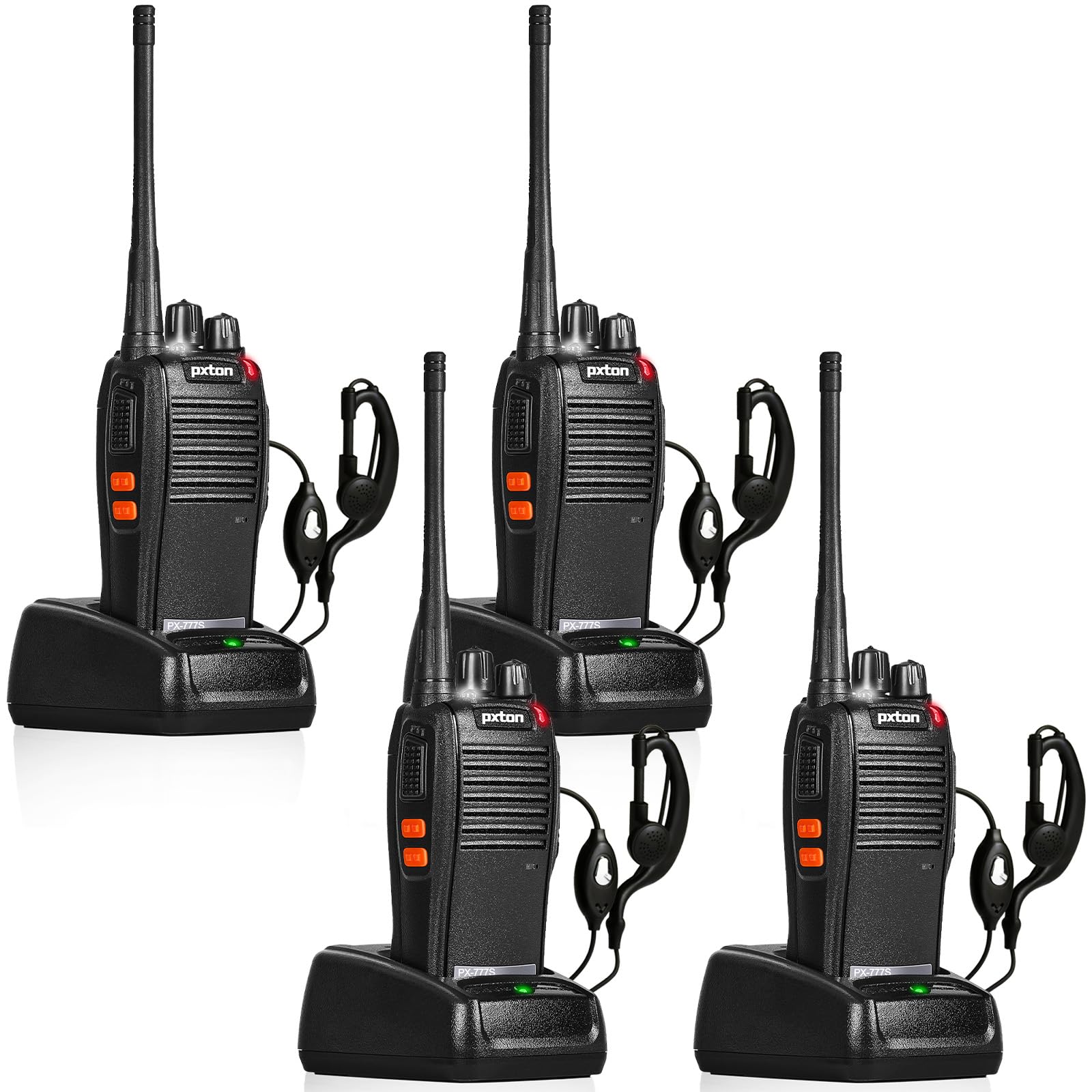
The pxton 777S is a versatile two-way radio designed for reliable communication. It features 16 memory channels, 165 privacy codes, VOX functionality, an emergency alarm, noise reduction, automatic squelch, a low battery alert, power-saving mode, scanning, monitoring, and an LED flashlight.
2. Contido do paquete
Before setup, please verify that all items are present in your package:
- 4 walkie-talkies pxton 777S
- 4 bases de carga
- 4 baterías de litio de 1500 mAh
- 4 x Clips para cinto
- 4 x auriculares
- 2 x manuais de usuario

3. Instrucións de configuración
3.1 Identificación de compoñentes
Familiarízate coas distintas pezas e controis do teu walkie-talkie pxton 777S:

3.2 Instalación da batería
- Asegúrate de que o walkie-talkie estea apagado.
- Localice o compartimento da batería na parte traseira da unidade.
- Align the 1500mAh lithium battery with the contacts and gently push it into place until it clicks securely.
- Pecha a tapa do compartimento da batería.
3.3 Carga da batería
Antes do primeiro uso, carga a batería completamente. Unha carga completa adoita tardar de 3 a 4 horas.
- Conecta a base de carga a unha toma de corrente usando o adaptador fornecido.
- Coloque o walkie-talkie (coa batería instalada) na base de carga.
- The LED indicator on the walkie talkie or charging dock will show the charging status (e.g., red for charging, green for fully charged).

3.4 Instalación de accesorios
- Clip para cinto: Attach the belt clip to the designated slot on the back of the walkie talkie.
- Auricular: Insert the earpiece plug into the SP/MIC jacks on the side of the walkie talkie.
4. Instrucións de funcionamento
4.1 Acendido/apagado e control de volume
Xire o Interruptor de alimentación/Control de volume knob clockwise to power on the walkie talkie. Continue rotating to increase the volume. Rotate counter-clockwise to decrease volume and power off the unit.
4.2 Selección de canles
Xire o Cambio de canle para seleccionar unha das 16 canles dispoñibles. Asegúrate de que todas as radios do teu grupo estean configuradas na mesma canle para a comunicación.
4.3 Transmisión e recepción
- Para transmitir, manteña premido o botón Botón PTT (Push-To-Talk). on the side of the walkie talkie. Speak clearly into the microphone.
- Release the PTT button to receive messages.
4.4 Función VOX (central telefónica operada por voz)
A función VOX permite o funcionamento mans libres. Cando se activa, a radio transmitirá automaticamente cando detecte a túa voz.
- The pxton 777S offers 5 levels of VOX sensitivity adjustment. Refer to the full user manual for detailed programming instructions to adjust VOX sensitivity.
4.5 Función de monitorización
Manteña premido o Botón MONI to temporarily disable the squelch and listen for weak signals on the current channel.
4.6 lanterna LED
Preme o Botón da lanterna to turn the LED flashlight on or off.
4.7 Alarma de emerxencia
The walkie talkie includes an emergency alarm function. Consult the full user manual for specific activation and deactivation procedures.
4.8 Función de dixitalización
The scanning function allows the radio to automatically scan through active channels. Refer to the full user manual for details on activating and managing channel scanning.
4.9 Alcance de comunicación
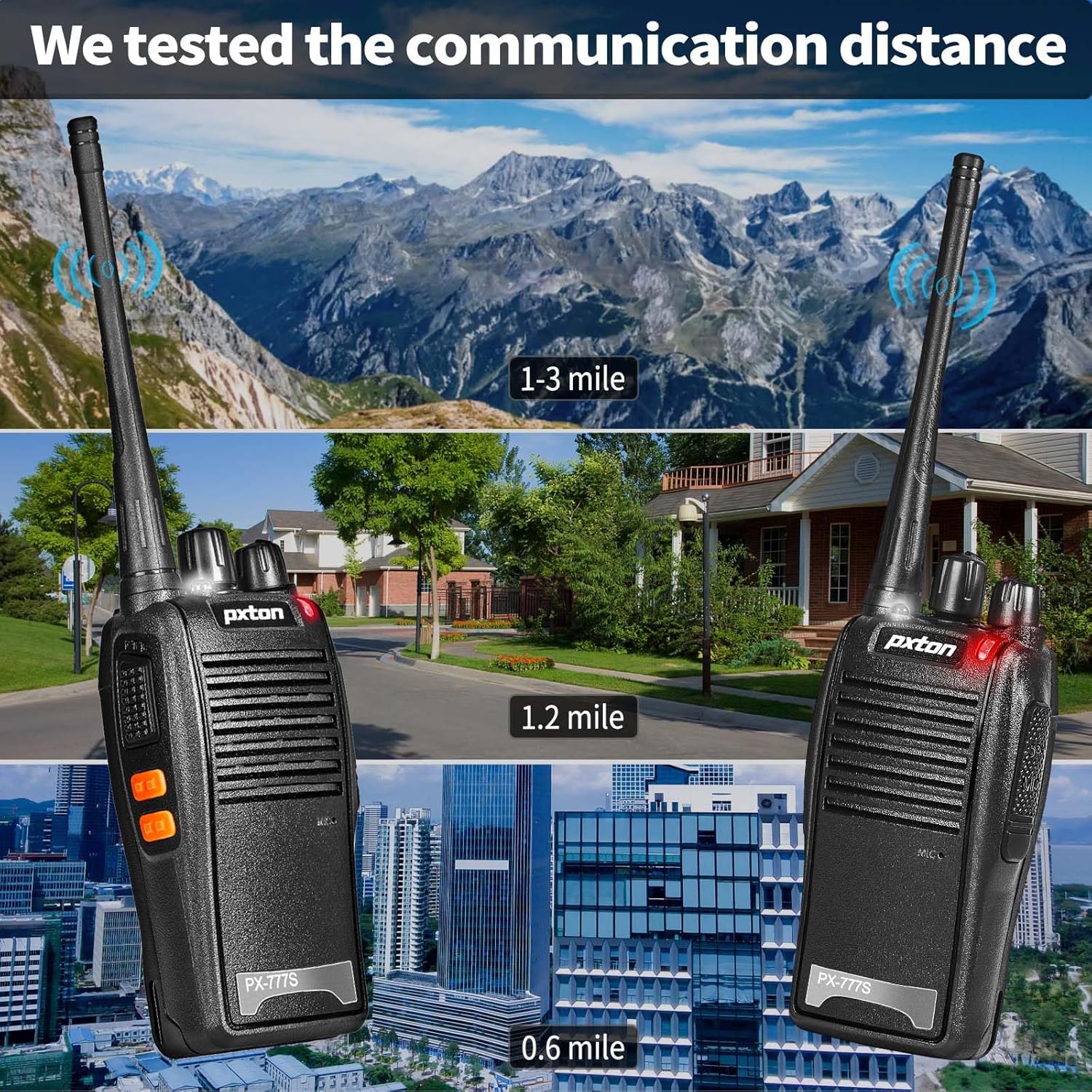
O alcance efectivo da comunicación varía segundo o terreo e os obstáculos:
- Zonas sen obstáculos (por exemplo, terreos planos, cumios de montaña): Ata 3 millas.
- Zonas suburbanas ou rurais: Aproximadamente 1.2 millas.
- Within Cities: Aproximadamente 0.6 millas.
Actual range may vary significantly depending on environmental conditions and obstructions.
5. Mantemento
5.1 Coidado coa batería
- To maximize battery life, fully charge the 1500mAh lithium battery before initial use.
- Evite sobrecargar ou esgotar completamente a batería.
- If the walkie talkie will not be used for an extended period, remove the battery and store it in a cool, dry place.
- A full charge typically takes 3-4 hours. Under normal usage, the battery can last up to 120 hours on standby or up to 12 hours of continuous usage.
5.2 Limpeza
- Clean the exterior of the walkie talkie with a soft, damp pano.
- Non empregue produtos químicos duros nin limpadores abrasivos.
- Ensure the unit is dry before use or storage.
5.3 Almacenamento
Store the walkie talkie in a cool, dry environment away from direct sunlight and extreme temperatures.
6 Solución de problemas
If you encounter issues with your pxton 777S walkie talkie, refer to the following common problems and solutions:
| Problema | Causa posible | Solución |
|---|---|---|
| Sen poder | Batería baixa ou non instalada correctamente | Cargue a batería ou volva a instalala correctamente. |
| Non se pode transmitir nin recibir | Incorrect channel, out of range, or squelch too high | Ensure all radios are on the same channel. Move closer to other radios. Adjust squelch level or use MONI button. |
| Mala calidade de audio | Weak signal, interference, or low volume | Move to an area with fewer obstructions. Adjust volume. Check earpiece connection if applicable. |
| A batería esgotarase rapidamente | Frequent transmission, old battery, or high power setting | Reduce transmission time. Consider replacing the battery if it's old. Ensure power-saving mode is active. |
If the problem persists after attempting these solutions, please contact pxton customer support.
7. Especificacións
| Característica | Detalle |
|---|---|
| Número de modelo | PX-777S-0002 |
| ID FCC | 2AX68GTR8 |
| Número de canles | 16 |
| Códigos de privacidade | 165 (CTCSS/DCS) |
| Rango de frecuencias | UHF |
| Rango de conversación máximo | 3 Miles (unobstructed) |
| Tipo de batería | Ión de litio de 1500 mAh (incluída) |
| Voltage | 3.7 voltios (DC) |
| Dimensións do produto | 9.9 x 4.4 x 6.9 polgadas (25.1 x 11.2 x 17.5 cm) |
| Peso do elemento | 2.82 libras (1.28 kg) |
| Nivel de resistencia á auga | Resistente á auga |
| Características especiais | Battery Saver Mode, Emergency Alarm, Long Range, Noise Reduction, Rechargeable, VOX, TOT, Flashlight, Scan Function |

8. Garantía e soporte
8.1 Información da garantía
pxton ofrece unha Política de devolución incondicional de 30 días e servizo posvenda de por vida for the PX-777S walkie talkies.
8.2 Atención ao cliente
If you have any questions, concerns, or require assistance with your pxton 777S walkie talkies, please contact pxton customer service. Refer to the product packaging or the official pxton websitio web para obter datos de contacto específicos.
8.3 Nota de compatibilidade
The PX-777S walkie talkie is compatible with the PX-888S, PX-666S, and PX-888S Pro models. These models can operate together and utilize the same programming tools and cables. Please note that programming cables must be purchased separately and are not included with this product.