1. Introdución
The Alesis Strike Amp 8 MK2 is a high-performance bi-amped speaker designed for electronic drums and multipad instruments. It delivers 2000 watts of peak power, providing clarity and headroom for various performance or rehearsal settings. This manual provides essential information for the proper setup, operation, and maintenance of your Strike Amp 8 MK2.

Figure 1: Alesis Strike Amp 8 MK2-2000W Drum Amp Orador.
2. Que hai na caixa
Asegúrate de que todos os elementos que se indican a continuación estean presentes no teu paquete:
- Folga Amp 8 MK2
- Cable de alimentación
- Guía de inicio rápido
- Manual de seguridade e garantía
3. Características clave
The Alesis Strike Amp 8 MK2 offers several features designed to enhance your electronic drumming experience:
- Potencia máxima de 2000 W: Delivers high-fidelity sound with ampo espazo libre.
- 8-inch Woofer & HF Compression Driver: Specially voiced for accurate reproduction of acoustic and electronic drum sounds.
- Conectividade Bluetooth 5.0: Allows wireless audio streaming from mobile devices for practice or backing tracks.
- Posicionamento versátil: Can be used in wedge, upright, or pole-mounted configurations.
- Dual Combo Inputs: Two XLR + 1/4" inputs with independent volume controls for connecting multiple instruments.
- XLR Direct Output: For sending your mix to a front-of-house system, recording interface, or linking additional speakers.
- HPF EQ Switch: Helps cut through muddy stage mixes.
- Ground-Lift Switch: Eliminates unwanted grounding noise.
- Lixeiro e portátil: Weighs approximately 21 lbs for easy transport.

Figure 2: The Strike Amp 8 MK2 delivering high power performance for electronic drums.
4. Configuración
4.1 Colocación física
The Strike Amp 8 MK2 offers flexible placement options to suit your needs:
- Wedge Position: Ideal for use as a floor monitor, directing sound upwards towards the performer.
- Posición vertical: Suitable for general amplification or when space is limited.
- Pole-Mounted: Can be mounted on a standard speaker pole for wider sound dispersion.

Figure 3: Versatile positioning options for the Strike Amp 8 MK2.
4.2 Conexións
Connect your electronic drum kit or other audio sources to the rear panel inputs.

Figura 4: Conexións e controis do panel traseiro.
- Connect your drum module's main outputs to the Entrada 1 e/ou Entrada 2 (XLR or 1/4" TRS combo jacks).
- Usa o Saída XLR to link to another Strike Amp 8 MK2 or send the signal to a mixing console.
- Ensure the power cable is securely connected to the Entrada AC and a grounded power outlet.
Video 1: Demonstrates the setup process for the Alesis drum amp, including connecting inputs and outputs.
4.3 Poder
Despois de facer todas as conexións, cambie o Poder button to the ON position. The Power LED will illuminate.
5. Funcionamento
5.1 Volume Controls
Axustar o Volume 1 e Volume 2 knobs to set the desired levels for each input. The Signal Limit LED indicates when the signal is approaching clipping; reduce volume if it frequently lights up.
5.2 Emparejamento Bluetooth
To stream audio wirelessly from a mobile device:
- Asegúrate de que o Bluetooth do teu dispositivo móbil estea activado.
- Preme o Bluetooth button on the Strike Amp 8 MK2's rear panel. The Bluetooth LED will flash, indicating pairing mode.
- Select "Alesis Strike Amp 8 MK2" from your device's Bluetooth settings.
- Once paired, the Bluetooth LED will be solid. You can now stream audio.
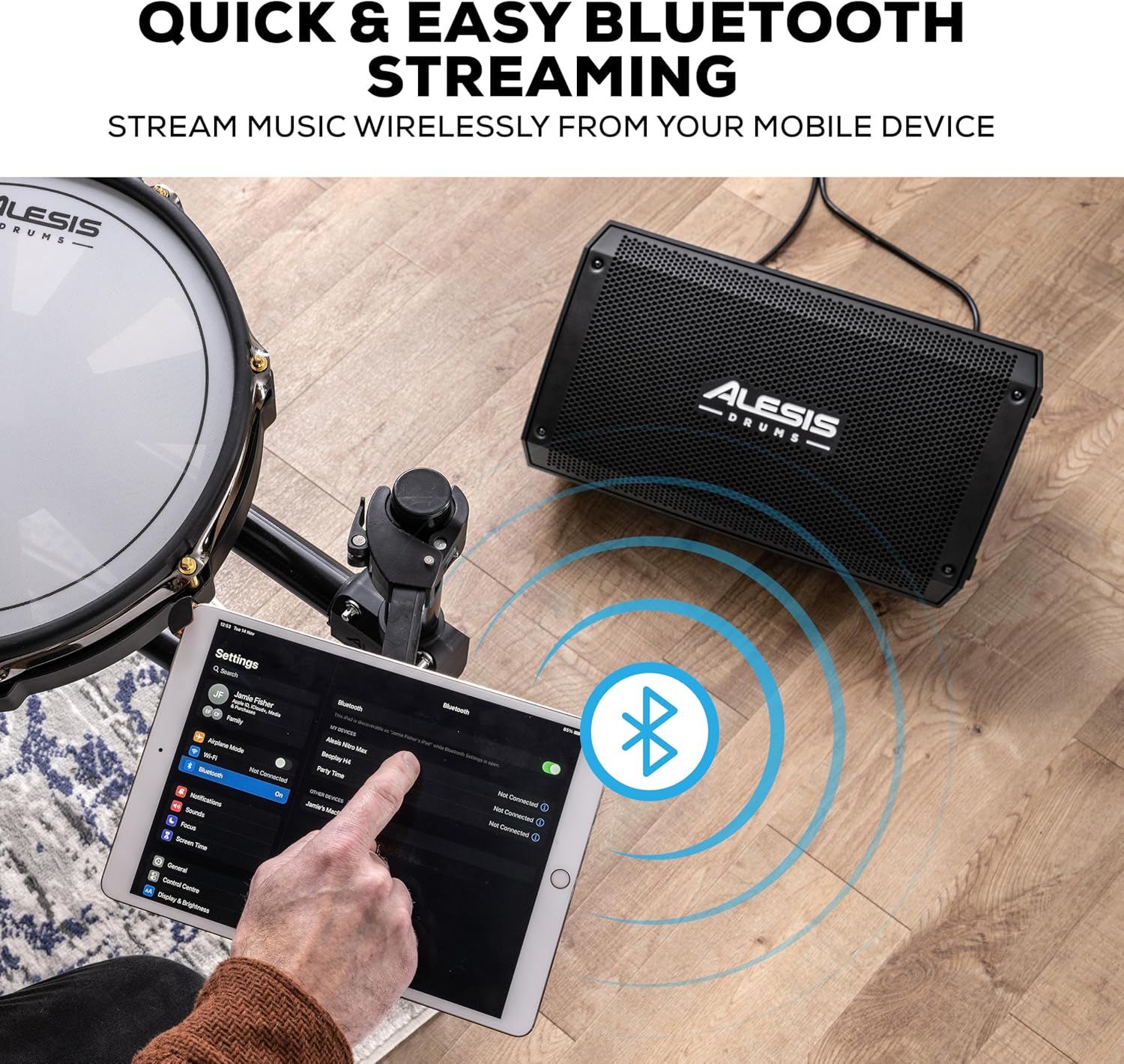
Figure 5: Bluetooth streaming from a mobile device.
5.3 HPF EQ and Ground-Lift Switches
- HPF EQ Switch: Activates a High-Pass Filter to reduce low-frequency rumble, which can help clarify the sound in certain environments.
- Ground-Lift Switch: Use this switch to eliminate hum or buzz caused by ground loops. Toggle it to the position that minimizes noise.
Video 2: Demonstrates the sound quality of the Alesis Strike Amp, highlighting its clarity and power.
6. Mantemento
To ensure the longevity and optimal performance of your Strike Amp 8 MK2:
- Limpeza: Usa un pano suave e seco para limpar o exterior. Evita produtos de limpeza abrasivos ou solventes.
- Almacenamento: Garde o altofalante nun lugar fresco e seco, lonxe da luz solar directa e de temperaturas extremas.
- Ventilación: Asegúrate de que haxa unha ventilación axeitada arredor da unidade para evitar o sobrequecemento. Non bloquees ningunha das aberturas de ventilación.
- Cable de alimentación: Always disconnect the power cable from the outlet before cleaning or performing any maintenance.
7 Solución de problemas
| Problema | Causa posible | Solución |
|---|---|---|
| Sen saída de son | Power not connected; Volume too low; Input cable faulty; Device not paired (Bluetooth) | Check power connection and switch; Increase volume; Test input cables; Re-pair Bluetooth device. |
| Distorsión ou mala calidade do son | Volume too high (clipping); Input signal too strong; Faulty cable; HPF EQ setting inappropriate | Reduce volume on speaker or source; Check cables; Adjust HPF EQ switch. |
| Zumbido ou zumbido | Bucle de terra; Interferencia doutros dispositivos electrónicos | Engage the Ground-Lift switch; Move speaker away from other electronic devices. |
| Bluetooth non se conecta | Device too far; Not in pairing mode; Already connected to another device | Ensure device is within range; Put speaker in pairing mode; Disconnect from other devices. |
8. Especificacións
| Característica | Detalle |
|---|---|
| Peso do elemento | 21.5 libras |
| Dimensións do produto | 9.72" D x 9.96" W x 17.16" H |
| Número de modelo do artigo | FOLGAAMP8MK2 |
| Marca | Alesis |
| Cor | Negro |
| Dispositivos compatibles | Batería electrónica |
| Tipo de conector | (1) XLR output (Link), (2) XLR+1/4” (6.35 mm) TRS combo inputs (Balanced) |
| Potencia de saídatage | 2000 vatios |
| Tamaño do woofer | 8 polgadas |
| Fonte de enerxía | Eléctrico con cable |
9. Garantía e soporte
For detailed warranty information and technical support, please refer to the Safety & Warranty Manual included in your product package or visit the official Alesis websitio.
Online resources and FAQs may also be available at www.alesis.com.


