1. Introdución
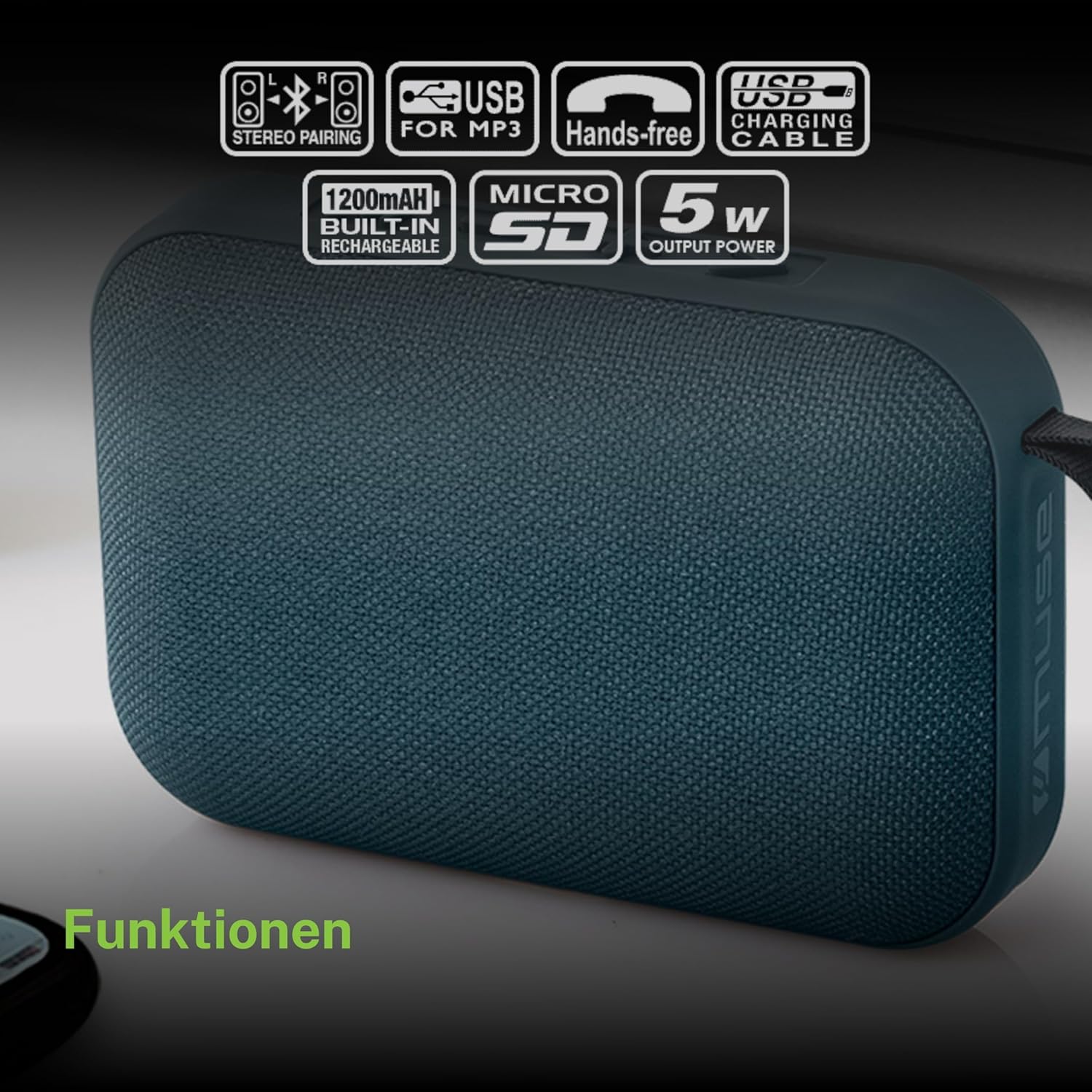
Grazas pola compraasing the MUSE M307BT Portable Bluetooth Speaker. This compact and versatile speaker is designed to provide high-quality audio from your laptop, tablet, or smartphone. It features Bluetooth connectivity, a 5W output, a built-in rechargeable battery, and support for USB and Micro SD card playback. This manual provides essential information for setting up, operating, and maintaining your device.
2. Información de seguridade
- Non expoñas o dispositivo a temperaturas extremas, luz solar directa nin humidade elevada.
- Evite deixar caer ou someter o altofalante a fortes impactos.
- Non desmontes nin intentes reparar o dispositivo ti mesmo. Encarga todo o mantemento a persoal cualificado.
- Keep the speaker away from water and other liquids. This device is not waterproof.
- Emprega só o cable de carga USB fornecido ou un equivalente certificado.
- Desfágase da batería e do dispositivo de forma responsable segundo a normativa local.
3. Contido do paquete
Asegúrate de que todos os elementos estean presentes no paquete:
- MUSE M307BT Portable Bluetooth Speaker
- Cable de carga USB
4. Produto rematadoview
Familiarízate cos compoñentes e controis do altofalante.


Controis e portos:
- Botón de encendido: Activa/desactiva o altofalante.
- Botón de modo (M): Switches between Bluetooth, USB, and Micro SD modes.
- Baixar volume / Pista anterior (-): Presión curta para baixar o volume, presión longa para a pista anterior.
- Play/Pause / Call Button (>): Reproduce/pausa música, responde/finaliza chamadas.
- Subir volume / Seguinte pista (+): Prema brevemente para subir o volume, preme longa para a seguinte pista.
- Porto micro-USB: Para cargar o altofalante.
- Porto USB: Para reproducir música desde unha unidade flash USB.
- Micro SD (TF) Slot: Para reproducir música dende unha tarxeta Micro SD.
- Indicador LED: Shows charging status and Bluetooth pairing status.
5. Configuración
5.1 Carga do altofalante
- Conecta o extremo micro-USB do cable de carga ao porto micro-USB do altofalante.
- Conecta o extremo USB-A do cable de carga a un adaptador de corrente USB (non incluído) ou ao porto USB dun ordenador.
- The LED indicator will illuminate to show charging status. It will typically turn off or change color once fully charged.
- Unha carga completa leva aproximadamente 2-3 horas.
5.2 Acendido/Apagado
- Para acender: Press and hold the Power button for a few seconds until you hear an audible prompt and the LED indicator flashes.
- Para apagar: Press and hold the Power button for a few seconds until you hear an audible prompt and the LED indicator turns off.
6. Instrucións de funcionamento
6.1 Emparejamento Bluetooth
Pair your speaker with a Bluetooth-enabled device (smartphone, tablet, laptop).

- Ensure the speaker is powered on and in Bluetooth mode. The LED indicator will flash rapidly, indicating it's ready for pairing.
- No teu dispositivo, activa o Bluetooth e busca os dispositivos dispoñibles.
- Select "MUSE M307BT" from the list of devices.
- Unha vez emparellado, o indicador LED deixará de parpadear e permanecerá fixo, e escoitarás un son de confirmación.
- Agora podes reproducir audio desde o teu dispositivo a través do altofalante.
Reprodución por USB 6.2
- Inserir unha unidade flash USB que conteña son MP3 files no porto USB.
- Preme o Modo (M) button to switch to USB mode. The speaker will automatically begin playing music from the USB drive.
- Usa o + e - botóns para a navegación polas pistas e o control do volume.
6.3 Micro SD (TF) Card Playback
- Insert a Micro SD (TF) card containing MP3 audio files into the Micro SD slot.
- Preme o Modo (M) button to switch to Micro SD mode. The speaker will automatically begin playing music from the Micro SD card.
- Usa o + e - botóns para a navegación polas pistas e o control do volume.
6.4 Stereo Pairing (TWS Function)
To achieve a more immersive stereo sound experience, you can pair two MUSE M307BT speakers together.
- Ensure both MUSE M307BT speakers are powered on and in Bluetooth pairing mode (LED flashing).
- On one of the speakers (this will be your primary speaker), press and hold the Modo (M) button for a few seconds. You will hear a sound indicating that the speakers are attempting to pair with each other.
- Once successfully paired, you will hear a confirmation sound, and the LED indicator on the primary speaker will flash slowly, while the secondary speaker's LED will remain solid.
- Now, connect your Bluetooth device to the primary speaker as described in section 6.1. Audio will play in stereo through both speakers.
6.5 Chamadas mans libres
When connected via Bluetooth to your smartphone, the speaker can be used for hands-free calls.
- Responder chamada: Preme o Play/Pause (>) botón unha vez.
- Finalizar a chamada: Preme o Play/Pause (>) botón unha vez durante unha chamada.
- Rexeitar a chamada: Manteña premido o Play/Pause (>) botón durante 2 segundos.
7. Mantemento
- Limpa o altofalante cun pano suave e seco. Non empregues produtos de limpeza abrasivos nin disolventes.
- Garde o altofalante nun lugar fresco e seco cando non o use durante períodos prolongados.
- Avoid blocking the speaker grille to ensure optimal sound quality.
8 Solución de problemas
| Problema | Causa posible | Solución |
|---|---|---|
| O altofalante non se acende. | Batería baixa. | Cargue o altofalante completamente. |
| Non se pode emparellar por Bluetooth. | O altofalante non está en modo de emparellamento; Bluetooth desactivado no dispositivo; dispositivo demasiado lonxe. | Ensure speaker LED is flashing; enable Bluetooth on your device; move device closer to speaker (within 10 meters). |
| Sen son. | Volume demasiado baixo; modo incorrecto; o dispositivo non está a reproducirse. | Increase speaker and device volume; press Mode button to select correct input; ensure audio is playing on your device. |
| A reprodución por USB/Micro SD non funciona. | Incorrecto file formato; tarxeta/unidade non inserida correctamente; danada files. | Garantir files are MP3 format; reinsert card/drive; try different files ou dispositivo de almacenamento. |
| Fallou o emparellamento estéreo. | Speakers too far apart; one speaker already paired to a device. | Ensure speakers are close; disconnect any existing Bluetooth connections before attempting stereo pairing. |
9. Especificacións

| Característica | Especificación |
|---|---|
| Nome do modelo | M307BT |
| Marca | MUSA |
| Potencia de saída | 5 vatios |
| Batería | 1200 mAh / 3.7V Lithium-ion (Rechargeable) |
| Conectividade | Bluetooth, USB, Micro SD (TF) |
| Modo de saída de audio | Estéreo (con emparellamento TWS) |
| Dimensións (L x W x H) | 118 x 30 x 76 mm |
| Peso | 200 gramos |
| Cor | Azul |
| Compoñentes incluídos | Cable de carga USB |
| Impermeable | Non |
| Usos recomendados | For computer, smartphone, or tablet |
| Dispositivos compatibles | Portátil, Tablet, Smartphone |
10. Garantía e soporte
10.1 Garantía do fabricante
This MUSE M307BT Portable Bluetooth Speaker comes with a 2 anos de garantía do fabricante desde a data de compra. Esta garantía cobre defectos de fabricación e man de obra en condicións de uso normal. Non cobre danos causados por mal uso, accidentes, modificacións non autorizadas ou desgaste normal.
10.2 Atención ao cliente
For technical assistance, warranty claims, or further inquiries, please contact your retailer or the official MUSE customer support channel. Please have your proof of purchase and product model number (M307BT) ready when contacting support.


