Introdución
Thank you for choosing the ACEMIC G6 2.4G Wireless Microphone Audio Transmitter and Receiver System. This system is designed to convert your traditional dynamic XLR microphone into a wireless setup, offering freedom of movement and high-quality audio transmission. It is ideal for various applications including live performances, presentations, and studio recording. Please read this manual thoroughly to ensure proper setup and operation.

Image: The ACEMIC G6 wireless transmitter (TX) and receiver (RX) units.
Produto rematadoview
Contido do paquete
- 1 x ACEMIC G6 Wireless Transmitter (TX)
- 1 x ACEMIC G6 Wireless Receiver (RX)
- 1 cable de carga dual USB-C
- 1 x Manual de usuario
Características clave
- Tecnoloxía sen fíos 2.4G: Provides stable and reliable audio transmission.
- XLR Plug-on Design: Easily converts dynamic XLR microphones to wireless.
- 6 canles seleccionables: Allows for multiple units to operate simultaneously without interference.
- Ampla compatibilidade: Works with dynamic microphones, audio mixers, and PA systems.
- Batería de longa duración: Built-in rechargeable lithium polymer batteries offer up to 10 hours of continuous working time.
- Alcance de transmisión ampliado: Up to 100 feet (30 meters) in open areas.
- Baixa latencia: Audio latency of less than 5ms ensures real-time performance.
- Audio de alta calidade: 24-bit/48kHz sampling rate for clear sound reproduction.
- Lixeiro e portátil: Each unit weighs approximately 40g for easy handling.
- Operación cunha soa tecla: Simple power on/off and mute/unmute functions.
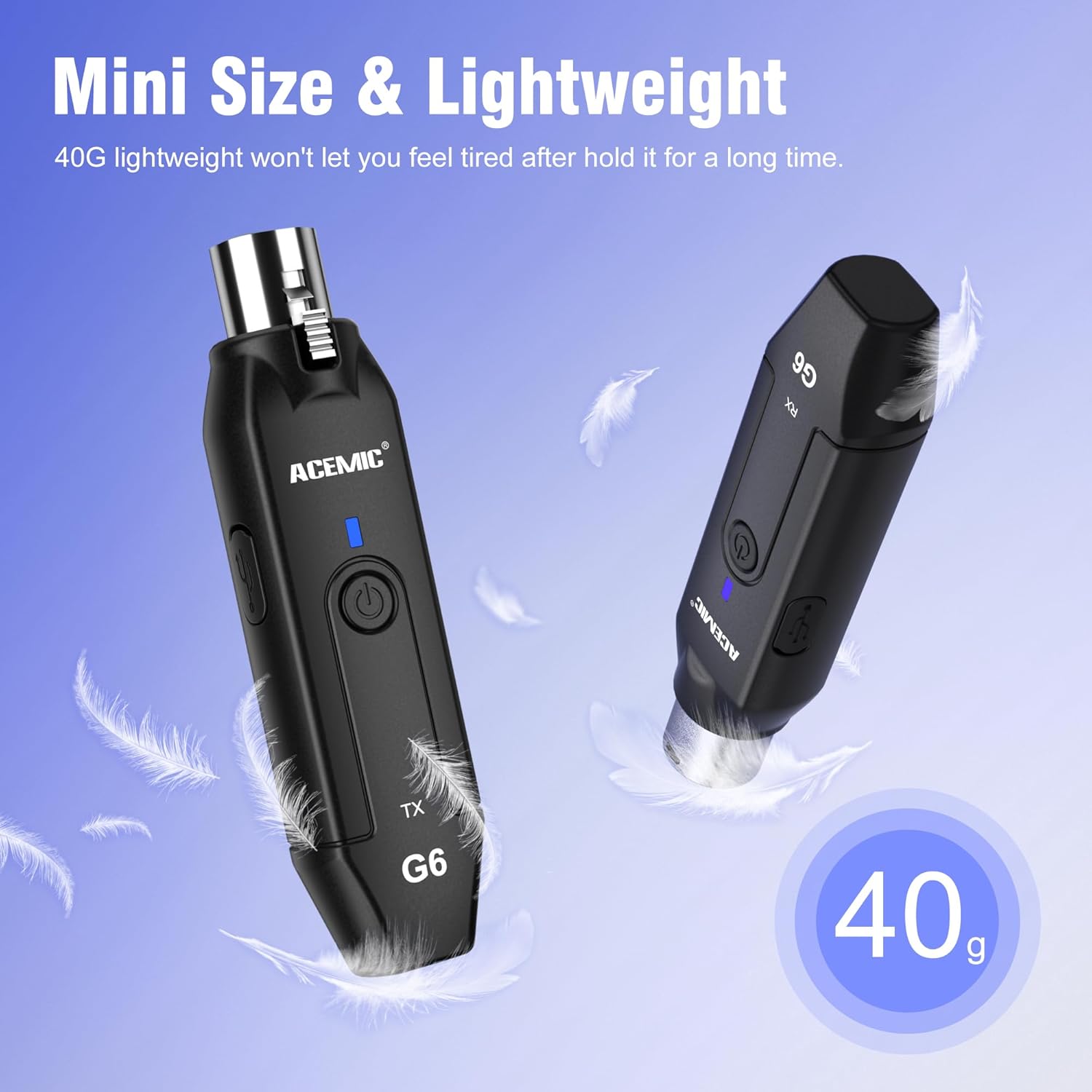
Image: The lightweight design of the ACEMIC G6, weighing 40 grams per unit.
Identificación de compoñentes
Each unit (Transmitter and Receiver) features:
- XLR Plug/Socket: For connecting to microphones or audio equipment.
- Lock Design (Transmitter): Secures the unit to the microphone.
- Porto de carga tipo C: Para recargar a batería interna.
- Botón de encendido: Long press to power on/off, short press for mute/unmute.
- Power/Pairing Indicator: LED light indicating power status, charging status, and pairing status.

Image: The ACEMIC G6 system demonstrating one-key pairing and connectivity with various audio devices.
Instrucións de configuración
1. Carga inicial
Before first use, fully charge both the transmitter and receiver. Use the provided dual USB-C charging cable to connect both units to a USB power adapter (not included). The status indicator will be red during charging and turn blue when fully charged. A full charge typically takes 3-4 hours.

Image: ACEMIC G6 units indicating charging status with LED lights.
2. Acendido/apagado
Long press the power button on both the transmitter (TX) and receiver (RX) for 3 seconds to turn them on or off. The power indicator will light up.
3. Maridaxe
The transmitter and receiver are designed to automatically pair when powered on. If they do not connect automatically, or if you need to re-pair them:
- Asegúrese de que ambas unidades estean apagadas.
- Long press the power button on both units simultaneously for 5 seconds.
- The system will enter pairing mode, and the power indicator will flash.
- Once successfully paired, the power indicator will stay blue.
4. Connecting to Equipment
- Transmisor (TX): Plug the XLR end of the transmitter directly into the XLR output of your dynamic microphone. Ensure it is securely locked.
- Receptor (RX): Plug the XLR end of the receiver into the XLR input of your audio mixer, PA system, or other audio interface.
Important Note: This system does not support phantom power. It is designed for use with dynamic microphones only. Do not attempt to use it with condenser microphones that require phantom power.

Image: A dynamic microphone made wireless with the ACEMIC G6 transmitter.
Instrucións de funcionamento
Función de silencio
While the unit is powered on, a short press of the power button on either the transmitter or receiver will mute the audio. The power indicator will flash. Short press again to unmute, and the indicator will return to a solid blue.
Multiple Sets Operation
The ACEMIC G6 system supports 2-3 sets operating simultaneously in the same location. Each set will automatically select an available channel upon pairing to minimize interference.

Image: The ACEMIC G6 system supporting multiple wireless microphone setups simultaneously.
Rendemento óptimo
For best performance, ensure a clear line of sight between the transmitter and receiver. Avoid placing units near strong electromagnetic interference sources (e.g., Wi-Fi routers, microwave ovens) which may affect signal quality and range.
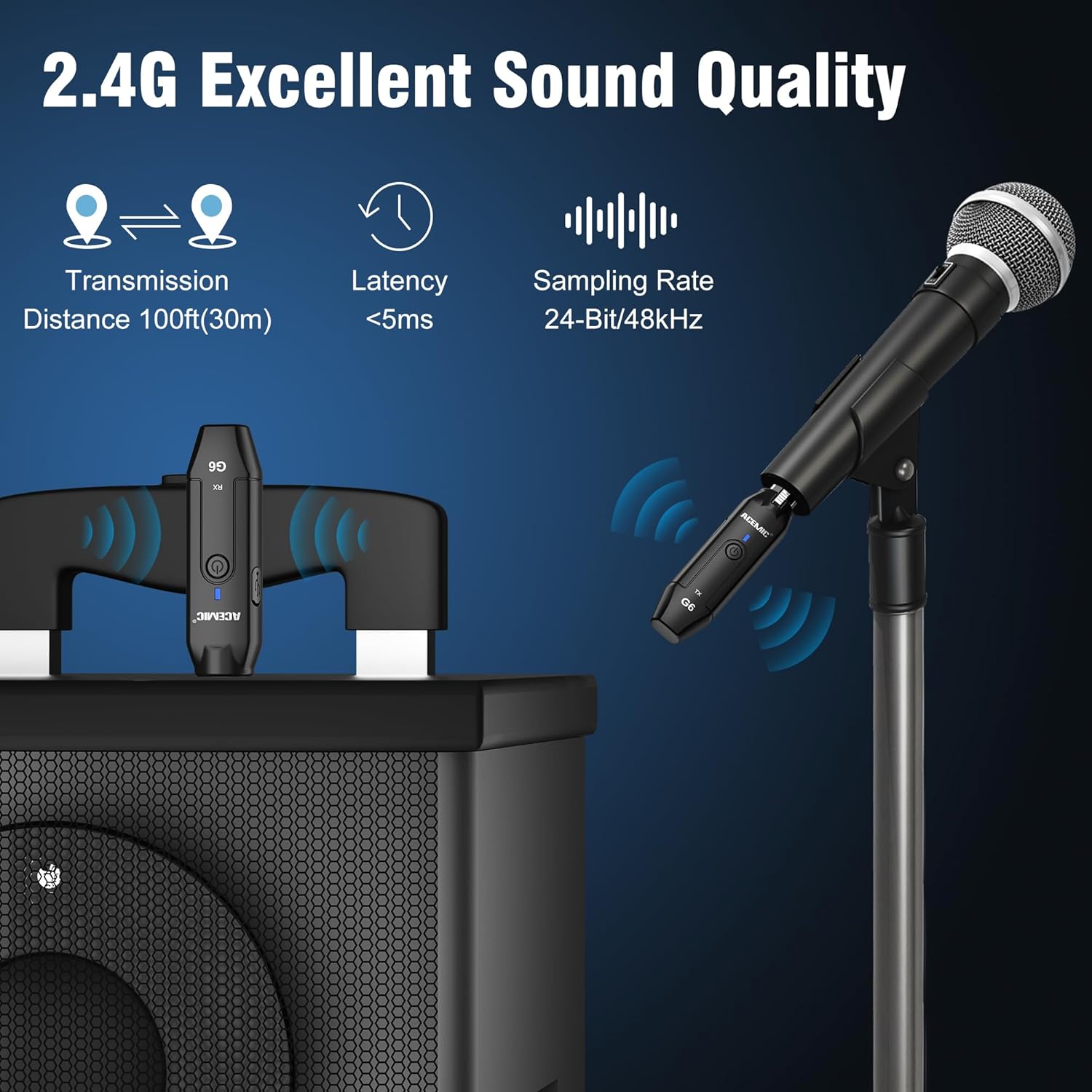
Image: Key performance specifications of the ACEMIC G6 system.
Mantemento
Coidado da batería
- Recharge the units when the power indicator shows low battery (flashing red).
- Evita descargar completamente a batería con frecuencia para prolongar a súa vida útil.
- If storing for an extended period, charge the units to approximately 50% every few months.
Limpeza
Wipe the units with a soft, dry cloth. Do not use liquid cleaners or solvents, as they may damage the device.
Almacenamento
Garde o sistema nun lugar fresco e seco, lonxe da luz solar directa e de temperaturas extremas.
Resolución de problemas
- Sen son:
- Ensure both transmitter and receiver are powered on and paired (solid blue indicator).
- Check if the microphone is properly connected to the transmitter.
- Verify the receiver is correctly connected to your audio input device.
- Confirm the microphone is a dynamic type and does not require phantom power.
- Check volume levels on your mixer/PA system.
- Interferencias/Mala calidade do son:
- Move closer to the receiver to reduce distance.
- Asegúrate de que non haxa obstáculos entre o transmisor e o receptor.
- Avoid operating near other 2.4G wireless devices (e.g., Wi-Fi routers, Bluetooth devices).
- Re-pair the units to allow them to select a different channel.
- Unidades sen emparellamento:
- Ensure both units are fully charged.
- Follow the re-pairing instructions in the Setup section.
- Duración da batería curta:
- Asegúrese de que as unidades estean completamente cargadas antes do seu uso.
- O rendemento da batería pode degradarse co tempo debido ao uso intensivo.
Especificacións
| Característica | Especificación |
|---|---|
| Modelo | G6 |
| Banda de frecuencia | 2.4 GHz |
| Resposta en frecuencia | 20Hz-20KHz |
| Fonte de enerxía | Funciona con batería (2 baterías de polímero de litio incluídas) |
| Capacidade da batería de litio | 600mAh (each unit) |
| Tempo de traballo continuo | Ata 10 horas |
| Tempo de carga | 3-4 horas |
| Distancia de transmisión | Up to 100ft (30m) in open area |
| Latencia de audio | <5 ms |
| Samptaxa de ling | 24 bits / 48 kHz |
| Relación sinal-ruído | 48 dB |
| Número de canles | 6 |
| Dimensións (L x W x H) | 0.98 x 0.71 x 4.13 polgadas |
| Peso do elemento | 7 ounces (total for both units, approx. 40g each) |
| Material | Plástico |
Garantía e Soporte
ACEMIC products are designed for reliability and performance. This product comes with a standard manufacturer's warranty against defects in materials and workmanship. For specific warranty details, please refer to the warranty card included in your package or contact ACEMIC customer support.
If you encounter any issues or have questions regarding your ACEMIC G6 system, please contact our customer support team. You can find contact information on the ACEMIC official websitio web ou a través do seu vendedor.