Introdución
This manual provides comprehensive instructions for the ASWEE P4 Smart Watch, a versatile fitness tracker with call capabilities, a 1.85" TFT display, and various health monitoring features. Please read this manual thoroughly before using your device.
O que hai na caixa
- ASWEE P4 Smart Watch
- Cable de carga
- Manual de usuario
Produto rematadoview
The ASWEE P4 Smart Watch features a rectangular 1.85-inch TFT-LCD display with a 240x280 resolution. It includes a physical button on the side for navigation and interaction. The watch is designed for comfortable wear and easy access to its functions.
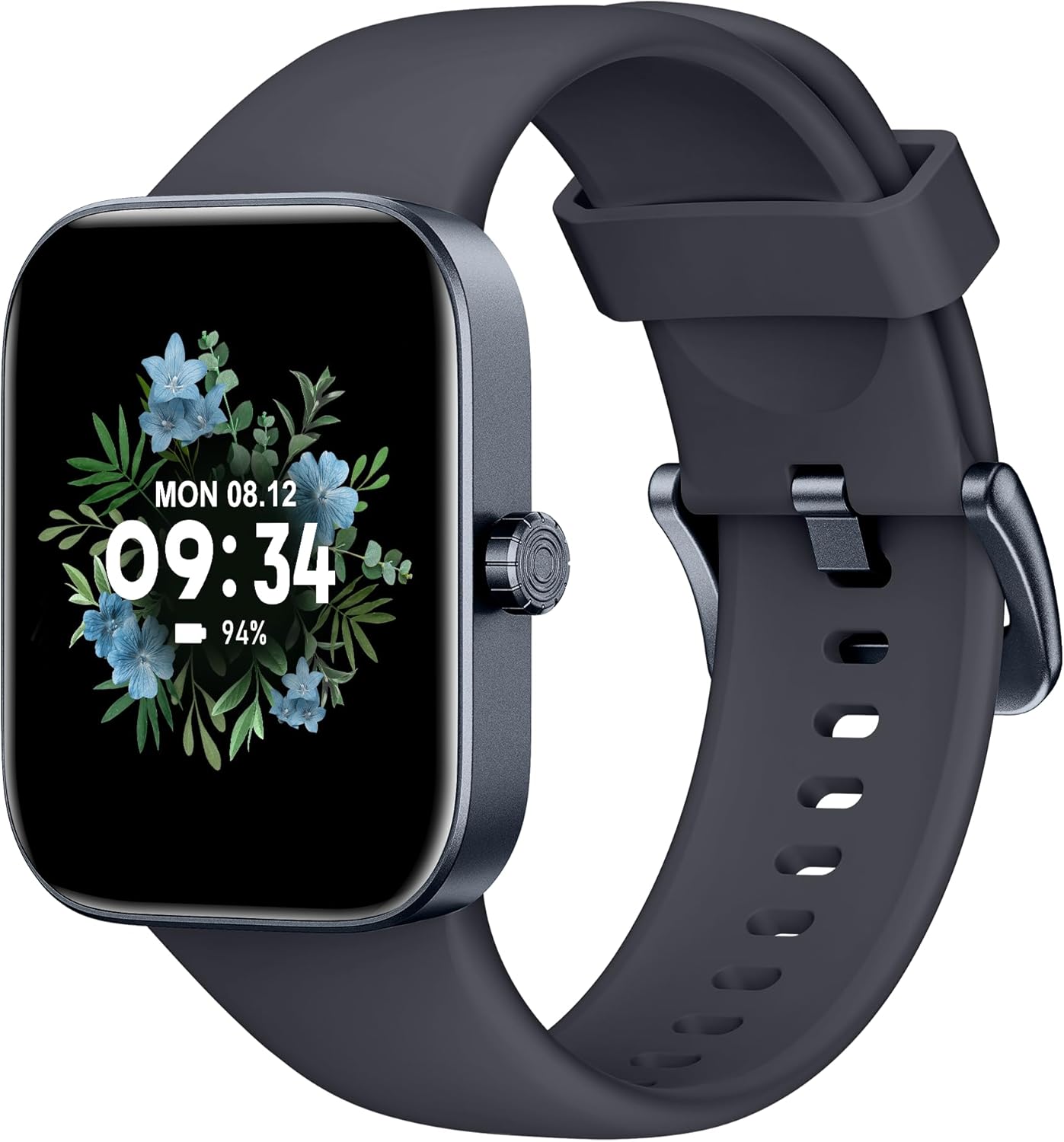
Fronte view of the ASWEE P4 Smart Watch, displaying time and date with a floral background.
Configuración
Cargando o dispositivo
The ASWEE P4 Smart Watch comes with a magnetic charging cable. Align the magnetic end of the cable with the charging contacts on the back of the watch. The watch will indicate when it is charging. A full charge typically takes approximately 2 hours and provides up to 7 days of active use or 15 days on standby.

Illustration showing the magnetic charging cable connected to the back of the ASWEE P4 Smart Watch, highlighting battery life indicators.
Instalación e emparejamento de aplicacións
To utilize all features of your ASWEE P4 Smart Watch, you need to download and install the "FitPro" application on your smartphone. Scan the QR code provided in the watch's packaging or search for "FitPro" in your device's app store.
Emparejamento co iPhone
Follow these steps to pair your watch with an iPhone:
- Asegúrate de que o Bluetooth estea activado no teu iPhone.
- Open the "FitPro" app.
- Navigate to "Setting" and then "Bind device".
- Select your watch (e.g., KM13Pro) from the scan results.
- Confirm the pairing request by clicking "Pair" and then "Allow" for notifications.
- Go to your iPhone's Bluetooth settings and connect to "KM13Pro Audio" for call functionality.
Video tutorial demonstrating how to bind the ASWEE P4 Smart Watch to an iPhone and how to unbind it.
Pairing with Android Phone
Follow these steps to pair your watch with an Android phone:
- Asegúrate de que o Bluetooth estea activado no teu teléfono Android.
- Open the "FitPro" app.
- Navigate to "Set" and then "Bind device".
- Select your watch (e.g., KM13Pro) from the scan results.
- Confirm the pairing request by clicking "Pair".
Video tutorial demonstrating how to bind the ASWEE P4 Smart Watch to an Android phone and how to unbind it.
Instrucións de funcionamento
Navegación básica
The watch features a touch-sensitive screen for navigation. Swipe left/right or up/down to access different functions and menus. The side button typically serves as a home or back button.
Call and Text Functionality
With its built-in speaker and microphone, the ASWEE P4 allows you to answer/dial calls directly from your wrist when connected via Bluetooth. You can also receive SMS text and SNS messages (Facebook, Twitter, WhatsApp, etc.) with vibration alerts.

Image showing the ASWEE P4 Smart Watch on a wrist, with notification icons for various messaging apps, indicating Bluetooth 5.0 connectivity for calls and texts.
Seguimento da saúde
The watch provides comprehensive health monitoring:
- Frecuencia cardíaca: 24-hour tracking with a high-precision PPG sensor. Stores 7 days of resting heart rate data.
- Osíxeno no sangue: Measures SpO2 levels using a reflective-light based sensor.
- Monitorización do sono: Tracks sleep quality through Awake, Light, and Deep sleep stages, helping to improve sleep duration and quality.
- Monitorización do estrés: Provides insights into stress levels.

Image illustrating the ASWEE P4 Smart Watch's 24-hour data tracking capabilities, including heart rate, stress level, and blood oxygen monitoring.

Image depicting the ASWEE P4 Smart Watch's sleep health assistant feature, showing sleep duration and patterns.
Modos de fitness
The ASWEE P4 supports multiple workout modes, including running, bike riding, basketball, and tennis. It accurately monitors data points like heart rate, time, and calories burned to enhance workout efficiency.

Mostra de imaxesasing the ASWEE P4 Smart Watch's various sports modes, including running, bike riding, basketball, and jumping jack, with activity data like steps, distance, and calories.
Personalización
Choose from over 100 stylish watch faces or create your own using photos from your phone gallery.
Mantemento
Limpeza
Limpa o reloxo e a correa regularmente cun pano suave eamp pano. Evite o uso de produtos químicos agresivos ou materiais abrasivos.
Almacenamento
Garda o reloxo nun lugar fresco e seco cando non o uses.
Resolución de problemas
O reloxo non se acende
- Asegúrate de que o reloxo estea completamente cargado. Conéctao ao cable de carga e a unha fonte de alimentación durante polo menos 30 minutos.
Problemas de emparellamento
- Asegúrate de que o Bluetooth estea activado no teu teléfono e de que o reloxo estea dentro do seu alcance.
- Reinicia tanto o teléfono como o reloxo.
- If previously paired, try "forgetting" the device in your phone's Bluetooth settings and re-pairing through the FitPro app.
- Ensure the FitPro app has necessary permissions (Bluetooth, location).
Datos sanitarios inexactos
- Asegúrate de levar o reloxo ben axustado ao pulso, nin demasiado axustado nin demasiado solto.
- Limpa o sensor que está na parte traseira do reloxo.
- Environmental factors and individual physiology can affect readings.
Non aparecen as notificacións
- Check app permissions for FitPro to ensure it can access notifications.
- Verify that notification push settings are enabled within the FitPro app for desired applications.
- Asegúrate de que o reloxo estea conectado ao teléfono mediante Bluetooth.
Especificacións
| Característica | Detalle |
|---|---|
| Nome do modelo | P4 |
| Marca | ASWEE |
| Tamaño da pantalla | 1.85 polgadas |
| Tecnoloxía de visualización | TFT-LCD |
| Resolución | 240 x 280 PPI |
| Sistema Operativo | Wear OS |
| Conectividade | Bluetooth 5.3 |
| Resistencia á auga | IP68, 5 ATM |
| Duración da batería (uso típico) | Ata 7 días |
| Tempo de espera | Ata 15 días |
| Tempo de carga | Aprox. 2 horas |
| Características especiais | Fitness Tracker, Sleep Monitor, Reminders, Multimedia control, Answer/Dial Call, Heart Rate Monitor, Blood Oxygen Monitor, Stress Monitor |
| Peso do elemento | 2.89 onzas |
Nota: as especificacións están suxeitas a cambios sen previo aviso.
Garantía e Soporte
For warranty information and technical support, please refer to the official ASWEE websitio web ou póñase en contacto co servizo de atención ao cliente. Garde o recibo da compra como proba de compra.


