1. Introdución
Welcome to the user manual for your Jooeniok L81 Smart Watch. This guide provides detailed instructions on how to set up, operate, and maintain your device, ensuring you get the most out of its features. The Jooeniok L81 is designed to enhance your daily life with its communication, fitness tracking, and health monitoring capabilities.
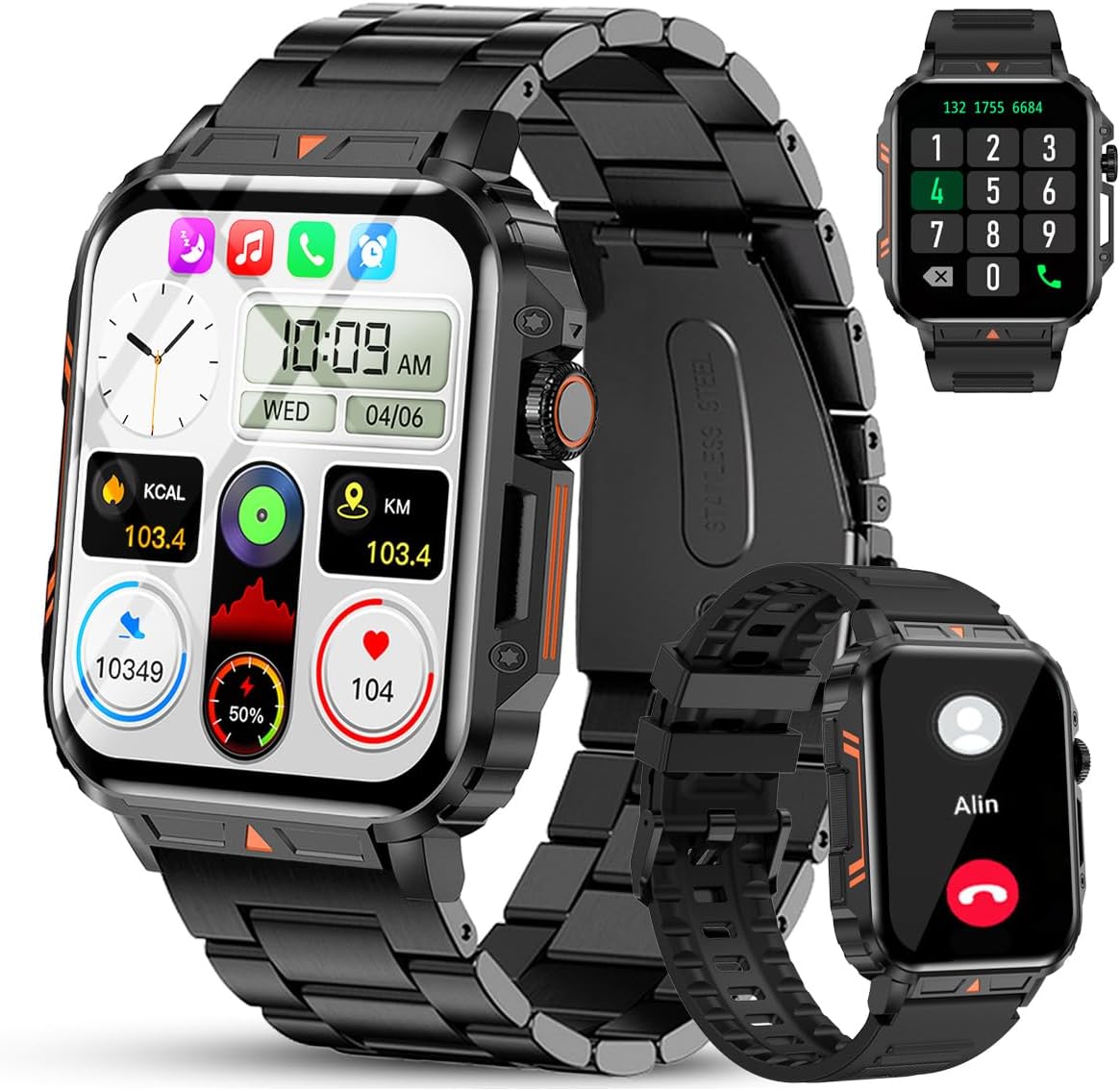
Image 1.1: The Jooeniok L81 Smart Watch, showcasing its main display and interchangeable straps.
2. Características clave
- Bluetooth Calling & Message Alerts: Make and receive calls, read messages, and receive notifications from various apps directly on your watch.
- 1.95'' HD Touch Screen & DIY Dial: Enjoy a clear display and personalize your watch face.
- Máis de 112 modos deportivos: Track a wide range of activities including running, cycling, badminton, and hiking.
- Impermeable IP68: Suitable for daily use, hand washing, and outdoor activities in rain. (Note: Not recommended for diving, showering, or sauna.)
- Vixilancia da saúde: Monitor heart rate, blood oxygen (SpO2), blood pressure, and sleep patterns.
- Batería de longa duración: Equipado cunha batería de 340 mAh para un uso prolongado.
- Multifuncional: Includes features like timer, alarm, stopwatch, weather, calendar, water reminder, sedentary reminder, and remote photo control.
3. Guía de configuración
3.1. Carga do reloxo intelixente
Before initial use, fully charge your Jooeniok L81 Smart Watch. Connect the magnetic charging cable to the charging contacts on the back of the watch and plug the USB end into a standard USB power adapter (not included) or a computer's USB port. The watch display will indicate charging status.

Image 3.1: Illustration of the watch dimensions and the location of the charging contacts.
3.2. Instalación e emparellamento da aplicación
- Descarga a aplicación: Scan the QR code provided in the watch's quick start guide or search for the official companion app (e.g., "FitCloudPro" or similar, check packaging for exact name) in the Apple App Store (for iOS) or Google Play Store (for Android).
- Activar Bluetooth: Asegúrate de que o Bluetooth estea activado no teu smartphone.
- Abre a aplicación: Inicia a aplicación instalada e segue as instrucións en pantalla para crear unha conta ou iniciar sesión.
- Engadir dispositivo: Within the app, navigate to the "Device" or "Add Device" section. The app will search for available Bluetooth devices. Select "L81" or the corresponding device name when it appears.
- Confirmar emparellamento: Pode aparecer unha solicitude de emparellamento no reloxo e no teléfono. Confirma o emparellamento en ambos dispositivos.
- Conceder permisos: Allow necessary permissions (e.g., notifications, location, contacts) for the app to function correctly.
The watch is compatible with Android 5.1 and above, and iOS 10.0 and above.
3.3. Initial Settings and Language
After successful pairing, the watch should automatically synchronize time and language settings with your phone. If the watch displays an incorrect language, navigate to the watch's settings menu (usually by swiping down from the main screen or pressing the side button to access the app list, then finding the 'Settings' icon). Look for 'Language' or 'System' settings to change it to English or your preferred language.
4. Instrucións de funcionamento
4.1. Navegación básica
- Pantalla táctil: Desliza o dedo cara á esquerda/dereita, arriba/abaixo para navegar polos menús e as funcións. Toca para seleccionar.
- Botón lateral: Press to return to the main screen or access the app list. Long press for power options.
- Crown Button (if present): Rotate to scroll through lists or adjust settings, press to select.
4.2. Bluetooth Calling and Notifications
Once paired, your watch can handle calls and display notifications. Ensure Bluetooth is connected and the companion app has the necessary permissions.
- Facer chamadas: Access the dial pad or contact list on your watch to initiate calls.
- Recepción de chamadas: When a call comes in, you can answer or reject it directly from the watch.
- Notificacións: Swipe down from the main screen or access the notification center to view incoming messages from SMS, WhatsApp, Facebook, and other apps.
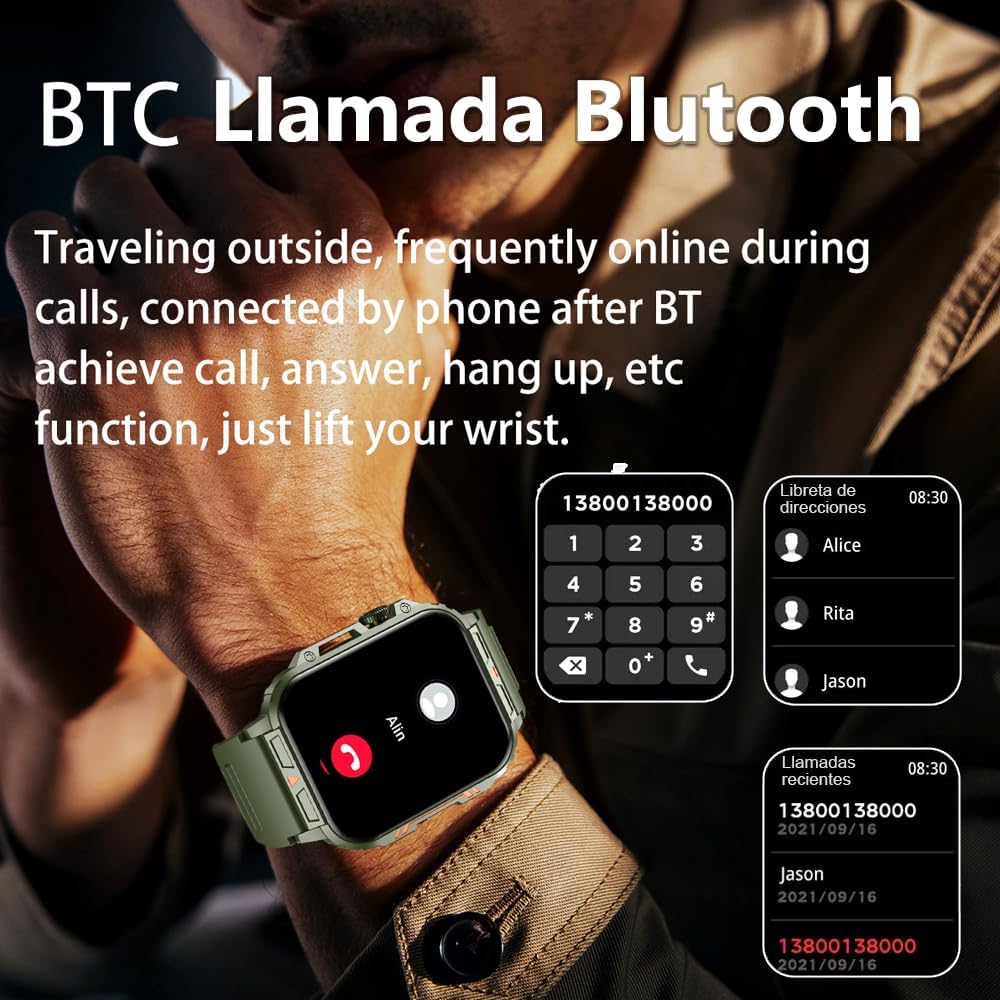
Image 4.1: The watch screen showing an incoming call and the dial pad for making calls.

Image 4.2: The watch displaying notifications from various social media and messaging applications.
4.3. Modos deportivos
The watch supports over 112 sports modes. To access them, navigate to the 'Sports' or 'Workout' section on your watch. Select your desired activity to start tracking. The watch will record steps, distance, and calories.

Image 4.3: Icons representing various sports modes available on the watch.
4.4. Monitorización da saúde
The Jooeniok L81 provides continuous monitoring of several health metrics. Access these features through the watch's menu or the companion app.
- Frecuencia cardíaca: The watch uses an optical sensor to monitor your heart rate. View datos en tempo real no reloxo ou tendencias detalladas na aplicación.
- Osíxeno no sangue (SpO2) e presión arterial: Initiate a measurement from the watch. Results are displayed on the screen and recorded in the app for historical analysis.
- Monitorización do sono: Wear the watch to bed for automatic sleep tracking. It analyzes deep sleep, light sleep, and awake times, providing a comprehensive sleep quality report in the app.
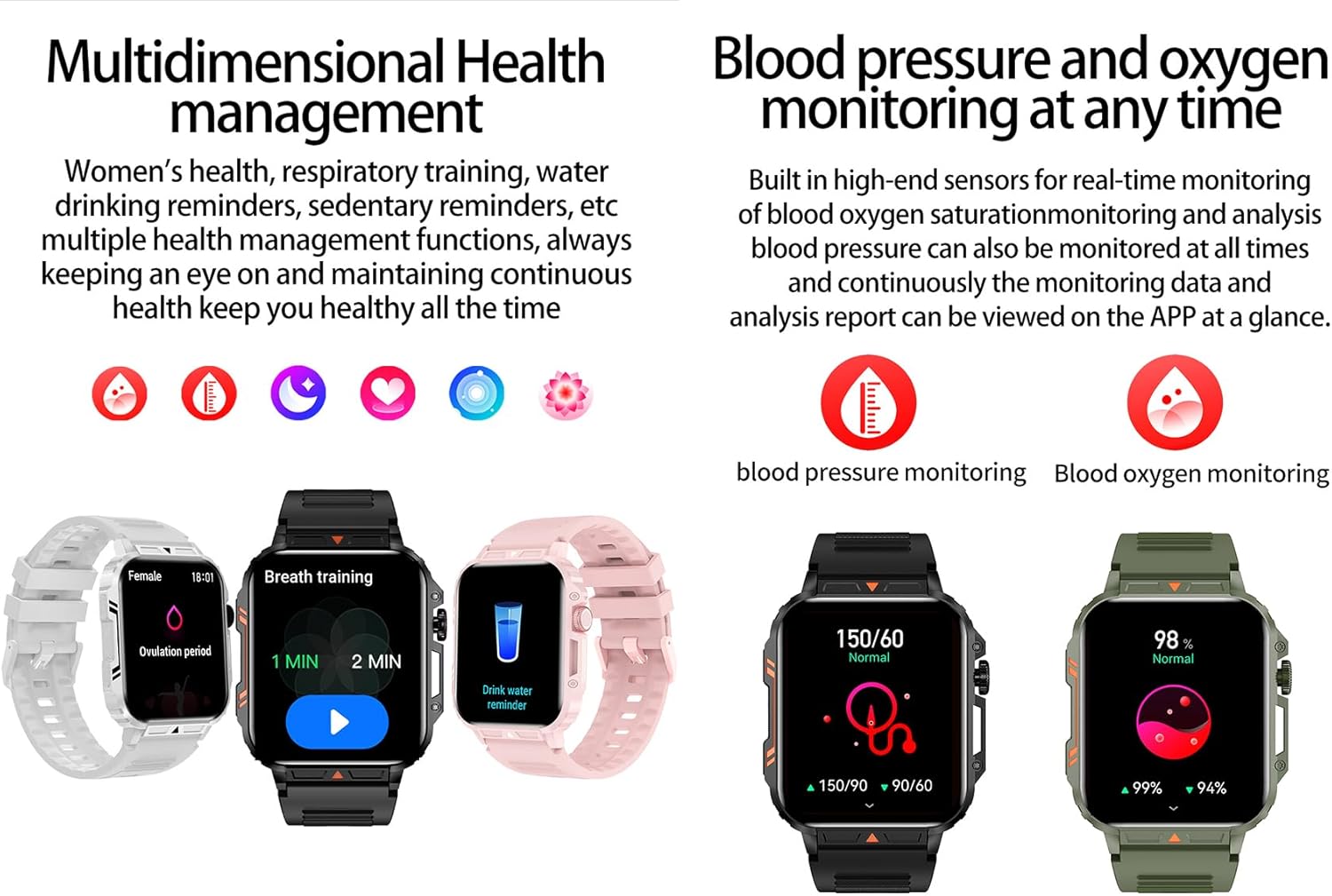
Image 4.4: Watch screens showing blood pressure and blood oxygen monitoring results.

Image 4.5: Watch screens showing real-time heart rate and a summary of sleep data.
4.5. AI Intelligent Voice Function
After connecting the watch to your phone via Bluetooth, activate the voice function on the watch. This allows you to use voice commands to open applications, check weather, make calls, or navigate, offering a hands-free experience.
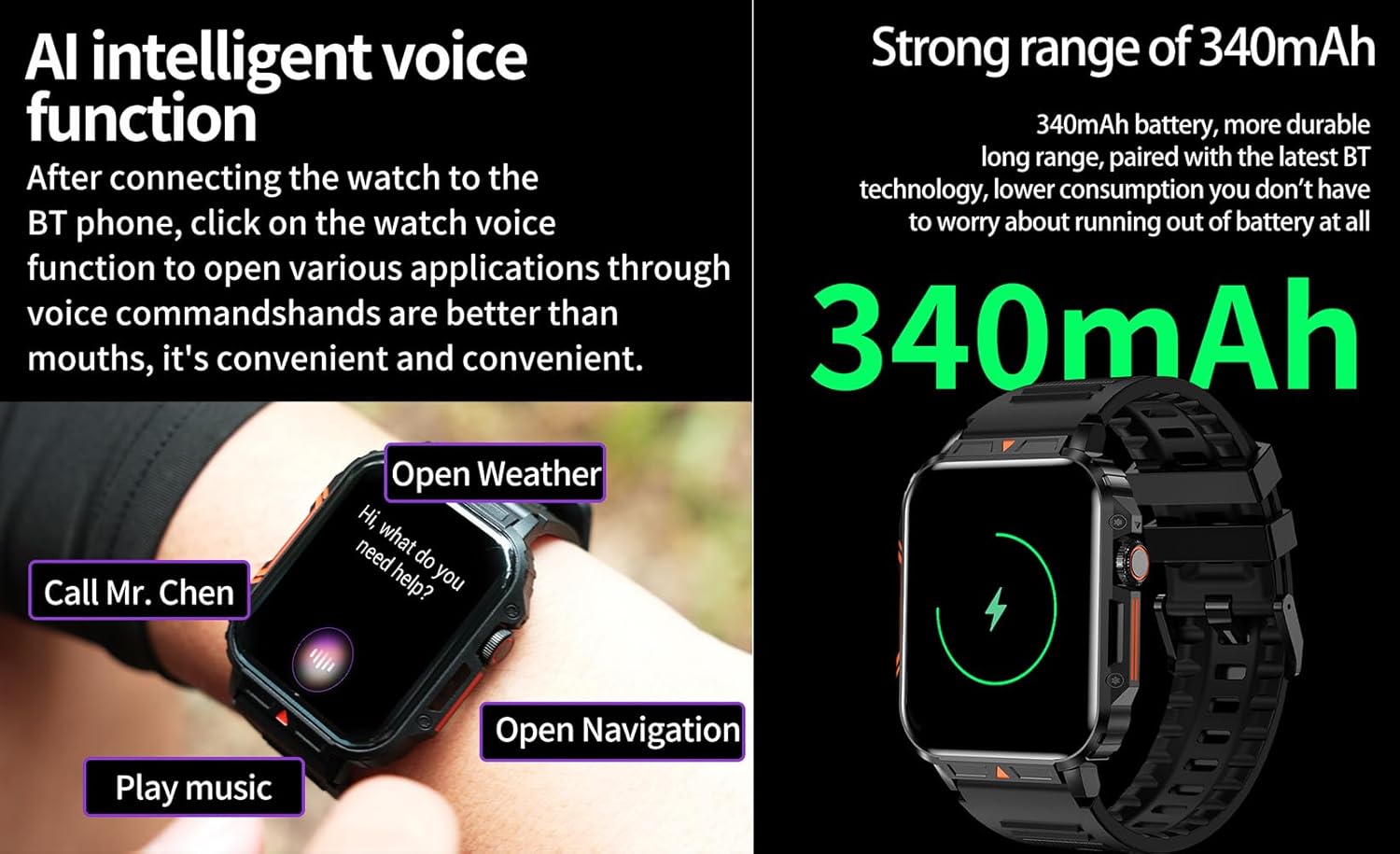
Image 4.6: The watch screen illustrating the AI voice assistant interface with exampcomandos le.
4.6. Marcador DIY
Personalize your watch face by using the DIY dial feature within the companion app. You can often upload custom images or choose from a variety of pre-designed watch faces.
5. Mantemento
5.1. Resistencia á auga
The Jooeniok L81 Smart Watch is IP68 waterproof and dustproof. This means it is resistant to dust and can withstand immersion in water up to 1.5 meters for up to 30 minutes. It is suitable for daily use, hand washing, and light rain.
Importante: O reloxo é non recommended for diving, hot showers, or saunas, as steam and high water pressure can compromise the seals and cause damage.

Image 5.1: The watch shown with water splashes, indicating its water resistance.
5.2. Limpeza
Limpa o reloxo e a correa con regularidade para evitar irritacións na pel e manter a funcionalidade. Usa un pano suave eamp cloth to wipe the screen and body. For the strap, follow the manufacturer's recommendations for the specific material (e.g., silicone, metal).
- Evite o uso de produtos químicos agresivos ou materiais abrasivos.
- Asegúrate de que o reloxo estea completamente seco antes de cargalo ou usalo durante un período prolongado.
5.3. Coidado da batería
Para prolongar a duración da batería:
- Evita temperaturas extremas.
- Non deixes que a batería se descargue por completo con frecuencia.
- Cargue o reloxo co cable proporcionado.
Image 5.2: The watch screen highlighting its 340mAh battery capacity.
6 Solución de problemas
| Problema | Posible Solución |
|---|---|
| O reloxo non se acende. | Asegúrate de que o reloxo estea completamente cargado. Conéctao ao cargador durante polo menos 30 minutos. |
| Non se pode emparellar co teléfono intelixente. |
|
| Incorrect language displayed. | Navigate to the watch's settings menu, find 'Language' or 'System' settings, and select your preferred language. If paired, the app might also have a language setting. |
| Touch screen unresponsive or intermittent. |
|
| Notificacións non recibidas. |
|
| Health monitoring data seems inaccurate. |
|
7. Especificacións
| Característica | Detalle |
|---|---|
| Nome do modelo | L81 |
| Marca | Jooeniok |
| Tamaño da pantalla | 1.95 polgadas |
| Tecnoloxía de conectividade | Bluetooth |
| Estándar de comunicación sen fíos | Bluetooth |
| Sistema Operativo | Android (compatible with Android 5.1+ and iOS 10.0+) |
| Capacidade de almacenamento da memoria | 128 MB |
| Batería | 1 batería de polímero de litio (340 mAh, incluída) |
| Resistencia á auga | IP68 |
| Características especiais | Activity Tracker, Notifications, Phone Call, Time Display, Heart Rate Monitor, Blood Oxygen Monitor, Sleep Monitor, 112+ Sports Modes, AI Voice Function |
| Dimensións (aprox.) | Watch face: 44mm (width) x 52mm (height); Thickness: 12mm; Strap length: 260mm |
8. Garantía e soporte
The Jooeniok L81 Smart Watch is backed by a Garantía de 365 días desde a data de compra. Esta garantía cobre defectos de fabricación e avarías de funcionamento en condicións normais de uso.
For technical support, warranty claims, or any questions regarding your product, please contact Jooeniok customer service through the retailer's platform or the contact information provided on the product packaging or official websitio.
Garde o comprobante de compra para validar a garantía.


