Introdución
This manual provides comprehensive instructions for the Baseus Bass 30 Max Bluetooth Headphones. Please read this manual carefully before using the product to ensure proper operation and to maximize your listening experience. These headphones are designed for powerful bass, extended playtime, and clear call quality, offering a comfortable and lightweight over-ear design.
Características clave
Graves potentes

Equipped with 40mm oversized drivers and Baseus bass enhancement technology, these headphones deliver rich and powerful bass, enhancing your audio experience.
Tempo de reprodución prolongado

Enjoy up to 50 hours of listening time on a single charge, ensuring your music lasts through long journeys and daily use without frequent recharging.
Enhanced Call Clarity
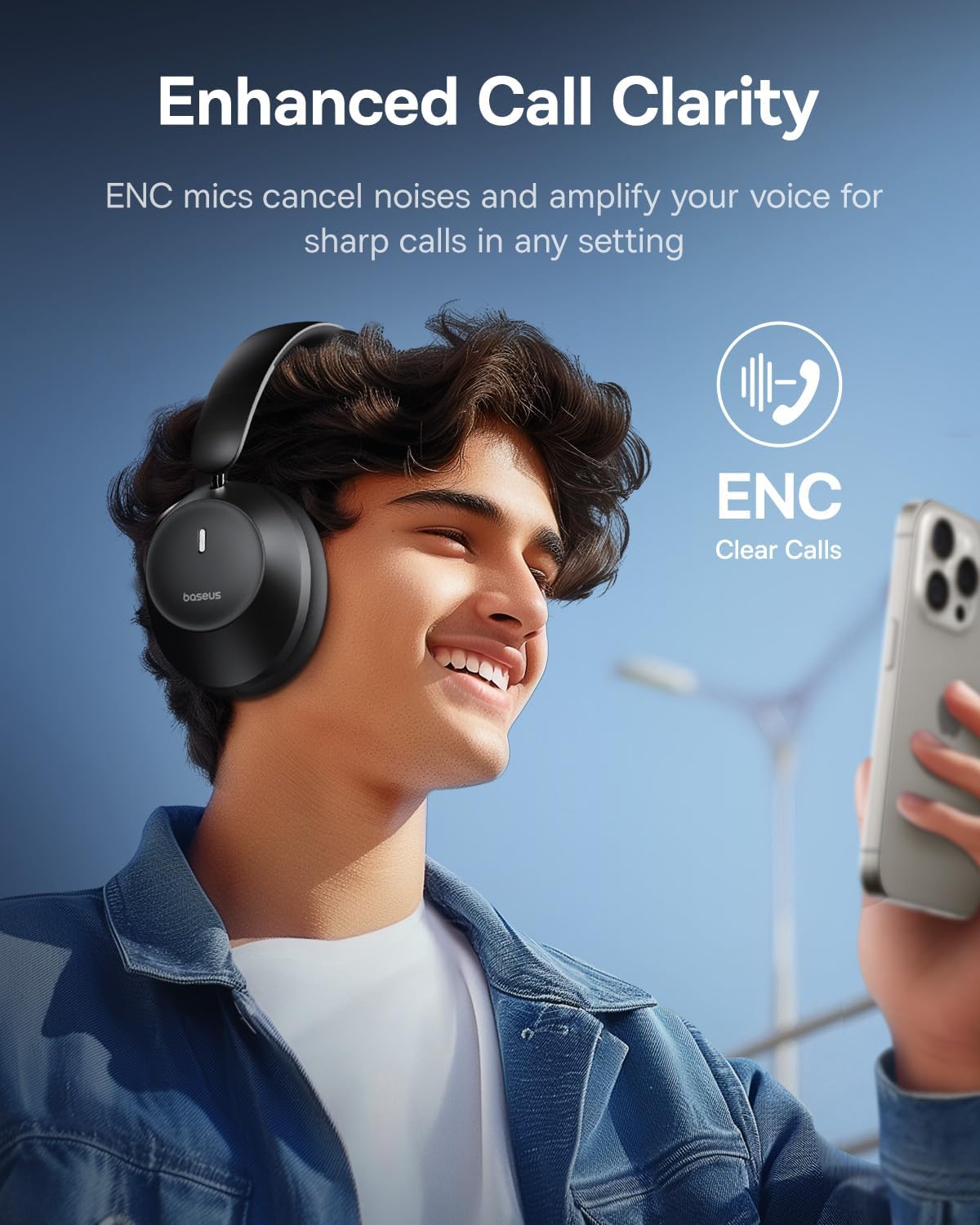
Integrated ENC (Environmental Noise Cancellation) microphones reduce ambient noise and amplify your voice, providing crisp and clear calls in various environments.
Comfortable and Foldable Design

The headphones feature adjustable earcups with ultra-soft noise isolation padding for a snug and comfortable fit during extended listening sessions. Their foldable design allows for easy portability.
Conectividade Bluetooth 5.3

Advanced Bluetooth 5.3 technology ensures a stable connection, low latency, and reduced power consumption, keeping audio in perfect sync across compatible devices.
O que hai na caixa
- Auriculares Bluetooth supraaurais Baseus Bass 30 Max
- Cable de carga USB-C
- Cable de audio de 3.5 mm
- Manual de usuario (este documento)
- Tarxeta de garantía
Produto rematadoview
Familiarize yourself with the various components and controls of your Baseus Bass 30 Max headphones.
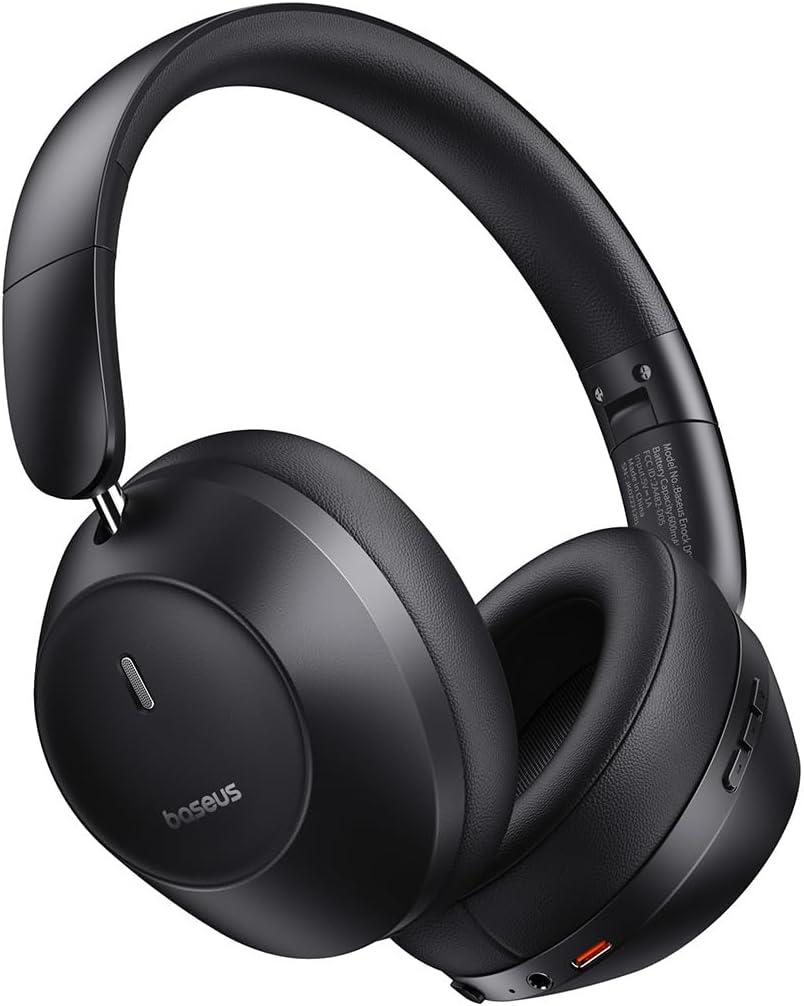
Figure 1: Baseus Bass 30 Max Headphones
Controis de botón
Figure 2: Headphone Button Layout and Functions
- Botón/interruptor de acendido: Used to power the headphones on or off.
- Botóns de volume +/-: Adjusts the listening volume. Long press for previous/next track.
- Botón multifunción: Controls playback (play/pause), answers/ends calls, rejects calls, and activates voice assistant.
- Conector de audio de 3.5 mm: Para conexión por cable usando o cable de audio incluído.
- Porto de carga USB-C: Para cargar os auriculares.
Configuración
Carga inicial
Before first use, fully charge your headphones. Connect the included USB-C charging cable to the headphone's charging port and the other end to a USB power adapter (not included) or a computer's USB port. The indicator light will show charging status and turn off when fully charged.
Emparejamento Bluetooth
- Asegúrese de que os auriculares estean apagados.
- Slide the Power Switch to the "ON" position. The headphones will enter pairing mode automatically, indicated by a flashing LED light.
- No teu dispositivo (teléfono intelixente, tableta, portátil), activa o Bluetooth e busca os dispositivos dispoñibles.
- Selecciona "Baseus Bass 30 Max" na lista de dispositivos atopados.
- Once connected, the LED indicator on the headphones will turn solid blue, and you will hear an audible confirmation.
The headphones will automatically reconnect to the last paired device when powered on, if the device's Bluetooth is enabled and within range.
Instrucións de funcionamento
Encendido/apagado
- Encendido: Slide the Power Switch to "ON".
- Apagado: Slide the Power Switch to "OFF".
Reprodución de música
- Reproducir/Pausa: Prema o botón multifunción unha vez.
- Subir volume: Prema o botón "+".
- Baixar volume: Prema o botón "-".
- Próxima pista: Prema e deixe premido o botón "+" durante 1.5 segundos.
- Pista anterior: Prema e deixe premido o botón "-" durante 1.5 segundos.
Xestión de chamadas
- Responder/Finalizar chamada: Prema o botón multifunción unha vez.
- Rexeitar a chamada: Long press the Multifunction Button for 1.5 seconds.
Asistente de voz
- Activar o asistente de voz: Double-press the Multifunction Button.
Conexión por cable
To use the headphones with a wired connection, plug the 3.5mm audio cable into the headphone's audio jack and the other end into your audio source. The headphones will automatically switch to wired mode, and Bluetooth will be disabled.
Mantemento
- Limpa os auriculares regularmente cun pano suave e seco. Non empregues produtos de limpeza abrasivos nin disolventes.
- Evite expoñer os auriculares a temperaturas extremas, humidade ou luz solar directa.
- Store the headphones in a cool, dry place when not in use, preferably in their original packaging or a protective case.
- Non intente desmontar nin modificar os auriculares, xa que isto anulará a garantía e podería causar danos.
Resolución de problemas
| Problema | Posible Solución |
|---|---|
| Os auriculares non se acenden. | Asegúrate de que a batería estea cargada. Conéctaa a unha fonte de alimentación mediante o cable USB-C. |
| Non se pode emparellar co dispositivo. |
|
| Sen son ou volume baixo. |
|
| Mala calidade da chamada. |
|
Especificacións

Figure 3: Headphone Dimensions
| Característica | Detalle |
|---|---|
| Nome do modelo | Baseus Bass 30 Max |
| Marca | Baseus |
| Tecnoloxía de conectividade | Sen fíos (Bluetooth), con cable (conector de 3.5 mm) |
| Tecnoloxía de comunicación sen fíos | Bluetooth 5.3 |
| Jack para auriculares | Jack de 3.5 mm |
| Duración da batería | Ata 50 horas |
| Tipo de controlador de audio | Controlador dinámico (40 mm) |
| Rango de frecuencias | 20 Hz - 20,000 Hz |
| Control de ruído | Illamento acústico (cancelación pasiva de ruído) |
| Material | Silicone (earcups), ABS, PC, Metal (frame) |
| Peso do elemento | 15.8 onzas (aprox. 448 gramos) |
| Cor | Negro |
| UPC | 850060076701 |
Vídeo oficial do produto
Este vídeo ofrece unha visión xeralview of the Baseus Bass 30 Max headphones, highlighting their design, comfort, and key features.
Garantía e Soporte
Baseus products come with a standard warranty. Please refer to the included Warranty Card for detailed terms and conditions regarding your Baseus Bass 30 Max headphones. For technical support, troubleshooting assistance, or warranty claims, please contact Baseus customer service through their official websitio web ou a información de contacto que aparece na tarxeta de garantía.
You can also visit the official Baseus store for more information and product updates: Tenda Baseus en Amazon.


