1. Introdución
Thank you for choosing the aosu 4MP Indoor Security Camera. This manual provides essential information for the safe and efficient use of your device. This camera offers 2.5K QHD resolution, 360° pan and 155° tilt for comprehensive coverage, dual-band Wi-Fi support (5GHz/2.4GHz), two-way audio with one-touch call functionality, and smart motion tracking. It is ideal for home security, baby monitoring, and pet surveillance.

Imaxe: Máis deview of aosu 4MP Indoor Camera features.
2. Contido do paquete
- aosu 4MP Indoor Security Camera
- Cable de alimentación USB
- Adaptador de alimentación
- Mounting Accessories (Screws, Wall Mount Plate)
- Guía de inicio rápido
3. Guía de configuración
3.1 Instalación da aplicación
- Descarga o aosu app from your smartphone's app store (Google Play Store for Android or Apple App Store for iOS).
- Crea unha conta ou inicia sesión se xa tes unha.
3.2 Conexión da cámara
- Connect the camera to a power source using the provided USB cable and power adapter. The camera will power on and indicate readiness for setup.
- Open the aosu app and follow the on-screen instructions to add your new device.
- Asegúrate de que a túa rede Wi-Fi estea 5 GHz ou 2.4 GHz compatible for a hassle-free connection. The camera supports both frequencies.
- Scan the QR code displayed in the app with your camera lens when prompted.
- Once connected, you can name your camera and begin using its features.

Image: The camera supports both 2.4GHz and 5GHz Wi-Fi for flexible connectivity.
Vídeo: Un funcionario acabouview of the aosu indoor security camera, demonstrating its features and ease of use.
4. Instrucións de funcionamento
4.1 En directo View and Control (360° Pan/Tilt)
Access the live feed from your camera through the aosu app. Use the on-screen controls to pan (360° horizontal rotation) and tilt (155° vertical tilt) the camera lens, allowing you to view any corner of your room. You can also zoom in for more detail.

Image: The camera offers a 360° horizontal view and 155° vertical tilt for full room coverage.
4.2 One-Touch Call
The camera features a physical button that, when pressed, initiates a call to your connected smartphone. This is ideal for children or elderly family members to quickly get in touch with you.
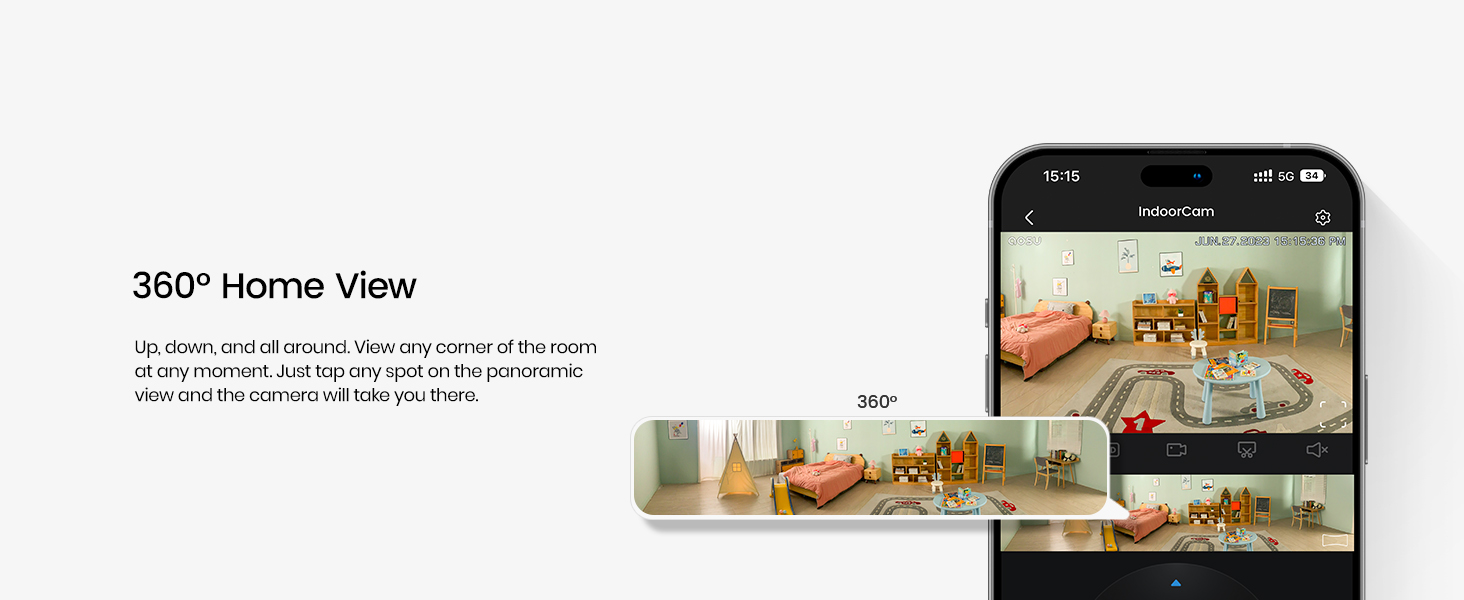
Image: The one-touch call feature allows instant communication from the camera to your phone.
4.3 Audio bidireccional
Utilize the built-in microphone and speaker for two-way communication. Speak through your smartphone app to the camera, and hear responses from the camera's location.

Image: Engage in real-time two-way communication through the camera and your smartphone.
4.4 Smart Motion Tracking
Enable smart tracking in the app to have the camera automatically follow detected motion, such as people or pets, ensuring no important activity is missed.
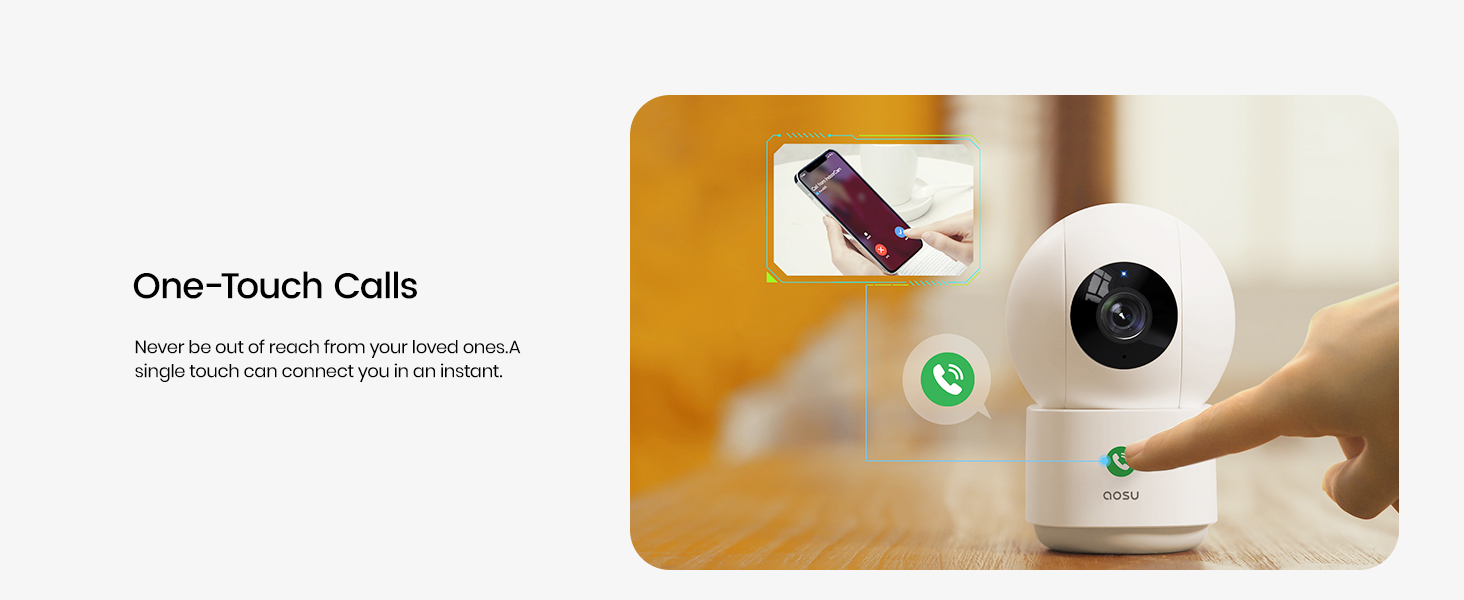
Image: The camera's smart motion tracking feature follows movement within its field of view.
4.5 Visión nocturna
The camera is equipped with clear night vision capabilities, allowing for monitoring in low-light or dark conditions.
4.6 Modo de privacidade
Activate Privacy Mode via the aosu app. In this mode, the camera lens will rotate downwards, physically hiding itself to ensure your privacy when monitoring is not required.
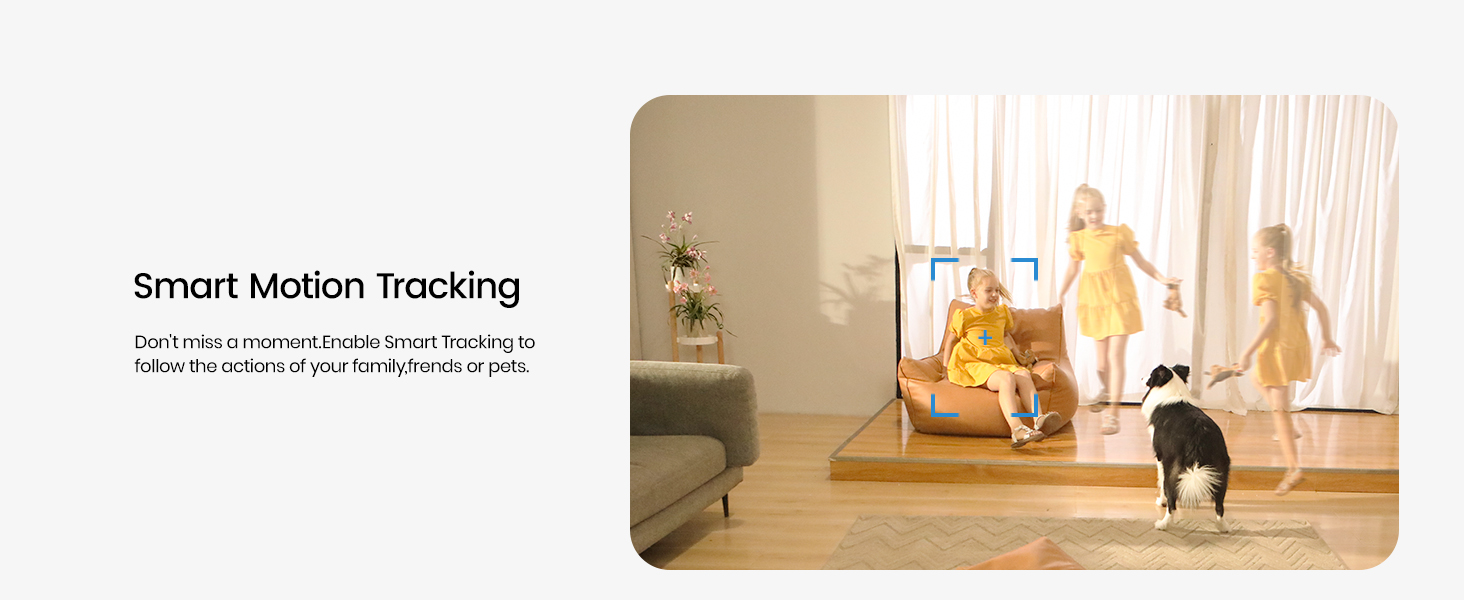
Image: Privacy Mode allows the camera to physically hide its lens when not in use.
4.7 Opcións de almacenamento
The camera supports both local storage via a MicroSD card (not included) and cloud storage options (subscription may be required). This allows for flexible recording and playback of events.

Image: Choose between local MicroSD card storage or cloud storage for your recordings.
4.8 Integración de fogares intelixentes
The aosu camera is compatible with Amazon Alexa and Google Assistant. Integrate it into your smart home ecosystem to view live feeds on compatible smart displays or receive voice-activated commands.

Image: Seamlessly integrate your camera with Amazon Alexa and Google Assistant.
5. Mantemento
- Limpeza: Limpe con coidado a lente e o corpo da cámara cun pano suave e seco. Evite o uso de produtos químicos agresivos ou materiais abrasivos.
- Actualizacións de firmware: Regularly check the aosu app for available firmware updates to ensure optimal performance and security.
- Colocación: Asegúrate de colocar a cámara nun lugar estable, lonxe da luz solar directa, de fontes de calor e de humidade.
6 Solución de problemas
- Problemas de conectividade: If the camera loses connection, ensure your Wi-Fi router is functioning correctly and the camera is within range. Try restarting both the camera and your router.
- A aplicación non responde: Close and reopen the aosu app. If the issue persists, reinstall the app.
- Baixa calidade do vídeo: Comproba a velocidade da túa conexión a internet. Asegúrate de que a lente da cámara estea limpa e libre de obstrucións. Axusta a configuración da calidade de vídeo na aplicación se é necesario.
- A detección de movemento non funciona: Verify that motion detection is enabled in the app settings and that the detection zone is correctly configured.
7. Especificacións
| Característica | Detalle |
|---|---|
| Marca | aosu |
| Nome do modelo | C2P2BH11 |
| Tecnoloxía de conectividade | Sen fíos (Wi-Fi, Bluetooth) |
| Características especiais | 2-Way Audio, Local Recording, Motion Sensor, Night Vision, One-Touch Call |
| Uso interior/exterior | Interior |
| Dispositivos compatibles | Smartphone (Amazon Alexa, Google Assistant) |
| Resolución efectiva de fotografías | 4 MP |
| Resolución de captura de vídeo | 1920p (2.5K QHD) |
| Velocidade de cadros | 25 fotogramas por segundo |
| Viewángulo ing | 360 graos (panorámica), 155 graos (inclinación) |
| Zoom óptico | 6x |
| Fonte de enerxía | Eléctrico con cable |
| Dimensións do elemento | 3 x 3 x 5 polgadas |
| Peso do elemento | 0.74 quilogramos |
8. Garantía e soporte
For warranty information, please refer to the documentation included with your product or visit the official aosu website. For technical support or further assistance, please contact aosu customer service.
Fabricante: AOSU
Política de devolución: 30-day refund/replacement policy may apply (check retailer for details).
AOSU Official Store: Visitar a tenda


