Introdución
This manual provides comprehensive instructions for the SCS Sentinel AAM0129 SimplyControl 2-Channel Gate Remote Control. It covers product features, setup procedures, operational guidelines, maintenance tips, troubleshooting, and technical specifications. Please read this manual thoroughly before using the device to ensure proper function and longevity.
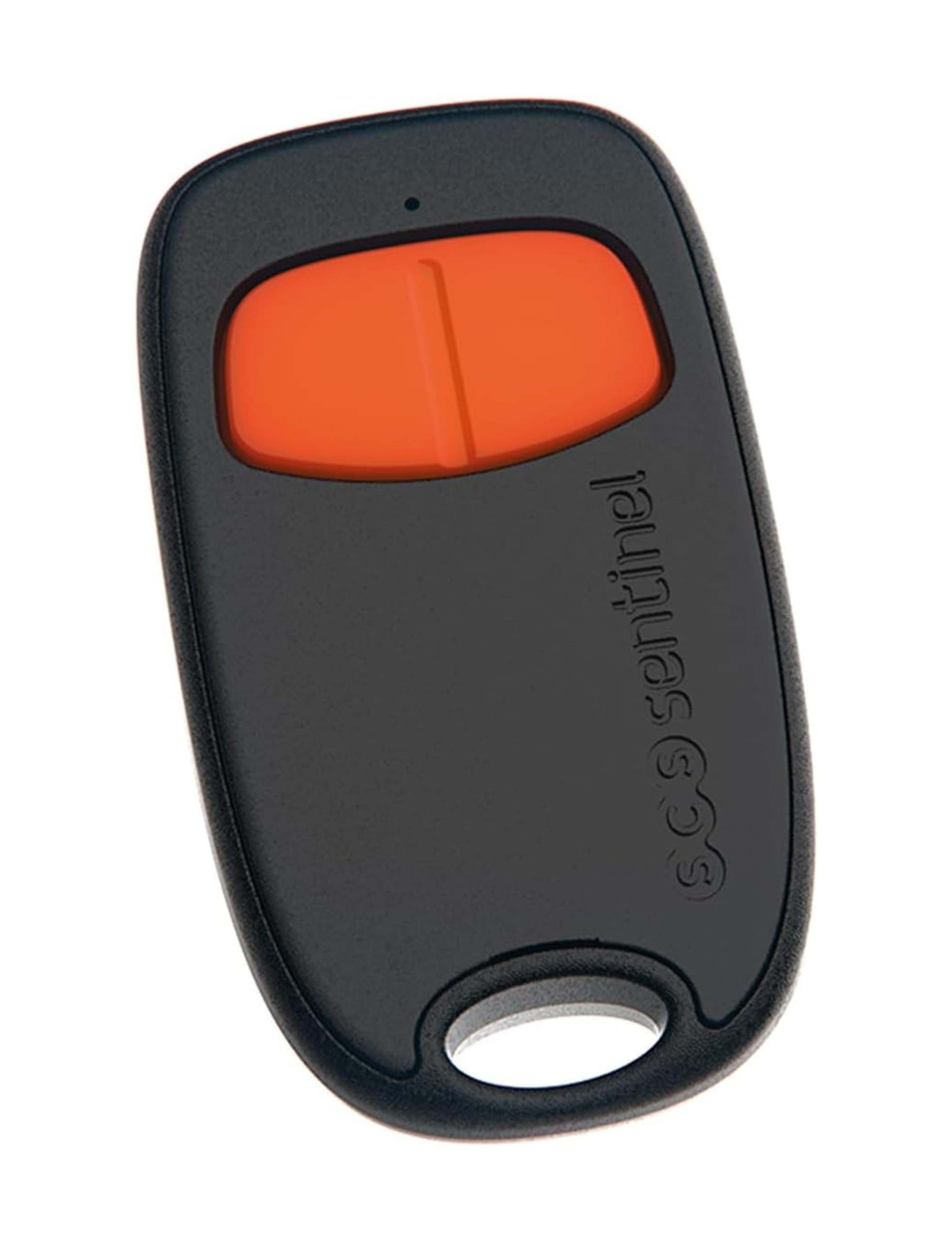
Imaxe 1: Fronte view of the SCS Sentinel AAM0129 SimplyControl remote control.
The SCS Sentinel AAM0129 is a 2-channel remote control designed for operating compatible gate and garage door openers. It features a 433.92 MHz emission frequency and is powered by a CR2032 lithium battery. The casing is made from 100% recycled plastic, and the packaging is recyclable.
Configuración
1. Instalación da batería
The remote control uses one CR2032 lithium battery. Ensure the battery is correctly inserted with the positive (+) terminal facing upwards.
- Localice o compartimento da batería na parte traseira do control remoto.
- Abra a tapa do compartimento con coidado.
- Insert the CR2032 battery, observing the correct polarity.
- Pecha a tapa do compartimento da batería de forma segura.
2. Pairing with a Gate/Garage Door Opener
This remote control is compatible with various SCS Sentinel automatic gate openers, including SimplyOpen, OpenGate, Prim' by SCS Sentinel, SG 1/2/3, CarGate 800 TRIO, and CarOne 600. The pairing process is specific to your gate or garage door opener model. Refer to the instruction manual provided with your gate/garage door opener for detailed pairing steps.
General Pairing Steps (may vary by model):
- Put your gate/garage door opener into programming mode (usually by pressing a "Learn" or "Program" button on the opener's control unit).
- While the opener is in programming mode, press and hold the desired button on your SCS Sentinel remote control for a few seconds.
- Release the button when the opener's indicator light confirms successful pairing (e.g., flashes, changes color).
- Test the remote control to ensure it operates the opener correctly.

Image 2: Remote control in use, demonstrating operation of a garage door.
Instrucións de funcionamento
The SCS Sentinel AAM0129 remote control features two buttons for controlling your compatible gate or garage door opener.
Operación básica
- Button 1 (Top): Typically used for opening/closing the primary gate or garage door.
- Button 2 (Bottom): Can be programmed for a secondary function, such as a pedestrian gate, partial opening, or another compatible device.
To operate, simply press the desired button. The remote has an effective range of up to 40 meters in an open area, allowing control from a distance.
Funcións avanzadas
Depending on your connected system, the remote may support advanced security modes:
- Modo de entrada: Activates specific security settings for when you are entering the property.
- Modo de parada: Halts the current operation of the gate/door.
- Partial Mode: Allows for a partial opening of the gate/door, useful for pedestrian access.
Consult your gate/garage door opener's manual for specific programming and usage of these advanced modes.
Chamada de emerxencia SOS
The remote control includes an SOS emergency call feature. When activated, this function can trigger an alarm or send a signal to a connected security system, providing an additional layer of safety in emergencies. Refer to your alarm system's manual for details on how to program and use this feature.
Mantemento
Substitución da batería
When the remote control's range decreases or it becomes unresponsive, the CR2032 lithium battery may need replacement. Follow the battery installation steps outlined in the "Setup" section.
- Use only a new CR2032 lithium battery for replacement.
- Elimina as pilas antigas de forma responsable segundo a normativa local.
Limpeza
To clean the remote control, use a soft, dry cloth. Do not use abrasive cleaners, solvents, or immerse the device in water, as this can damage the electronics.

Image 3: The remote control's compact design, suitable for carrying with keys.
Resolución de problemas
| Problema | Causa posible | Solución |
|---|---|---|
| O control remoto non funciona. | Batería descargada ou instalada incorrectamente. | Substitúa a pila CR2032, asegurándose de manter a polaridade correcta. |
| Remote control has reduced range. | Low battery. Obstruction between remote and receiver. | Replace battery. Ensure clear line of sight to the receiver. |
| Remote control not pairing with opener. | Incorrect pairing procedure. Incompatible opener. | Refer to your opener's manual for specific pairing steps. Verify compatibility. |
| Buttons feel unresponsive or "mushy". | Desgaste. | While this may indicate wear, the remote should still function. If not, consider replacement. |
Se o problema persiste despois de intentar estas solucións, póñase en contacto co servizo de atención ao cliente.
Especificacións
- Número de modelo: AAM0129
- Marca: SCS Sentinel
- Número de canles: 2
- Frecuencia de emisión: 433.92 MHz
- Tipo de batería: 1 x CR2032 Lithium Battery
- Tecnoloxía de conectividade: Radiofrecuencia
- Rango máximo: 40 metros (área aberta)
- Características especiais: Chamada de emerxencia SOS
- CasinMaterial: 100% plástico reciclado
- Embalaxe: Recyclable cardboard from sustainably managed forests
- Dispositivos compatibles: SCS Sentinel SimplyOpen, OpenGate, Prim' by SCS Sentinel, SG 1/2/3, CarGate 800 TRIO, CarOne 600 automatic gate openers.
- País de orixe: China (Manufacturing), Designed in France
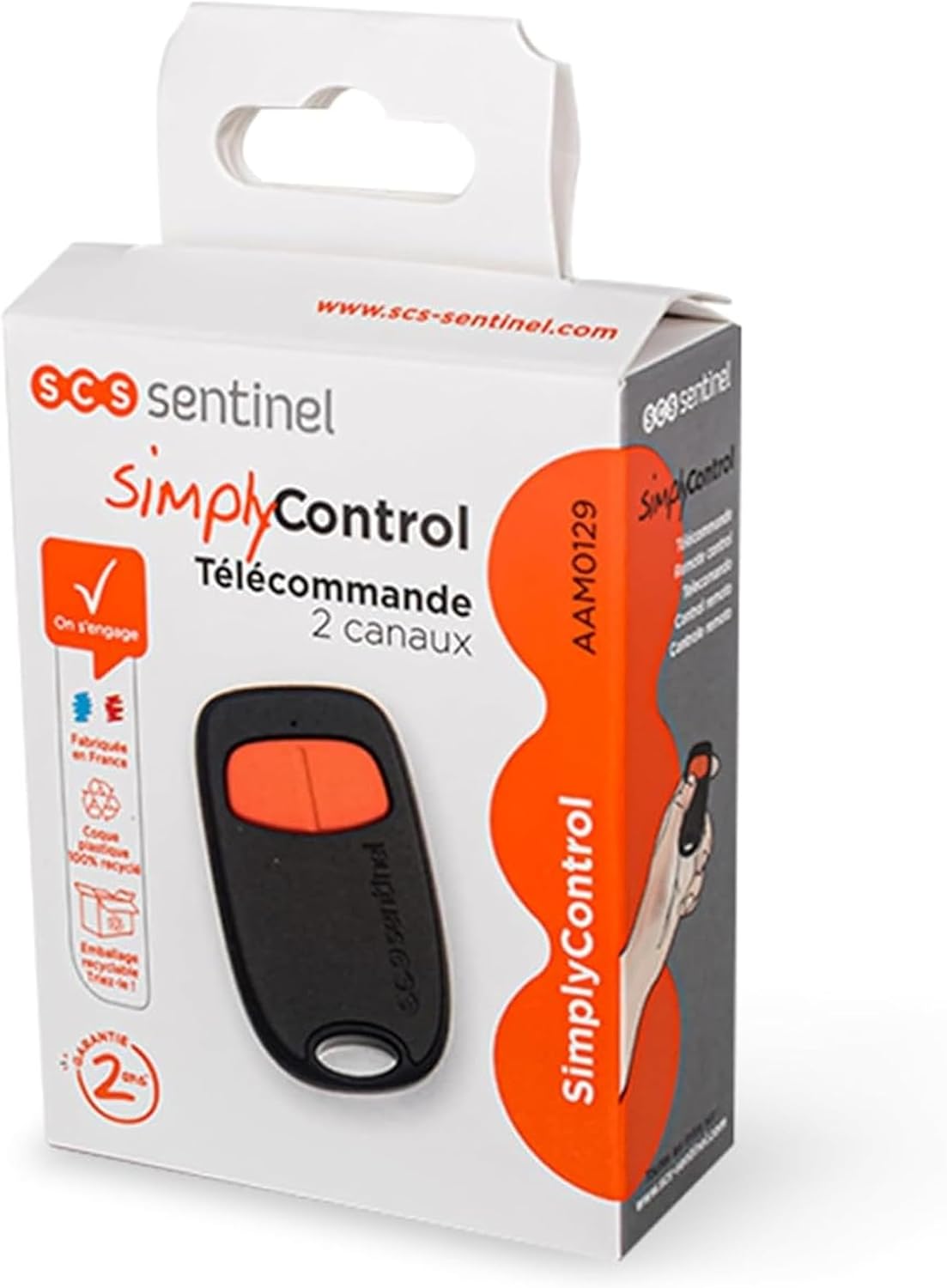
Image 4: Product packaging, showing key features and environmental commitments.
Información da garantía
The SCS Sentinel AAM0129 SimplyControl remote control comes with a 2 ano de garantía. This warranty covers manufacturing defects and ensures the reliability of the product under normal use. Please retain your proof of purchase for warranty claims.
Availability of spare parts is guaranteed for 2 years.
Atención ao cliente
For any questions regarding the installation, operation, or troubleshooting of your SCS Sentinel AAM0129 remote control, our technical support team is available to assist you. Our technicians provide expert and personalized advice.
Please visit the official SCS Sentinel website or refer to the contact information provided with your product for support details.
Websitio: www.scs-sentinel.com


