1. Introdución
This manual provides detailed instructions for the ACEMIC ST-5 UHF Wireless Saxophone Microphone System. Please read this manual thoroughly before using the product to ensure proper operation and to maximize its performance and longevity.
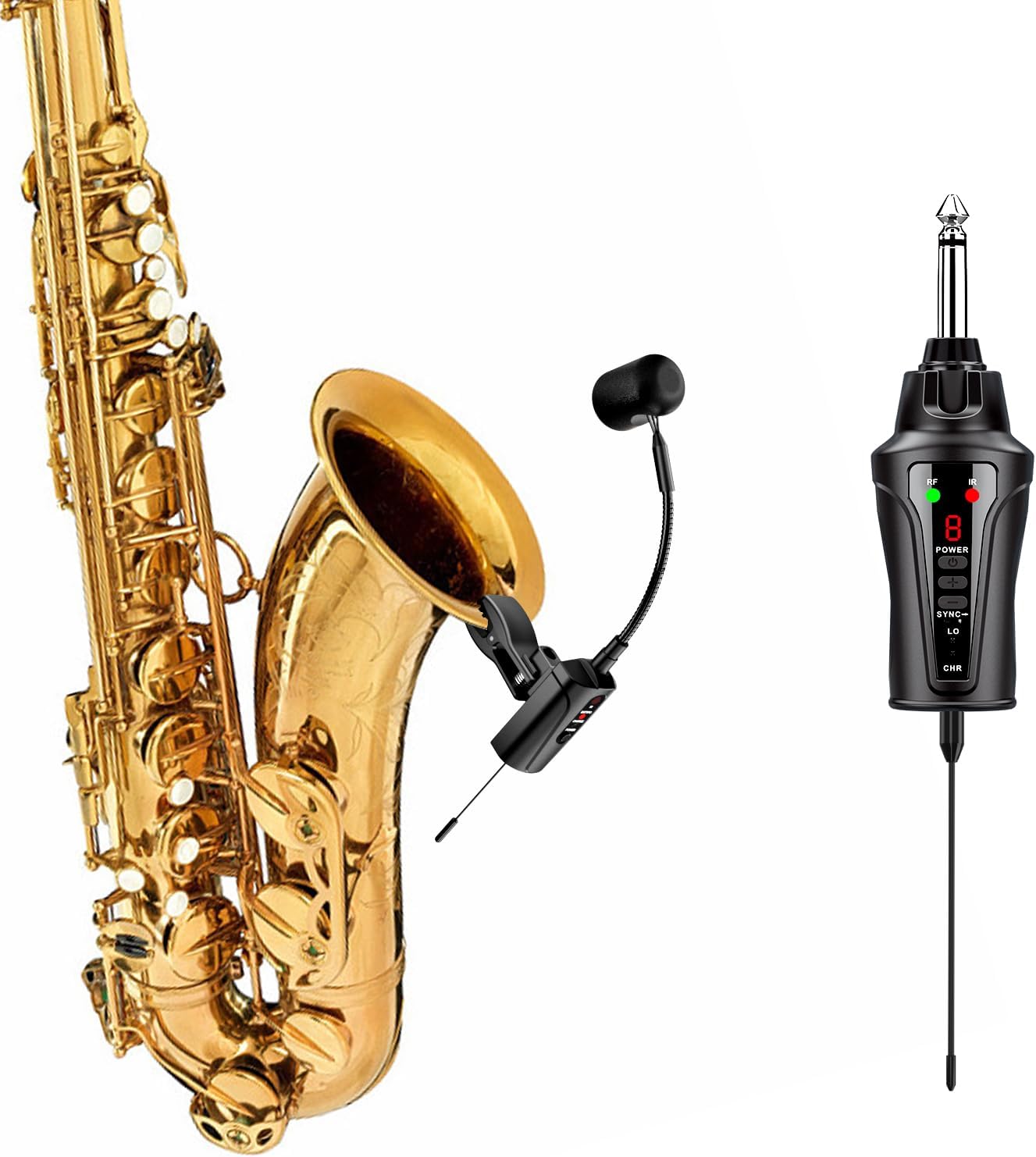
Image 1.1: ACEMIC ST-5 UHF Wireless Saxophone Microphone System components.
2. Contido do paquete
Verifique que todos os elementos que se indican a continuación estean incluídos no seu paquete:
- 1 x Transmitter (with clip-on microphone)
- 1 x receptor
- 1 cable de carga USB 2 en 1
- 1 adaptador de 6.35 mm a 3.5 mm
- 1 x Maletín de transporte
- 1 x Manual de usuario

Image 2.1: All items included in the ACEMIC ST-5 package.
3. Características do produto
- UHF Stable Transmission: Utilizes UHF frequency and advanced digital audio transmission for stable, low-latency sound up to 130ft (40m) in open areas. Features infrared automatic pairing and a 48kHz samptaxa de ling.
- Reprodución de son de alta calidade: Built-in highly sensitive condenser microphone captures clear and realistic instrument sound.
- 16 Adjustable Channels: Offers 16 preset channels to avoid interference and supports up to 4 systems for simultaneous use.
- Deseño de pescozo flexible: Allows for precise microphone positioning with a stable, adjustable gooseneck and a shock-proof clip.
- Batería de longa duración: Built-in rechargeable battery provides up to 6 hours of continuous use after a 2.5 to 3-hour charge.
- Ampla compatibilidade: Compatible with various active PA systems, active speakers, amplifiers, and audio mixers via 6.35mm or 3.5mm connections.
4. Identificación de compoñentes
Familiarize yourself with the transmitter and receiver components:

Image 4.1: Detailed diagram of the transmitter and receiver components.
Compoñentes do transmisor:
- Micrófono de condensador: Captures audio from the instrument.
- Collo de cisne flexible: Allows for precise microphone positioning.
- Instrument Clip: Securely attaches the transmitter to the instrument.
- IR Sync Button: Initiates infrared pairing with the receiver.
- Power/Low Power Indicator: Shows power status and low battery warning.
- Indicador de carga: Illuminates during charging.
- Botón de encendido: Activa/desactiva o transmisor.
- Antena: Para a transmisión de sinal sen fíos.
- Interface de carga: Porto USB-C para cargar.
Receiver Components:
- 6.35mm Plug: Connects to audio input devices.
- Indicador de RF: Shows radio frequency signal status.
- Pantalla dixital: Shows current channel number.
- Botón de encendido: Acende/apaga o receptor.
- Frequency Plus/Minus Buttons: Adjusts the channel frequency.
- Baixo Voltage Indicador: Warns of low battery.
- IR Sync Button: Initiates infrared pairing with the transmitter.
- Indicador de carga: Illuminates during charging.
- Antena: Para a recepción de sinal sen fíos.
5. Guía de configuración
5.1 Carga inicial
- Use the provided 2-in-1 USB charging cable to simultaneously charge both the transmitter and receiver.
- Connect the USB cable to a standard USB power adapter (not included).
- The charging indicators on both units will illuminate during charging.
- A full charge takes approximately 2.5 to 3 hours. The indicators will change or turn off once fully charged.

Image 5.1: Charging the transmitter and receiver.
5.2 Instalación de antenas
Ensure the antenna on the bottom of the receiver is properly installed before use for optimal signal reception.
5.3 Encendido/apagado
Press and hold the Power Button on both the transmitter and receiver for a few seconds to turn them on or off.
5.4 Pairing the System (Infrared Automatic Pairing)
The system uses infrared automatic pairing for quick setup.
- Acenda tanto o transmisor como o receptor.
- Ensure the transmitter and receiver are close to each other (within a few inches).
- Press the IR Sync Button on both units. The units will automatically pair.
- The RF indicator on the receiver will light up steadily once paired.
5.5 Channel Adjustment (for multiple systems)
The system offers 16 adjustable channels to prevent interference, supporting up to 4 systems simultaneously.
- For the first system: Pair the transmitter and receiver as described in Section 5.4. Note the channel displayed on the receiver.
- For subsequent systems: Before pairing, use the Frequency Plus/Minus buttons on the receiver to select a new channel. It is recommended to choose a channel number that is at least 3 channels apart from any already paired systems to minimize interference.
- Once a new channel is selected on the receiver, press its IR Sync Button, then press the IR Sync Button on the corresponding transmitter to pair them.
- Repeat this process for each additional system.

Image 5.2: Channel adjustment for multiple systems.
5.6 Conexión a sistemas de son
- Plug the 6.35mm plug of the receiver into the instrument input of your active PA system, active speaker, amplifier, or audio mixer.
- If your audio device requires a 3.5mm input, use the included 6.35mm to 3.5mm adapter.

Image 5.3: Compatibility with various musical instruments and audio systems.
5.7 Colocación do micrófono
Attach the transmitter's clip to the bell of your instrument (e.g., saxophone, trumpet, tuba). Adjust the flexible gooseneck to position the microphone for optimal sound capture.
- Ensure the microphone angle is approximately 45 degrees or greater relative to the instrument's bell.
- Maintain a distance of at least 10cm (approximately 4 inches) between the microphone and the instrument's sound source for best results.
- The rubber padding on the clip protects your instrument from damage.

Image 5.4: Optimal microphone placement using the flexible gooseneck.
6. Funcionamento
6.1 Uso básico
Once the transmitter and receiver are charged, paired, and connected to your audio system:
- Turn on your audio system (PA, speaker, ampmáis vivo).
- Adjust the volume on your audio system to a suitable level.
- Begin playing your instrument. The sound will be transmitted wirelessly to your audio system.

Image 6.1: Wireless transmission in action.
7. Mantemento
7.1 Coidado coa batería
- Recharge the units regularly, especially if they have not been used for an extended period.
- Evite descargar completamente a batería con frecuencia para prolongar a súa vida útil.
- Garde as unidades nun lugar fresco e seco cando non as estea a usar.
7.2 Limpeza
- Wipe the exterior of the transmitter and receiver with a soft, dry cloth.
- Non empregue produtos químicos duros nin limpadores abrasivos.
- Keep the microphone head clean and free from dust or debris.
8 Solución de problemas
8.1 Sen son ou mala calidade de son
- Comprobar a potencia: Ensure both the transmitter and receiver are powered on and charged.
- Comprobar o emparellamento: Verify that the transmitter and receiver are successfully paired (RF indicator on receiver should be steady). Re-pair if necessary.
- Comproba as conexións: Ensure the receiver is securely plugged into your audio system's input.
- Axustar o volume: Increase the volume on your audio system and ensure the microphone is positioned correctly.
- Interferencia: If experiencing static or dropouts, try changing the channel on the receiver and re-pairing the units (refer to Section 5.5).
- Distancia: Ensure the transmitter and receiver are within the effective operating range (up to 130ft/40m in open areas). Obstacles can reduce this range.
- Colocación do micrófono: Adjust the gooseneck to ensure the microphone is optimally positioned relative to the instrument (refer to Section 5.7).
8.2 Interference from Other Wireless Devices
- The ST-5 system operates on UHF frequencies. Other wireless devices operating on similar frequencies may cause interference.
- Change the operating channel of your ST-5 system (refer to Section 5.5) to find a clear frequency.
- Maintain a reasonable distance from other wireless equipment.
8.3 Duración curta da batería
- Ensure the units are fully charged before use (2.5-3 hours).
- O rendemento da batería pode degradarse co tempo debido ao uso intensivo.
- O funcionamento en ambientes extremadamente fríos pode reducir temporalmente a duración da batería.
9. Especificacións
| Característica | Especificación |
|---|---|
| Número de modelo | ST-5 |
| Tipo de transmisión | UHF sen fíos |
| Samptaxa de ling | 48 kHz |
| Canles | 16 canles axustables |
| Rango de operación | Ata 40 m (130 pés) en zonas abertas |
| Tipo de micrófono | Condensador |
| Tipo de batería | Polímero de litio (incluído) |
| Tempo de uso continuo | Aproximadamente 6 horas |
| Tempo de carga | Aproximadamente 2.5 - 3 horas |
| Tipo de conector | 6.35mm Plug, 3.5mm Jack (with adapter) |
| Peso do elemento | 1.06 libras |
| Dimensións do paquete | 11.22 x 5.47 x 2.44 polgadas |
10. Garantía e soporte
For warranty information and technical support, please refer to the documentation included with your purchase or contact ACEMIC customer service directly. Specific warranty terms may vary by region and retailer.


