1. Introdución
The GMKtec G5 Mini PC is a compact and powerful micro desktop computer designed for efficiency and versatility. Powered by the latest 12th Gen Intel Alder Lake N97 processor, it delivers smooth performance for a variety of tasks, from everyday computing to business and educational applications. Its small footprint makes it an ideal solution for optimizing workspace without compromising on capability.

2. Que hai na caixa
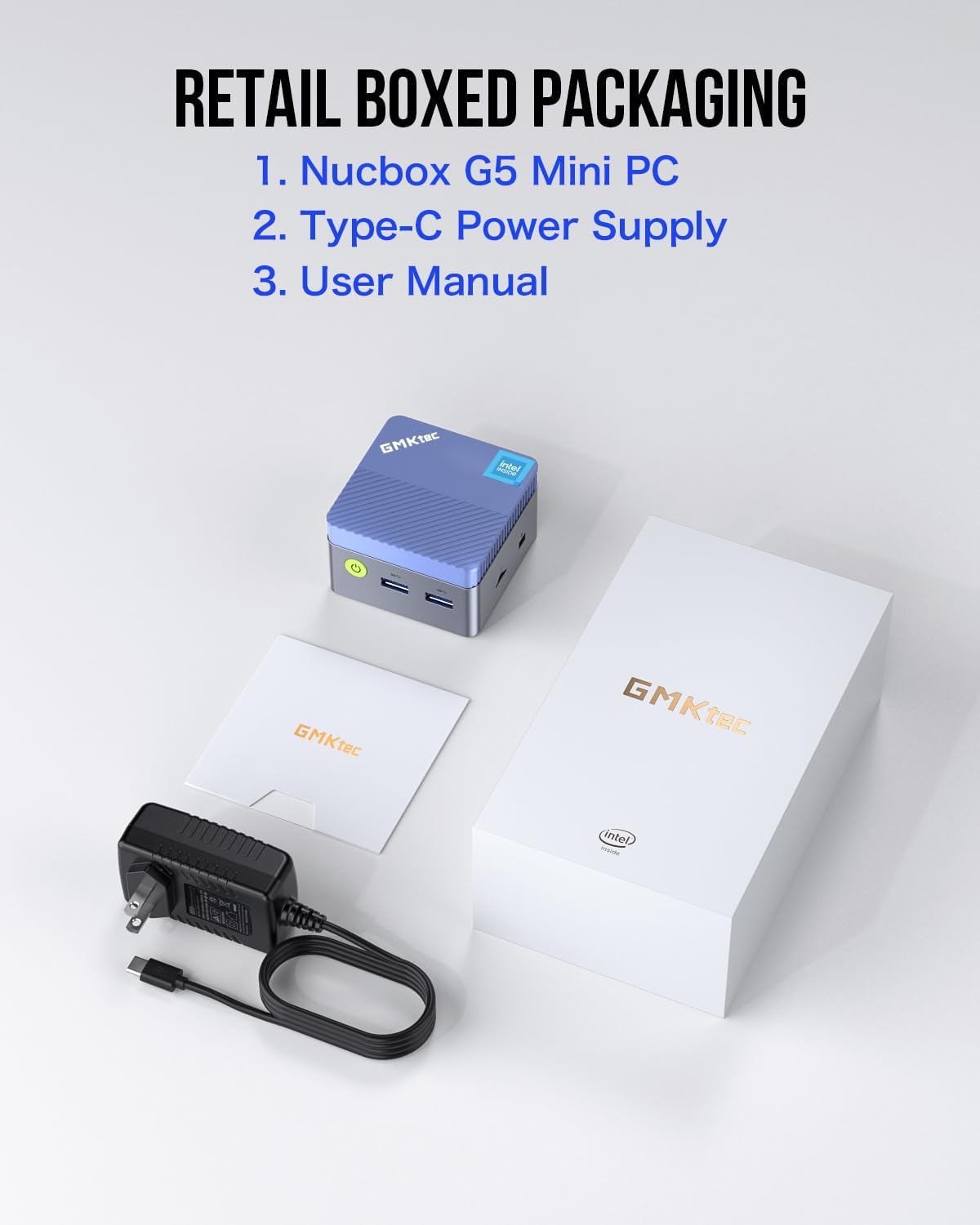
Upon opening your GMKtec G5 Mini PC package, please ensure all the following items are present:
- Nucbox G5 Micro Mini PC
- Adaptador de alimentación tipo C
- Manual de usuario
3. Guía de configuración
Follow these steps to set up your GMKtec G5 Mini PC:
- Conectar á enerxía: Plug the Type-C power adapter into the designated Type-C power port on the mini PC and then into a power outlet.
- Conectar á pantalla: Use an HDMI cable to connect your monitor(s) to the HDMI ports on the mini PC. The G5 supports dual 4K UHD displays.
- Conectar periféricos: Conecta o teclado, o rato e calquera outro dispositivo USB aos portos USB 3.2 dispoñibles.
- Conexión de rede: For a wired connection, connect an Ethernet cable to the Gigabit Ethernet port. For wireless, the device supports Wi-Fi 5 and Bluetooth.
- Encendido: Press the power button on the front of the mini PC to turn it on.


4. Instrucións de funcionamento
The GMKtec G5 Mini PC comes with Windows 11 Pro pre-installed, providing a familiar and user-friendly operating environment. Upon first boot, follow the on-screen instructions to complete the Windows setup process.
Configuración da BIOS
The Nucbox G5 mini desktop PC allows you to configure various BIOS settings, including Auto Power On and Wake on LAN, which can be accessed through the operating system or during startup (refer to the user manual for specific key presses to enter BIOS).
5. Características clave
- Procesador potente: Equipped with the latest 12th Gen Intel Alder Lake N97 processor (4C/4T, 6MB Cache, Up to 3.6GHz, 12W TDP), offering significant performance improvements over previous generations.
- Gráficos integrados: Features an upgraded Intel UHD Graphics 24 EUs 1.20GHz, providing 4K UHD high-definition output with a resolution of 4096 x 2160@60Hz.
- Soporte de pantalla dual: With dual HDMI ports, you can connect two screens simultaneously for an expanded workspace and enhanced visual experience.
- Conectividade versátil: Includes 3x USB 3.2 ports, 2x HDMI ports, 1x Gigabit Ethernet Port, 1x 3.5mm Audio Jack, 1x Micro SD Card Slot, and 1x Type-C Power port, allowing easy connection to various devices.
- Refrixeración eficiente: Designed with a cool, practically silent fan that remains quiet even under load, ensuring minimal noise disruption.
- Compacto e portátil: One of the smallest computers on the market, featuring a pocket-friendly ergonomic body design.

6. Especificacións técnicas
| Característica | Especificación |
|---|---|
| Marca | GMKtec |
| Serie | Nucbox G5 |
| Número de modelo | G5 |
| Procesador | 12th Gen Intel Alder Lake N97 (4C/4T, up to 3.6GHz) |
| RAM | 12 GB de LPDDR5 (4800 MHz) |
| Disco duro | 256 GB M.2 2242 SATA/PCIEx2 (Max 2TB) |
| Coprocesador gráfico | Intel UHD Graphics 24 EUs 1.20GHz |
| Resolución máxima de pantalla | 3840 x 2160 píxeles (4K a 60 Hz) |
| Sistema Operativo | OS Pro (Windows 11 Pro pre-installed) |
| Tipo sen fíos | Bluetooth, 5 GHz Radio Frequency, 802.11a/b/g/n/ac, 2.4 GHz Radio Frequency |
| Portos | 3x USB 3.2, 2x HDMI, 1x Gigabit Ethernet, 1x 3.5mm Audio, 1x Micro SD Card Slot, 1x Type-C Power |
| Peso do elemento | 1.19 libras |
| Dimensións do produto | 10 x 2 x 2.7 polgadas |
| Cor | Azul |
7. Mantemento
To ensure the longevity and optimal performance of your GMKtec G5 Mini PC, consider the following maintenance tips:
- Manter limpo: Regularly clean the exterior of the mini PC with a soft, dry cloth. Avoid using liquid cleaners directly on the device.
- Asegurar a ventilación: Place the mini PC in a well-ventilated area to prevent overheating. Do not block the ventilation grilles. The built-in silent fan is designed to keep temperatures low.
- Actualizacións de software: Keep your operating system (Windows 11 Pro) and drivers updated to ensure security and performance improvements.
- Copia de seguridade de datos: Fai copias de seguridade dos datos importantes con regularidade nun disco duro externo ou nun almacenamento na nube para evitar a perda de datos.
8 Solución de problemas
If you encounter any issues with your GMKtec G5 Mini PC, try the following troubleshooting steps:
- Sen enerxía: Ensure the Type-C power adapter is securely connected to both the mini PC and a working power outlet. Try a different outlet if necessary.
- Sen visualización: Check that the HDMI cables are firmly connected to both the mini PC and the monitor(s). Verify the monitor input source is set correctly.
- Periféricos que non responden: Try connecting the keyboard/mouse to a different USB port. Restart the mini PC.
- Rendemento lento: Close unnecessary applications. Check for background updates. Ensure adequate ventilation to prevent thermal throttling.
- Problemas de rede: For wired connections, check the Ethernet cable and router. For Wi-Fi, ensure the network is available and the password is correct. Restart your router and the mini PC.
9. Garantía e soporte
GMKtec offers a 1-year limited warranty for each mini PC, starting from the date of purchase. This warranty covers all defects due to design and workmanship. For any support inquiries or to claim warranty service, please refer to the contact information provided in your product packaging or visit the official GMKtec website. A professional after-sales team is available to assist you with your needs.


