1. Produto rematadoview
The Nacon Bigben Mini-Charger (Model: PS5CHARGEPAD) is a compact and efficient charging solution designed specifically for your PlayStation 5 DualSense and DualSense Edge wireless controllers. This charger integrates seamlessly with your PS5 console, utilizing its USB-C port to provide power. Its foldable design allows for convenient storage and portability, maximizing your gaming space.
Características principais:
- Direct connection to PS5 USB-C port.
- Compatible with PS5 DualSense and DualSense Edge controllers.
- Foldable design for space-saving storage.
- Efficient charging, approximately 3 hours for a full charge.

Image 1.1: The Nacon Bigben Mini-Charger securely attached to a PlayStation 5 console, with a DualSense controller docked for charging.
2. Instrucións de configuración
Follow these steps to properly set up your Nacon Bigben Mini-Charger:
- Locate USB-C Port: Identify an available USB-C port on your PlayStation 5 console. This charger is designed to connect directly to the console.
- Inserir o cargador: Carefully insert the USB-C connector of the Nacon Bigben Mini-Charger into the PS5's USB-C port. Ensure the connection is firm and secure. Avoid applying excessive force.
- Unfold Charger (if applicable): If the mini-charger is in its folded state, gently unfold it to its operational position, ready to receive a controller.

Imaxe 2.1: Detallada view of the Nacon Bigben Mini-Charger's USB-C connector, which plugs into the PS5 console.

Image 2.2: The Nacon Bigben Mini-Charger unfolded, displaying the charging contacts for the controller.
3. Instrucións de funcionamento
To charge your controller using the Nacon Bigben Mini-Charger:
- Prepare Controller: Ensure your DualSense or DualSense Edge controller is ready for charging.
- Dock Controller: Align the controller's USB-C charging port with the charging plug on the mini-charger. Gently place the controller onto the charger until it is securely seated.
- Verificar a carga: The controller's light bar will typically indicate its charging status (e.g., pulsing orange). A full charge for a depleted controller usually takes approximately 3 hours.
- Eliminar controlador: Once charging is complete, carefully lift the controller from the mini-charger.
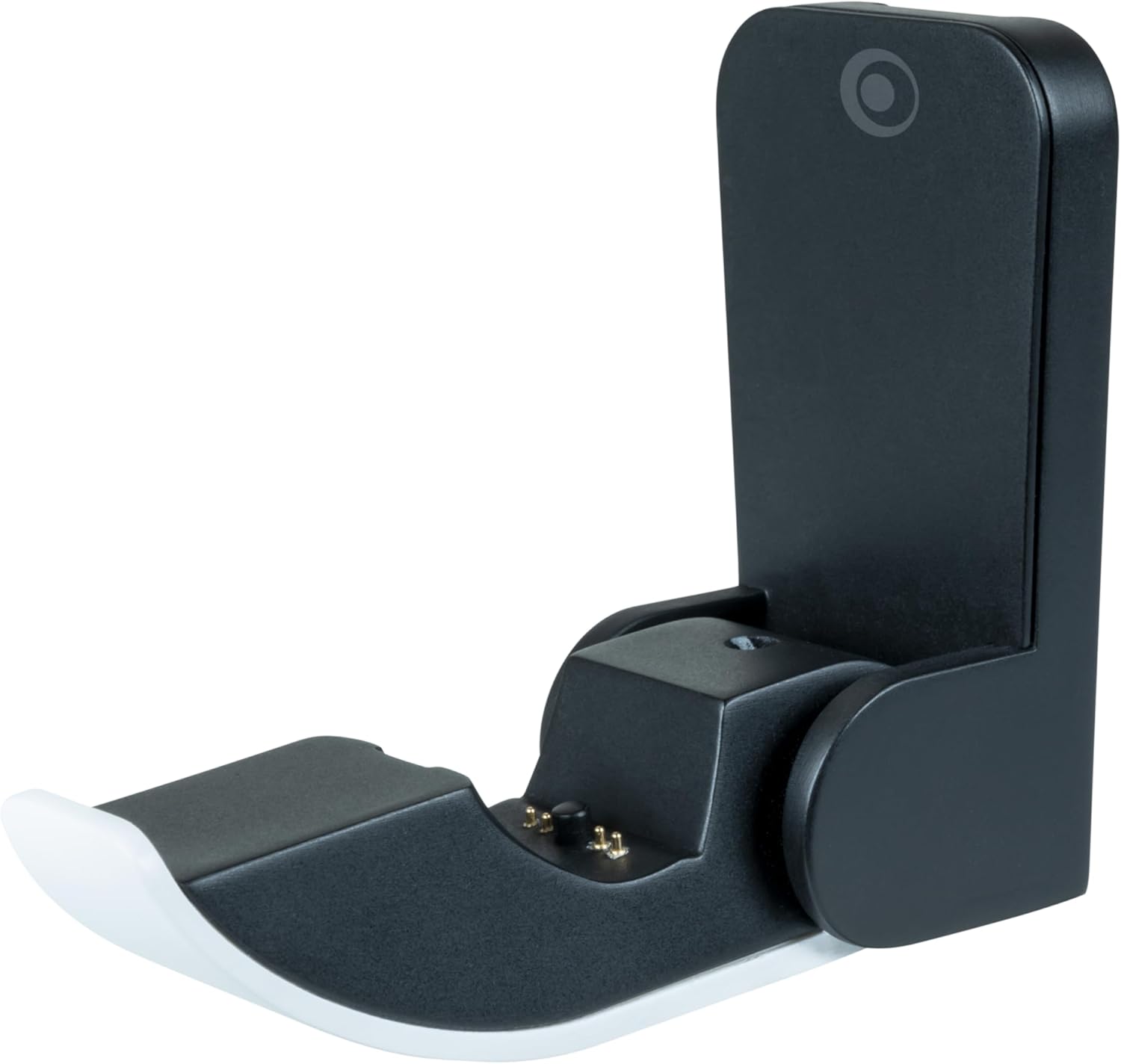
Imaxe 3.1: Un lado profile of the Nacon Bigben Mini-Charger, illustrating the docking mechanism for a PS5 controller.
4. Mantemento
Proper maintenance ensures the longevity and optimal performance of your mini-charger:
- Limpeza: Disconnect the charger from the PS5 console before cleaning. Use a soft, dry, lint-free cloth to wipe the surfaces of the charger. Do not use liquid cleaners, sprays, or abrasive materials, as these can damage the product.
- Almacenamento: When not in use, the mini-charger can be folded to reduce its size, making it easy to store or transport. Store in a cool, dry place away from direct sunlight and extreme temperatures.
- Manexo: Handle the charger with care. Avoid dropping it or subjecting it to strong impacts, which could damage internal components or the USB-C connector.
5 Solución de problemas
If you encounter issues with your Nacon Bigben Mini-Charger, refer to the following common problems and solutions:
- O controlador non está cargando:
- Ensure the mini-charger is fully and securely inserted into the PS5's USB-C port.
- Verify that the DualSense or DualSense Edge controller is correctly aligned and seated on the charger's plug. Sometimes a slight adjustment is needed.
- Confirm that your PS5 console is powered on or in Rest Mode with the "Supply Power to USB Ports" setting enabled (check PS5 system settings).
- Test with a different compatible controller if available, to rule out an issue with the controller itself.
- Charger Feels Loose in PS5 Port:
- Ensure the charger is pushed all the way into the USB-C port.
- Avoid wiggling the charger excessively once connected, as this can stress the port.
- Carga lenta:
- Ensure the PS5 console is providing adequate power to the USB-C port.
- Charging time may vary slightly depending on the controller's battery level and console power settings.
6. Especificacións
| Característica | Detalle |
|---|---|
| Número de modelo | PS5CHARGEPAD |
| Dimensións do produto | 2.99 x 1.81 x 1.42 polgadas |
| Peso do elemento | 0.003 onzas |
| Tipo de conector | USB tipo C |
| Dispositivos compatibles | PS5 DualSense and DualSense Edge Controllers |
| Vol. De entradatage | 5 voltios |
| Total de portos USB | 1 |
| Wattage | 10 vatios |
| Cor | Branco/Negro |
7. Garantía e soporte
For detailed warranty information, product registration, and technical support, please refer to the official documentation provided with your purchase or visit the NACON Store ou o seu funcionario websitio. Garda o comprobante de compra para reclamacións de garantía.


