1. Introdución
This manual provides detailed instructions for the proper use and maintenance of your Sandberg Pocket Radio FM+AM Recharge, Model 421-02. Please read this manual thoroughly before operating the device to ensure optimal performance and longevity.
2. Produto rematadoview
The Sandberg Pocket Radio is a compact, portable device designed for receiving FM and AM radio broadcasts. It features a built-in rechargeable battery and a digital display for easy tuning.
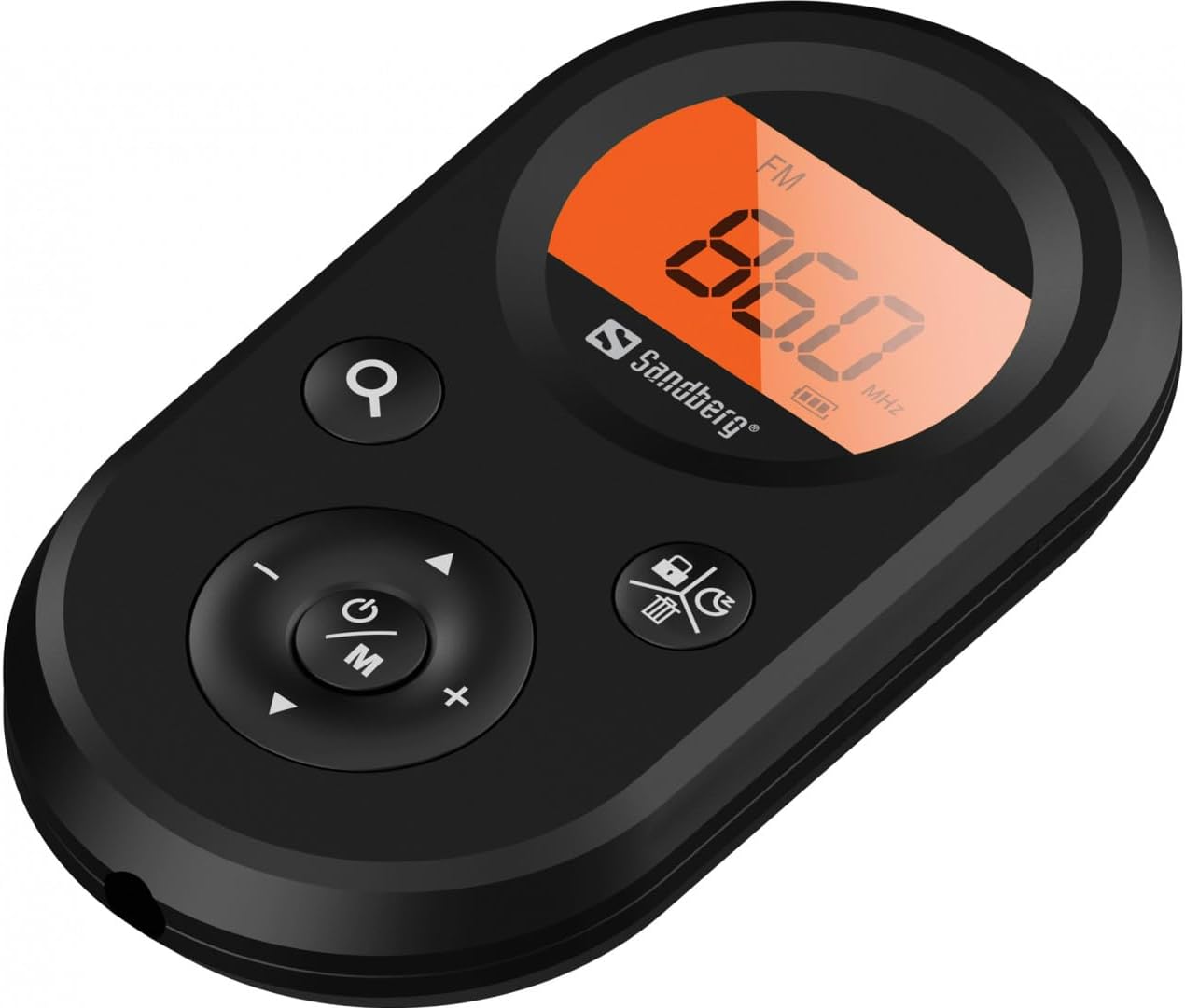
Figura 1: Fronte view of the Sandberg Pocket Radio, displaying the frequency and controls.
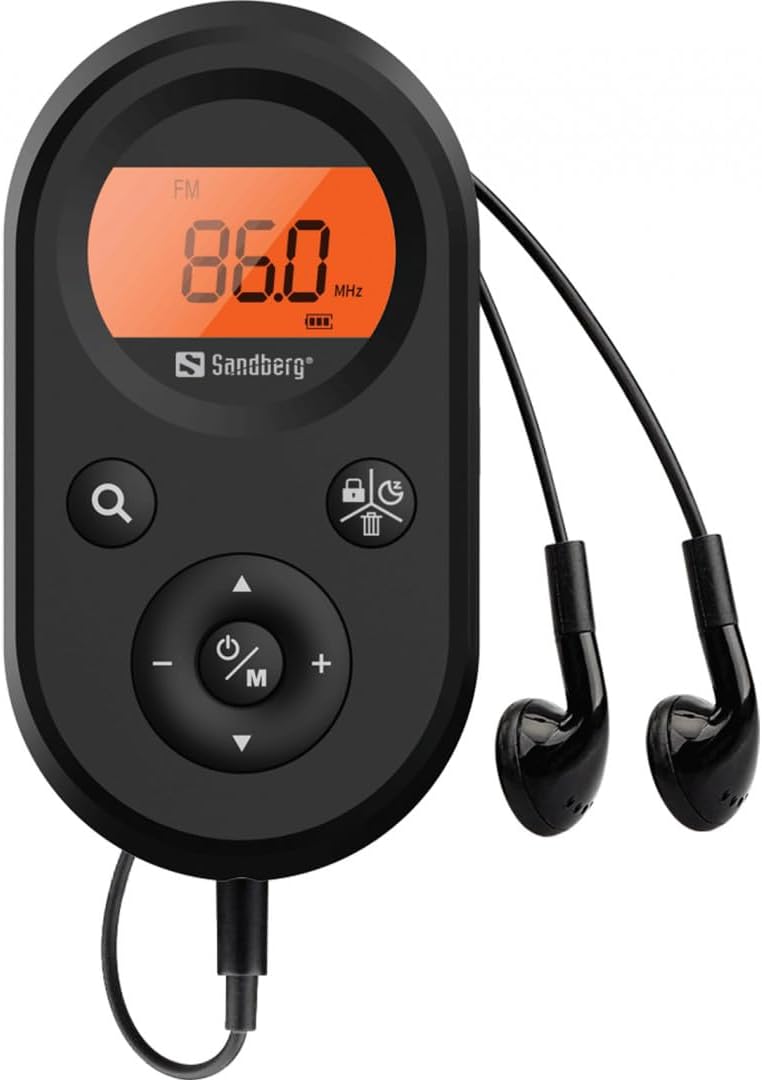
Figure 2: The radio connected to the included earphones, which also function as the FM antenna.
Contido do paquete:
- 1 x Sandberg Pocket Radio FM+AM Recharge (Model 421-02)
- 1 x auricular
- 1 x Charging cable (USB-A to USB-C, 50 cm)
3. Configuración
3.1 Carga da batería
- Connect the small end of the included USB-C charging cable to the charging port on the radio.
- Connect the standard USB-A end of the cable to a USB power adapter (not included) or a computer's USB port.
- The radio's display will indicate charging status. A full charge typically takes a few hours.
- Disconnect the charging cable once the battery is fully charged.
3.2 Conexión dos auriculares
The included earphones are essential for operation as they serve as the antenna for FM reception. Without them, FM reception will be severely limited or non-existent.
- Insert the 3.5mm jack of the earphones into the earphone port on the radio.
- Asegúrese de que a conexión é segura.
4. Instrucións de funcionamento
4.1 Encendido/apagado
- Para acender a radio, manteña premido o botón Power/Mode (ⓘ/M) button for approximately 2-3 seconds. The display will light up.
- Para apagar a radio, manteña premido o botón Power/Mode (ⓘ/M) button again for approximately 2-3 seconds. The display will turn off.
4.2 Mode Selection (FM/AM)
- While the radio is powered on, short press the Power/Mode (ⓘ/M) button to switch between FM and AM radio bands. The current band will be indicated on the display.
4.3 Estacións de sintonización
- Escaneado automático: To automatically scan for and store available stations, press and hold the Search (⌕) button. The radio will scan through the frequency range and save stations with strong signals.
- Sintonización manual: To manually tune to a specific frequency, short press the Arriba (▲) or Abaixo (▼) buttons to adjust the frequency incrementally.
4.4 Control de volume
- Para aumentar o volume, prema o botón Subir volume (+) botón.
- Para diminuír o volume, prema o botón Baixar volume (-) botón.
4.5 Mostrar información
The digital display shows the current radio band (FM or AM), the tuned frequency, and the battery level indicator.
5. Mantemento
5.1 Limpeza
- Limpa o exterior da radio cun pano suave e seco.
- Do not use abrasive cleaners, solvents, or strong chemicals, as these can damage the surface.
- Evite a entrada de humidade en calquera abertura.
5.2 Coidado coa batería
- Para prolongar a duración da batería, evite descargala completamente con frecuencia.
- Garde a radio nun lugar fresco e seco cando non a utilice durante períodos prolongados.
- Recargue a batería periodicamente se a garda durante moito tempo para evitar unha descarga profunda.
6 Solución de problemas
- Sen enerxía: Ensure the battery is charged. Connect the radio to a power source using the USB-C cable.
- Sen son: Check that the earphones are securely plugged in. Adjust the volume using the Subir volume (+) botón.
- Mala recepción de FM: Ensure the earphones are fully plugged in, as they function as the FM antenna. Try repositioning the radio or the earphone cable for better signal.
- Cannot Save Favorite Stations: This model does not support saving favorite radio stations. Stations are found via automatic scan or manual tuning each time.
- A pantalla non funciona: If the display is blank or flickering, try recharging the battery. If the issue persists, contact customer support.
7. Especificacións
| Característica | Especificación |
|---|---|
| Número de modelo | 421-02 |
| Rango de frecuencia AM | 522-1710 KHz (9KHz) / 520-170KHz (10KHz) |
| Rango de frecuencia FM | 76-108 MHz |
| Sensibilidade AM | <20mV/m |
| FM Signal to Noise Ratio | > 40 db |
| Potencia máxima de saída | 6.5 mW |
| Capacidade da batería | 5000 mAh, 3.7V (1.85 Wh) |
| Tecnoloxía de conectividade | Auxiliary (for earphones/antenna) |
| Fonte de enerxía | Alimentado por batería |
| Peso do elemento | 60 gramos (2.12 onzas) |
8. Garantía e soporte
Sandberg products are manufactured to high quality standards. For information regarding warranty terms and conditions, or for technical support, please refer to the official Sandberg websitio web ou póñase en contacto directamente co servizo de atención ao cliente. Garde o recibo da compra como proba de compra.


