1. Introdución
This manual provides detailed instructions for the safe and effective operation, maintenance, and troubleshooting of the Firecore FRL300R Rotary Laser Level. Please read this manual thoroughly before using the device to ensure optimal performance and safety.
2. Información de seguridade
Siga sempre as seguintes pautas de seguridade para evitar lesións e danos no dispositivo:
- Radiación láser: This product emits Class 2 laser radiation. Do not stare directly into the laser beam. Avoid direct eye exposure.
- Entorno operativo: Use the device in a well-ventilated area. Avoid operating in extremely dusty, humid, or explosive environments.
- Seguridade da batería: Use only the specified rechargeable battery. Do not short-circuit, disassemble, or expose the battery to high temperatures.
- Mantemento: Do not attempt to repair or modify the device yourself. Refer all servicing to authorized personnel.
- Almacenamento: Store the device in its protective case in a cool, dry place, away from direct sunlight and extreme temperatures.
3. Contido do paquete
Verifique que todos os elementos que se indican a continuación estean incluídos no seu paquete:
- Firecore FRL300R Rotary Laser Level Unit
- Dedicated Laser Receiver (FRD100)
- Control remoto
- Rechargeable Battery (1 unit)
- Adaptador de CA
- Cable de carga tipo C
- Estuche de almacenamento
- Japanese Instruction Manual (Please refer to this English manual for detailed instructions)

Image: The Firecore FRL300R Rotary Laser Level, its dedicated receiver, remote control, and accessories neatly packed within the durable storage case.
4. Produto rematadoview
The Firecore FRL300R is a robust and precise rotary laser level designed for various leveling and surveying tasks. Its ergonomic design ensures ease of handling and durability in demanding work environments.

Image: The main unit of the Firecore FRL300R Rotary Laser Level, its accompanying laser receiver, and the protective carrying case.

Imaxe: Primeiro plano view of the Firecore FRL300R's control panel and the visible semiconductor red laser technology in operation.

Image: A hand holding the Firecore FRL300R, illustrating its ergonomic design with four handles for comfortable and secure grip.
5. Configuración
- Cargando a batería: Before first use, fully charge the included rechargeable battery using the AC adapter and Type-C charging cable. The 3-stage indicator on the unit will show the charging status. Charging is possible even when the unit is in its case or mounted on a tripod.
- Inserción da batería: Open the battery compartment and insert the charged battery, ensuring correct polarity.
- Montaxe da unidade: For accurate measurements, mount the FRL300R on a stable tripod. Ensure the tripod is placed on a firm, level surface.
- Colocación inicial: Place the unit as level as possible manually before turning it on. The auto-leveling function will fine-tune the level within its 5° range.

Image: The Firecore FRL300R Rotary Laser Level connected to a power strip via its Type-C charging cable, indicating its charging capability.
6. Instrucións de funcionamento
The FRL300R offers various modes for different surveying needs. Use the control panel on the unit or the remote control for operation.
6.1. Power On/Off and Auto-Leveling
- Press the power button to turn the unit on. The FRL300R will automatically begin self-leveling within a ±5° range. No bubble tubes or leveling screws are required.
- Once leveled, the laser beam will rotate, indicating it is ready for use.

Image: The Firecore FRL300R Rotary Laser Level mounted on a tripod, demonstrating its automatic leveling function within a ±5° range.
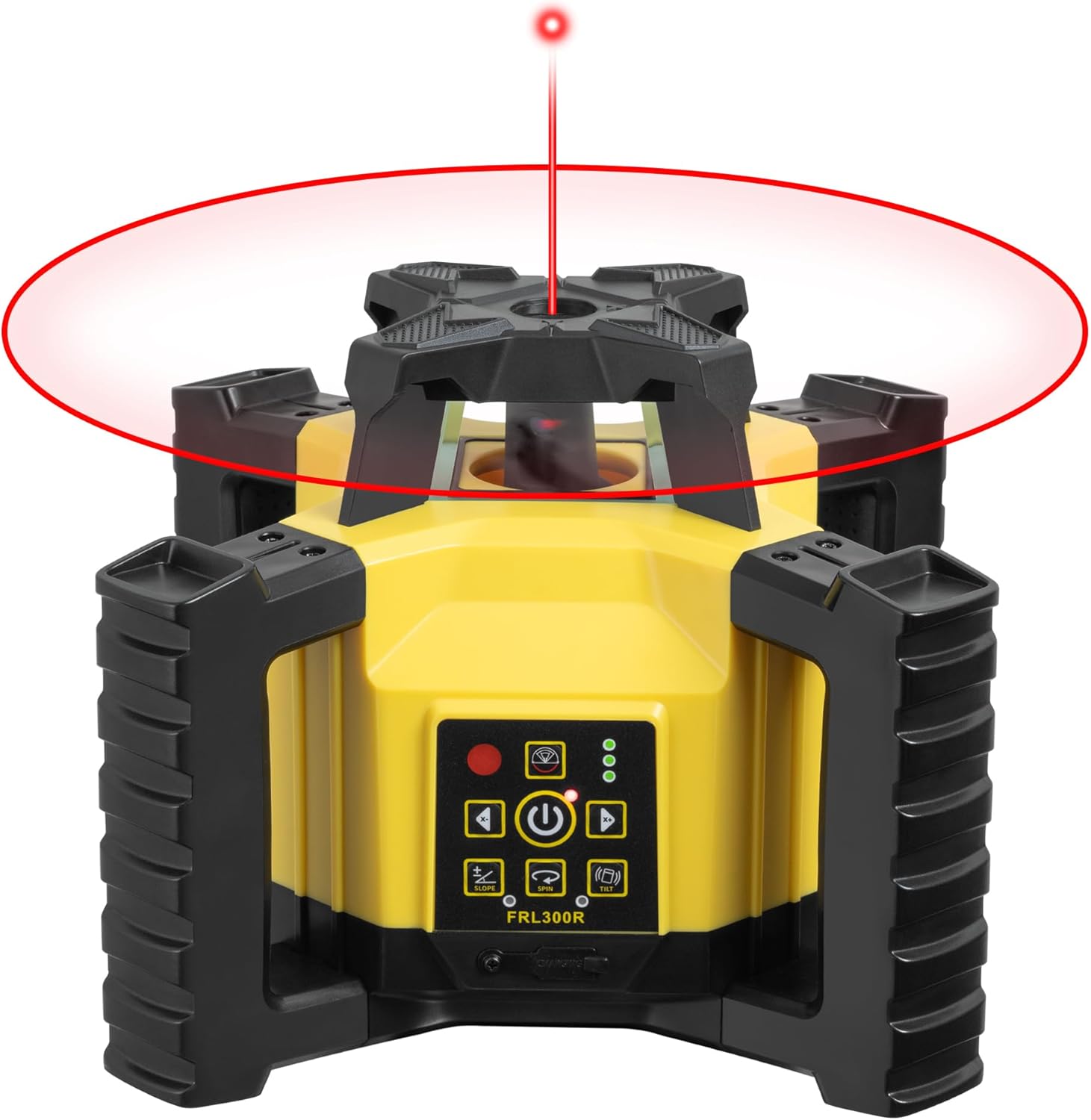
Image: The Firecore FRL300R Rotary Laser Level actively emitting a 360-degree rotating red laser beam, creating a visible horizontal plane.
6.2. Slope Setting Function
- The FRL300R features a convenient slope mode for setting gradients along the X-axis.
- Activate the slope mode using the dedicated button on the control panel or remote.
- Adjust the slope as required for specific civil engineering or construction tasks.

Image: The Firecore FRL300R Rotary Laser Level on a tripod, with an overlay indicating its slope setting capability for X-axis gradient adjustments.
6.3. Modo de pulso
- Engage pulse mode for use with the dedicated laser receiver (FRD100) in bright conditions or over long distances (up to 300m diameter).
- The receiver will detect the pulsed laser beam, providing audible and visual indications for precise leveling.

Image: A construction worker using the Firecore FRL300R Rotary Laser Level with the laser receiver in pulse mode to accurately measure a level line on a construction site.
6.4. Impact/Tilt Warning Mode
- The unit is equipped with an impact/tilt warning mode. If the device experiences significant shaking or impact while the laser is active, it will stop rotating.
- The laser head will flash to alert the operator of the disturbance, ensuring measurement accuracy is maintained.

Image: The Firecore FRL300R Rotary Laser Level in a construction setting, illustrating its warning mode where the unit stops rotation if moved or impacted.
6.5. Operación de control remoto
- The included remote control allows for convenient operation of the FRL300R from a distance, mirroring the functions available on the main unit.
Image: A hand holding the remote control for the Firecore FRL300R Rotary Laser Level, demonstrating its remote operation capability on a construction site.
7. Mantemento
- Limpeza: After each use, wipe the device with a soft, dry cloth. Do not use abrasive cleaners or solvents. Ensure the laser output window is clean for optimal performance.
- Almacenamento: Always store the FRL300R in its original protective case when not in use. This protects it from dust, moisture, and physical damage.
- Coidado da batería: If storing for an extended period, ensure the battery is partially charged (around 50%) and remove it from the unit. Recharge periodically to maintain battery health.
- Clasificación IP55: The device has an IP55 dustproof and waterproof rating, making it resistant to dust ingress and low-pressure water jets. However, it is not designed for submersion. Clean off any mud or debris promptly.

Image: The Firecore FRL300R Rotary Laser Level being subjected to dust and water, illustrating its IP55 dustproof and waterproof capabilities.
8 Solución de problemas
| Problema | Causa posible | Solución |
|---|---|---|
| O láser non se acende. | A batería está baixa ou non está inserida correctamente. | Cargue a batería completamente. Asegúrese de que a batería estea inserida coa polaridade correcta. |
| Laser beam is not rotating or flashing. | Unit is not level (outside ±5° auto-leveling range) or has been impacted. | Manually adjust the unit to be closer to level. If impacted, the warning mode may be active; reposition the unit and restart. |
| Medicións inexactas. | Unit is not stable, or laser output window is dirty. | Ensure the tripod is stable and on a firm surface. Clean the laser output window. |
| O control remoto non funciona. | Remote battery is low or line of sight is obstructed. | Replace remote control batteries. Ensure clear line of sight between remote and unit. |
If the problem persists after attempting these solutions, please contact Firecore customer support.
9. Especificacións
| Característica | Especificación |
|---|---|
| Modelo | FRL300R |
| Marca | Firecore |
| Precisión horizontal | ± 3 mm/30 m |
| Measurement Range (Diameter) | 300 m |
| Auto-Leveling Range | ± 5° |
| Norma de seguridade do láser | Clase 2 |
| Saída láser | Menos de 1 mW |
| Tipo de batería | Polímero de litio |
| Tempo de uso continuo | Ata 15 horas |
| Clasificación de resistencia ao po/á auga | IP55 |
| Dimensións do produto | 26.5 cm (longitud) x 22 cm (ancho) x 0.1 cm (alto) |
| Peso do produto | 4.4 kg |
| Material | Plástico |
| Cor | Amarelo |
10. Garantía e soporte
For warranty information, technical support, or service inquiries, please contact Firecore customer service through the official channels provided at the time of purchase or on the Firecore brand website. Please have your product model (FRL300R) and purchase details ready when contacting support.


