1. Introdución
1.1 Produto superadoview
The SCS Sentinel AAA0045 Wireless Code Keypad is designed to provide secure and convenient access control for your automated gate or garage door motorization system. This keypad allows users to open your gate partially or totally by entering a personalized 8-digit code. It operates wirelessly at a frequency of 433.92 MHz and offers a range of up to 50 meters.
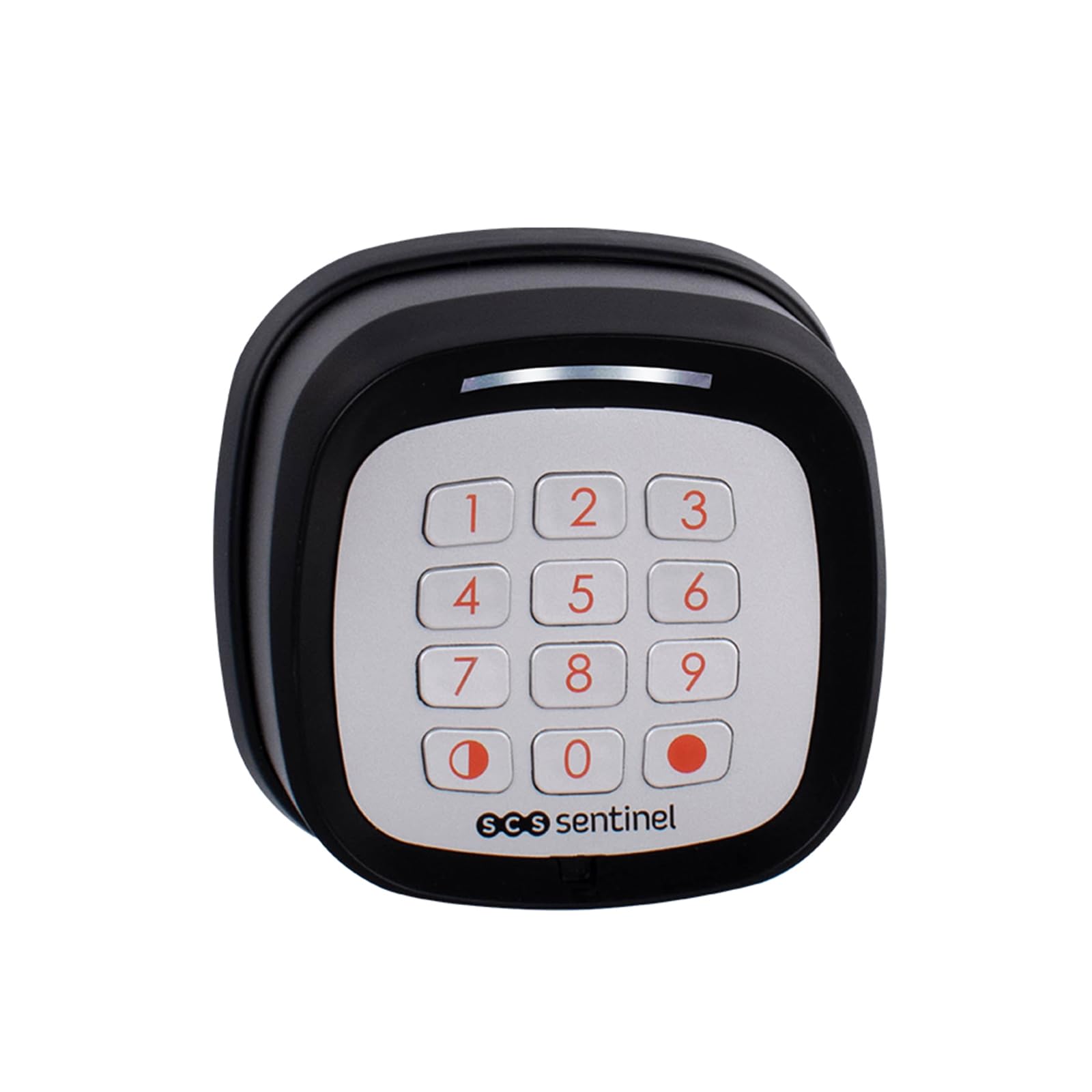
Image 1.1: SCS Sentinel AAA0045 Wireless Code Keypad in operation.
1.2 Características principais
- Operación sen fíos: Easy installation without the need for complex wiring.
- Compatibilidade: Designed for use with SCS Sentinel motorizations.
- Frecuencia: Operates at 433.92 MHz.
- Control de acceso: Supports both total and partial gate opening functions.
- Secure Code: Features a customizable 8-digit rolling code for enhanced security.
- Fonte de enerxía: Requires 2 CR2032 batteries (not supplied).
- Resistencia á intemperie: IP55 protection rating, safeguarding against water splashes.
- Alerta de batería baixa: Includes an audible warning for low battery levels.
- Rango: Effective operating range of up to 50 meters.
2. Información de seguridade
Please read all safety instructions carefully before installing and operating the keypad. Failure to follow these instructions may result in damage to the product or personal injury.
- Do not expose the keypad to extreme temperatures, direct sunlight for prolonged periods, or corrosive substances.
- Asegúrate de que as pilas estean inseridas coa polaridade correcta. Non mestures pilas vellas e novas, nin pilas de diferentes tipos.
- Manteña as pilas fóra do alcance dos nenos. En caso de ingestión, busque atención médica inmediata.
- The IP55 rating protects against water splashes, but the device is not designed for submersion in water.
- Only use the keypad with compatible SCS Sentinel motorizations.
3. Contido do paquete
Comprobe que todos os elementos estean presentes no paquete antes de continuar coa instalación:
- SCS Sentinel AAA0045 Wireless Code Keypad
- Mounting hardware (screws and wall plugs)
- Manual de usuario

Image 3.1: Package contents of the AAA0045 Wireless Code Keypad.
4. Configuración e instalación
4.1 Instalación da batería
The keypad requires two CR2032 batteries (not included) for operation.
- Carefully open the battery compartment located on the back of the keypad.
- Insira dúas pilas CR2032, asegurándose de manter a polaridade correcta (+/-) como se indica no interior do compartimento.
- Pecha o compartimento da batería de forma segura.
4.2 Montaxe do teclado numérico
The keypad is designed for surface mounting. Choose a suitable location near your gate or entrance, ensuring it is within the 50-meter operating range of your SCS Sentinel motorization.
- Mark the desired mounting points on the wall or surface using the keypad as a template.
- Perforar buratos piloto nos lugares sinalados.
- Insert the provided wall plugs into the drilled holes (if mounting on masonry).
- Secure the keypad to the surface using the provided screws. Ensure it is firmly attached.

Imaxe 4.1: Lateral view of the keypad, illustrating its design for surface mounting.
4.3 Pairing with Motorization
To enable the keypad to control your gate or garage door, it must be paired with your SCS Sentinel motorization. The exact pairing procedure may vary slightly depending on your specific motorization model. Refer to your motorization's instruction manual for detailed pairing steps. Generally, the process involves:
- Activating the learning mode on your SCS Sentinel motorization's control board.
- Entering a specific sequence or pressing a button on the keypad within a short timeframe.
- Confirming successful pairing, usually indicated by a light or sound from the motorization.
5. Instrucións de funcionamento
5.1 Entering a Code for Access
The keypad allows for both total and partial opening of your gate or garage door, depending on how it was programmed with your motorization.
- To activate the keypad, gently press any key. The keypad will illuminate.
- Enter your personalized 8-digit access code.
- Press the designated confirmation key (e.g., the red dot key or a specific number key, as per your programming).
- The gate or garage door will perform the programmed action (total or partial opening).

Image 5.1: Operating the keypad by entering an access code.
5.2 Changing the Access Code
The AAA0045 keypad features a customizable 8-digit code. The procedure for changing the code is typically performed through the motorization's control unit or via a specific sequence on the keypad after entering a master code. Refer to your SCS Sentinel motorization manual for detailed instructions on how to modify or personalize your access code.
6. Mantemento
6.1 Substitución da batería
The keypad will emit an audible warning when the batteries are low. Replace the batteries promptly to ensure continuous operation.
- Open the battery compartment on the back of the keypad.
- Retire as pilas CR2032 vellas.
- Insert two new CR2032 batteries, observing correct polarity.
- Pecha o compartimento da batería de forma segura.
6.2 Limpeza
Para limpar o teclado, use un pano suave eamp cloth. Do not use abrasive cleaners, solvents, or harsh chemicals, as these can damage the keypad's surface or internal components.
7 Solución de problemas
If you encounter issues with your SCS Sentinel AAA0045 Wireless Code Keypad, consider the following:
- O teclado non responde: Comprobe se as baterías están instaladas correctamente e teñen a carga suficiente. Substitúaas se é necesario.
- Alcance limitado: Ensure there are no significant obstructions between the keypad and the motorization's receiver. Check for sources of interference (e.g., other wireless devices).
- Incorrect code entry: Ensure you are entering the correct 8-digit code. The keypad has sensitive keys; a light press is sufficient.
- Keypad not controlling motorization: Verify that the keypad is correctly paired with your SCS Sentinel motorization. If unsure, repeat the pairing process as described in your motorization's manual.
- Funcionamento intermitente: This could indicate low battery power or environmental interference.
Para problemas máis complexos ou se os pasos de resolución de problemas non resolven o problema, póñase en contacto co servizo de asistencia técnica de SCS Sentinel.
8. Especificacións
| Característica | Especificación |
|---|---|
| Marca | SCS Sentinel |
| Número de modelo | AAA0045 |
| Cor | Negro |
| Tecnoloxía de conectividade | Sen fíos |
| Dispositivos compatibles | SCS Sentinel Motorizations |
| Fonte de enerxía | 2 x CR2032 Batteries (not supplied) |
| Rango máximo | 50 metros |
| Clasificación de protección | IP55 (Protected against water splashes) |
| Peso do elemento | 117 gramos |
| Método de control | Pulsador |
| Tipo de alerta | Audio Only (Low battery) |
9. Garantía e soporte
9.1 Garantía do fabricante
The SCS Sentinel AAA0045 Wireless Code Keypad comes with a 2 anos de garantía do fabricanteConserva o comprobante de compra para reclamacións de garantía.
9.2 Soporte técnico
SCS Sentinel offers technical assistance to help you with the installation and use of your product. Our technical team, based in France, is available to provide expert and personalized advice. Your satisfaction is our priority.
For support, please refer to the contact information provided with your product or visit the official SCS Sentinel websitio.


