
1. Introdución
Welcome to the HOTWAV Hyper 7 Pro rugged smartphone user manual. This guide will assist you in understanding and utilizing all the features of your new device. The Hyper 7 Pro is designed for durability and high performance, featuring Android 14, 5G connectivity, a 200MP camera, and a large 10800mAh battery.
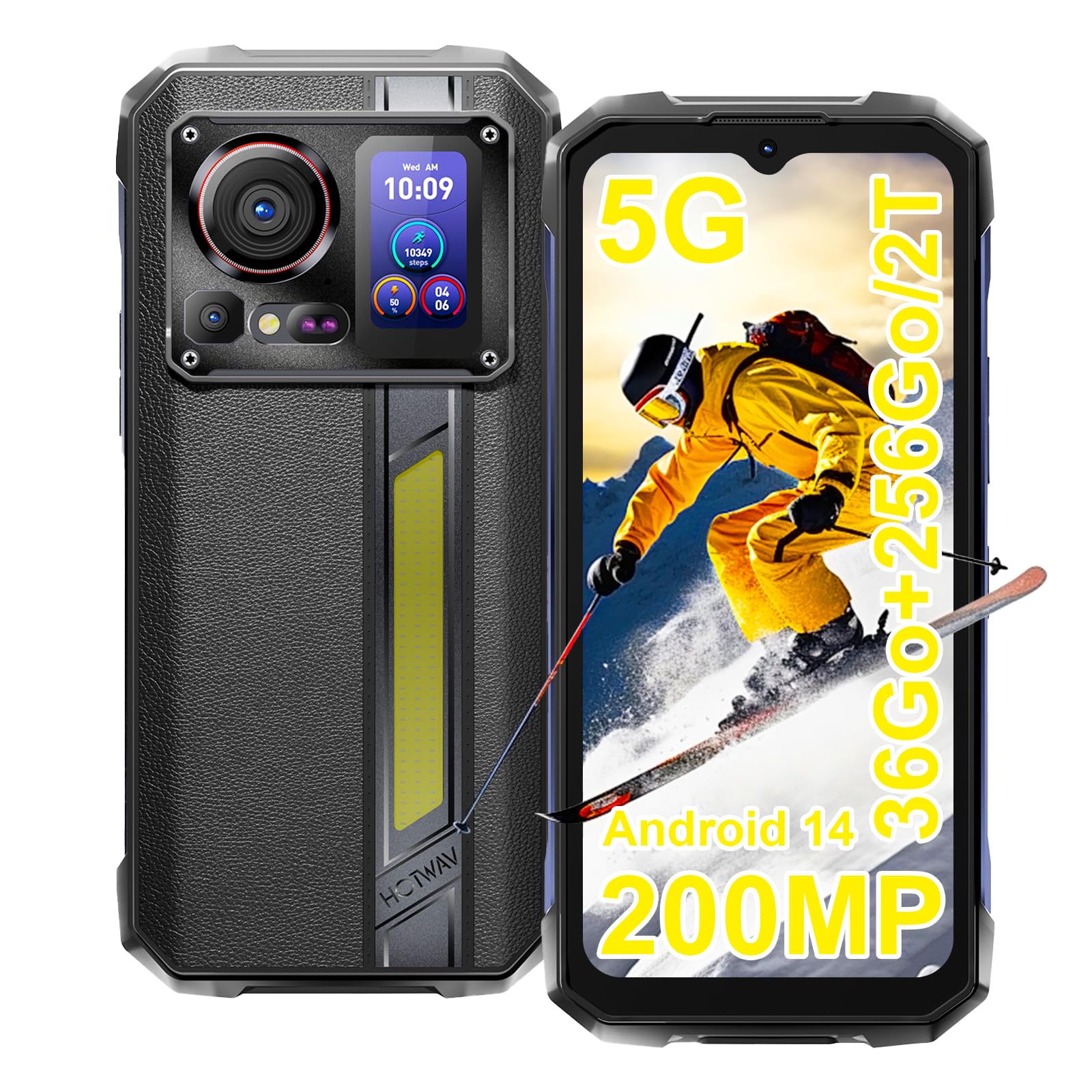
Image: The HOTWAV Hyper 7 Pro rugged smartphone, showcasing its robust design and rear display.
2. Que hai na caixa
Upon unboxing your HOTWAV Hyper 7 Pro, please ensure all the following items are present:
- HOTWAV Hyper 7 Pro Smartphone
- Cable USB Tipo-C
- Adaptador de alimentación (33 W)
- Ferramenta de expulsión de SIM
- Pre-applied Screen Protector (Gorilla Glass)
- Additional Screen Protector
- Manual de usuario

Image: All items included in the HOTWAV Hyper 7 Pro package, including the phone, charger, cables, and documentation.
3. Guía de configuración
3.1. Instalación de tarxetas SIM e tarxetas MicroSD
- Localiza a bandexa da tarxeta SIM no lado esquerdo do dispositivo.
- Insira a ferramenta de expulsión da tarxeta SIM no pequeno orificio que hai xunto á bandexa e prema suavemente ata que esta saia.
- Coloque a(s) tarxeta(s) nano-SIM e/ou unha tarxeta microSD (ata 2 TB) nas ranuras designadas da bandexa. Asegúrese de que os contactos dourados estean orientados cara abaixo.
- Volva inserir a bandexa con coidado no teléfono ata que encaixe no seu lugar.
3.2. Acendido inicial e configuración básica
- Press and hold the Power button (located on the right side) until the HOTWAV logo appears.
- Segue as instrucións na pantalla para seleccionar o idioma, conectarte a unha rede wifi e configurar a túa conta de Google.
- Configure your preferred security methods, such as Face ID and Fingerprint Unlock.
3.3. Cargando o dispositivo
Antes do primeiro uso, recoméndase cargar completamente o dispositivo.
- Conecta o cable USB tipo C ao porto de carga situado na parte inferior do teléfono.
- Connect the other end of the cable to the provided 33W power adapter.
- Conecta o adaptador de corrente a unha toma de corrente. O indicador de carga aparecerá na pantalla.

Image: The HOTWAV Hyper 7 Pro charging with its 33W fast charger, highlighting the OTG function.
4. Instrucións de funcionamento
4.1. Pantalla principal e navegación
The Hyper 7 Pro features a 6.6-inch FHD+ display with a 120Hz refresh rate for smooth interactions. Navigate through the Android 14 interface using standard touch gestures: tap, swipe, pinch-to-zoom.

Image: The vibrant 6.6-inch FHD+ display of the Hyper 7 Pro, showcasing its visual quality.
4.2. Secondary Rear Screen
The innovative secondary screen on the back provides quick access to essential information and controls without activating the main display.
- Visualización do tempo: View hora e data actual.
- Control da cámara: Use como a viewvisor para selfies ou tomas rápidas coa cámara traseira.
- Music Applications: Control playback for music apps.
- Notificacións: See incoming call and message alerts.
- Battery Status & Step Count: Monitor battery level and daily steps.

Image: The versatile secondary display on the back of the Hyper 7 Pro, showing different information widgets.
4.3. Funcións da cámara
The Hyper 7 Pro is equipped with a powerful camera system:
- Cámara traseira: 200MP main sensor for high-resolution photos and a 24MP night vision camera with infrared LEDs for clear images in low light.
- Cámara frontal: 32MP for sharp selfies and video calls.
- AI Algorithms: Enhance saturation for night scenes, portraits, and landscapes.
- Gravación de vídeo: Supports 4K video capture.

Image: A visual comparison demonstrating the superior detail captured by the Hyper 7 Pro's 200MP camera.
4.4. Customizable Side Button
The red side button can be configured for three different actions:
- Prensa individual: Assign to open a specific app or function.
- Prema por dobre: Assign to open a different app or function.
- Prensa longa: Assign to open a third app or function.
Configure these settings in the phone's 'Side Key Function' menu.

Image: The customizable side button on the Hyper 7 Pro, showing how different press actions can launch various applications.
4.5. Conectividade e características especiais
- Rede 5G: Enjoy high-speed internet connectivity.
- Wi-Fi 6 & Bluetooth 5.2: Advanced wireless connectivity for faster speeds and stable connections.
- NFC: For contactless payments and quick pairing with other devices.
- GPS: Integrated GPS, Beidou, Galileo, and GLONASS for precise navigation.
- CampLuz que ilumina: A powerful 280-lumen LED light on the back, with timer and SOS/Flash functions.
- Función OTG: Connect USB devices or use your phone as a power bank to charge other devices.
- Modo luva: Enhanced touch sensitivity for use with gloves.
- Radio FM: Escoita as túas emisoras de radio favoritas.

Image: The powerful LED camping light of the Hyper 7 Pro, demonstrating its illumination capabilities.
5. Mantemento
5.1. Limpeza do dispositivo
The HOTWAV Hyper 7 Pro is IP68/IP69K rated for water and dust resistance. To clean, gently wipe the device with a soft, damp cloth. For stubborn dirt, you may rinse it under low-pressure fresh water, ensuring all ports are securely closed. Avoid using harsh chemicals or abrasive materials.

Image: The Hyper 7 Pro enduring water splashes, highlighting its waterproof design.
5.2. Coidado da batería
Para prolongar a vida útil da túa batería de 10800 mAh:
- Evita temperaturas extremas.
- Use only the provided 33W charger and USB-C cable.
- Non deixes que a batería se descargue completamente con frecuencia.
5.3. Actualizacións de software
Regularly check for and install system updates to ensure optimal performance, security, and access to new features. You can usually find this option in your phone's Settings menu under 'System' or 'About phone'.
5.4. Xestión do almacenamento
With 256GB of internal storage and support for up to 2TB microSD cards, you have ampespazo le. Repetir periodicamenteview teu files and applications to free up space and maintain performance. Consider backing up important data to cloud storage or an external device.
6 Solución de problemas
If you encounter issues with your HOTWAV Hyper 7 Pro, refer to the following common solutions:
- O dispositivo non se acende: Ensure the battery is charged. Connect the phone to the charger for at least 30 minutes, then try powering on again.
- Problemas de carga: Verify that the charger and USB-C cable are securely connected and undamaged. Try a different power outlet. Ensure the charging port is clean and free of debris.
- Network Connectivity Problems (5G/Wi-Fi): Check if Airplane Mode is off. Restart your phone. For mobile data, ensure your SIM card is correctly inserted and your plan is active. For Wi-Fi, forget the network and reconnect.
- A cámara non funciona: Restart the camera app or the phone. Check app permissions for the camera in Settings.
- Rendemento lento: Close unnecessary background apps. Clear cache for frequently used apps. Ensure you have sufficient storage space. Restart the device.
- Pantalla sen resposta: Restart the phone by holding the power button for an extended period (usually 10-15 seconds). If a hard reset is needed, consult the online support resources.
- Fallos de software: Ensure your Android 14 system is up to date. If issues persist, a factory reset might be necessary (back up your data first).
If these steps do not resolve your issue, please contact HOTWAV customer support for further assistance.
7. Especificacións
| Característica | Especificación |
|---|---|
| Marca | HOTWAV |
| Nome do modelo | Hyper 7 Pro |
| Sistema Operativo | Android 14 |
| Procesador | MediaTek Dimensity 7050 de oito núcleos (2.6 GHz) |
| RAM | 16 GB (ampliable a 36 GB con memoria virtual) |
| Almacenamento interno | 256 GB |
| Almacenamento ampliable | Ata 2 TB (microSD) |
| Tamaño de visualización | 6.6 inches FHD+ |
| Resolución de visualización | 1080*2408 píxeles |
| Taxa de actualización | 120 Hz |
| Protección de pantalla | Corning Gorilla Glass 3 |
| Capacidade da batería | 10800 mAh |
| Cargando | Carga rápida de 33 W, carga inversa OTG |
| Cámara traseira | 200 MP Main, 24 MP Night Vision |
| Cámara frontal | 32 MP |
| Resolución de vídeo | 4K |
| Clasificacións de durabilidade | IP68, IP69K, MIL-STD-810H |
| Conectividade | 5G, Wi-Fi 6, Bluetooth 5.2, NFC |
| Navegación | GPS, Beidou, Galileo, GLONASS |
| Tipo de tarxeta SIM | Nano-SIM dual |
| Dimensións | 17.5 x 8.2 x 1.8 cm |
| Peso | 406 gramos |
8. Garantía e soporte
8.1. Información da garantía
Your HOTWAV Hyper 7 Pro comes with a 2 ano de garantía desde a data de compra. Esta garantía cobre defectos de fabricación e avarías en condicións de uso normal. Conserve o comprobante de compra para reclamacións de garantía.
8.2. Atención ao cliente
For any technical assistance, warranty claims, or product-related inquiries, please contact HOTWAV customer support through their official website or the contact information provided with your purchase. Ensure you have your device model and purchase details ready when contacting support.

Image: HOTWAV's commitment to customer satisfaction, including a 2-year warranty and dedicated customer service.