1. Iniciación
1.1 Contido do paquete
Asegúrate de que todos os elementos estean presentes no paquete:
- DOOGEE S Punk Rugged Smartphone
- Cable USB-C
- Adaptador de alimentación
- Manual de usuario (este documento)
 Image: The DOOGEE S Punk Rugged Smartphone with its included accessories.
1.2 Instalación da tarxeta SIM e da tarxeta de almacenamento
The DOOGEE S Punk supports two Nano SIM cards or one Nano SIM card and one TF (microSD) card for expanded storage up to 1TB.
- Localiza a bandexa da tarxeta SIM no lateral do dispositivo.
- Insira a ferramenta de expulsión da tarxeta SIM no pequeno orificio que hai xunto á bandexa para abrila.
- Place your Nano SIM card(s) and/or TF card into the tray according to the diagram on the tray.
- Empurre con coidado a bandexa de volta na ranura ata que quede ao mesmo nivel que a carrocería do teléfono.
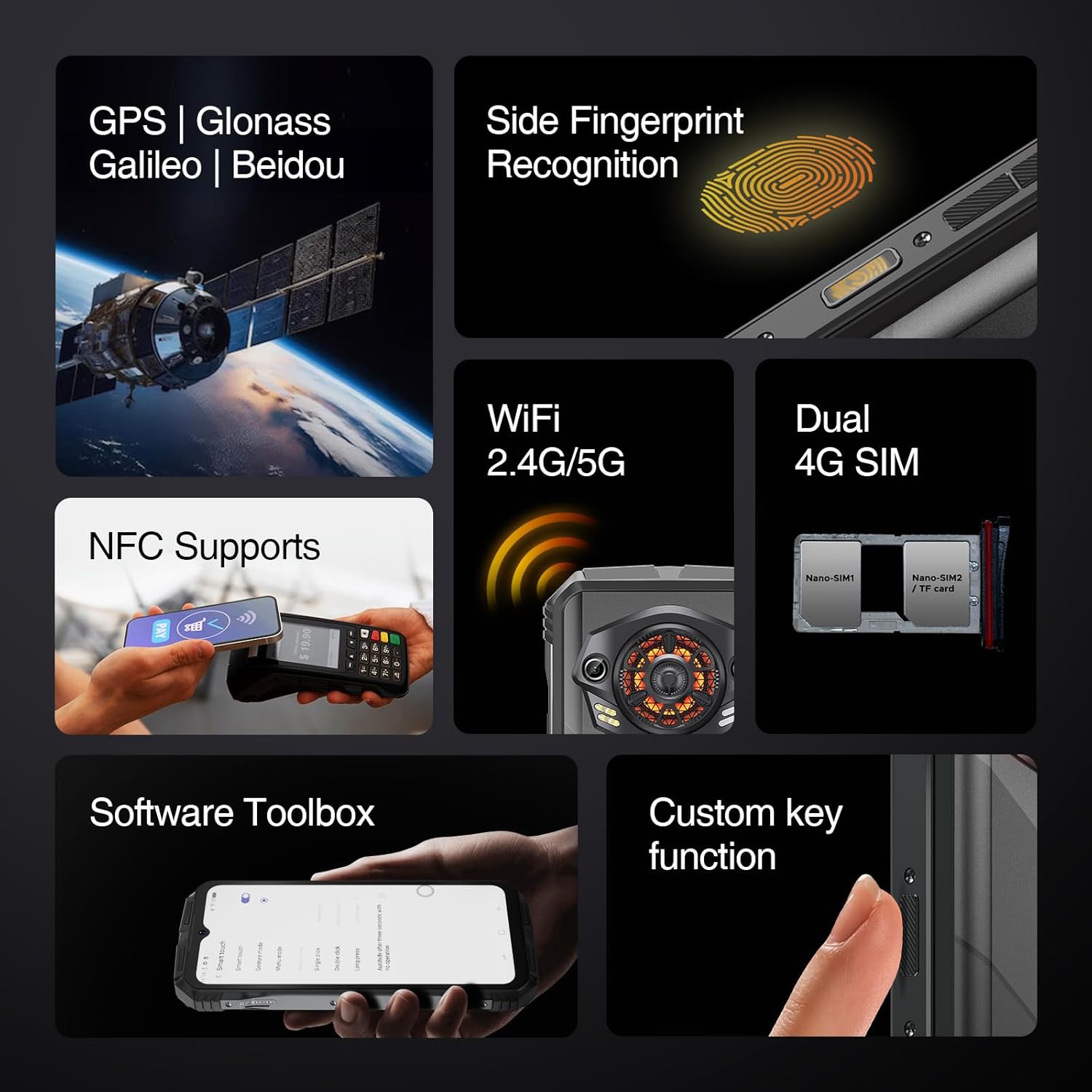 Image: The side of the DOOGEE S Punk, illustrating the SIM card tray and other external features.
1.3 Carga inicial e acendido
Before first use, fully charge your device. The phone features a 10800mAh battery and supports 33W fast charging.
- Connect the USB-C cable to the phone's charging port and the power adapter.
- Enchufe o adaptador de alimentación a unha toma de corrente.
- Once sufficiently charged, press and hold the Power button (located on the side) until the DOOGEE logo appears.
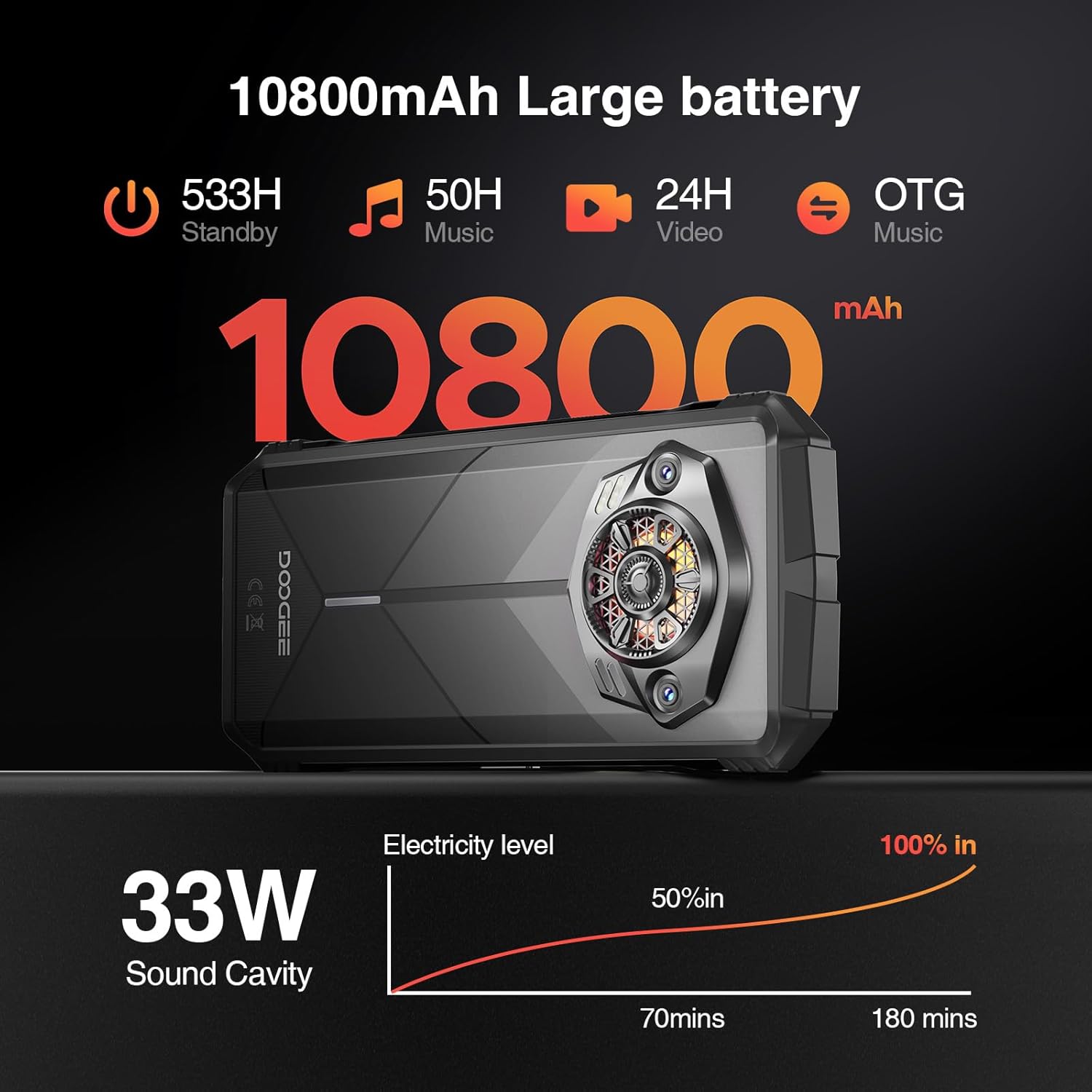 Image: Visual representation of the DOOGEE S Punk's 10800mAh battery capacity and 33W fast charging capability.
2. Uso do teléfono intelixente
2.1 Display and User Interface
The DOOGEE S Punk features a 6.58-inch FHD+ IPS display with a resolution of 1080 x 2408 pixels and 400 nits brightness. It operates on Android 14, providing a user-friendly interface.
 Image: Details of the DOOGEE S Punk's 6.58-inch FHD+ display, highlighting resolution and brightness.
2.2 Rendemento e almacenamento
Equipped with an Octa-core processor, 16GB RAM (6GB physical + 10GB virtual), and 256GB internal storage, expandable up to 1TB with a TF card, the device ensures smooth multitasking and ample space for applications and media.
 Image: Illustration of the DOOGEE S Punk's 16GB RAM and 256GB ROM, with expansion capabilities.
2.3 Funcións da cámara
Capture moments with the 50MP AI main camera and 16MP front camera. Various shooting modes are available, including panorama, portrait, macro, and beauty mode.
 Imaxe: Máis deview of the DOOGEE S Punk's 50MP main camera and 16MP front camera capabilities.
2.4 Audio and Intelligent Lights
The device features a 4.0W super speaker with 126 dB volume and 34mm large-amplitude speakers, providing clear audio. Intelligent Interaction Lights on the rear can be customized for notifications, music, and charging status.
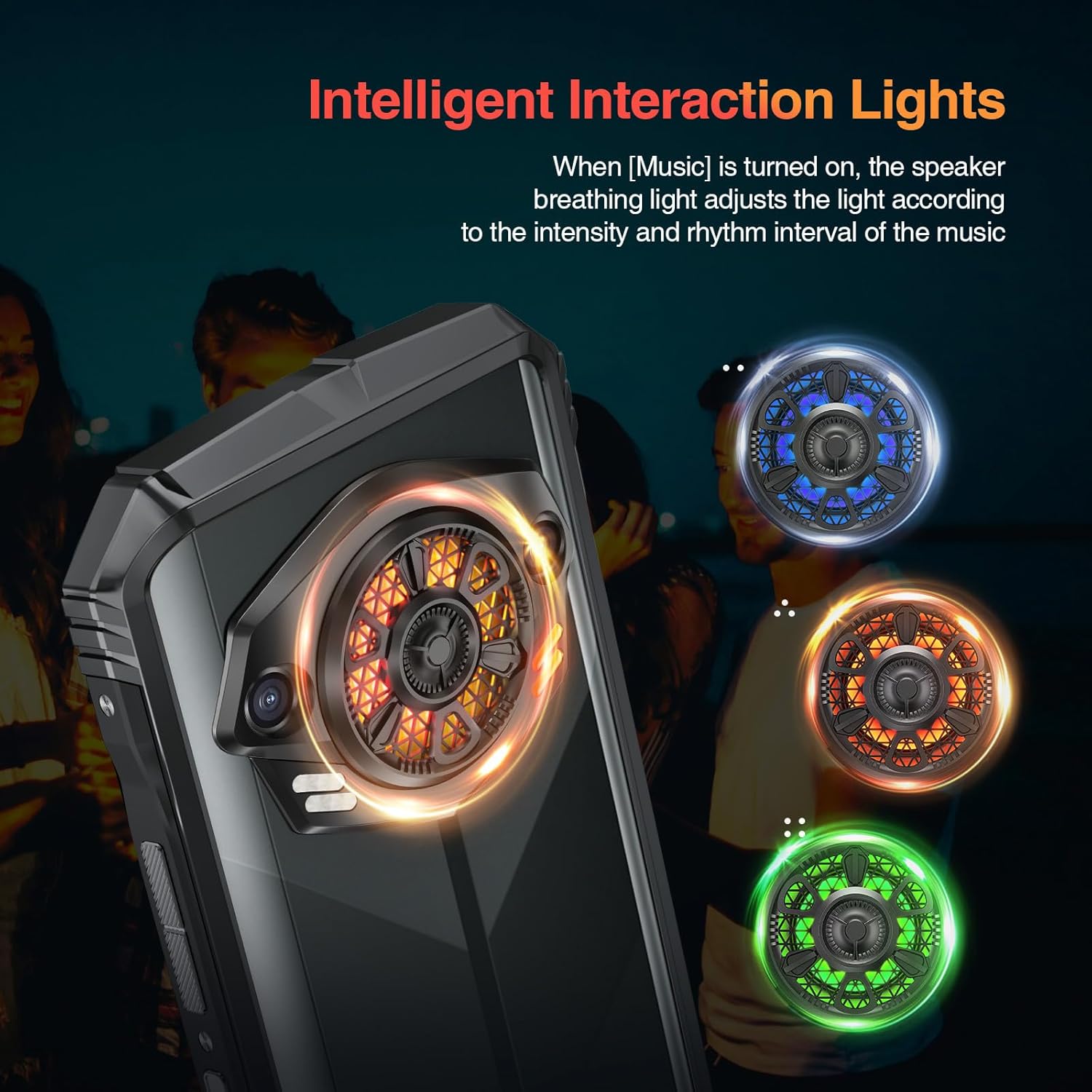 Image: The Intelligent Interaction Lights on the back of the DOOGEE S Punk, showing various color options.
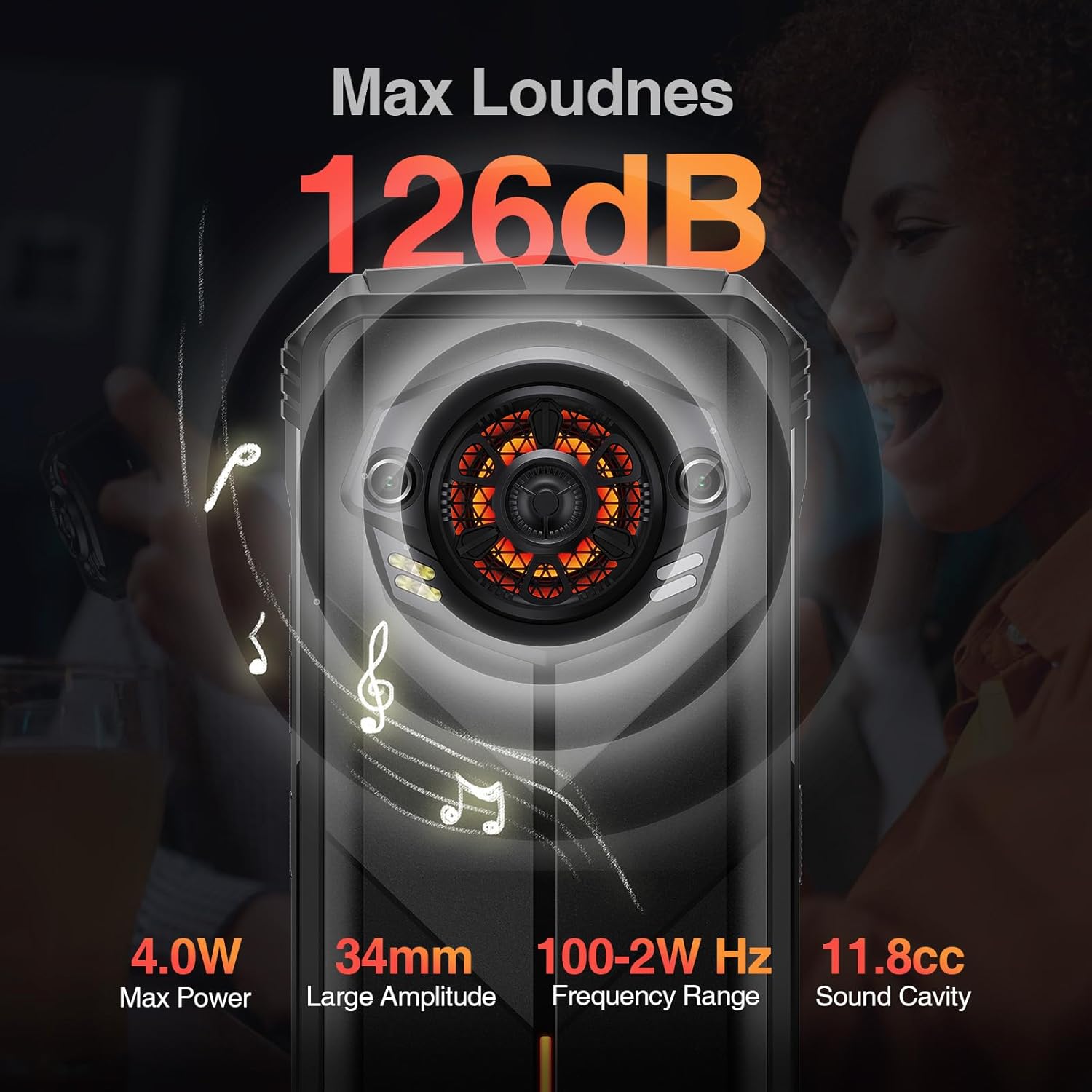 Image: Diagram illustrating the powerful 126dB super speaker of the DOOGEE S Punk.
2.5 Conectividade e seguridade
The S Punk supports 4G Dual SIM, Wi-Fi (2.4G/5G), Bluetooth, NFC, OTG, and GPS (GPS, GLONASS, Galileo, Beidou). For security, it includes face unlock and fingerprint recognition.
Video: Demonstrating the 4G Dual SIM and multi-functional features of the DOOGEE S Punk.
3. Mantemento e durabilidade
The DOOGEE S Punk is designed for durability and is certified IP68, IP69K, and MIL-STD-810H. This means it is waterproof up to 1.5 meters for 30 minutes, fully dustproof, and can withstand drops from up to 1.5 meters. It operates reliably in temperatures from -20°C to 55°C.
Video: Highlighting the ruggedness and reliability of the DOOGEE S Punk, including its IP68, IP69K, and MIL-STD-810H certifications.
Video: Showcasing the DOOGEE S Punk as a suitable device for outdoor activities and explorers.
4 Solución de problemas
This section addresses common issues you might encounter with your DOOGEE S Punk smartphone.
4.1 O dispositivo non se acende
- Comprobar o nivel da batería: Ensure the phone has sufficient charge. Connect it to the charger and wait a few minutes before attempting to power on.
- Hard Reset: Press and hold the Power button for approximately 10-15 seconds to perform a hard reset.
4.2 Poor Network Signal
- Comproba a tarxeta SIM: Asegúrate de que a tarxeta SIM estea inserida e activada correctamente.
- Configuración de rede: Go to Settings > Network & internet > Mobile network and verify that your preferred network type is selected.
- Localización: Móvete a unha zona con mellor cobertura de rede.
4.3 As aplicacións fallan ou conxélanse
- Reiniciar o dispositivo: A simple restart can resolve many software issues.
- Borrar caché: Go to Settings > Apps > [App Name] > Storage & cache > Clear cache.
- Update Apps/System: Ensure all applications and the Android operating system are updated to their latest versions.
4.4 Problemas cos altofalantes
- Comprobar o volume: Asegúrate de que o volume estea subido e non silenciado.
- Obstáculos: Verify that the speaker grille is not blocked by debris or a case.
- Reiniciar: Restart the phone to reset audio drivers.
5. Especificacións
| Característica | Detalle |
|---|---|
| Nome do modelo | S Punk |
| Marca | DOOGEE |
| Sistema Operativo | Android 14 |
| Tamaño da memoria RAM instalada | 16 GB |
| Capacidade de almacenamento da memoria | 256 GB (ampliable ata 1 TB) |
| Tamaño da pantalla | 6.58 polgadas |
| Resolución | 1080 x 2408 |
| Taxa de actualización | 60 Hz |
| Capacidade da batería | 10800 mAh |
| Carga rápida | 33 W |
| Cámara traseira | Cámara principal con IA de 50 MP |
| Cámara frontal | 16 MP |
| Tecnoloxías de Conectividade | Bluetooth, NFC, Wi-Fi, 4G con dobre SIM |
| GPS | GPS, GLONASS, Galileo, Beidou |
| Durabilidade | IP68/IP69K Impermeable e a proba de po, MIL-STD-810H a proba de caídas |
| Temperatura de funcionamento | -20°C a 55°C |
| Peso do elemento | 9.2 onzas (262 gramos) |
| Dimensións | 7.56 x 4.13 x 2.28 polgadas |
6. Garantía e soporte
The DOOGEE S Punk smartphone comes with a 1-year free warranty. For any issues or support needs, please contact DOOGEE customer service. You are also entitled to a 30-day no-reason refund from the purchase date.
For further assistance, visit the official DOOGEE websitio web ou póñase en contacto cos seus canais de asistencia.


