Introdución
The AsperX AX2410 Laptop Power Bank is a high-capacity portable charger designed to keep your electronic devices powered on the go. Featuring a 25,000mAh (92.5Wh) battery, 140W Power Delivery (PD 3.1) fast charging, and a TFT Smart Display, this power bank offers efficient and intelligent power management for laptops, smartphones, tablets, and other USB-powered devices. It is also flight-approved for convenient travel.
Contido do paquete
- 1 x AsperX 25000mAh Portable Laptop Power Bank (Model: AX2410)
- 1 cable USB-C a USB-C de 140 W
- 2 x manuais de usuario
- 1 x Maletín

Image: AsperX Power Bank, USB-C cable, user manual, and carrying pouch, illustrating the items included in the product package.
Produto rematadoview
The AsperX AX2410 features a sleek, deep grey design with a compact form factor. It is equipped with multiple ports and a smart display for optimal user experience.
Características físicas
- Dimensións: 6.56 x 3.21 x 1.08 polgadas
- Peso: 1.37 libras
- Cor: Gris intenso
Imaxe: De arriba abaixo view of the AsperX Laptop Power Bank in Deep Grey, highlighting its compact and modern design.
Portos
- USB-C1 (IN/OUT): Up to 140W Max (for fast charging laptops and recharging the power bank).
- USB-A (OUTPUT): Up to 22.5W Max (for standard USB devices).
- USB-C2 (IN/OUT): Up to 45W Max (for fast charging phones/tablets and recharging the power bank).
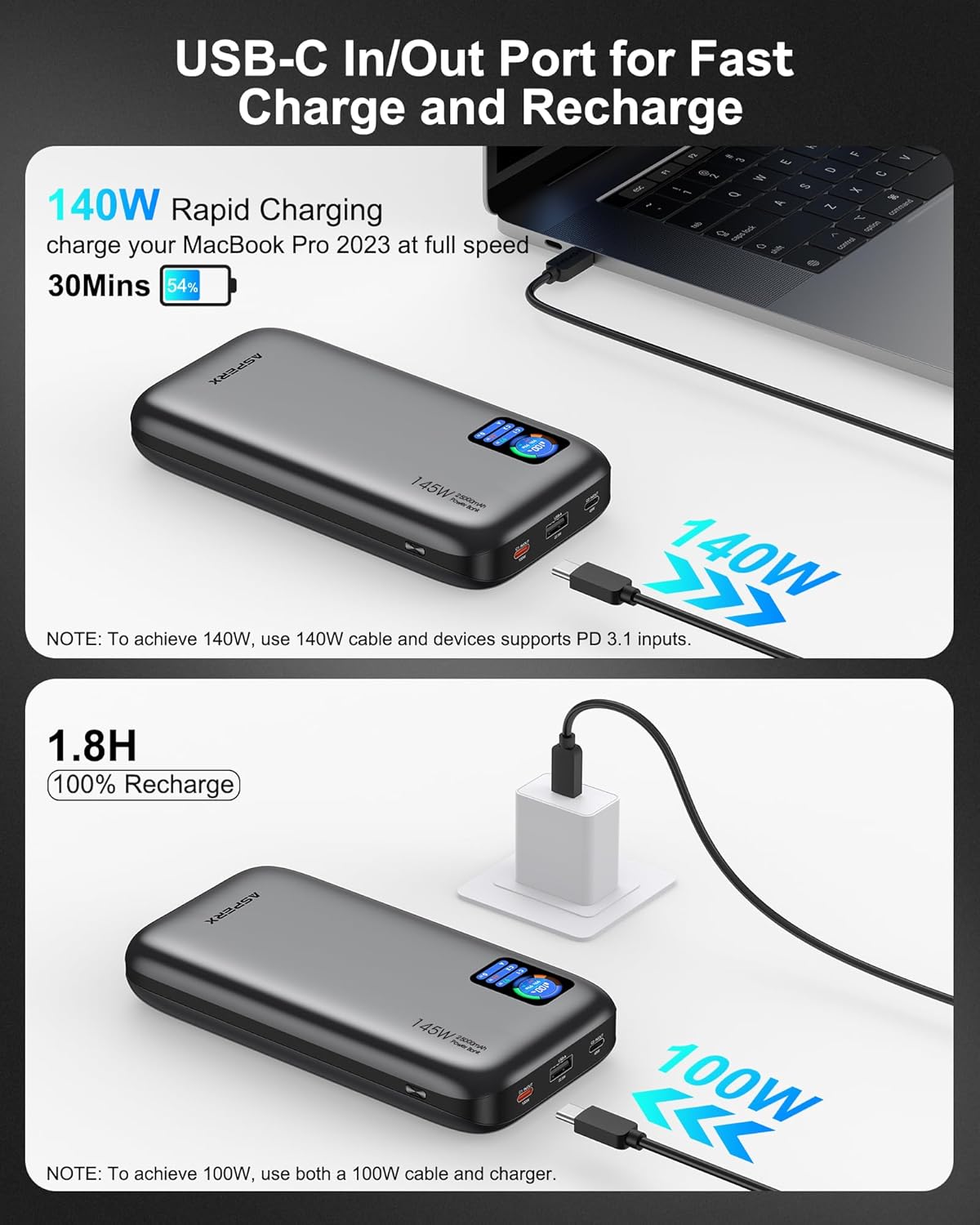
Imaxe: Unha detallada view of the input and output ports on the AsperX Power Bank, clearly labeled with their respective wattage capacidades.
TFT Smart Display
The integrated TFT Smart Display provides real-time information about the power bank's status:
- Nivel de batería: Porcenttage de carga restante.
- Remaining Usage/Recharge Time: Estimated time until empty or fully charged.
- Potencia de entrada/saída: Cea en tempo realtage for each connected port.

Image: A close-up of the TFT Smart Display on the power bank, detailing the battery status, time remaining, and individual port power output/input.
Deseño interno
The power bank utilizes high-density automotive-grade power cells, designed to retain over 80% capacity after 5 years. It incorporates a smart chip for efficient power distribution and 14-layer safety protection.

Imaxe: Un estilo de raios X view of the AsperX Power Bank, revealing the internal arrangement of its high-density battery cells and electronic components.
Especificacións
| Característica | Detalle |
|---|---|
| Dimensións do produto | 6.56 x 3.21 x 1.08 polgadas |
| Peso do elemento | 1.37 libras |
| Número de modelo | AX2410-DG |
| Capacidade da batería | 25,000 mAh (92.5 Wh) |
| Potencia máxima de saída | 145 W total |
| USB-C1 (ENTRADA/SAÍDA) | 140 W máx |
| USB-C2 (ENTRADA/SAÍDA) | 45 W máx |
| USB-A (OUTPUT) | 22.5 W máx |
| Tempo de recarga | Approx. 1.8 hours (with 100W or higher charging adapter) |
| Características especiais | Digital Display, Fast Charging, Over Charging Protection, Short Circuit Protection |
| Compatibilidade | PD3.0, QC3.0, PPS, AFC, UFCS protocols (MacBook, iPhone, Dell XPS, Galaxy, Steam Deck, iPad, etc.) |
Configuración
Carga inicial do banco de enerxía
- Before first use, fully charge your AsperX Power Bank.
- Connect the included 140W USB-C to USB-C cable to either the USB-C1 or USB-C2 port on the power bank.
- Connect the other end of the cable to a compatible USB-C wall adapter (100W or higher recommended for fastest charging).
- The TFT Smart Display will show the input wattage and estimated time until full charge. A full recharge takes approximately 1.8 hours with a 100W+ adapter.

Image: The AsperX Power Bank connected to a wall adapter for recharging, with the display indicating a fast recharge time of 1.8 hours.
Protección de pantalla
The TFT Smart Display comes with a transparent protective film. You may remove this film before use for optimal clarity.
Instrucións de funcionamento
Acendido/apagado da pantalla
Press the power button located on the side of the power bank to activate the TFT Smart Display. The display will automatically turn off after a few seconds of inactivity to conserve power. Double-click the power button to turn the display off manually.
Cargando os teus dispositivos
Connect your device to the appropriate port on the power bank using a compatible cable. The power bank will automatically detect the device and begin charging.
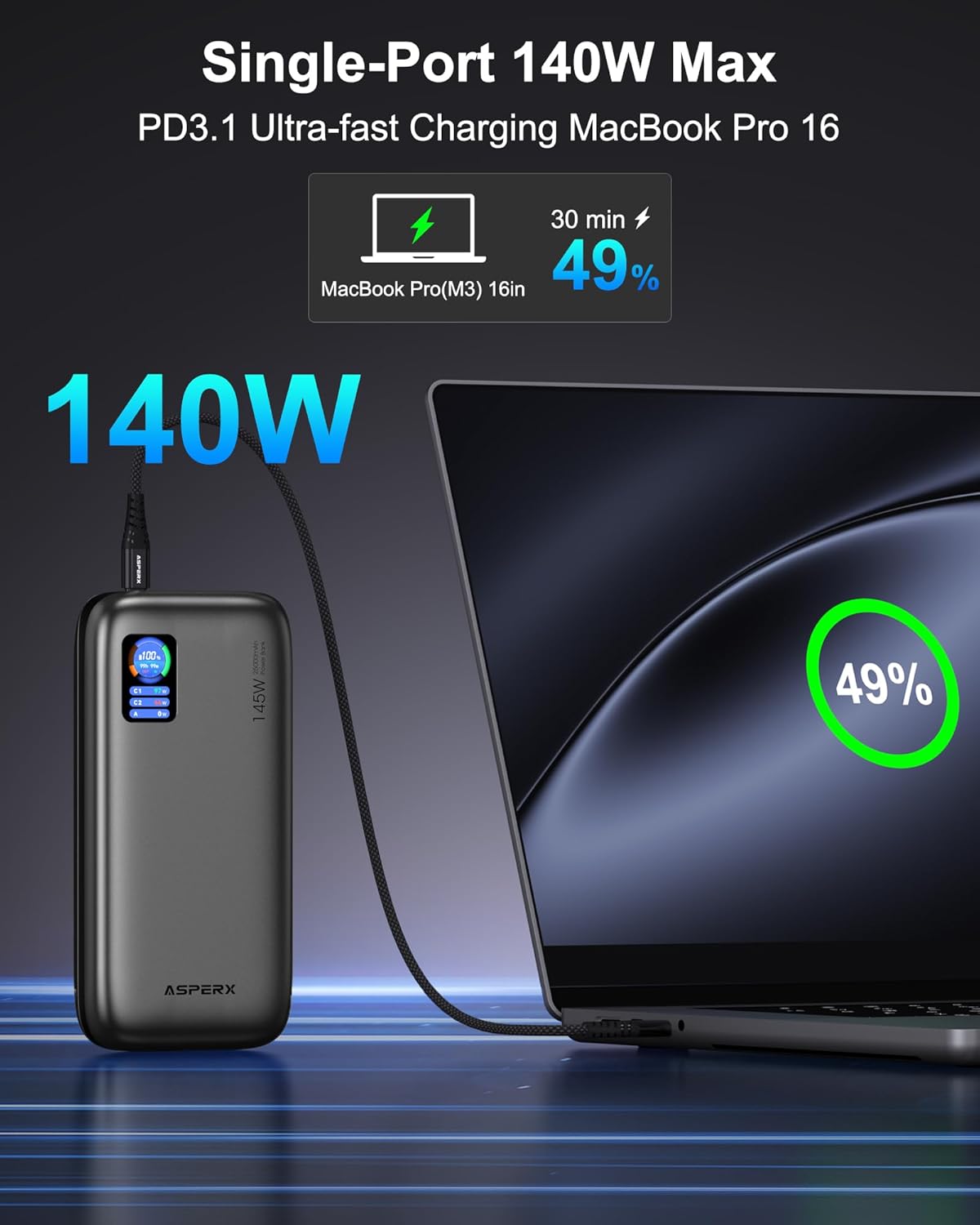
- Carga dun só dispositivo: For ultra-fast charging of laptops, use the USB-C1 port (up to 140W).

Image: The AsperX Power Bank connected to a laptop, illustrating its capability to provide 140W ultra-fast charging to a single device.
- Carga de varios dispositivos: The power bank can charge up to 3 devices simultaneously with a total output of 145W. The smart chip will distribute power optimally.
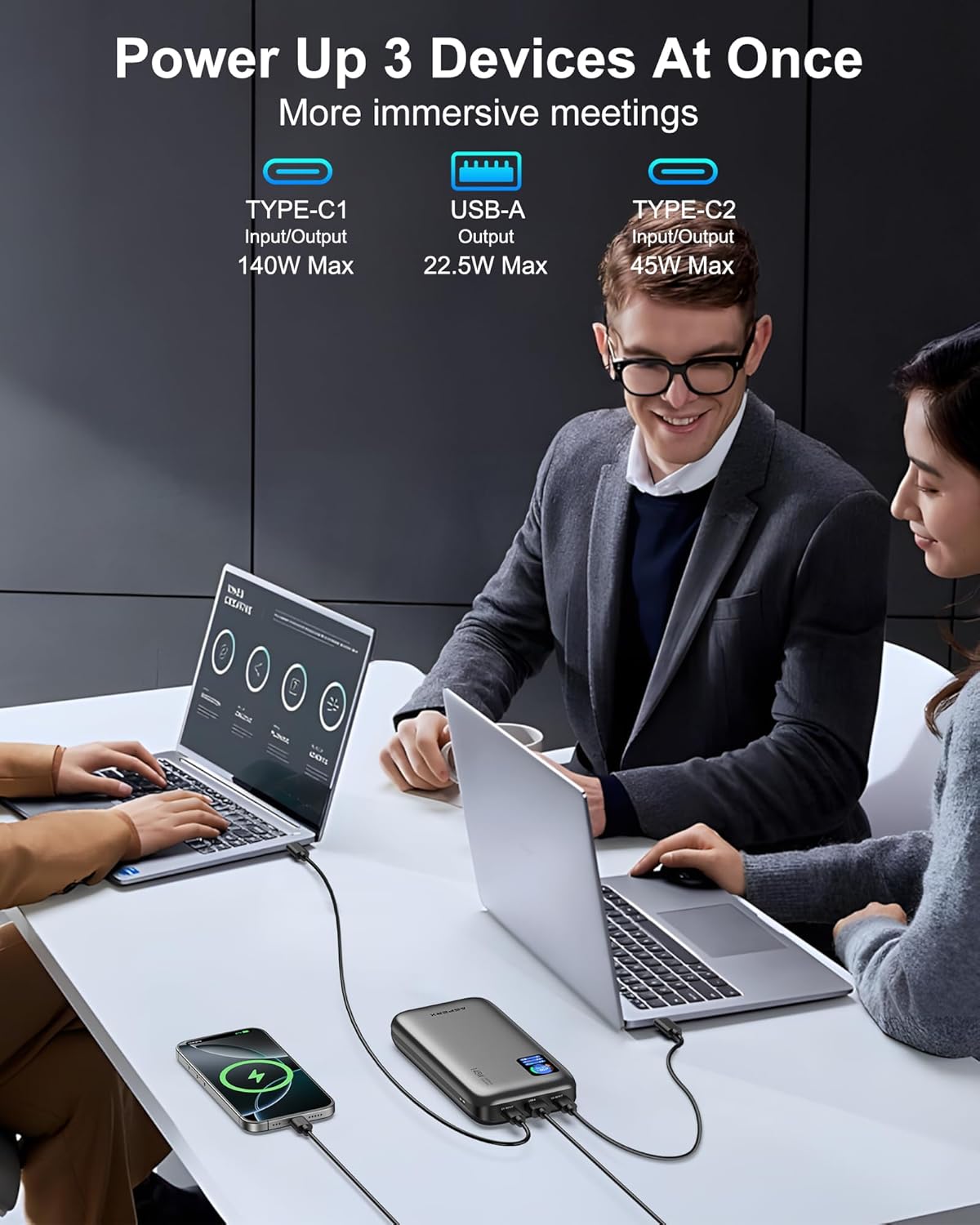
Image: The AsperX Power Bank connected to and charging three different devices concurrently, showcasing a súa capacidade de carga de varios dispositivos.
Modo de baixa potencia
For low-power devices such as fans, headphones, or smartwatches, press and hold the power button to enter low-power mode. The 'A' on the screen will change from white to red, indicating activation of this mode.
Understanding the TFT Smart Display
The display provides crucial information at a glance:
- Battery Circle: Mostra o porcentaxe de batería actualtage.
- Tempo restante: Indicates estimated hours and minutes of remaining power (OUT) or time to full charge (IN).
- Estado do porto: Mostra wattage for USB-C1, USB-C2, and USB-A ports.

Image: A graphic illustrating the various indicators on the TFT Smart Display, including battery percentage, time remaining, and individual port power readings.
Flight Approval
With a 92.5Wh capacity, this power bank meets TSA requirements (<100Wh) for safe carry-on use. It is not permitted in checked luggage.

Image: A person using the AsperX Power Bank to charge a laptop on an airplane, emphasizing its flight-approved status and portability for travel.
Escenarios de uso
The AsperX Power Bank is versatile for various situations:
- Work & Meetings: Keep your laptop and phone charged during long work sessions.
- Viaxes: Essential for business trips, long flights, and commutes.
- Actividades ao aire libre: Ideal para sendeirismo, camping, and as an emergency power source.

Image: The AsperX Power Bank in an outdoor camping setting, charging a laptop, phone, and camera, highlighting its utility for outdoor activities.
Video: A demonstration of the AsperX 145W Laptop Power Bank, showcasing its features and charging capabilities for various devices.
Mantemento
To ensure the longevity and optimal performance of your AsperX Power Bank, follow these maintenance guidelines:
- Almacenamento: Garda o banco de enerxía nun lugar fresco e seco, lonxe da luz solar directa e de temperaturas extremas.
- Limpeza: Usa un pano suave e seco para limpar o exterior. Evita o uso de produtos químicos agresivos ou materiais abrasivos.
- Coidado da batería: For best battery health, avoid completely draining the power bank regularly. Recharge it when the battery level is low.
- Manexo: Do not drop, puncture, or disassemble the device. Avoid exposing it to water or excessive moisture.
Resolución de problemas
If you encounter any issues with your AsperX Power Bank, refer to the following common solutions:
- O dispositivo non se carga:
- Asegúrate de que o banco de enerxía estea suficientemente cargado.
- Comproba que o cable de carga estea conectado correctamente tanto á batería externa como ao dispositivo.
- Verify that the cable is not damaged and is compatible with your device.
- If charging a low-power device, ensure low-power mode is activated.
- Carga lenta:
- Confirm that your device and cable support fast charging protocols (PD, QC, etc.).
- Use the USB-C1 port for the highest output (up to 140W).
- Ao cargar varios dispositivos, compártese a saída total, o que pode reducir as velocidades de cada porto.
- A pantalla non funciona:
- Preme o botón de acendido para activar a pantalla.
- Ensure the transparent protective film has been removed for clear visibility.
Información de seguridade
Lea e siga todas as instrucións de seguridade para evitar lesións ou danos no dispositivo:
- Non expoñas o cargador portátil ao lume, á auga nin a temperaturas extremas.
- Evite deixar caer, furar ou desmontar o dispositivo.
- Manter fóra do alcance dos nenos.
- Use only original or certified compatible charging cables.
- The power bank features 14-layer safety protection, including over-charge, over-discharge, short-circuit, and temperature protection.

Image: A visual representation of the 14-layer safety protection mechanisms integrated into the AsperX Power Bank, ensuring safe operation.
Garantía e soporte
AsperX offers an industry-leading 18-month technical support warranty covering defects in materials and workmanship. For any questions or assistance, please contact our 24/7 customer service team.
Contact information can typically be found in the included user manuals or on the official AsperX websitio.
Vídeo: Unha review of the AsperX 140W 25,000mAh Laptop Power Bank, highlighting its features and performance.