Produto rematadoview
The Maxell OWS Pro Earhooks feature an open-ear design that rests gently and securely on the outer ear. This design allows users to maintain awareness of their surroundings while experiencing high-quality audio. The earhooks deliver crisp highs and soft lows for a balanced listening experience.
The device offers up to 6 hours of playback per charge, with an additional 3 charges provided by the charging case, totaling 18 hours of listening time. It supports fast charging and connects wirelessly via Bluetooth.
Designed for comfort and security, the earhooks distribute weight evenly across the ear, conforming to the natural curve. They are suitable for various activities including exercise, sports, travel, meetings, and home office use.
O que hai na caixa
- Maxell OWS Pro Bluetooth Open Earhooks
- Estuche de carga
- Manual de usuario
- Almofadas para orellas
- Cable de carga (USB tipo C)
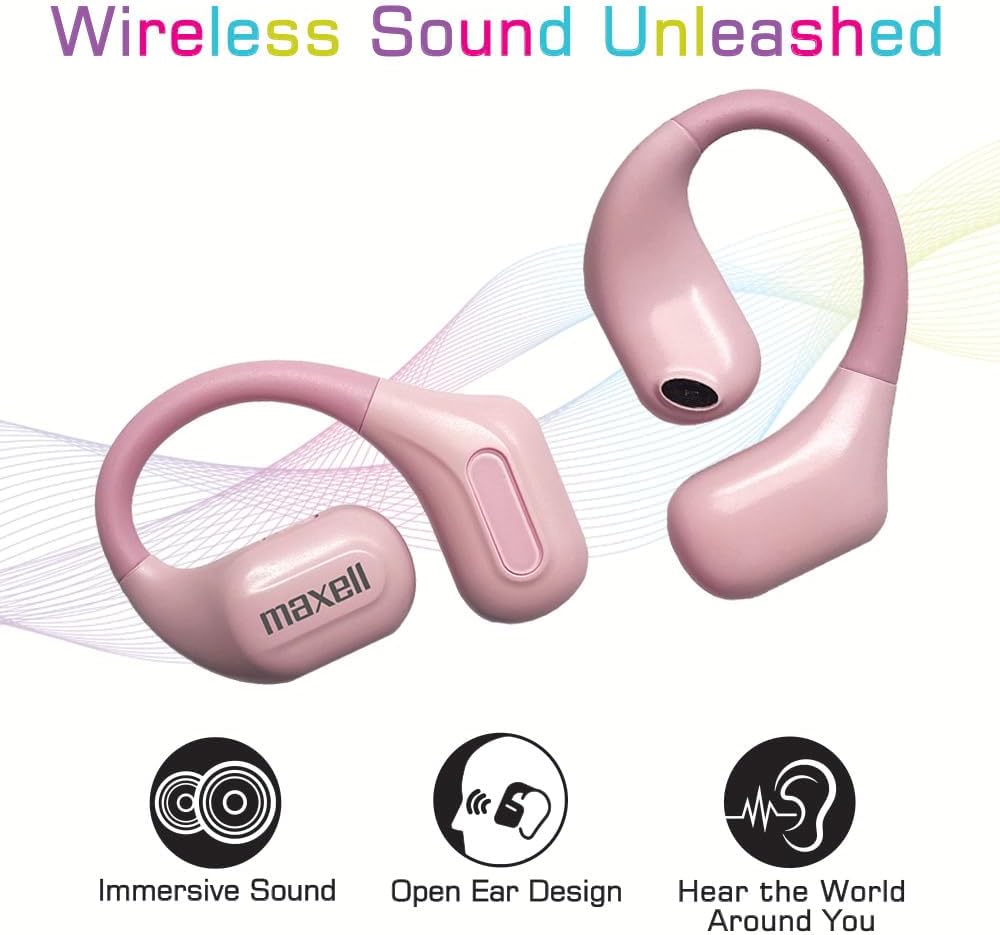
Image: Maxell OWS Pro Earhooks shown with their transparent charging case, highlighting the open-ear design and vibrant color options.
Configuración
Emparejamento inicial
- Ensure the earhooks are charged (refer to the Charging section).
- Open the charging case. The earhooks will automatically enter pairing mode.
- No teu dispositivo (teléfono intelixente, tableta, etc.), navega ata a configuración de Bluetooth.
- Select "Maxell OWS Pro" from the list of available devices.
- Once connected, a confirmation sound may play, and the device will show as paired.
Wearing the Earhooks
The Maxell OWS Pro Earhooks are designed to rest on the outer ear. Gently place each earhook over your ear, ensuring the speaker portion is positioned comfortably near your ear canal without entering it. The flexible earhook should conform to the natural curve of your ear for a secure fit.

Image: A woman wearing the Maxell OWS Pro Earhooks, demonstrating the secure and comfortable fit on the outer ear.
Instrucións de funcionamento
Controis básicos
The Maxell OWS Pro Earhooks feature intuitive controls for managing audio playback and calls. Specific touch or button controls will be detailed in the Quick Start Guide included in your package. Generally, controls include:
- Reproducir/Pausa: Single tap on either earhook.
- Próxima pista: Double tap on the right earhook.
- Pista anterior: Double tap on the left earhook.
- Responder/Finalizar chamada: Single tap on either earhook.
- Rexeitar a chamada: Press and hold either earhook for 2 seconds.
- Axuste de volume: Refer to the Quick Start Guide for specific volume control gestures or buttons.
Sensibilización Ambiental
The open-ear design allows you to hear ambient sounds while listening to audio. This feature is beneficial for activities where situational awareness is important, such as exercising outdoors or in busy environments.

Image: A person wearing the Maxell OWS Pro Earhooks, illustrating the ability to hear ambient sounds while enjoying music.
Carga e batería
The Maxell OWS Pro Earhooks provide up to 6 hours of playback on a single charge. The included charging case offers an additional 3 full charges, extending the total listening time to 18 hours.
- Cargando os Earhooks: Place the earhooks into their respective slots in the charging case. Ensure they are properly seated. The indicator lights on the earhooks or case will show charging status.
- Carga do estuche: Connect the provided USB Type-C charging cable to the charging port on the case and to a compatible USB power source. The case's indicator lights will show its charging progress.
- Carga rápida: The device supports fast charging for quick power replenishment.

Image: The Maxell OWS Pro charging case connected via USB-C, illustrating the 18-hour total playtime capability.
Mantemento
- Limpeza: Use a soft, dry, lint-free cloth to clean the earhooks and charging case regularly. Avoid using harsh chemicals or abrasive materials.
- Almacenamento: When not in use, store the earhooks in their charging case to protect them and keep them charged.
- Evita condicións extremas: Do not expose the device to extreme temperatures, humidity, or liquids.
Resolución de problemas
| Problema | Solución |
|---|---|
| Earhooks not pairing | Ensure earhooks are charged. Turn off and on Bluetooth on your device. Try resetting the earhooks (refer to Quick Start Guide for reset procedure). |
| Sen son | Check device volume and earhook volume. Ensure earhooks are properly connected to your device. |
| Axuste incómodo | Adjust the position of the earhooks on your outer ear until a comfortable and secure fit is achieved. |
Especificacións
- Nome do modelo: OWS Pro, Bluetooth Open Earhooks
- Número de modelo: 197318
- Tecnoloxía de conectividade: Sen fíos (Bluetooth)
- Duración da batería: 6 Hours (per charge), 18 Hours (with charging case)
- Forma do auricular: Open Ear Hooks
- Característica especial: Carga rápida
- Material: Plástico, elastómero termoplástico (TPE)
- Peso do artigo: 2.99 onzas (aprox. 0.09 quilogramos)
- Dimensións do paquete: 6.54 x 3.07 x 1.54 polgadas
- UPC: 025215516573
Garantía e Soporte
For warranty information and customer support, please refer to the documentation included in your product packaging or visit the official Maxell websitio. Conserve o recibo de compra para reclamacións de garantía.
Fabricante: Maxell
Vídeos de produtos
Maxell OWS Pro Open Earhooks Overview
Video Description: An official seller video showcasing the key features and design of the Maxell OWS Pro Open Earhooks, including their open-ear design, sound quality, battery life, and comfortable fit. The video highlights the product's versatility for various activities.
Maxell OWS Pro Open Earhooks Features
Video Description: A detailed look at the Maxell OWS Pro Open Earhooks, emphasizing their open-ear design for environmental awareness, crisp audio, fast charging, and ergonomic fit. It also showcases the available color options.


