Produto rematadoview
The AWEI T56 Wireless Earbuds are designed for a superior audio experience, featuring Bluetooth 5.4 connectivity, a smart touch screen charging case, active noise cancellation (ANC), and an IPX6 waterproof rating. This manual provides detailed instructions for setup, operation, maintenance, and troubleshooting to ensure optimal performance of your device.

Image: The AWEI T56 Wireless Earbuds, black in color, shown with their smart touch screen charging case. The earbuds are visible outside the case, highlighting their sleek design.
Vídeo: Un funcionario acabouview of the AWEI T56 Wireless Bluetooth Headset, demonstrating its features and design. This video highlights the product's key functionalities and aesthetic appeal.
Contido do paquete
Ao abrir o paquete, comproba que estean presentes todos os compoñentes:
- Bluetooth headset (2 earbuds)
- cable de carga USB
- Manual de usuario (este documento)
- Large & small earplugs (pre-installed medium earplugs)

Image: A visual representation of the AWEI T56 earbuds, charging case, USB charging cable, and various sizes of ear tips included in the package.
Guía de configuración
1. Cargando o dispositivo
Before first use, fully charge the earbuds and the charging case. The charging case has a 500mAh battery capacity, and the earbuds have a 35mAh capacity each. A full charge for the earbuds takes approximately 1.5 hours, and the case takes about 2.5 hours. The earbuds can be used for up to 5 hours on a single charge.
- Conecta o cable de carga USB fornecido ao porto de carga da carcasa.
- Connect the other end of the cable to a compatible USB power source (e.g., computer, wall adapter).
- The LED display on the charging case will indicate the charging status and battery levels for both the case and individual earbuds.

Image: Details on the battery life and charging specifications of the AWEI T56, showing the charging box capacity, headphone capacity, talk time, and music time.
2. Emparellamento Bluetooth
The AWEI T56 earbuds utilize Bluetooth 5.4 technology for a stable and fast connection. They are designed for automatic connection once initially paired.
- Ensure the earbuds are in the charging case and the case has sufficient power.
- Abre a caixa de carga. Os auriculares entrarán automaticamente no modo de emparellamento.
- On your device (smartphone, tablet, laptop, etc.), navigate to the Bluetooth settings.
- Select "AWEI T56" from the list of available devices.
- Unha vez conectado, soará un son de confirmación e o dispositivo mostrará "Conectado".
Para usos posteriores, só tes que abrir a caixa de carga e os auriculares conectaranse automaticamente ao último dispositivo emparellado.

Image: Illustrates the Bluetooth 5.4 core upgrade for the AWEI T56 earbuds, emphasizing ultra-low power consumption and stable connection. It also shows the "Find Headphones" feature on the case screen.
Instrucións de funcionamento
The AWEI T56 features a smart touch screen on the charging case and touch controls on the earbuds for comprehensive functionality.
1. Smart Touch Screen Functions (Charging Case)
The full-color touch screen on the charging case provides access to 12 distinct functions:
- Cambio de música: Navegar entre pistas.
- Axuste de volume: Control audio output level.
- Ambient Sound Effect Switching: Toggle between different sound modes (e.g., ANC, Transparency).
- Equalizer Mode Switching: Select various audio equalizer presets.
- Axuste de brillo da pantalla: Modify the display brightness.
- Lock Screen Wallpaper Switching: Customize the case display.
- Space Sound Effect Adjustment: Adjust spatial audio settings.
- Searching for Headphones: Localiza auriculares extraviados.
- Facho: Activate a flashlight function.
- Cronómetro: Use a built-in stopwatch.
- Cambio de idioma: Cambia o idioma de visualización.
- Axuste da hora: Adjust the time displayed on the screen.
Imaxe: Unha detallada view of the AWEI T56 charging case's touch screen, showcasing multiple functions like music control, volume adjustment, noise reduction control, lock screen wallpapers, screen intensity, flashlight, language switching, and headphone search.
2. Controis táctiles dos auriculares
Specific touch gestures on the earbuds allow for quick control of audio and calls. Refer to the quick start guide included in the package for a detailed diagram of touch commands.
- Reproducir/Pausa: Toca un só auricular en calquera dos auriculares.
- Próxima pista: Toca dúas veces no auricular dereito.
- Pista anterior: Toca dúas veces no auricular esquerdo.
- Responder/Finalizar chamada: Toca un só auricular en calquera dos auriculares.
- Rexeitar a chamada: Prema longamente en calquera dos auriculares.
- Activar o asistente de voz: Toca tres veces en calquera dos auriculares.
- Alternar o modo ANC/Transparencia: Long press and hold on either earbud (duration may vary, refer to quick start guide).
3. Cancelación activa de ruído (ANC)
The AWEI T56 earbuds feature Active Noise Cancellation to reduce ambient noise, providing an immersive listening experience. This function can be controlled via the touch screen on the charging case or through specific earbud touch gestures.

Image: Highlights the ANC environmental noise reduction capability of the AWEI T56 earbuds, ensuring a quiet listening environment. Also shows the internal structure of an earbud speaker, indicating high sound quality with balanced treble and bass.
Mantemento
Proper maintenance ensures the longevity and optimal performance of your AWEI T56 Wireless Earbuds.
- Limpeza: Regularly clean the earbuds and charging case with a soft, dry, lint-free cloth. Avoid using abrasive materials or harsh chemicals. For ear tips, remove them and clean with mild soap and water, ensuring they are completely dry before reattaching.
- Resistencia á auga: The earbuds have an IPX6 waterproof rating, meaning they are protected against powerful water jets. While suitable for sports and light rain, they are not designed for submersion in water. Do not expose the charging case to water.
- Almacenamento: Cando non estean en uso, garde os auriculares no seu estoxo de carga para protexelos e mantelos cargados. Garde nun lugar fresco e seco, lonxe de temperaturas extremas.
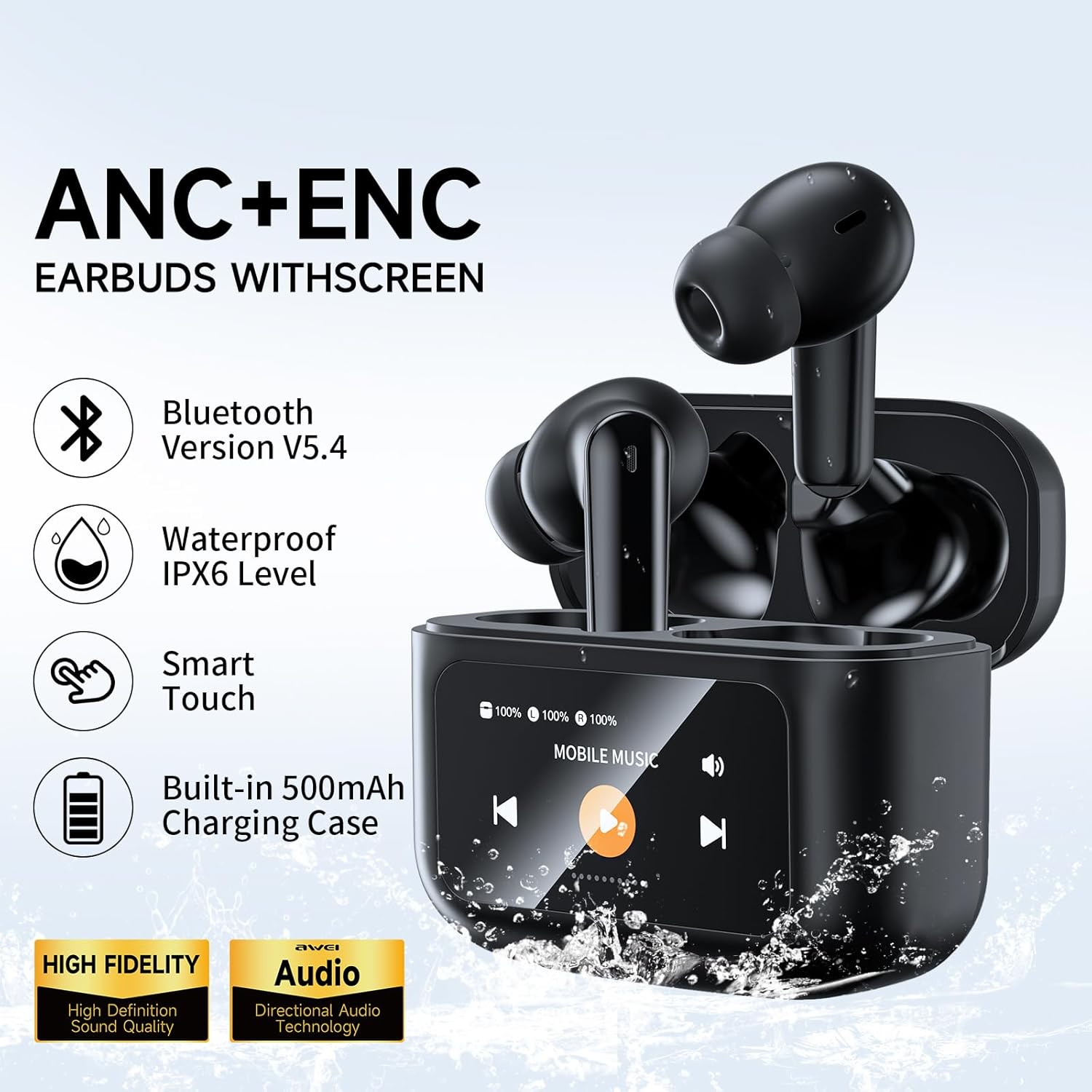
Image: Showcases the key features of the AWEI T56 earbuds, including Bluetooth Version V5.4, Waterproof IPX6 Level, Smart Touch, and a Built-in 500mAh Charging Case.
Resolución de problemas
Se tes problemas cos teus auriculares AWEI T56, consulta as seguintes solucións habituais:
| Problema | Causa posible | Solución |
|---|---|---|
| Os auriculares non se emparellan/conectan. | Earbuds not in pairing mode, out of range, or previously paired to another device. | Ensure earbuds are in the case and open the lid to activate pairing. Turn off Bluetooth on other devices. Forget "AWEI T56" in your device's Bluetooth settings and re-pair. |
| Sen son ou volume baixo. | Low battery, volume too low on device/earbuds, or earbud placement. | Charge earbuds and case. Increase volume on both your device and via the earbud/case controls. Adjust earbud fit. |
| Charging case display unresponsive. | Low battery in case, or temporary software glitch. | Charge the case. If issue persists, try a soft reset by holding the reset button (if available, refer to quick start guide) or letting the battery fully drain and recharge. |
| O ANC non funciona eficazmente. | Improper fit, or ANC mode not activated. | Ensure earbuds are properly seated in your ears for a good seal. Toggle ANC mode via the touch screen or earbud controls. |
Especificacións
| Característica | Detalle |
|---|---|
| Nome do modelo | T56 |
| Versión Bluetooth | 5.4 |
| Control de ruído | Cancelación activa de ruído |
| Nivel de resistencia á auga | Impermeable IPX6 |
| Capacidade da batería do estuche de carga | 500 mAh |
| Earbud Battery Life (Music Time) | 5 horas |
| Tempo de carga | 1.5 horas (auriculares), 2.5 horas (estuche) |
| Tipo de control | Touch (Earbuds & Case Screen) |
| Dispositivos compatibles | Cellphones, Tablets, Telephones, Laptops |
| Rango de frecuencias | 20 Hz - 20,000 Hz |
| Impedancia | 32 ohmios |
| Peso do elemento | 6.3 onzas |
Garantía e Soporte
AWEI products are manufactured with high standards of quality and craftsmanship. For any questions or concerns regarding your AWEI T56 Wireless Earbuds, please contact our customer support team. We are committed to providing solutions within 24 hours.
For further assistance, please refer to the contact information provided on the official AWEI websitio web ou a tarxeta de garantía incluída co produto.


