1. Introdución
Thank you for choosing the Redragon K677 PRO RGB Mechanical Gaming Keyboard. This compact 60% keyboard is designed for versatility and performance, offering three connectivity modes: wired USB-C, 2.4GHz wireless, and Bluetooth. It features hot-swappable switches, customizable RGB lighting, and a durable design, making it suitable for both gaming and typing.
This manual will guide you through the setup, operation, maintenance, and troubleshooting of your new keyboard to ensure optimal performance and user experience.
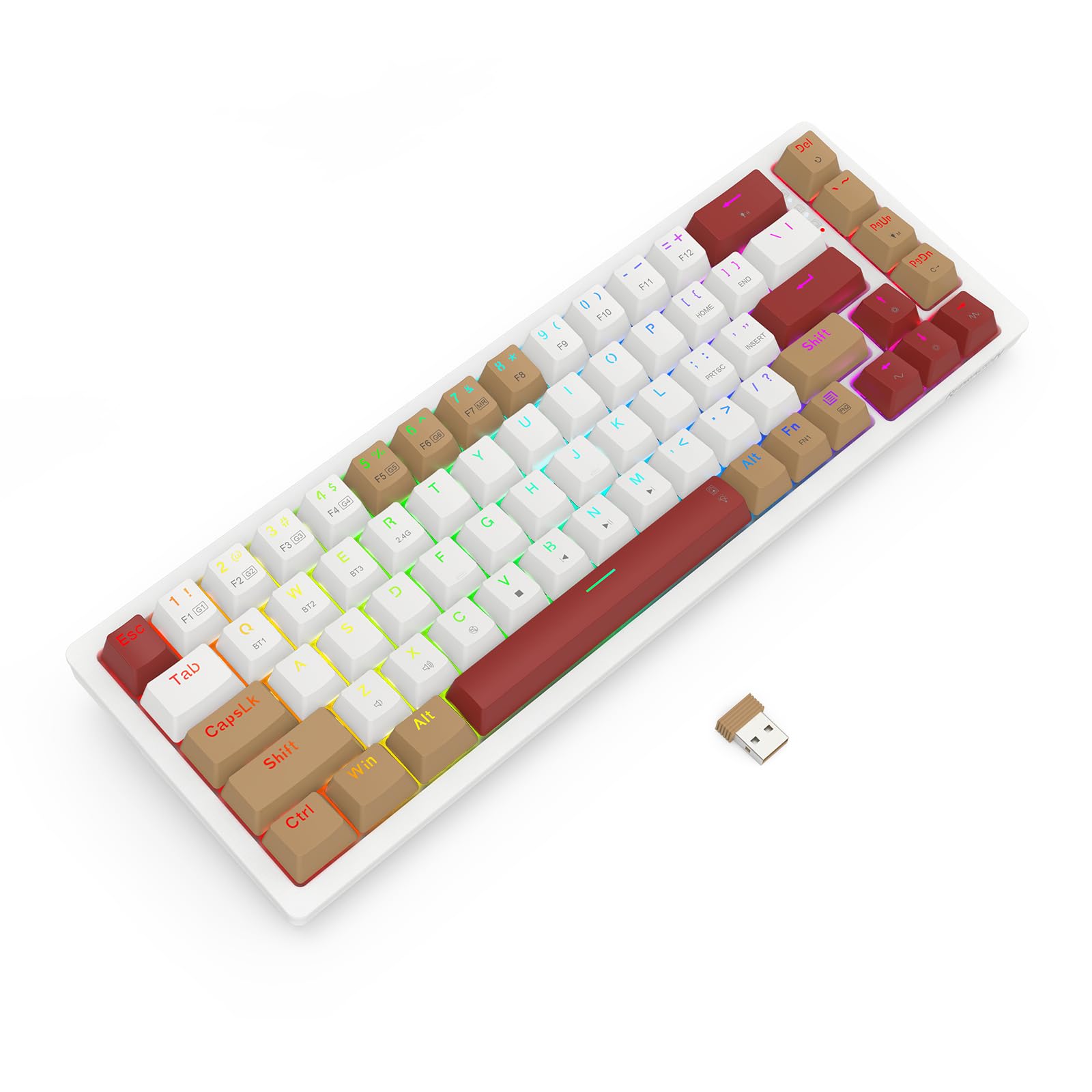
Image 1.1: The Redragon K677 PRO keyboard, showcasing its compact 60% layout and included 2.4GHz wireless dongle.
2. Configuración
2.1 Contido do paquete
- Redragon K677 PRO Mechanical Gaming Keyboard
- Cable USB tipo C extraíble
- Dongle inalámbrico de 2.4 GHz
- Extractor de teclas (pode estar incluído)
- Extractor de interruptores (pode estar incluído)
- Manual de usuario
2.2 Carga inicial
Before first use, it is recommended to fully charge the keyboard. Connect the provided USB Type-C cable to the keyboard's port and the other end to a USB power source (e.g., computer USB port, wall adapter). The charging indicator (usually an LED) will show charging status and turn off or change color when fully charged.
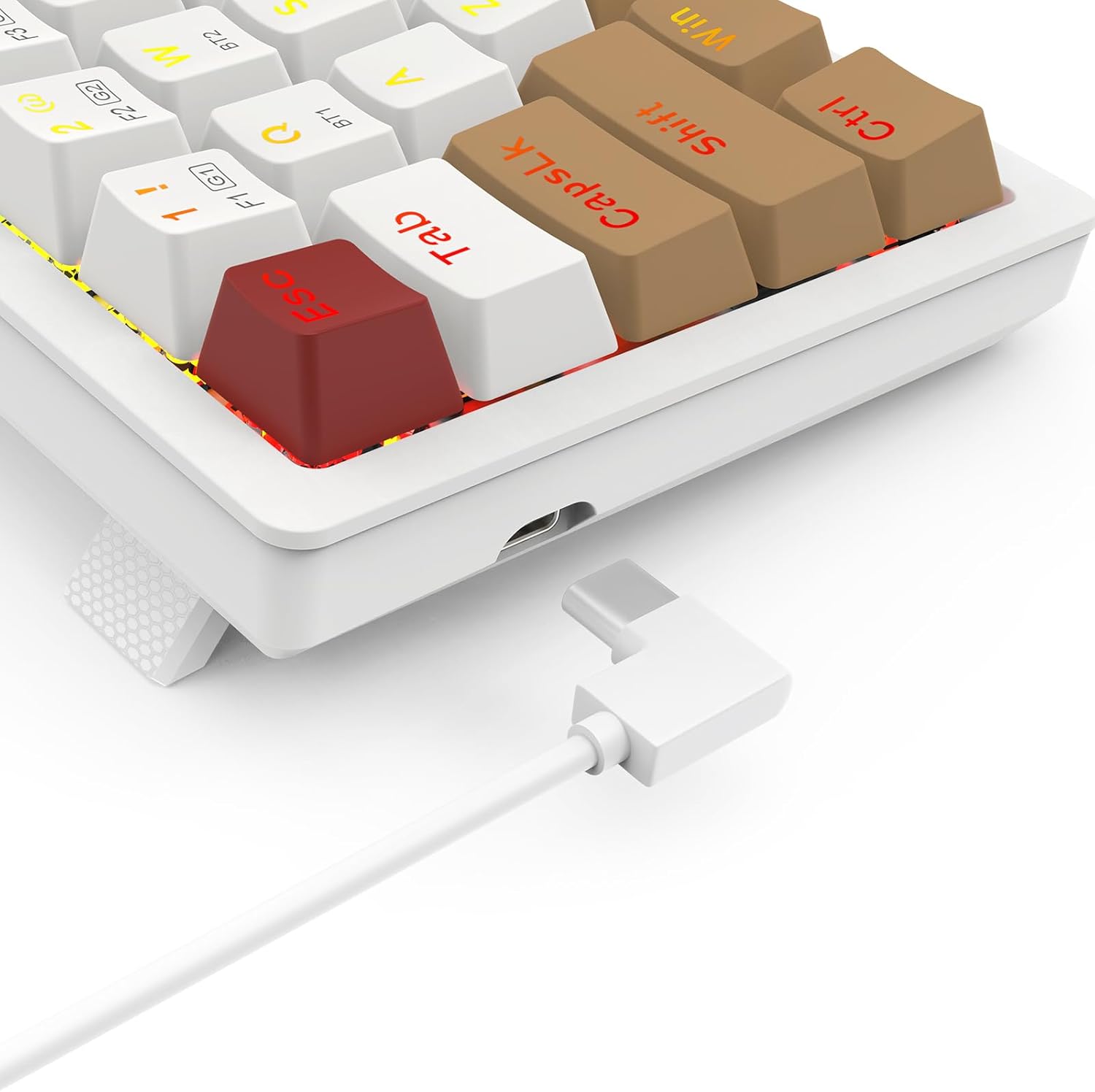
Image 2.1: The USB Type-C port located on the keyboard for wired connection and charging.
2.3 Modos de conectividade
O K677 PRO admite tres modos de conexión:
- Modo cableado: Connect the keyboard directly to your computer using the USB Type-C cable.
- Modo sen fíos de 2.4 GHz: Use the included USB dongle for a stable wireless connection.
- Modo Bluetooth: Connect wirelessly to up to three Bluetooth-enabled devices.
2.3.1 Modos de conmutación
Locate the mode switch on the bottom or side of the keyboard. Switch it to the desired mode: 2.4G for wireless dongle, BT for Bluetooth, or ensure the cable is connected for Con cable modo.

Image 2.2: The underside of the keyboard, showing the 2.4G/OFF/BT mode switch and the dedicated slot for storing the 2.4GHz wireless dongle.
2.3.2 2.4GHz Wireless Setup
- Set the keyboard mode switch to 2.4G.
- Insira o dongle USB de 2.4 GHz nun porto USB dispoñible do seu ordenador.
- The keyboard should automatically connect. An indicator light may flash and then become solid to confirm connection.
2.3.3 Emparejamento Bluetooth
- Set the keyboard mode switch to BT.
- Mantén premido Fn + BT1 (or BT2/BT3) for 3-5 seconds until the corresponding key's backlight flashes rapidly. This indicates pairing mode.
- On your device (computer, tablet, phone), open Bluetooth settings and search for new devices.
- Selecciona "Redragon K677 PRO" (ou un nome similar) da lista de dispositivos dispoñibles.
- Once connected, the key's backlight will stop flashing and remain solid.
- Repeat for BT2 and BT3 to pair with additional devices. To switch between paired devices, press Fn + BT1/BT2/BT3.
3. Instrucións de funcionamento
3.1 Funcións básicas do teclado
The K677 PRO features a 60% layout, meaning some standard keys are accessed via function (Fn) key combinations. Refer to the keycap legends for secondary functions.

Image 3.1: Full layout of the Redragon K677 PRO keyboard, highlighting the compact design and RGB backlighting.
3.2 Control da retroiluminación RGB
The keyboard offers various RGB lighting effects and customization options. Use the following Fn key combinations to control the backlighting:
- Fn + \|: Cambiar por diferentes modos de retroiluminación.
- Fn + [{: Reducir o brillo da retroiluminación.
- Fn + ]}: Aumentar o brillo da retroiluminación.
- Fn + ;:: Decrease backlight speed/animation.
- Fn + '"': Increase backlight speed/animation.
- Fn + <, : Change backlight color (in certain modes).
- Fn + >. : Change backlight color (in certain modes).

Image 3.2: The Redragon K677 PRO keyboard displaying its customizable RGB lighting effects.
3.3 Funcións programables
The K677 PRO is highly programmable. Advanced customization, including key remapping and macro creation, can typically be done using dedicated software available from the Redragon website. Refer to the software's instructions for detailed guidance.
4. Mantemento
4.1 Limpeza do teclado
Para manter o rendemento e a aparencia do teclado:
- Desconecte o teclado do ordenador antes de limpalo.
- Use un pano suave e sen pelusa lixeiramente dampEnxágüe con auga ou unha solución de limpeza suave para limpar as teclas e o chasis.
- Para o po e os residuos entre as teclas, use aire comprimido.
- Evite o uso de produtos químicos agresivos ou materiais abrasivos.
4.2 Interruptores intercambiables en quente
The K677 PRO features hot-swappable switches, allowing you to change switches without soldering. This enables customization of typing feel and easy replacement of faulty switches.
- Using the provided switch puller, carefully grip the switch and pull it straight up to remove it.
- Aliña os pines do novo interruptor cos orificios da placa de circuíto impreso.
- Gently press the new switch into place until it clicks. Ensure it is seated firmly and evenly.
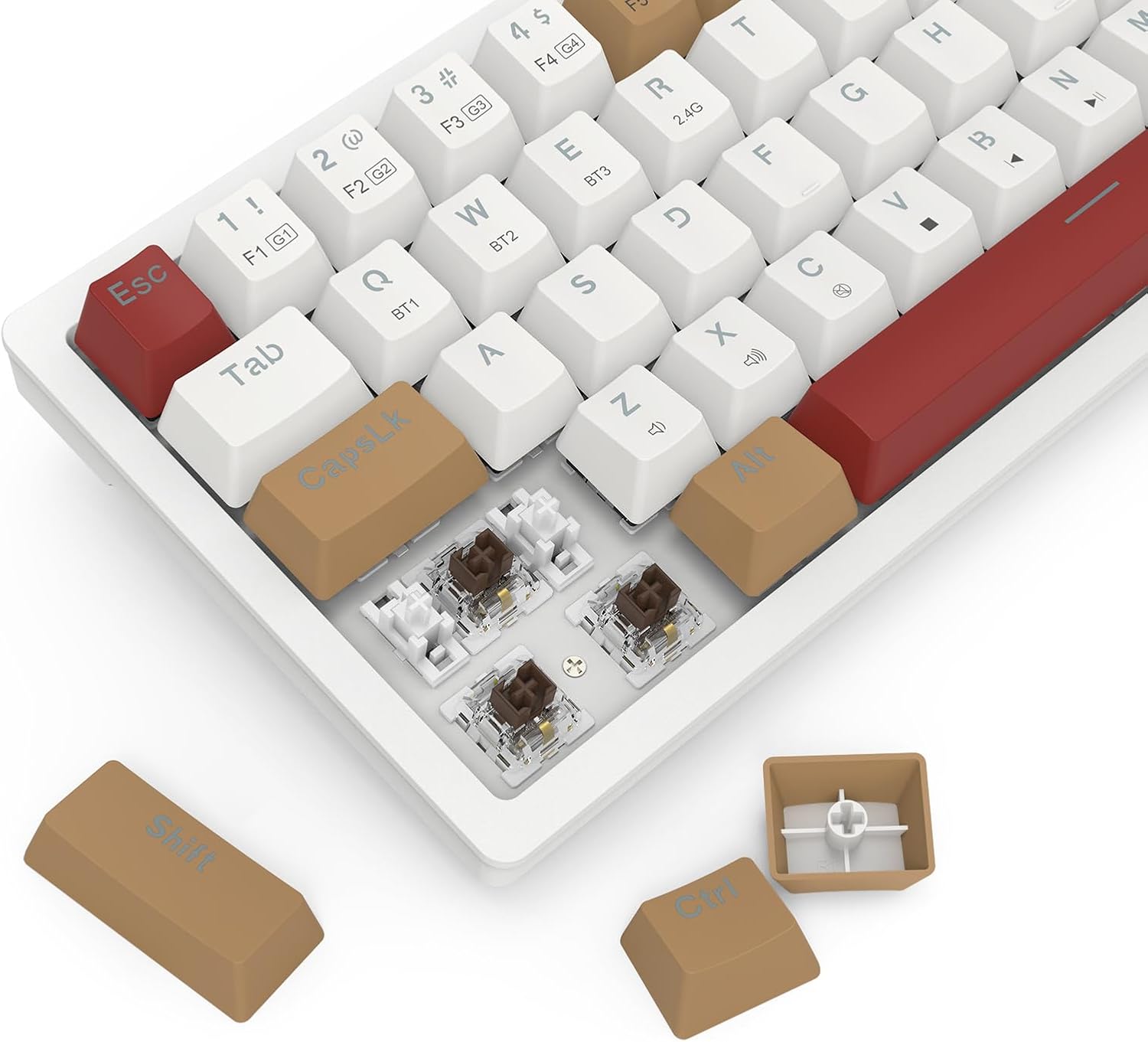
Image 4.1: Detail of the hot-swappable switch sockets, with a keycap and switch removed for illustration.
5 Solución de problemas
5.1 O teclado non responde
- Modo cableado: Asegúrate de que o cable USB-C estea conectado correctamente tanto ao teclado como ao ordenador. Proba cun porto ou cable USB diferente.
- Sen fíos de 2.4 GHz: Ensure the 2.4G dongle is properly inserted into a USB port and the keyboard switch is set to 2.4G. Check battery level.
- Modo Bluetooth: Ensure the keyboard switch is set to BT and it is paired correctly (see Section 2.3.3). Check battery level. Try re-pairing.
- Todos os modos: Reinicia o teu ordenador.
5.2 Keys Not Working or Double-Typing
- Limpa arredor da tecla afectada para eliminar calquera residuo.
- If the keyboard has hot-swappable switches, try removing and re-inserting the switch for the problematic key. If the issue persists, consider replacing the switch.
5.3 RGB Backlight Not Working or Flickering
- Ensure the backlight is not turned off (check brightness settings using Fn key combinations).
- Check for firmware updates on the Redragon websitio.
- If using wireless mode, ensure the battery is sufficiently charged.
5.4 Connectivity Issues (Lag, Disconnections)
- Modos sen fíos: Ensure there are no strong interference sources (e.g., other wireless devices, large metal objects) between the keyboard and your device.
- Move closer to your device if using Bluetooth.
- Asegúrate de que a batería do teclado estea cargada.
6. Especificacións
| Característica | Detalle |
|---|---|
| Marca | Redragon |
| Número de modelo | K677 PRO |
| Tecnoloxía de conectividade | USB (Wired), 2.4GHz Wireless, Bluetooth |
| Descrición do teclado | Mecánica |
| Usos recomendados | Xogos |
| Características especiais | Mechanical Keyboard, Customizable Display Keys, Hot-Swappable Switches, RGB Backlight |
| Backlight Color Support | RGB (Red, Green, Blue model) |
| Estilo | Teclado para xogos |
| Material | Plástico |
| Dimensións do produto | 34.01 x 14 x 3.99 cm |
| Peso do elemento | 689 gramos |
| Dispositivos compatibles | Ordenador |
| País de Orixe | China |
7. Garantía e soporte
7.1 Información da garantía
For detailed warranty information, please refer to the warranty card included with your product or visit the official Redragon websitio. Os termos e condicións da garantía poden variar segundo a rexión.
7.2 Atención ao cliente
If you encounter any issues not covered in this manual or require further assistance, please contact Redragon customer support through their official websitio web ou a información de contacto que se inclúe na embalaxe do produto.


