Introdución
Thank you for choosing the Doubc Q13 Wireless Bluetooth 5.3 Earbuds. These earbuds are designed to provide a high-quality audio experience with advanced features such as HiFi stereo sound, ENC noise-cancelling microphones, and IPX7 waterproofing. This manual will guide you through the setup, operation, and maintenance of your new earbuds.

Image: The Doubc Q13 Wireless Bluetooth 5.3 Earbuds in their open charging case, displaying the digital battery indicator.
Contido do paquete
Comprobe se o paquete contén os seguintes elementos:
- Doubc Q13 Wireless Earbuds (Left and Right)
- Estuche de carga
- Cable de carga USB tipo C
- Manual de usuario
- Almofadiñas para os oídos (varios tamaños, normalmente S/M/L)
Configuración
1. Carga inicial
Antes do primeiro uso, carga completamente os auriculares e a caixa de carga. Conecta o cable USB tipo C incluído ao porto de carga da caixa e a unha fonte de alimentación. A pantalla LED da caixa de carga mostrará a porcentaxe da batería.tage. A full charge takes approximately 1.5 hours.
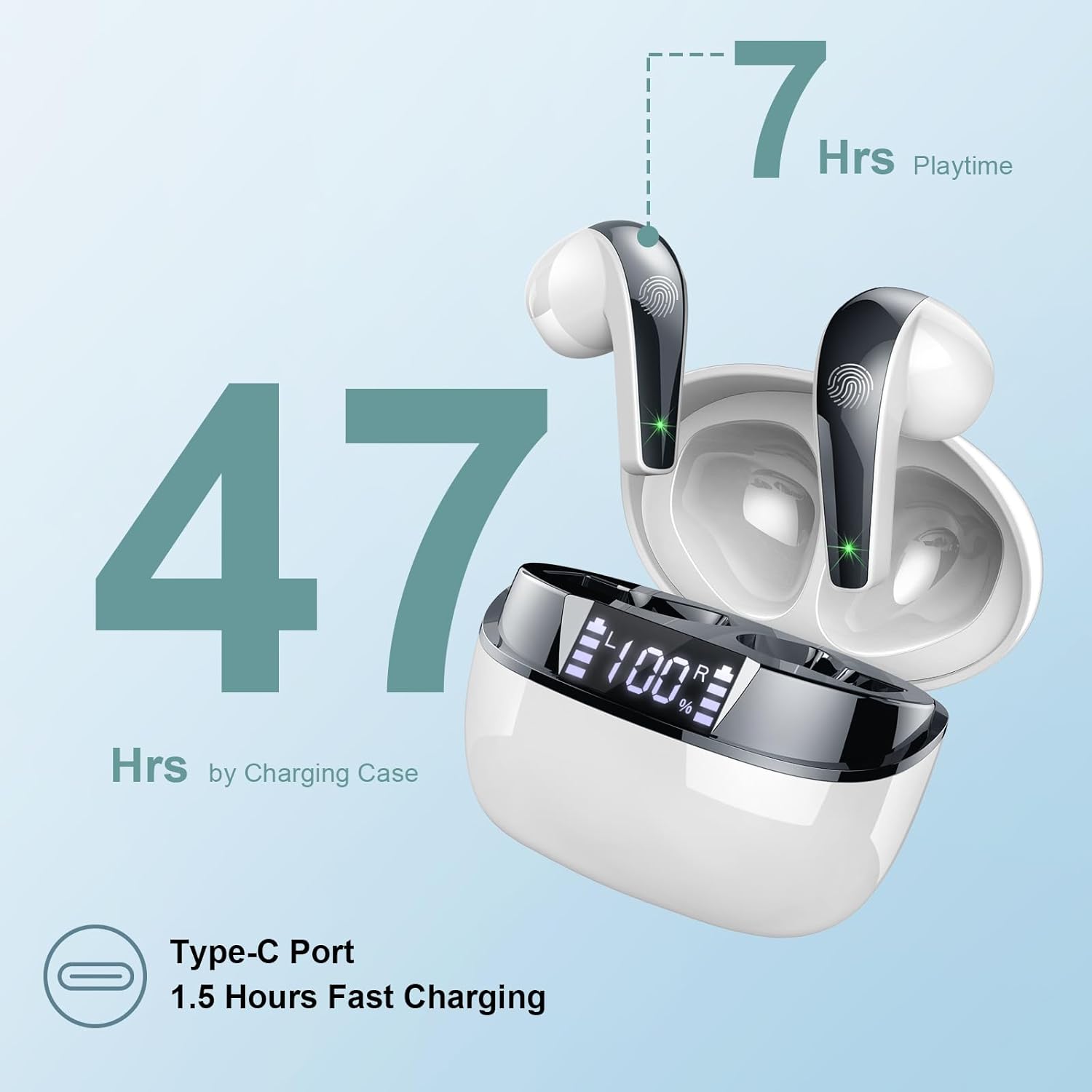
Image: The charging case highlighting 47 hours of total playtime and the Type-C charging port.

Image: A visual representation of the earbuds and charging case, emphasizing 7 hours of music time per charge and 47 hours total with the charging case, along with the dual LED digital display.
2. Emparejamento cun dispositivo
- Asegúrate de que os auriculares estean cargados.
- Abre a caixa de carga. Os auriculares entrarán automaticamente no modo de emparellamento.
- No teu dispositivo (teléfono intelixente, tableta, ordenador), vai á configuración de Bluetooth.
- Busca dispositivos dispoñibles e seleccione "Q13" da lista.
- Unha vez conectados, escoitarás un ton de confirmación e os auriculares estarán listos para usar.
The Doubc Q13 earbuds feature one-step pairing and wide compatibility with iOS, Android, and Windows devices.

Image: The earbuds in their charging case next to a smartphone displaying Bluetooth settings, showing "Q13" as a discoverable device, illustrating the one-step pairing process.
Instrucións de funcionamento
Controis táctiles
The Doubc Q13 earbuds feature smart touch controls for easy management of music and calls. The touch sensitive area is located on the outer surface of each earbud.

Image: A user wearing an earbud, with icons indicating various touch control functions such as volume adjustment, call management, music playback, and voice assistant activation.
| Acción | Función |
|---|---|
| Toque único (E/D) | Reproducir/Pausar música, Responder/Finalizar chamada |
| Dobre toque (dereita) | Próxima pista |
| Dobre toque (esquerda) | Pista anterior |
| Toca tres veces (dereita) | Subir volume |
| Toca tres veces (esquerda) | Baixar o volume |
| Presión longa (2 s) (E/D) | Rexeitar chamada, activar asistente de voz |
Encendido/apagado
- Encendido: Abre a caixa de carga e os auriculares acenderanse automaticamente. Como alternativa, mantén premida a área táctil de ambos auriculares durante 3 segundos.
- Apagado: Volve colocar os auriculares na caixa de carga e pecha a tapa. Apagaranse automaticamente e comezarán a cargar. Como alternativa, podes manter premida a zona táctil de ambos auriculares durante 5 segundos.
Mantemento
Limpeza
To ensure optimal performance and charging, regularly clean the charging contacts on both the earbuds and the charging case. Use a cotton swab lightly dampened with alcohol to gently wipe the contacts.

Image: A diagram illustrating the location of charging contacts on the earbuds and inside the charging case, with instructions to clean them if charging issues occur.
Resistencia á auga
The earbuds are IPX7 waterproof, meaning they can withstand immersion in water up to 1 meter for 30 minutes. This makes them suitable for workouts and light rain. However, the charging case is not waterproof. Do not expose the charging case to water.

Image: Two earbuds covered in water droplets, visually representing their IPX7 waterproof capability.
Almacenamento
Garda os auriculares no seu estoxo de carga cando non os uses para protexelos e mantelos cargados. Evita temperaturas extremas e a luz solar directa.
Resolución de problemas
Os auriculares non se cargan
- Asegúrate de que o cable de carga estea conectado correctamente tanto á carcasa como á fonte de alimentación.
- Verify that the charging contacts on both the earbuds and the case are clean and free of debris. Use alcohol to clean them if necessary.
- Comproba se a propia caixa de carga ten suficiente carga de batería.
Only One Earbud Has Sound
- Volva colocar os dous auriculares na caixa de carga e peche a tapa.
- On your phone's Bluetooth settings, manually "forget" or "unpair" the "Q13" device.
- After approximately 10 seconds, open the charging case. The earbuds should automatically re-enter pairing mode.
- Reconnect the earbuds with your phone via Bluetooth.
Image: A diagram illustrating solutions for common issues: cleaning charging contacts for charging problems and re-pairing steps for when only one earbud produces sound.
Os auriculares non se conectan
- Asegúrate de que o Bluetooth estea activado no teu dispositivo.
- Make sure the earbuds are within the effective range (typically 10 meters) of your device.
- Turn off and then turn on your device's Bluetooth.
- Repeat the pairing process as described in the "Setup" section.
Especificacións
| Característica | Detalle |
|---|---|
| Número de modelo | Q13 |
| Versión Bluetooth | 5.3 |
| Controlador de audio | 13mm Graphene Audio Driver |
| Rango de frecuencias | 20 Hz - 20,000 Hz |
| Tempo de reprodución (auriculares) | Ata 7 horas (unha soa carga) |
| Tempo de reprodución total (con estuche) | Ata 47 horas |
| Porto de carga | USB tipo C |
| Tempo de carga | Approx. 1.5 hours (case) |
| Clasificación impermeable | IPX7 (só auriculares) |
| Micrófonos | 4 ENC Noise Cancelling Microphones |
| Peso dos auriculares | Aprox. 3 g (cada un) |
| Peso do estuche de carga | Aprox. 29 g |
| Dimensións do produto | 2.13 x 1.81 x 1.34 polgadas (estuche de carga) |

Imaxe: Unha detallada view of the 13mm Graphene Audio Driver, emphasizing HiFi Stereo Sound and built-in microphones with noise reduction for HD calling.

Image: A diagram illustrating the benefits of Advanced Bluetooth 5.3 technology, including faster transfer, lower power consumption, more stable connection, and lower latency.

Image: A visual showing the comfortable and lightweight design of the earbuds and charging case, including their dimensions and individual weights (3g per earbud, 29g for the case).
Garantía e Soporte
The Doubc Q13 Wireless Bluetooth 5.3 Earbuds come with a 3 ano de garantía, garantindo a tranquilidade en canto á calidade e o rendemento do produto.
For technical support, warranty claims, or any inquiries, please refer to the contact information provided on the product packaging or the official Doubc website. Specific support contact details are not available in this manual.
Información importante de seguridade
- Non desmonte nin modifique o produto.
- Manter lonxe de temperaturas extremas e da luz solar directa.
- Evita expoñer a caixa de carga á auga.
- Emprega só o cable de carga incluído ou un equivalente certificado.
- Eliminar o produto de forma responsable segundo a normativa local.


