Introdución
The ThermoPro TP351S is a Bluetooth-enabled indoor thermometer and humidity monitor designed to provide accurate environmental readings and remote monitoring capabilities via a smartphone application. This device is ideal for various indoor environments such as homes, greenhouses, RVs, and more, offering features like real-time data, historical data storage, and customizable alerts.
Características clave
- Conexión Bluetooth sinxela: Features advanced auto-connection technology for effortless pairing with smart devices.
- Sensor preciso: Equipped with an advanced NTC humidity sensor for high precision (±0.5°F and ±2% RH) and fast refresh rates (10-second).
- Extended Remote Range: Offers a remote range of up to 260 feet for monitoring from various locations within your home or office.
- Almacenamento e exportación de datos durante 2 anos: Stores up to 2 years of historical data, which can be easily exported for analysis.
- Feature-Rich App: Provides temperature and humidity alerts, comfort index, online data chart tracking, and battery indicator.
- Deseño compacto e portátil: Small size with a hanging loop for versatile placement.
Contido do paquete
Asegúrate de que todos os elementos estean presentes no paquete:
- 1 x ThermoPro TP351S Bluetooth Indoor Thermometer & Humidity Monitor
- 2 x pilas AAA
- 1 x Manual de usuario (guía de inicio rápido)
Guía de configuración
1. Instale as baterías
Open the battery compartment on the back of the device. Insert the two AAA batteries, ensuring correct polarity (+/-). Close the battery compartment securely.

Image: The ThermoPro TP351S device shown alongside a smartphone displaying its companion application, illustrating the device's compact size and the app's user interface with temperature and humidity readings.

Imaxe: Unha detallada view of the ThermoPro TP351S's internal sensor chip, highlighting its advanced NTC technology for accurate temperature and humidity measurements.
2. Download the ThermoPro APP
Busca "ThermoPro" in the Apple App Store (for iOS devices) or Google Play Store (for Android devices) and download the official application. Alternatively, scan the QR code provided in the quick start guide to directly access the app download page.
3. Pair the Device
Ensure Bluetooth is enabled on your smartphone. Open the ThermoPro app. The device should automatically connect. If not, follow the in-app instructions to add a new device. The TP351S features auto-connection technology for seamless pairing.

Image: An illustrative diagram demonstrating the 260-foot Bluetooth range of the ThermoPro TP351S, showing its ability to transmit data across multiple rooms and floors within a typical home environment.
Instrucións de funcionamento
Monitorización en tempo real
Once connected, the ThermoPro app will display real-time temperature and humidity readings from your TP351S device. The readings refresh every 10 seconds, providing up-to-date environmental data.
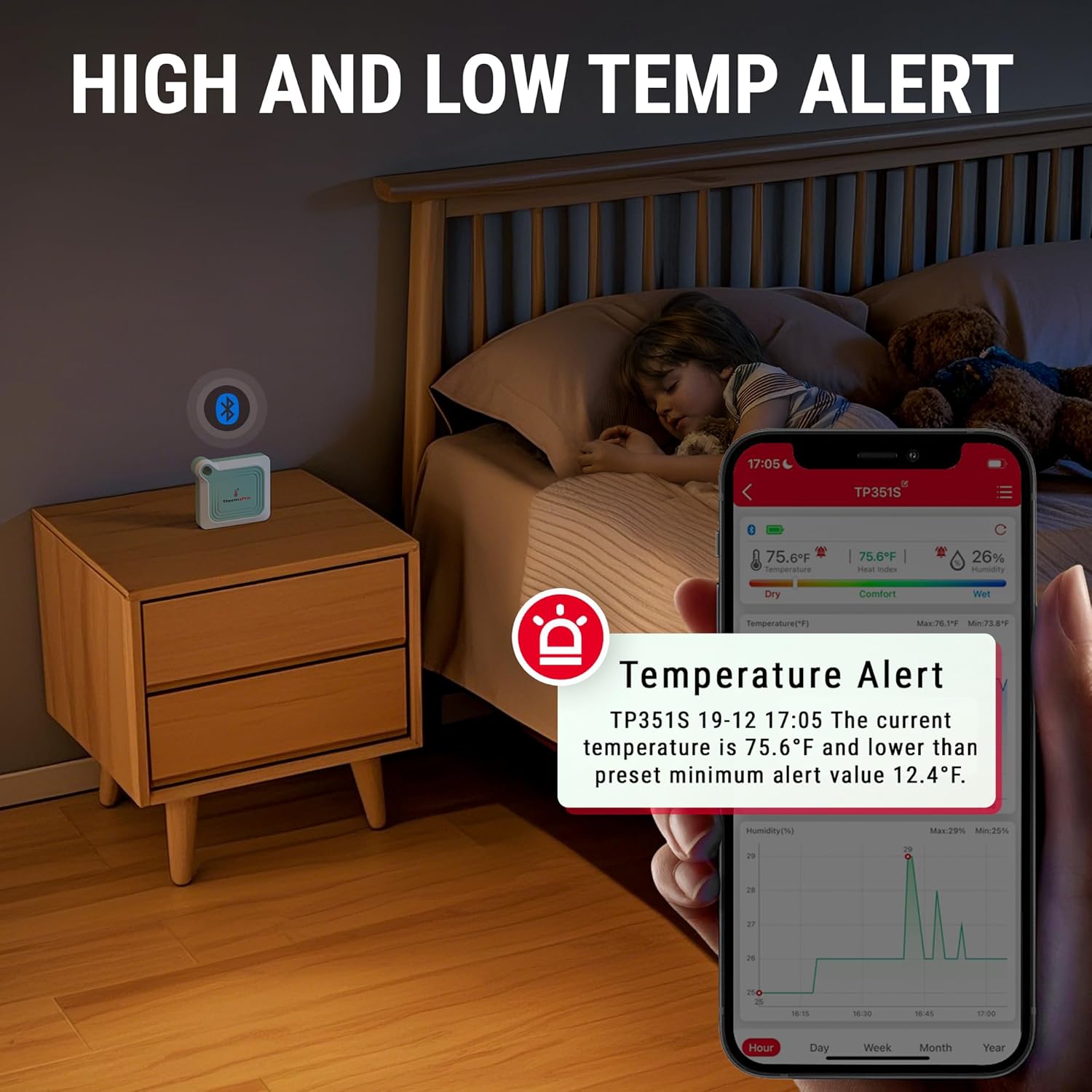
Image: A smartphone screen displaying a temperature alert from the ThermoPro app, with the TP351S device placed on a bedside table in a child's room, indicating its use for monitoring comfort levels.
Almacenamento e exportación de datos
The device stores up to 2 years of temperature and humidity data. You can view historical data charts (hourly, daily, weekly, monthly, yearly) within the app. To export data, navigate to the data export option in the app, which allows you to save the data for further analysis.

Image: A visual representation of the ThermoPro app's data export feature, showing data being transferred from a smartphone to a laptop, with the TP351S device positioned near an incubator, highlighting its utility for long-term environmental monitoring.
Configuración de alertas
The app allows you to set custom high and low temperature and humidity alerts. You will receive notifications on your smartphone if the readings go outside your preset range.
Índice de confort
The app provides a comfort index (Dry, Comfort, Wet) based on the current humidity levels, helping you understand the environmental conditions at a glance.

Image: The ThermoPro app displaying the comfort indicator (Dry, Comfort, Wet) on a smartphone, with the TP351S device in a room where a person is performing yoga, illustrating its use for maintaining optimal indoor conditions.
Placement and Portability
The compact design and integrated hanging loop allow for flexible placement of the TP351S in various locations, including tabletops, hanging from hooks, or carried in bags.

Image: A composite image showing the compact dimensions of the ThermoPro TP351S and examples of its portability, including being held in a hand, hanging on a wall, and fitting into a small bag.

Image: A collage depicting the ThermoPro TP351S being used in diverse environments such as a greenhouse, a bedroom, and a cigar collection room, demonstrating its versatility for monitoring different spaces.
Mantemento
- Limpeza: Limpe o dispositivo cun suave, damp pano. Non use produtos de limpeza abrasivos nin somerxa o dispositivo en auga.
- Substitución da batería: Replace batteries when the low battery indicator appears in the app. Use 2 AAA batteries.
- Almacenamento: Se garda as pilas durante un período prolongado, retire as pilas para evitar fugas. Garde nun lugar fresco e seco.

Image: The ThermoPro TP351S device shown next to two AAA batteries, emphasizing its ultra-low power consumption and the type of batteries required for operation.
Resolución de problemas
| Problema | Posible causa/solución |
|---|---|
| O dispositivo non se conecta á aplicación. |
|
| Lecturas inexactas. |
|
| App not receiving data updates. |
|
Especificacións
| Característica | Detalle |
|---|---|
| Modelo | TP351S |
| Marca | ThermoPro |
| Precisión da temperatura | ± 0.5 ° F (± 0.3 ° C) |
| Precisión da humidade | ± 2% RH |
| Rango de temperatura | -4 °F a 140 °F (-20 °C a 60 °C) |
| Rango de humidade | 10% a 99% RH |
| Alcance Bluetooth | Up to 260 feet (79 meters) in open connection distance |
| Almacenamento de datos | Ata 2 anos |
| Fonte de enerxía | 2 pilas AAA (incluídas) |
| Dimensións | Aprox. 3.07 x 2.72 x 0.75 polgadas (7.8 x 6.9 x 1.9 cm) |
| Peso do elemento | Aproximadamente 1.76 onzas (50 gramos) |
| Tipo de montaxe | Tabletop / Hanging Loop |
Información da garantía
ThermoPro provides a limited one-year warranty on this product from the date of purchase. This warranty covers defects in materials and workmanship under normal use. Please refer to the official ThermoPro website or the quick start guide for detailed warranty terms and conditions, including information on how to register your product for an extended warranty if applicable.
Atención ao cliente
For any questions, technical assistance, or warranty claims, please contact ThermoPro Customer Service. Contact information can typically be found on the ThermoPro official websitio web ou dentro da embalaxe do produto.
Websitio: www.buythermopro.com


