Introdución
This manual provides essential information for the setup, operation, maintenance, and troubleshooting of your Pro-Ject Debut EVO 2 Audiophile Turntable. Please read these instructions carefully before using the turntable to ensure proper function and longevity of the product.
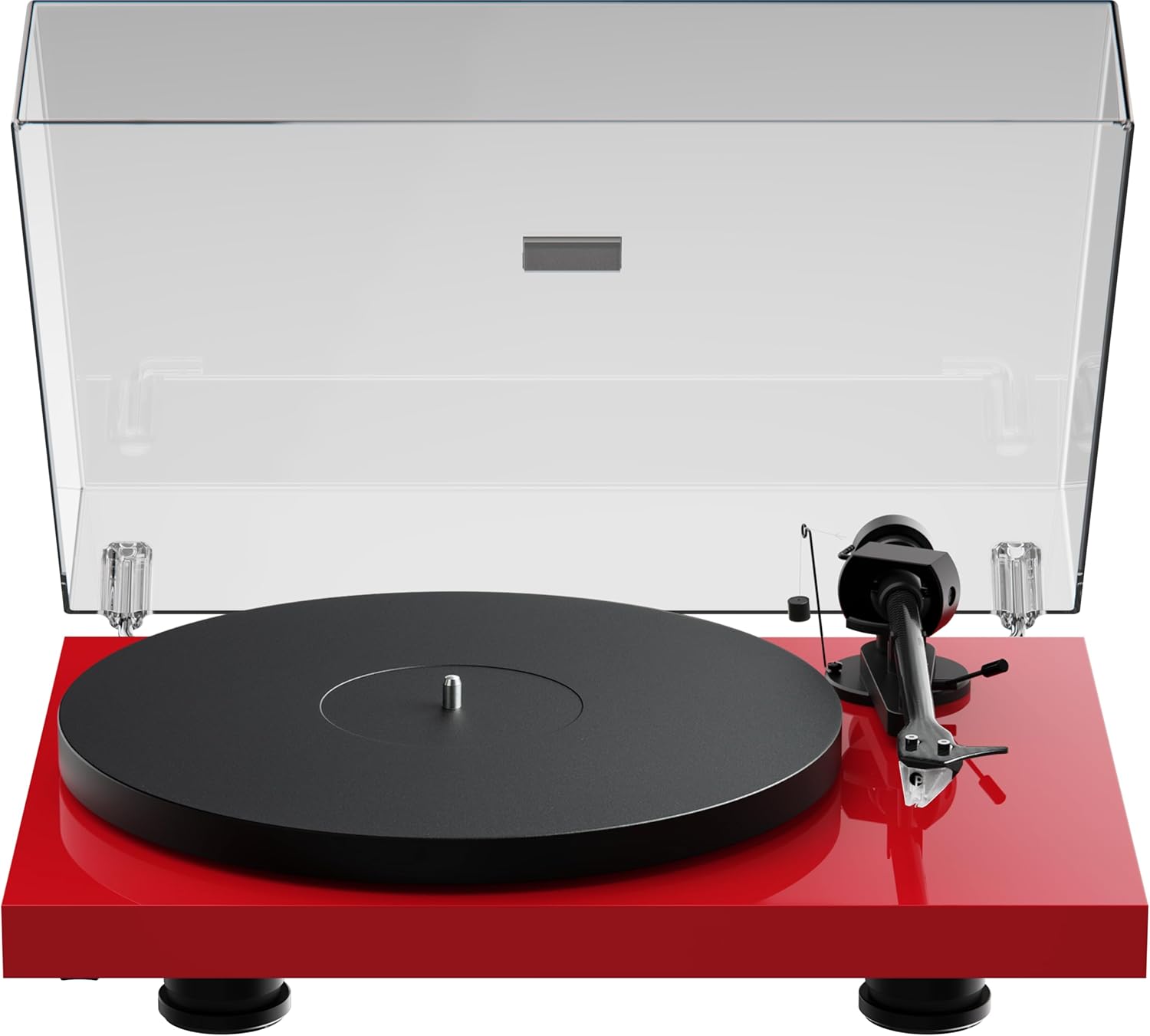
Image: The Pro-Ject Debut EVO 2 turntable in High Gloss Red, featuring a clear dust cover, platter, and tonearm.
Instrucións de seguridade
- Always disconnect the turntable from the power supply before cleaning or maintenance.
- Non toque o cable de alimentación coas mans molladas.
- Avoid placing the turntable near water or excessive moisture.
- Ensure the turntable is placed on a stable, level surface to prevent vibrations and ensure proper operation.
- Keep packaging materials, especially plastic bags, away from children.
O que hai na caixa
Carefully unpack all items from the packaging. Please ensure all components listed below are present and undamaged.
- Tocadiscos Pro-Ject Debut EVO 2
- Transparent Dustcover
- Connection Cable (RCA)
- Adaptador de alimentación
- Transportador de aliñación
- Single Adapter (for 45 RPM records with large center holes)
- Prato
- Cinto de transmisión
- Contrapeso
- Peso antipatinaxe
- Pick it MM EVO Cartridge (pre-mounted)
Configuración
1 Colocación
Place the turntable on a firm, level surface, away from direct sunlight, heat sources, and excessive vibration. Ensure adequate ventilation around the unit.
2. Instalación do prato e da correa
- Place the main platter onto the sub-platter spindle.
- Carefully loop the drive belt around the sub-platter and the motor pulley. Ensure the belt is not twisted.

Imaxe: Unha detallada view of the turntable's belt drive system, showing the belt wrapped around the sub-platter and motor pulley.
3. Tonearm Balance and Tracking Force
The Pick it MM EVO cartridge is pre-mounted. Follow these steps to set the tracking force:
- Retire o protector do estilete.
- Place the counterweight onto the rear of the tonearm.
- Adjust the counterweight until the tonearm floats freely and is perfectly balanced horizontally.
- Rotate the tracking force dial (the numbered ring on the counterweight) to '0' without moving the counterweight itself.
- Rotate the entire counterweight counter-clockwise until the desired tracking force is set. Refer to the cartridge specifications for the recommended tracking force (typically 1.8g for the Pick it MM EVO).
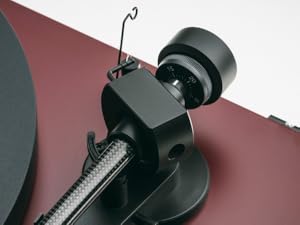
Image: A close-up of the carbon fiber tonearm, illustrating its construction and connection points.
4. Axuste antideslizamento
The anti-skating mechanism counteracts the inward force on the tonearm. Attach the anti-skating weight's thread to the second groove of the anti-skating stub for the recommended tracking force.

Image: The anti-skating weight hanging from its thread, attached to the tonearm's anti-skating stub.
5. Conexión a un Ampmáis vivo
Connect the turntable's RCA output cables to the 'Phono' input of your amplificador. Se o teu amplifier does not have a dedicated 'Phono' input, you will need an external phono preampmáis vivo.
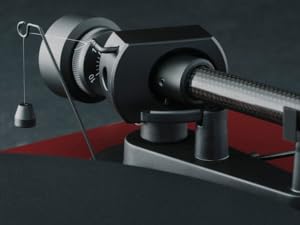
Image: The rear panel of the turntable, displaying the RCA output jacks for audio connection and the power input.
6. Instalación da cuberta antipo
Insert the hinges of the transparent dust cover into the designated slots at the rear of the turntable plinth.
En funcionamento
1. Acendido/apagado
Connect the power adapter to the turntable and a wall outlet. The turntable is powered on by pressing the power button, usually located on the underside or side of the plinth.
2. Selección de velocidade
The Debut EVO 2 features electronic speed selection. Use the speed selector switch (often a button on the plinth) to switch between 33 1/3 RPM and 45 RPM. For 78 RPM records, a special belt and stylus may be required (not included).
3. Reproducir un disco
- Coloca un disco no prato.
- Select the correct playback speed.
- Levante o brazo usando a palanca de sinalización.
- Coloque o brazo sobre o suco inicial desexado do disco.
- Gently lower the tonearm using the cueing lever. The stylus will begin playing the record.
4. Deter a reprodución
At the end of a record, or when you wish to stop playback:
- Levante o brazo usando a palanca de sinalización.
- Devolve o brazo ao seu repouso.
- Lower the cueing lever.
- Turn off the turntable if not playing another record.
Mantemento
1. Limpeza
- Turntable Plinth and Dust Cover: Use a soft, lint-free cloth to wipe surfaces. For stubborn marks, a slightly damp cloth can be used, followed by a dry one. Avoid abrasive cleaners.
- Prato: Clean the platter surface with a soft, dry cloth.
2. Coidado do punteiro
- Regularly clean the stylus using a dedicated stylus cleaning brush, brushing gently from back to front.
- Evita tocar o punteiro cos dedos.
- Replace the stylus when signs of wear are apparent (e.g., distorted sound, increased surface noise). The Pick it MM EVO cartridge is designed for easy stylus replacement.

Imaxe: Unha detallada view of the Pick it MM EVO cartridge mounted on the tonearm, highlighting its design.
3. Substitución da correa
The drive belt may stretch or degrade over time. If you notice inconsistent speed or reduced torque, the belt may need replacement. Contact Pro-Ject support or an authorized dealer for a replacement belt.
Resolución de problemas
If you encounter issues with your turntable, consult the following table before contacting support.
| Problema | Causa posible | Solución |
|---|---|---|
| Sen poder | Cable de alimentación non conectado; Toma de corrente avariada | Check power connections; Try a different outlet |
| Sen son nin baixo volume | Entrada incorrecta seleccionada en amplifier; Cables loose; Stylus protector still on; Amplifier not set to 'Phono' input | Select correct input; Check all cable connections; Remove stylus protector; Use a phono preamplifier se é necesario |
| Son distorsionado | Incorrect tracking force; Damaged stylus; Dirty stylus; Incorrect anti-skating setting | Adjust tracking force; Inspect/clean/replace stylus; Adjust anti-skating |
| Velocidade inconsistente | Drive belt worn or loose; Motor pulley dirty | Replace drive belt; Clean motor pulley |
| Ruído de zumbido | Ground wire not connected; Interference from other electronics | Ensure ground wire is connected; Move turntable away from other electronics |
Especificacións
- Nome do modelo: Debut EVO 2
- Marca: Pro-Xect
- Número de modelo do artigo: 9120129864930
- Dimensións do produto: 16.4 x 12.6 x 4.5 polgadas (41.6 x 32 x 11.4 cm)
- Peso do artigo: 13.2 libras (6 quilogramos)
- Material: Carbon Fiber (tonearm)
- Tipo de motor: Transmisión por correa
- Formato do sinal: Fono
- Compoñentes incluídos: Turntable, transparent dustcover, connection cable, power adapter, alignment protractor, single adapter
- Dispositivos compatibles: Amplifier, altofalante
- Fabricante: Sistemas de audio Pro-Ject
Garantía
Pro-Ject Audio Systems offers a warranty for this product. Please refer to the warranty card included with your purchase or visit the official Pro-Ject websitio web para obter termos e condicións detallados da garantía. Garda o comprobante de compra para reclamacións de garantía.
Key Warranty Feature: 25-year spare parts availability guarantee, ensuring long-term support for your turntable.
Apoio
For further assistance, technical support, or spare parts, please contact your authorized Pro-Ject dealer or visit the official Pro-Ject Audio Systems websitio:
- Pro-Ject Store: Visit the Pro-Ject Store on Amazon
- Fabricante: Sistemas de audio Pro-Ject


