1. Introdución
Thank you for choosing the AutoSky Portable Tire Inflator, Model AAC-301. This device is designed to provide convenient and efficient inflation for various items, including car tires, motorcycle tires, bicycle tires, and sports balls. It also features an integrated power bank and an emergency LED flashlight for added utility. Please read this manual thoroughly before use to ensure proper operation and to maximize the product's lifespan.
2. Información de seguridade
- Manter fóra do alcance dos nenos.
- Non utilice o inflador en condicións húmidas nin preto de líquidos ou gases inflamables.
- Avoid prolonged continuous operation to prevent overheating. Allow the device to cool down between uses if necessary.
- Asegúrate de axustar a presión correctamente para o artigo que se vai inflar para evitar un inflado excesivo e posibles danos ou lesións.
- Non apunte a boquilla de inflado a persoas ou animais.
- Garda o dispositivo nun lugar fresco e seco cando non estea en uso.
- Use só os accesorios e o cable de carga incluídos.
3. Contido do paquete

Image: Contents of the AutoSky Portable Tire Inflator package, including the inflator unit, air hose, charging cable, needle, nozzle, and carry bag.
The AutoSky Portable Tire Inflator package includes the following items:
- AutoSky Portable Inflator Unit (Model AAC-301)
- Mangueira de aire
- Cable de carga (USB)
- 1 Needle (for balls)
- 1 Nozzle (for bicycle valves)
- Bolsa de transporte
- Manual de usuario (este documento)
4. Características do produto

Imaxe: Fronte view of the AutoSky Portable Tire Inflator, showing the digital display, control buttons, and inflation port.
- Fast & Reliable Inflation: Efficiently inflates various items with automatic shut-off at preset pressure.
- Banco de enerxía integrado: Charges smartphones, tablets, and other USB-powered devices.
- Emergency LED Flashlight: Features steady, strobe, and SOS modes for illumination and signaling.
- Digital Display & Easy Controls: Intuitive interface for setting desired pressure and selecting inflation modes.
- Deseño compacto e portátil: Lixeiro e fácil de gardar e transportar.
- Compatibilidade versátil: Suitable for cars, motorcycles, bicycles, and balls.
5. Configuración
5.1 Carga inicial
Before first use, fully charge the inflator. Connect the provided USB charging cable to the charging port on the device and to a suitable USB power adapter (not included). The battery indicator on the digital display will show charging progress. A full charge typically takes several hours.
5.2 Conexión da mangueira de aire e das boquillas
Screw one end of the air hose securely onto the inflator's air outlet. For different inflation needs, attach the appropriate nozzle or needle to the other end of the air hose.
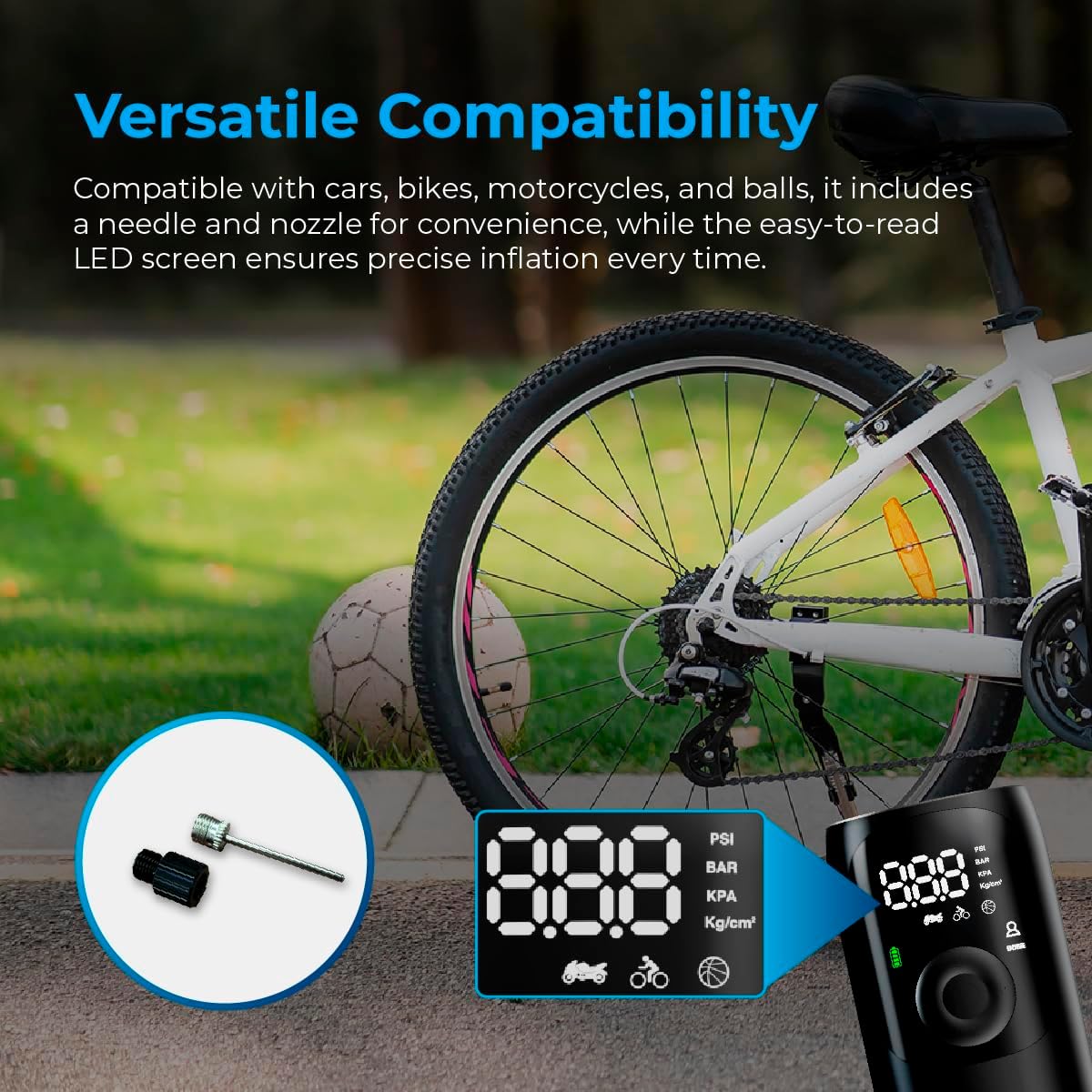
Image: Close-up of the AutoSky Portable Tire Inflator showing the included needle and nozzle accessories for different inflation types.
6. Instrucións de funcionamento
6.1 Acendido/Apagado
Press and hold the power button for 3 seconds to turn the compressor on or off.
6.2 Proceso de inflación
- Conectar: Connect one end of the air hose to the inflator and the other end to the valve of the item you wish to inflate. Attach the appropriate nozzle or needle if required.
- Power On & Select Mode: Press and hold the power button for 3 seconds to turn on the compressor. Press the 'M' button to cycle through the inflation modes (Car, Motorcycle, Bicycle, Ball) until the desired mode is selected. The display will show the recommended pressure range for each mode.
- Presión de configuración: Usa os botóns "+" e "-" para axustar o valor da presión obxectivo. Consulta as recomendacións do fabricante do artigo para obter a presión correcta.
- Inicio da inflación: Press the power button again to start the inflation process. The compressor will automatically stop once the preset pressure is reached.
- Desconectar: Carefully disconnect the air hose from the item and the inflator.

Image: Visual guide demonstrating the three main steps for using the inflator: connecting the hose, setting the pressure, and starting inflation.

Image: Display of the AutoSky Portable Tire Inflator highlighting different inflation modes (car, motorcycle, bicycle, ball) and their respective pressure ranges (PSI).
6.3 Uso como batería externa
To use the inflator as a power bank, connect your USB-powered device (e.g., smartphone, tablet) to the USB output port on the inflator using your device's charging cable. The inflator will automatically begin charging your device.

Image: The AutoSky Portable Tire Inflator functioning as both a power bank, charging a smartphone, and an LED flashlight illuminating a dark area.
6.4 Uso da lanterna LED
With the device powered on, press the flashlight button (usually indicated by a light bulb icon) to cycle through the flashlight modes: Steady On, Strobe, and SOS. Press again to turn off the flashlight.
7. Mantemento
- Limpeza: Limpe o exterior do inflador cun pano suave e seco. Non empregue produtos químicos agresivos nin produtos de limpeza abrasivos.
- Almacenamento: Store the device and its accessories in the provided carry bag in a cool, dry place, away from direct sunlight and extreme temperatures.
- Coidado da batería: To maintain battery health, charge the device at least once every three months, even if not in use.
- Inspección da mangueira: Regularly inspect the air hose for any signs of wear, cracks, or damage. Replace if necessary.
8 Solución de problemas
| Problema | Causa posible | Solución |
|---|---|---|
| O inflador non se acende. | Batería baixa ou sen carga. | Charge the device fully. Ensure the power button is held for 3 seconds. |
| A inflación é lenta ou non funciona. | Air hose not securely connected; incorrect nozzle; leak in hose/valve. | Ensure all connections are tight. Check for leaks. Verify correct nozzle is used. |
| O dispositivo sobrequéntase e apágase. | Funcionamento continuo prolongado. | Allow the inflator to cool down for at least 15-20 minutes before resuming use. |
| Lectura de presión inexacta. | Valve connection not secure. | Ensure the air hose is firmly attached to the item's valve. |
9. Especificacións
- Modelo: AAC-301
- Dimensións do produto: 6 x 3 x 15.7 cm
- Peso do artigo: 572 g (0.57 kg)
- Fonte de enerxía: Alimentado por batería (1 batería de iones de litio incluída)
- Presión máxima: Up to 150 PSI (as indicated by device modes)
- Cor: Negro
- Fabricante: Promaster Electronic LLC

Image: The AutoSky Portable Tire Inflator next to a car tire, emphasizing its portability, power bank function, auto shut-off, and preset pressure capabilities.
10. Garantía e soporte
For warranty information and customer support, please refer to the warranty card included in your product packaging or contact AutoSky customer service directly. Contact details can typically be found on the official AutoSky websitio web ou na embalaxe do produto.
Fabricante: Promaster Electronic LLC
Data de primeira dispoñibilidade: 3 de agosto de 2024


