Introdución
This manual provides detailed instructions for the setup, operation, and maintenance of your Tribit Soundbar Speaker S1 with a wired subwoofer. Please read this manual thoroughly before using the product to ensure proper functionality and to maximize your audio experience. Keep this manual for future reference.
Información de seguridade
- Fonte de enerxía: Use só o adaptador de corrente fornecido. Asegúrese de que o volumetage coincide coa súa fonte de alimentación local.
- Colocación: Place the soundbar and subwoofer on a stable, flat surface. Avoid placing near heat sources, direct sunlight, or in humid environments. Ensure adequate ventilation.
- Exposición á auga: Do not expose the unit to water or moisture. If liquid enters the unit, disconnect power immediately and contact customer support.
- Limpeza: Limpa a unidade cun pano suave e seco. Non empregues produtos de limpeza líquidos nin aerosois.
- Servizo: Non intente reparar a unidade vostede mesmo. Encargue todo o mantemento a persoal cualificado.
- Nenos: Manter fóra do alcance dos nenos. As pezas pequenas poden supoñer un perigo de asfixia.
Contido do paquete
Verifique que todos os elementos que se indican a continuación estean incluídos no seu paquete:
- Tribit Soundbar Speaker S1
- Subwoofer con cable
- Mando a distancia (con 2 pilas AAA incluídas)
- AC Power Cord (for Soundbar)
- Cable AUX
- Mounting Kit (x2)
- Manual de usuario
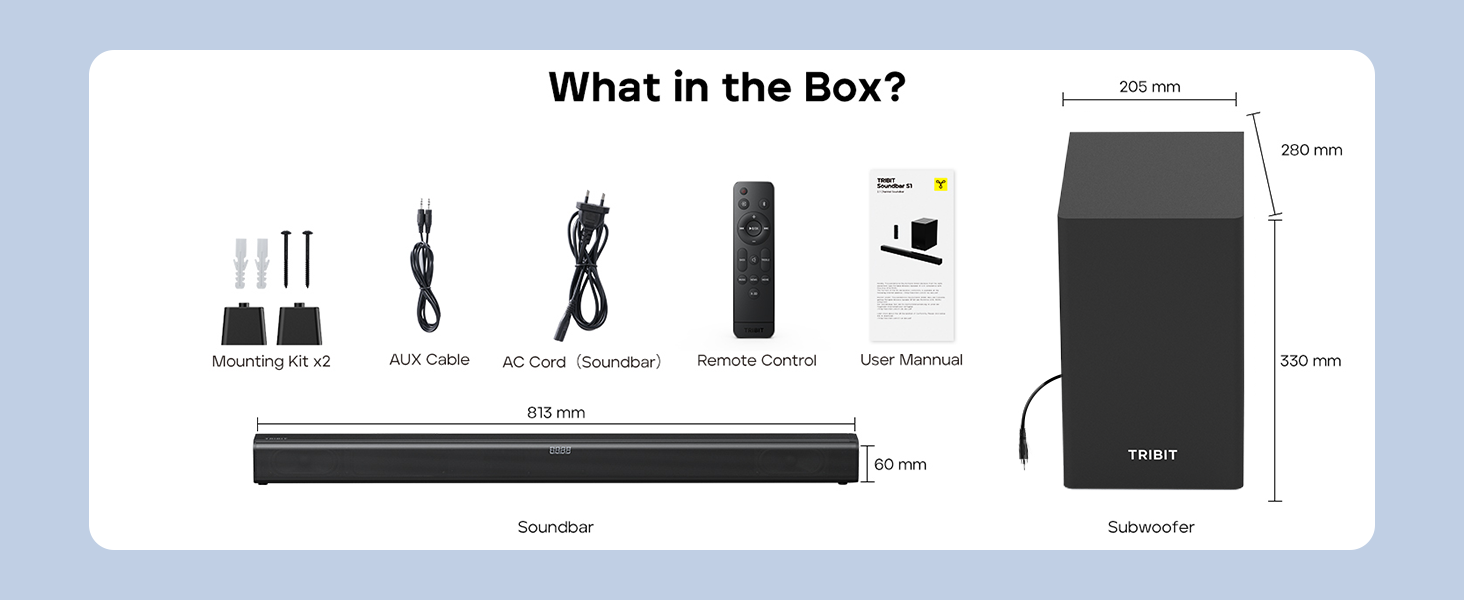
Image: Contents of the Tribit Soundbar S1 package, including the soundbar, subwoofer, remote control, power cord, AUX cable, mounting kit, and user manual. Dimensions for the soundbar and subwoofer are also shown.
Produto rematadoview
Soundbar and Subwoofer Components

Image: The Tribit Soundbar S1, its accompanying wired subwoofer, and the remote control, displayed together.

Imaxe: Unha explosión view diagram illustrating the 100W soundbar and 100W subwoofer with its bass reflex port, highlighting the 200W peak power output.
Controis da barra de son

Imaxe: Unha detallada view of the soundbar's top-mounted controls, including the On/Off button, Source button, Volume + button, and Volume - button. The remote control receiver is also indicated.
- Botón de encendido: Press to turn the soundbar On or Off.
- Botón de orixe: Press to cycle through input modes (Bluetooth, AUX, HDMI, USB).
- Botón Volume +: Aumentar o volume.
- Botón de volume: Diminuír o volume.
- Pantalla LED: Shows current status, volume level, and EQ mode.
Conexións do panel traseiro

Image: A diagram illustrating the rear connection panel of the soundbar, featuring ports for HDMI (ARC), USB Disk Input, AUX Input, SUB Output (for the wired subwoofer), and AC Input. Bluetooth 5.3 connectivity is also noted.
- HDMI (ARC): Connect to your TV's HDMI ARC port for audio output.
- AUX IN: Connect external audio devices via a 3.5mm AUX cable.
- USB: Para reproducir audio files desde unha unidade USB.
- SUB OUT: Connects to the wired subwoofer.
- AC EN: Conecte o cable de alimentación.
Control remoto

Imaxe: Unha detallada view of the remote control for the Tribit Soundbar S1, showing buttons for Power On/Off, Source Switching, Bluetooth Mode, Volume +/-, Previous/Next Song, Play/Pause, Mute, Bass/Treble +/- adjustments, and dedicated EQ Mode buttons (Music, News, Movie, X-3D).
The remote control allows full functionality from a distance. Ensure batteries are correctly inserted.
Configuración
Colocación
Position the soundbar centrally below your television. The subwoofer can be placed on the floor near the soundbar, ideally in a corner for enhanced bass response, but ensure it is not obstructed.

Image: The Tribit Soundbar S1 positioned below a television on a media console, with the wired subwoofer placed to the side, demonstrating a typical home theater setup.
Conectando o subwoofer
Connect the wired subwoofer to the "SUB OUT" port on the rear of the soundbar using the provided cable.
Conexión de alimentación
Connect the AC power cord to the "AC IN" port on the soundbar, then plug the other end into a wall outlet.
Conexións de audio
Escolla un dos seguintes métodos para conectar a súa fonte de son:
- HDMI (ARC): For optimal audio quality and control, connect an HDMI cable from the soundbar's HDMI (ARC) port to your TV's HDMI ARC port. Ensure your TV's HDMI ARC function is enabled in its settings.
- AUX: Connect the provided 3.5mm AUX cable from the soundbar's AUX IN port to the audio output (headphone jack or AUX out) of your device (TV, smartphone, tablet).
- USB: Inserir unha unidade USB que conteña son files into the USB port. The soundbar will automatically switch to USB mode.
- Bluetooth: Para a conexión sen fíos, consulte a sección "Emparellamento Bluetooth" nas instrucións de funcionamento.
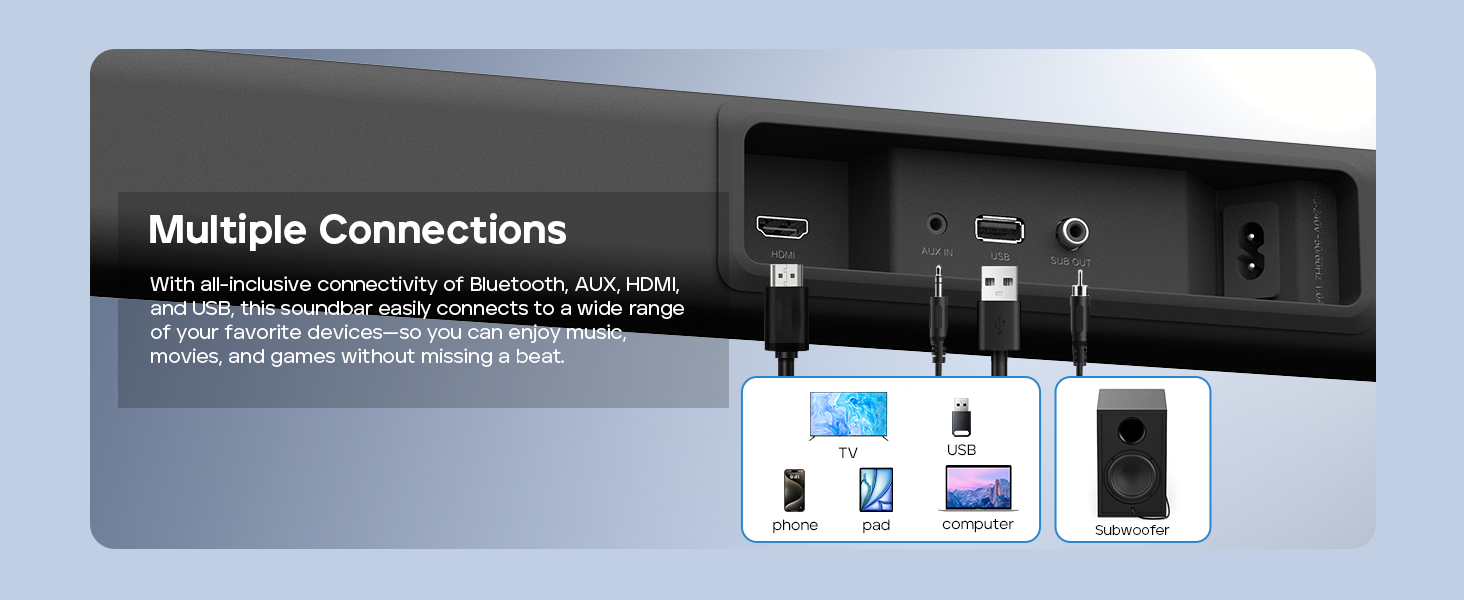
Image: A visual guide demonstrating the multiple connection options for the soundbar, including HDMI, AUX, USB, and Bluetooth, with examples of compatible devices like TVs, phones, tablets, and computers.
Montaxe na parede (opcional)
If you choose to wall-mount your soundbar, follow these steps:
- Measure 668.70mm between two points on the wall and drill two parallel holes (4x45mm).
- Firmly insert a dowel into each hole. Dowels are only required for solid walls.
- Attach the soundbar to the screws on the wall. Press and slide the soundbar to secure it in the correct position.
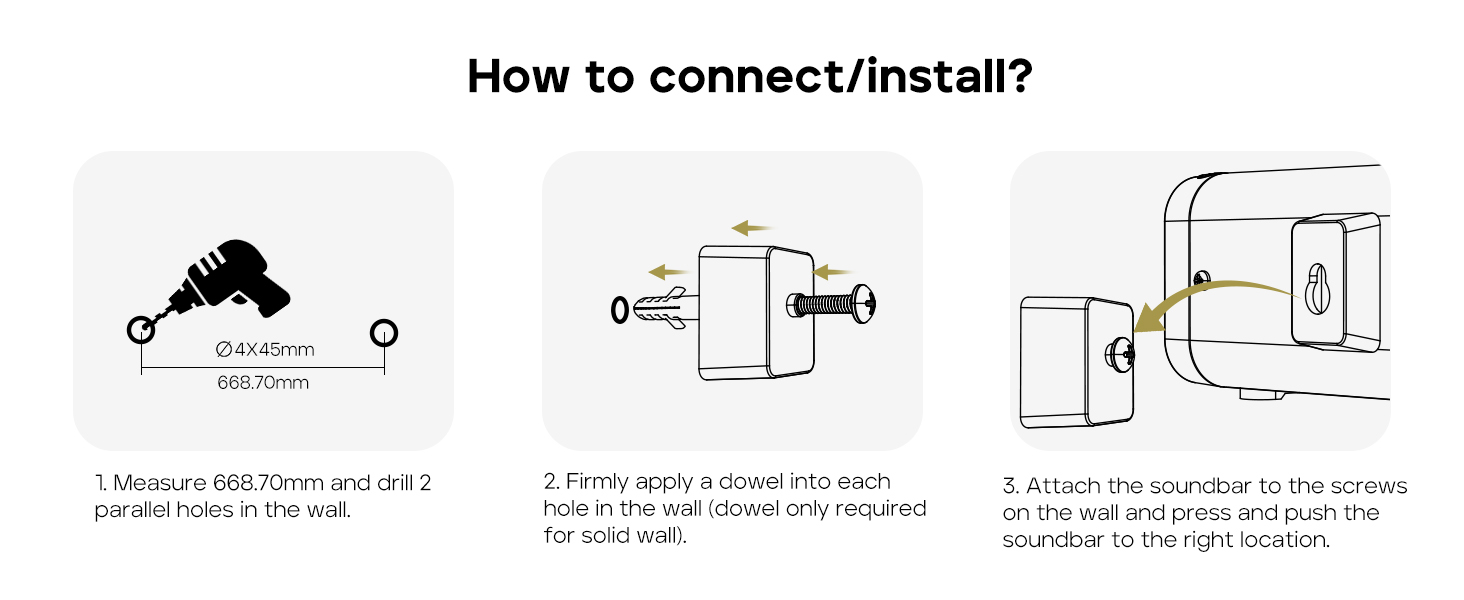
Image: A three-step instructional diagram for wall mounting the soundbar, showing measuring and drilling holes, inserting dowels, and finally attaching the soundbar to the wall.
Instrucións de funcionamento
Encendido/apagado
Preme o Poder botón da barra de son ou do mando a distancia para acender ou apagar a unidade.
Selección da fonte de entrada
Preme o Fonte button on the soundbar or remote control repeatedly to cycle through available input modes: Bluetooth, AUX, HDMI, USB. The LED display will indicate the current mode.
Control de volume
Usa o Volume + or Volume - botóns da barra de son ou do mando a distancia para axustar o nivel de volume.
Preme o Silenciar button on the remote control to mute or unmute the audio.
Emparejamento Bluetooth
- Turn on the soundbar and select Bluetooth mode using the Source button. The LED display will show "BT" and flash, indicating it's in pairing mode.
- Enable Bluetooth on your device (smartphone, tablet, etc.) and search for "Tribit S1".
- Select "Tribit S1" from the list of available devices to connect. Once connected, the LED display will stop flashing and show "BT" steadily.
Modos de ecualización
The soundbar features four equalizer (EQ) modes to optimize audio for different content types. Use the dedicated buttons on the remote control to switch between modes:
- Modo de música: Provides balanced sound for general music listening.
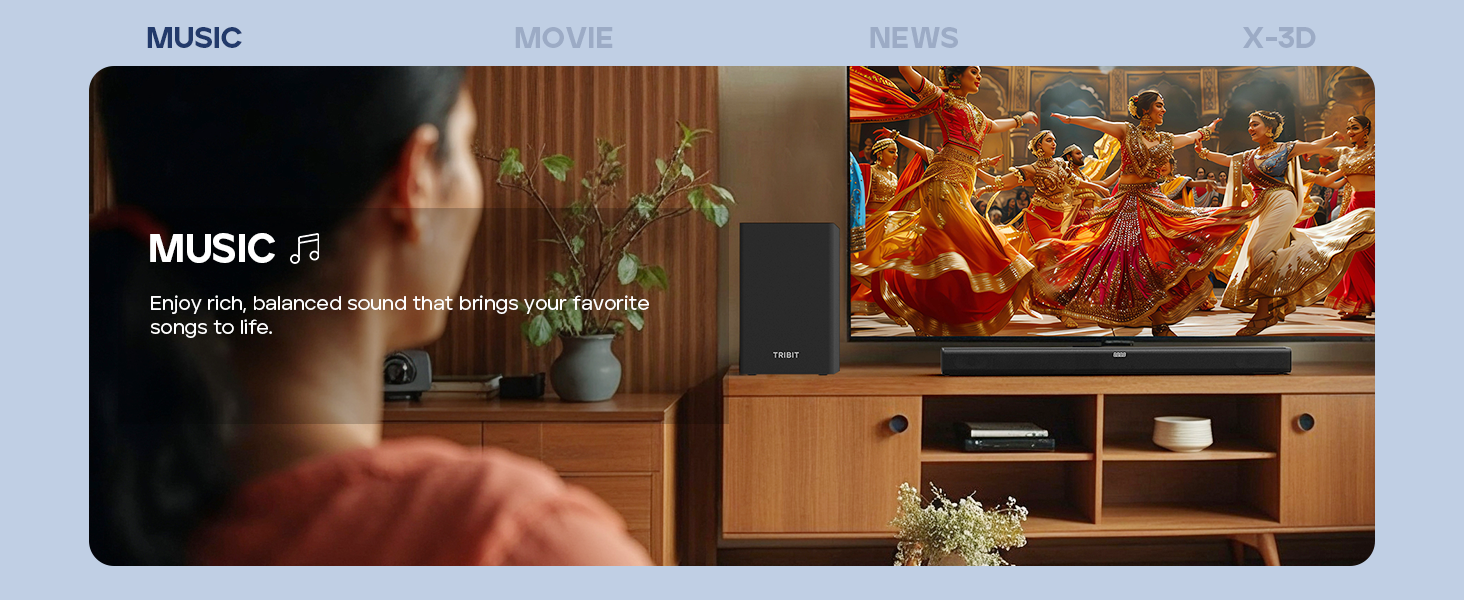
Image: A person enjoying music with the soundbar, illustrating the Music EQ mode for balanced audio.
- Modo de película: Enhances dialogue and sound effects for a cinematic experience.
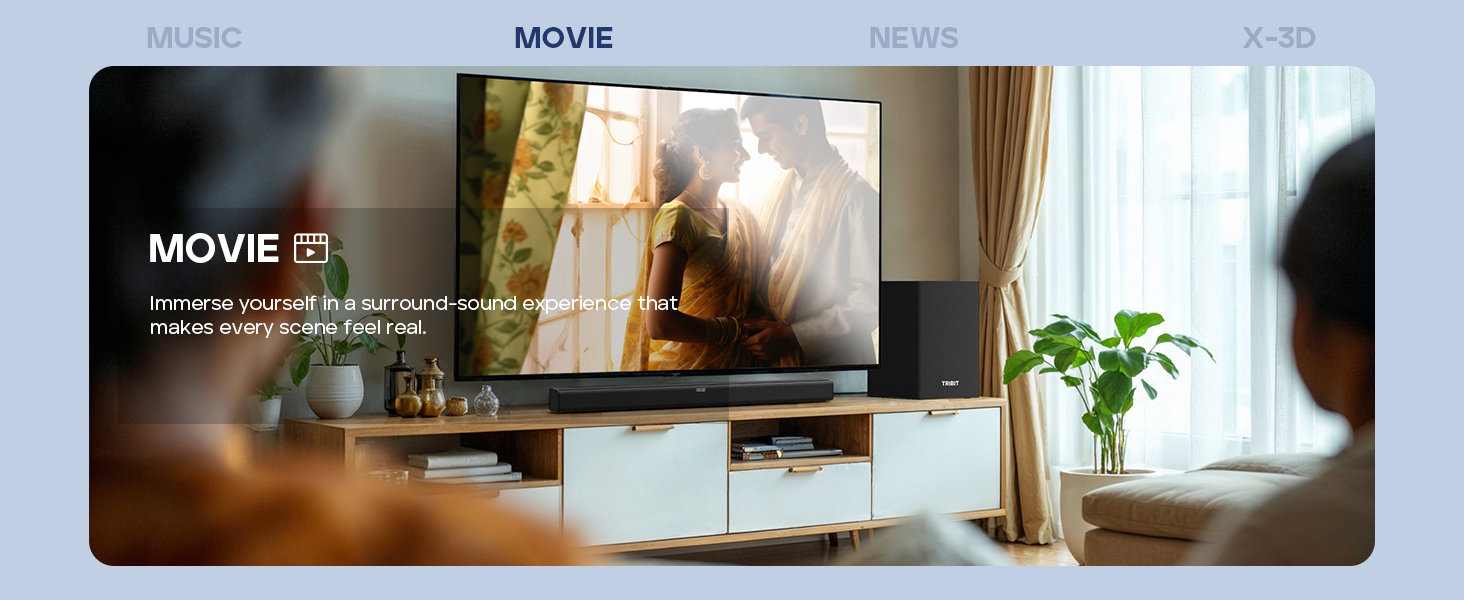
Image: A couple watching a movie with the soundbar, illustrating the Movie EQ mode for an immersive surround-sound experience.
- Modo de noticias: Optimizes for clear dialogue, making news broadcasts and speech easier to understand.
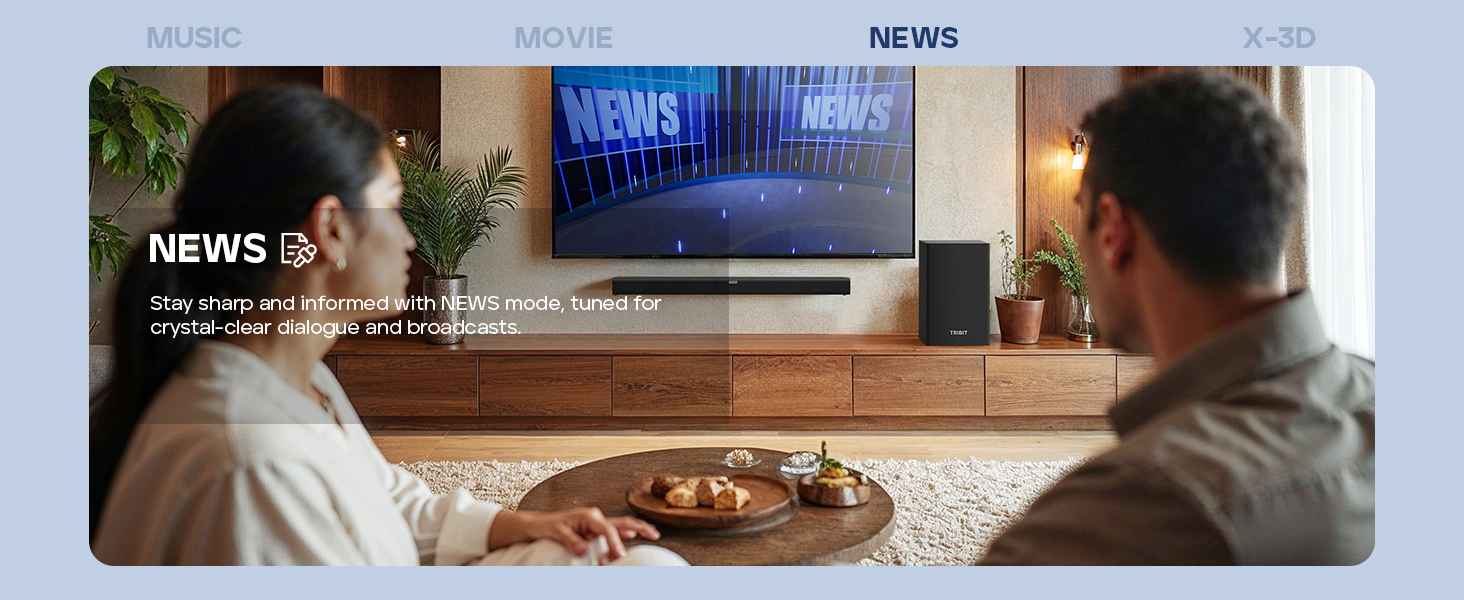
Image: A couple watching news with the soundbar, illustrating the News EQ mode for crystal-clear dialogue.
- X-3D Mode: Creates an expanded stereo effect for an immersive virtual surround sound experience.
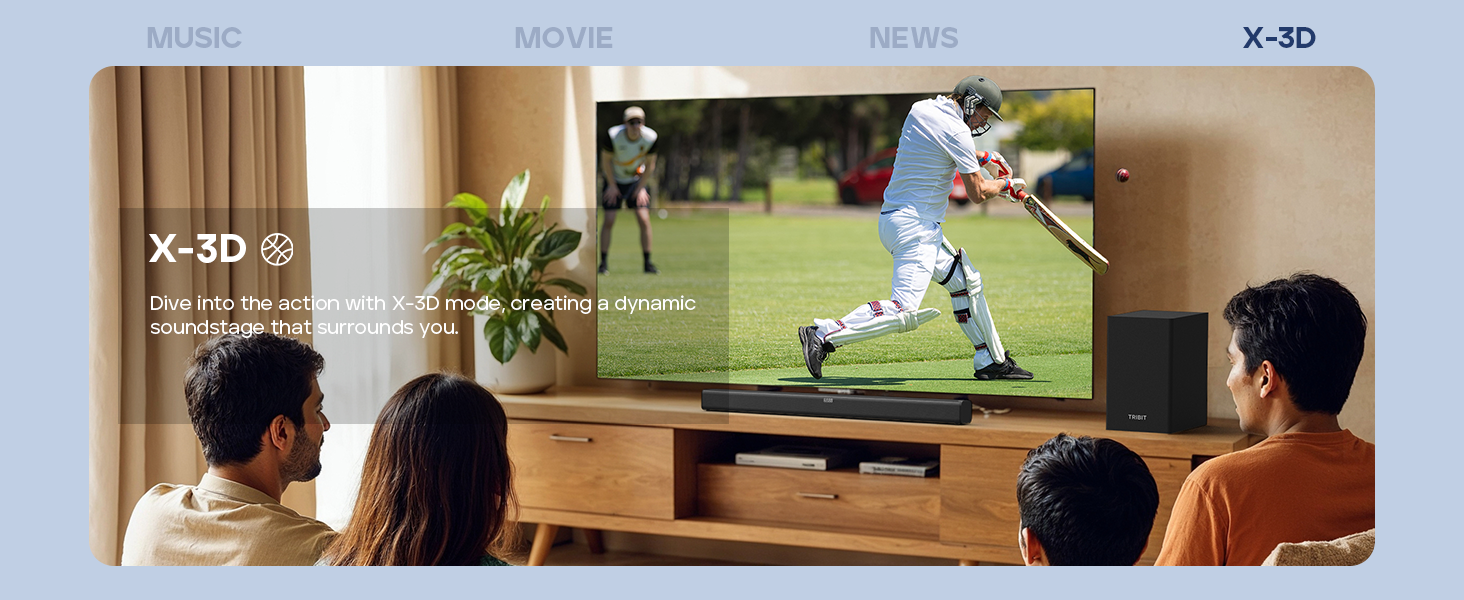
Image: People watching sports with the soundbar, illustrating the X-3D mode for a dynamic, surrounding soundstage.

Image: A visual representation of the four available EQ modes (Music, Movie, News, X-3D) and their corresponding icons, indicating how to adjust them with the remote for an immersive virtual surround sound experience.
Control de graves e agudos
Usa o BAIXO +/- e TREBLE +/- buttons on the remote control to fine-tune the low and high frequencies to your preference.
Resolución de problemas
| Problema | Causa posible | Solución |
|---|---|---|
| Sen poder | Cable de alimentación non conectado; Toma de corrente non activa. | Ensure the power cord is securely connected to the soundbar and a working power outlet. |
| Sen son | Incorrect input source selected; Volume too low; Cables not connected properly; Mute function active. | Select the correct input source. Increase volume. Check all audio cables. Deactivate mute. |
| O emparejamento por Bluetooth falla | A barra de son non está en modo de emparellamento; o dispositivo está demasiado lonxe; a interferencia. | Ensure soundbar is in Bluetooth pairing mode (flashing "BT"). Move device closer. Avoid strong interference sources. Try re-pairing. |
| O control remoto non funciona | Batteries depleted; Obstruction between remote and soundbar; Remote not pointed correctly. | Replace batteries (2 AAA). Remove any obstructions. Point the remote directly at the soundbar's receiver. |
| Mala calidade de son | Incorrect EQ mode; Loose cable connection; Low-quality audio source. | Switch EQ modes to find the best setting. Check cable connections. Use a higher quality audio source if possible. |
Especificacións
- Modelo: BTS61
- Tipo de altofalante: Barra de son, subwoofer
- Configuración da canle de son envolvente: 2.1
- Potencia de saída máxima do altofalante: 200 Watts (100W Soundbar, 100W Subwoofer)
- Diámetro do subwoofer: 6.5 polgadas
- Tecnoloxía de conectividade: Bluetooth 5.3, Auxiliary, HDMI (ARC), USB
- Modo de saída de audio: Estéreo, Envolvente
- Método de control: Control remoto, botóns na unidade
- Característica especial: LED Display, 4 EQ Modes (Music, Movie, News, X-3D), Bass & Treble Control
- Fonte de enerxía: Alimentado por CA.
- Cor: Negro
- Peso do artigo: 8.76 kg (Soundbar + Subwoofer)
- Dimensións do paquete: 90.8 x 44.8 x 27.8 cm
- Baterías: 2 pilas AAA (para o mando a distancia, incluídas)
Mantemento
- Limpeza: Wipe the surfaces of the soundbar and subwoofer with a soft, dry, lint-free cloth. Do not use abrasive cleaners, waxes, or solvents.
- Ventilación: Ensure that the ventilation openings on the soundbar and subwoofer are not blocked.
- Almacenamento: Se vai gardar a unidade durante un período prolongado, desconéctea da toma de corrente e gárdea nun lugar fresco e seco.
Garantía e Soporte
Tribit products are designed for reliability and performance. For warranty information and customer support, please refer to the warranty card included in your package or visit the official Tribit websitio.
Información de contacto:
- Fabricante: Tribit
- Soporte en liña: Visit the Tribit Store on Amazon
Please have your model number (BTS61) and purchase details ready when contacting support.


