Xiaomi Redmi Pad SE 8.7-inch WiFi Tablet User Manual
Model: VHUU5100EU
Marca: XIAOMI
Introdución
This comprehensive user manual provides detailed instructions for setting up, operating, maintaining, and troubleshooting your Xiaomi Redmi Pad SE 8.7-inch WiFi tablet (Model: VHUU5100EU). Please read this manual thoroughly to ensure proper usage and to maximize your device's performance and longevity.
O que hai na caixa
Your Xiaomi Redmi Pad SE package includes the following items:
- Xiaomi Redmi Pad SE 8.7-inch WiFi Tablet
- Fast Car Dual USB 16W
- Adaptador de parede
- Cable USB
Produto rematadoview
Familiarize yourself with the key components and design of your Xiaomi Redmi Pad SE.

Fronte e Atrás View: The Xiaomi Redmi Pad SE in Auora Green, showcasing its 8.7-inch display and the rear camera module.
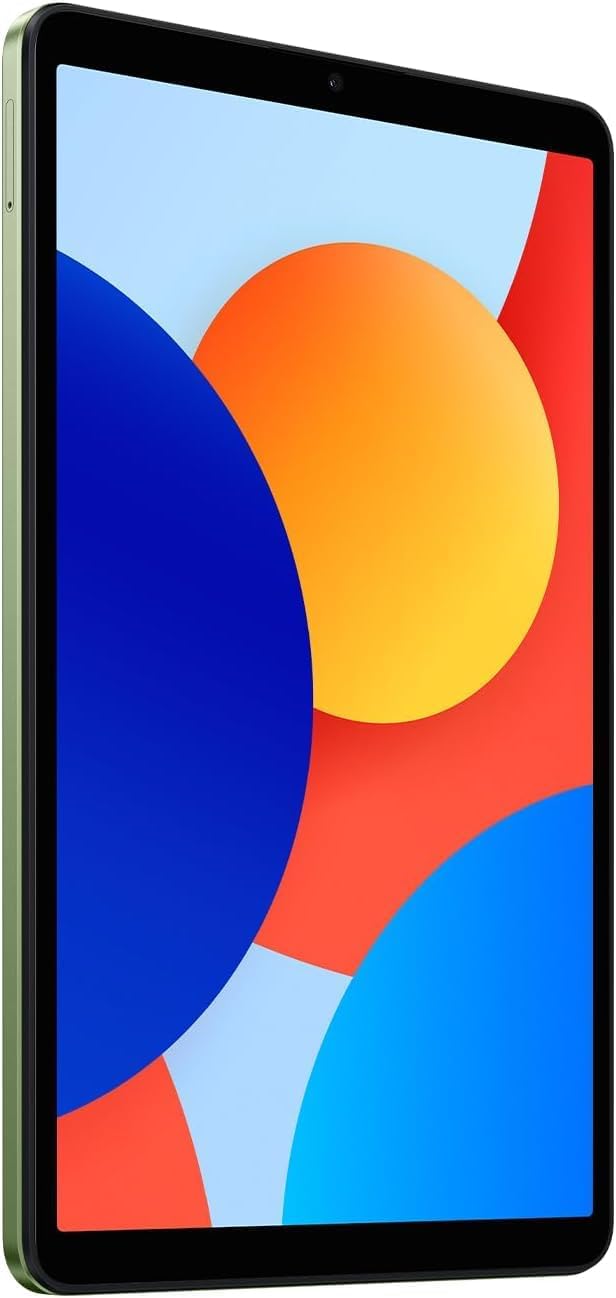
Fronte View: Unha clara view of the 8.7-inch LCD display, ideal for media consumption and browsing.
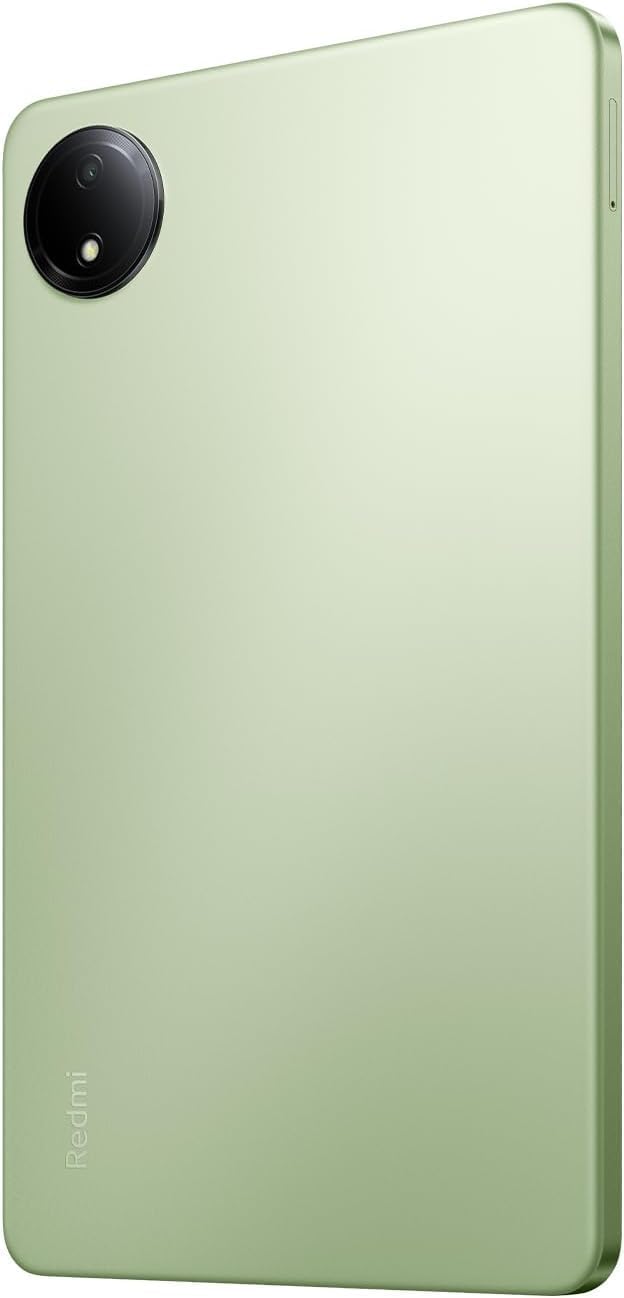
De volta View: The sleek rear panel of the tablet, highlighting the 8MP main camera.

Lado View: Un profesional delgadofile of the tablet, showing the power and volume buttons on the side.
Configuración
- Encendido: Press and hold the Power button on the side of the tablet until the Xiaomi logo appears.
- Configuración inicial: Sigue as instrucións na pantalla para seleccionar o teu idioma, rexión e conectarte a unha rede wifi.
- Conta de Google: Inicia sesión coa túa conta de Google ou crea unha nova. Isto é esencial para acceder a Google Play Store e outros servizos de Google.
- Configuración de seguranza: Set up your preferred screen lock method (PIN, pattern, password, or face unlock).
- Transferencia de datos (opcional): If you are upgrading from another device, you may choose to transfer your data during this step.
- Configuración completa: Finish the remaining setup steps to start using your tablet.
Instrucións de funcionamento
Navegación básica
- Pantalla de inicio: Desliza o dedo cara á esquerda ou á dereita para navegar entre as pantallas de inicio.
- Caixón de aplicacións: Desliza o dedo cara arriba desde a parte inferior da pantalla para acceder a todas as aplicacións instaladas.
- Notificacións e configuración rápida: Pasa o dedo cara abaixo desde a parte superior da pantalla ata view notificacións e acceder aos axustes rápidos (Wi-Fi, Bluetooth, etc.).
- Aplicacións recentes: Tap the square icon (or swipe up and hold if using gestures) to view e cambiar entre as aplicacións usadas recentemente.
Multitarefa
- Pantalla dividida: From the recent apps screen, long-press an app icon and select the split-screen option to use two apps simultaneously.
- Fiestras flotantes: Some apps support floating windows for quick access while using other applications.
Conectividade
- Wi-Fi: Ir a Configuración > Wi-Fi para conectarse ás redes dispoñibles.
- Bluetooth: Ir a Configuración > Bluetooth para emparellar con dispositivos Bluetooth como auriculares ou altofalantes.
Mantemento
Coidado da batería
- Evita temperaturas extremas.
- Usa o cargador e o cable orixinais para unha carga óptima.
- Non deixes que a batería se descargue completamente con frecuencia.
Actualizacións de software
Comprobe e instale regularmente actualizacións do sistema para garantir que o seu dispositivo teña as últimas funcións, parches de seguranza e melloras de rendemento. Vaia a Settings > About tablet > System update.
Limpeza
Use a soft, lint-free cloth to clean the screen and body of the tablet. Avoid harsh chemicals or abrasive materials.
Xestión do almacenamento
To optimize performance, regularly manage your storage by deleting unnecessary files and apps. You can expand storage using a microSD card.
Resolución de problemas
- O dispositivo non se acende: Ensure the tablet is charged. Connect it to the charger and wait a few minutes before attempting to power it on again.
- Problemas de conectividade wifi: Restart your tablet and your Wi-Fi router. Forget the network in settings and reconnect.
- Rendemento lento: Close unnecessary background apps, clear cache, and ensure sufficient storage space. Consider a factory reset as a last resort (back up your data first).
- Aplicacións que se bloquean/conxelan: Limpar a caché e os datos da aplicación en Configuración > AplicaciónsSe o problema persiste, desinstala e reinstala a aplicación.
Especificacións
| Característica | Detalle |
|---|---|
| Tamaño da pantalla de pé | 8.7 polgadas |
| Resolución de pantalla | 1340x800 |
| Resolución máxima de pantalla | 1340 x 800 píxeles |
| Procesador | Octa núcleo a 2 GHz |
| Marca de chips | ARM |
| Sistema Operativo | Android 14, HyperOS |
| Peso do elemento | 13.2 onzas |
| Dimensións do produto | 8.32 x 0.34 x 4.94 polgadas |
| Cor | Auora Green (ONLY WIFI) |
| Traseira WebResolución de cámara | 8 MP |
| Marca de procesador | MediaTek |
| Tipo de memoria do ordenador | SDRAM DDR3 |
| Tamaño da memoria flash | 6 GB |
| Baterías | 1 pilas de polímero de litio necesarias. (incluído) |
Garantía e Soporte
Your Xiaomi Redmi Pad SE is covered by a manufacturer's warranty. Please refer to the warranty card included in your product packaging for specific terms and conditions. For technical support or service inquiries, please visit the official XIAOMI support websitio ou póñase en contacto co seu servizo de atención ao cliente.


