Introdución
Thank you for choosing the Tuni G1 Conical Burr Coffee Grinder. This precision electronic grinder is designed to provide consistent, high-quality grinds for various brewing methods, from espresso to French press. Featuring 48 adjustable grind settings, anti-static technology, and an intuitive LED touchscreen, the Tuni G1 ensures a superior coffee experience. Please read this manual thoroughly before use to ensure proper operation and maintenance.
Contido do paquete
- Conical Coffee Grinder x1
- Dosing Container (75g) x1
- Portafilter Holder x1
- Dosing Ring x1
- Soft Brush x1
- Manual de usuario x1
Configuración e primeiro uso
Before first use, ensure all components are clean and dry. Place the grinder on a stable, flat surface.
Assembling the Bean Hopper
- Align the unlock icon on the Bean Hopper with the arrow on the grinder base.
- Turn the Bean Hopper clockwise until the lock icon is aligned with the arrow.

Image: Step-by-step guide for attaching the bean hopper to the grinder base.
Installing the Portafilter Holder
The portafilter holder is compatible with 54-58mm portafilters. It can be easily attached or detached based on your preference for grinding directly into a portafilter or using the dosing cup.

Image: The Tuni G1 coffee grinder in ivory, showcasing the portafilter holder in place.

Image: Diagram illustrating the compatibility of the portafilter holder with 51-53mm and 54-58mm portafilters.
Video: Demonstration of Tuni G1 Coffee Grinder setup and use, including hopper and portafilter installation.
Instrucións de funcionamento
Axustar a configuración de moenda
The Tuni G1 offers 48 precision grind settings. Rotate the bean hopper to select your desired grind size, ranging from fine (0-8 for Espresso) to coarse (36-48 for French Press).

Image: Close-up of the Tuni G1 bean hopper showing the 48 grind settings for various brewing methods like French Press, Drip Coffee, Moka Pot, and Espresso.
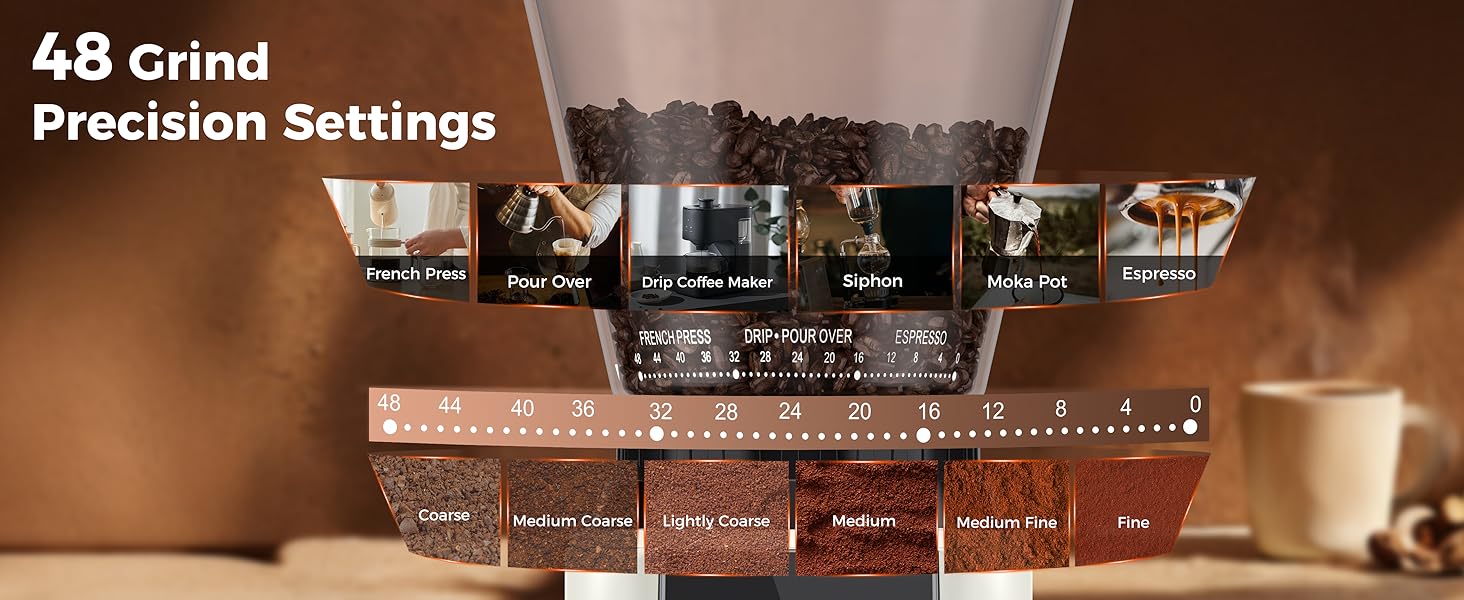
Image: Visual guide to 48 grind precision settings, correlating grind numbers with coffee types (French Press, Pour Over, Drip Coffee Maker, Siphon, Moka Pot, Espresso) and coarseness levels.
Setting Grind Time and Cup Size
Use the LED touchscreen to customize grind time in 0.5-second increments, up to 40 seconds. You can also select cup size options ranging from 2 to 12 cups (based on Americano serving size).
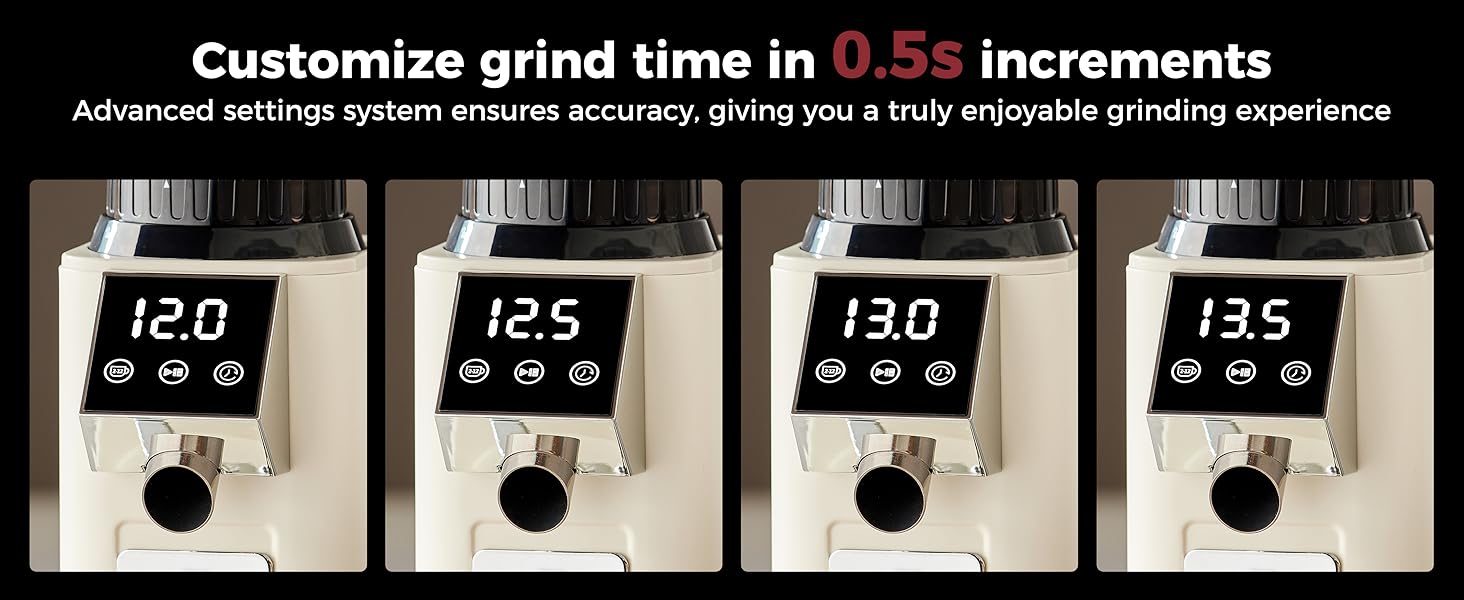
Image: Display showing customizable grind time in 0.5-second increments on the Tuni G1 touchscreen.
Video: Demonstration of adjusting grind settings, cup settings, and time settings on the Tuni G1 Coffee Grinder.
Mantemento
Mantemento diario
- Brush off any remaining coffee powder in the grinder using the included soft brush.
- The coffee bean hopper, hopper lid, grinding chamber, and portafilter cradle holder are all washable. Rinse them thoroughly with water and dry with a cloth.
- For the main body, wipe with a damp pano e logo secar cun pano limpo e seco.
Image: Visual guide for daily maintenance, including brushing off powder and washing removable parts.
Desmontaxe para Limpeza
- Take off the bean hopper.
- Rotate the conical burr counterclockwise and remove it.
- Brush the removable parts.
- Brush the ground outlet.
- Install the conical burr.
- Instale a tolva de feixóns.
Image: Step-by-step visual guide for disassembling and reassembling the Tuni G1 for thorough cleaning.
Video: Demonstration of Tuni G1 Coffee Grinder cleaning, including brushing the conical burr.
Resolución de problemas
How to turn off the bean grinder?
After you've ground your coffee, if you don't select any operation within two and a half minutes, the machine will go into hibernation.
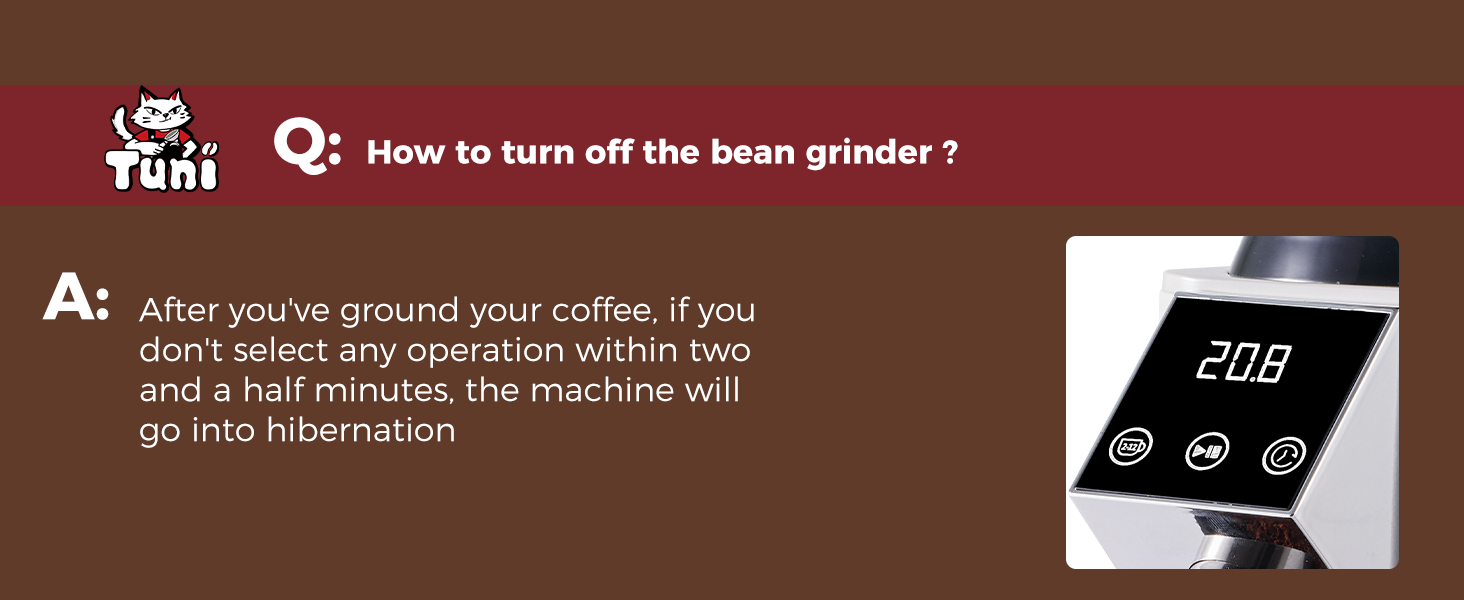
Image: Explanation of the grinder's automatic hibernation feature after 2.5 minutes of inactivity.
Why does the coffee grinder run but not grind the beans?
The grinding burrs are blocked. Please power off the machine and disassemble the grinding burrs for cleaning.

Image: Troubleshooting guide for when the grinder runs but doesn't grind, suggesting burr blockage and cleaning.
Why is E3 displayed?
The bean hopper is not in place. Align the unlock icon on the Bean Hopper with the arrow on the base. Then turn the Bean Hopper clockwise until the lock icon is aligned with the arrow.

Image: Troubleshooting guide for the "E3" error, indicating the bean hopper is not correctly installed.
Especificacións
| Marca | Tuni |
| Modelo | G1 |
| Cor | Marfil |
| Material | Aceiro inoxidable |
| Dimensións do produto | 7.08 cm de longo x 14.01 cm de ancho x 4.52 cm de alto |
| Peso do elemento | 4.8 libras |
| Voltage | 120 voltios (CA) |
| Configuración de moenda | 48 axustes de precisión |
| Tipo de rebaba | 40mm Conical Burr |
| Velocidade de moenda | 450 RPM (minimizes static and heat) |
| Capacidade da tolva de feixón | 250 g / 8.8 oz |
| Capacidade do recipiente de pos de café | 75 g / 2.6 oz |
Garantía e soporte
For any questions or support needs, please refer to the contact information provided in your product packaging or visit the official Tuni website. Responsive support is available to assist you with any inquiries or issues.


