Introdución
This manual provides detailed instructions for the QCOQ T60 Smart Watch. It covers setup, operation, maintenance, and troubleshooting to ensure optimal use of your device. The QCOQ T60 Smart Watch features a 1.91-inch display, Bluetooth call functionality, heart rate monitoring, and IP68 water resistance.
Contido do paquete
Comprobe se o paquete contén os seguintes elementos:
- QCOQ T60 Smart Watch (1 unit)
- Cable de carga
- Manual de usuario
Configuración
1. Cargando o dispositivo
Before first use, fully charge the smart watch. Connect the magnetic charging cable to the charging contacts on the back of the watch and plug the USB end into a standard USB power adapter (not included).

Image: The QCOQ T60 Smart Watch connected to its magnetic charging cable, illustrating the charging process. The watch display shows an 80% battery level, indicating partial charge.
- Tempo de carga: Aproximadamente 2 horas para unha carga completa.
- Battery Life: Up to 7 days of typical usage on a full charge.
2. Instalación e emparellamento da aplicación
To utilize all features of your QCOQ T60 Smart Watch, download and install the companion application on your smartphone.
- Scan the QR code provided in the quick start guide or search for the app name (usually indicated in the watch's initial setup screen or manual) in your smartphone's app store (App Store for iOS, Google Play Store for Android).
- Asegúrate de que o Bluetooth estea activado no teu smartphone.
- Open the installed app and follow the on-screen instructions to create an account or log in.
- Within the app, navigate to the device pairing section and select your QCOQ T60 Smart Watch from the list of available devices.
- Confirma a solicitude de emparellamento tanto no teu teléfono intelixente como no reloxo intelixente.
Instrucións de funcionamento
1. Navegación básica
The QCOQ T60 Smart Watch features a touchscreen display and a side button for navigation.
- Pase o dedo cara arriba/abaixo: Desprácese polos menús e as notificacións.
- Pase o dedo cara á esquerda/dereita: Access quick functions or different widgets.
- Toca: Selecciona un elemento ou confirma unha acción.
- Botón lateral: Preme para volver á pantalla de inicio ou activar o dispositivo. Mantén premido para ver as opcións de acendido e apagado.
2. Bluetooth Call Functionality
Once paired with your smartphone, the QCOQ T60 Smart Watch allows you to make and answer calls directly from your wrist.
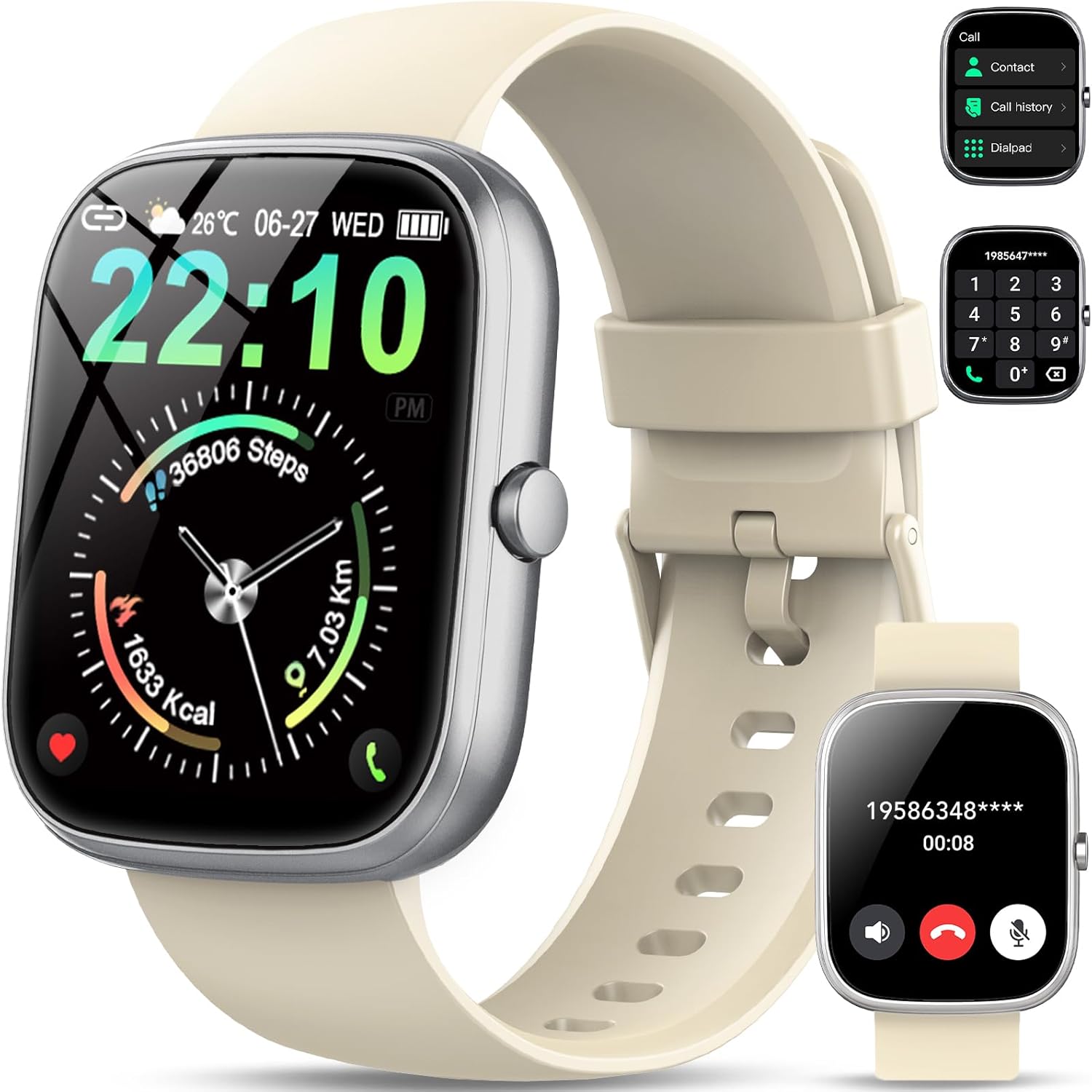
Image: The QCOQ T60 Smart Watch screen showing the call interface, including options to access contacts, view call history, and use a dialpad. A separate inset shows an incoming call notification.
- Responder chamadas: When an incoming call is received, tap the green answer icon on the watch screen.
- Facer chamadas: Access the 'Call' menu on the watch, then select from contacts, call history, or use the dialpad to enter a number.
3. Notificacións
Recibe notificacións do teu teléfono intelixente directamente no teu reloxo.

Image: The QCOQ T60 Smart Watch screen showing notifications from various social media and messaging applications. Adjacent to it, a smartphone displays an incoming call, demonstrating the watch's Bluetooth call feature.
- Ensure notification permissions are enabled for the companion app on your smartphone.
- Desliza o dedo cara abaixo desde a parte superior da esfera do reloxo ata view notificacións recentes.
4. Seguimento da actividade física
The QCOQ T60 Smart Watch monitors various fitness metrics.

Image: A visual representation of the QCOQ T60 Smart Watch's fitness capabilities, highlighting over 110 sport modes, step counting, calorie expenditure tracking, IP68 water resistance, and comprehensive daily activity data.
- Monitorización da frecuencia cardíaca: The watch provides real-time heart rate data. Access the heart rate function on the watch or through the app.
- Step Count & Calories: Tracks your daily steps, distance, and estimated calories burned.
- Modos deportivos: Select from over 110 sport modes to track specific activities.
5. Monitorización do sono
The watch automatically monitors your sleep patterns.

Image: The QCOQ T60 Smart Watch screen showing detailed sleep monitoring data, including deep, light, and awake sleep stages. Another section displays a 7-day weather forecast.
- Wear the watch while sleeping for accurate data.
- View detailed sleep analysis in the companion app, including deep sleep, light sleep, and awake times.
6. Outras características
- Pronóstico do tempo: View current weather and a 7-day forecast.
- Control de música: Controla a reprodución de música no teu teléfono intelixente (reproducir, pausar, saltar pistas).
- Mando a distancia da cámara: Usa o reloxo como obturador remoto para a cámara do teu teléfono intelixente.
- Asistente de voz: Accede ao asistente de voz do teu teléfono intelixente.
- Recordatorio de sedentarismo: Recibir alertas para moverse despois de períodos de inactividade.
- Alarma: Configura alarmas directamente desde o reloxo.
- Monitorización de osíxeno no sangue: Mide os teus niveis de osíxeno no sangue.
- Saúde da muller: Rastrexa os ciclos menstruais e os datos relacionados.
- Calculadora: Función básica da calculadora.
7. Personalización das esferas do reloxo
Personalize your watch with various watch faces.

Image: A collage of various watch faces available for the QCOQ T60 Smart Watch, demonstrating the range of styles and information displays, including options for personalized backgrounds.
- Long press on the current watch face to enter the watch face selection menu.
- Swipe left or right to browse available watch faces. Tap to select.
- More watch faces and customization options (including custom backgrounds) are available through the companion app.
Mantemento
1. Limpeza
- Limpa a pantalla e a carcasa do reloxo cun pano suave e sen fiapos.
- For the strap, use a mild soap and water solution if necessary, then rinse thoroughly and dry completely before wearing.
- Evite o uso de produtos químicos agresivos ou materiais abrasivos.
2. Resistencia á auga (IP68)
The QCOQ T60 Smart Watch is IP68 rated, meaning it is resistant to dust and can withstand immersion in water up to 1.5 meters for up to 30 minutes. It is suitable for daily use, such as hand washing or light rain.
- Do not use the watch for diving, hot showers, saunas, or in environments with high-pressure water.
- A resistencia á auga non é unha condición permanente e pode diminuír co tempo debido ao desgaste normal.
3. Coidado da batería
- Evita temperaturas extremas, que poden prexudicar o rendemento da batería.
- Cargue o reloxo regularmente; evite deixar que a batería se descargue por completo durante períodos prolongados.
Resolución de problemas
- O reloxo non se acende: Asegúrate de que o reloxo estea completamente cargado. Conéctao ao cargador durante polo menos 10 minutos.
- Non se pode emparellar co teléfono intelixente:
- Asegúrate de que o Bluetooth estea activado no teléfono e no reloxo.
- Asegúrate de que o reloxo estea dentro do alcance do teu teléfono.
- Reinicia tanto o reloxo como o teléfono.
- Check if the companion app has necessary permissions.
- Notificacións non recibidas:
- Verify that notifications are enabled in the watch's settings and the companion app.
- Asegúrate de que o reloxo estea conectado correctamente mediante Bluetooth.
- Comproba a configuración de notificacións da aplicación no teu teléfono.
- Datos de frecuencia cardíaca/actividade inexactos: Asegúrate de levar o reloxo ben axustado ao pulso, nin demasiado axustado nin demasiado solto. Limpa o sensor con regularidade.
Especificacións
| Característica | Especificación |
|---|---|
| Marca | QCOQ |
| Modelo | T60 |
| Tamaño de visualización | 1.91 polgadas |
| Tecnoloxía de visualización | LCD |
| Resolución | 240 x 240 |
| Conectividade | Bluetooth |
| Dispositivos compatibles | Teléfono intelixente |
| Resistencia á auga | IP68 |
| Características especiais | Heart Rate Monitor, Notifications, Camera Remote, Voice Assistant |
| Entrada da interface humana | Pantalla táctil |
| GPS | Sen GPS |
| Tipo de batería | Ión de litio (requírese 1) |
| Dimensións (parcela) | 17.4 x 9.4 x 1.8 cm |
| Peso (Paquete) | 38.19 g |
| Cor | Branco cremoso |
Información de seguridade
- Consult your doctor before starting any new exercise regimen or if you have pre-existing health conditions.
- Non intentes desmontar nin modificar o reloxo.
- Keep the device away from extreme heat or cold.
- Desfágase do dispositivo e da súa batería segundo a normativa local.
Garantía e Soporte
For warranty information and customer support, please refer to the documentation included with your purchase or visit the official QCOQ website. Ensure you have your purchase receipt and product model number (T60) available when contacting support.


