1. Introdución
Thank you for choosing the DOOGEE V40 Rugged Smartphone. This device is engineered for exceptional durability and performance, making it suitable for various demanding conditions. It combines advanced technology with robust construction to provide a reliable mobile experience. This manual will guide you through the setup, operation, and maintenance of your new smartphone.
2. Información de seguridade
Please read this section carefully before using your device to ensure safe and proper operation. Failure to follow these guidelines may result in injury, damage to the device, or voiding of the warranty.
- Resistencia á auga e ao po: While the DOOGEE V40 is rated IP68, IP69K, and MIL-STD-810H for water, dust, and drop resistance, it is not indestructible. Ensure all port covers are securely closed before exposing the device to water or dust. Avoid prolonged submersion or exposure to high-pressure water jets.
- Temperatura: Do not expose the device to extreme temperatures (below -40°C or above +70°C). This can damage the battery and internal components.
- Batería: Do not attempt to replace the battery yourself. Only authorized service centers should perform battery replacement. Avoid puncturing, heating, or disassembling the battery.
- Cargando: Use only DOOGEE-approved chargers and cables. Unapproved accessories may cause fire, explosion, or other hazards.
- Reparacións: Do not attempt to repair the device yourself. Unauthorized repairs will void the warranty and may cause further damage.
- Eliminación: Dispose of the device and its battery responsibly according to local regulations. Do not dispose of them with household waste.
3. Contido do paquete
Verify that all items are present in your DOOGEE V40 package:
- 1 x DOOGEE V40 5G Cellphone
- 1 x cable USB tipo C
- 1 x Charger (33W Fast Charger)
- 1 x Caixa de embalaxe
- 1 x Manual de usuario e tarxeta de garantía
- 1 x Screen Protector Accessories (including thick protective film)

Image: Contents included in the DOOGEE V40 retail box.
4. Produto rematadoview
Familiarize yourself with the physical components and key features of your DOOGEE V40 Rugged Smartphone.

Imaxe: Anverso e reverso view of the DOOGEE V40 Rugged Smartphone.
4.1 Compoñentes clave
- Visualización: 6.78-inch FHD+ IPS display with 120Hz refresh rate for smooth visuals and responsive touch.
- Sistema de cámara traseira: Features a 108MP main camera, 20MP night vision camera, and an 8MP ultra-wide/macro camera.
- Cámara frontal: 16MP Ultra HD front camera for high-quality selfies and video calls.
- Sensor de impresión dixital montado lateralmente: Integrado no botón de acendido para un desbloqueo rápido e seguro.
- Porto USB tipo C: Para carga e transferencia de datos.
- Ranura para tarxetas SIM/TF: Supports dual 5G SIM cards and a TF card for expandable storage up to 2TB.
4.2 Tecnoloxías básicas

Image: Illustration of the 4nm MediaTek Dimensity 7300 Octa-core 5G Chip.
- Procesador: Powered by the 4nm MediaTek Dimensity 7300 Octa-core 5G chip, ensuring powerful performance and energy efficiency.
- Memoria e almacenamento: Equipped with 12GB Basic RAM (expandable to 32GB with virtual expansion) and 512GB ROM, supporting up to 2TB TF card expansion.

Image: Visual representation of the 12GB RAM and 512GB ROM with expansion capabilities.
- Batería: A large 8680mAh battery provides extended usage, complemented by 33W fast charging.
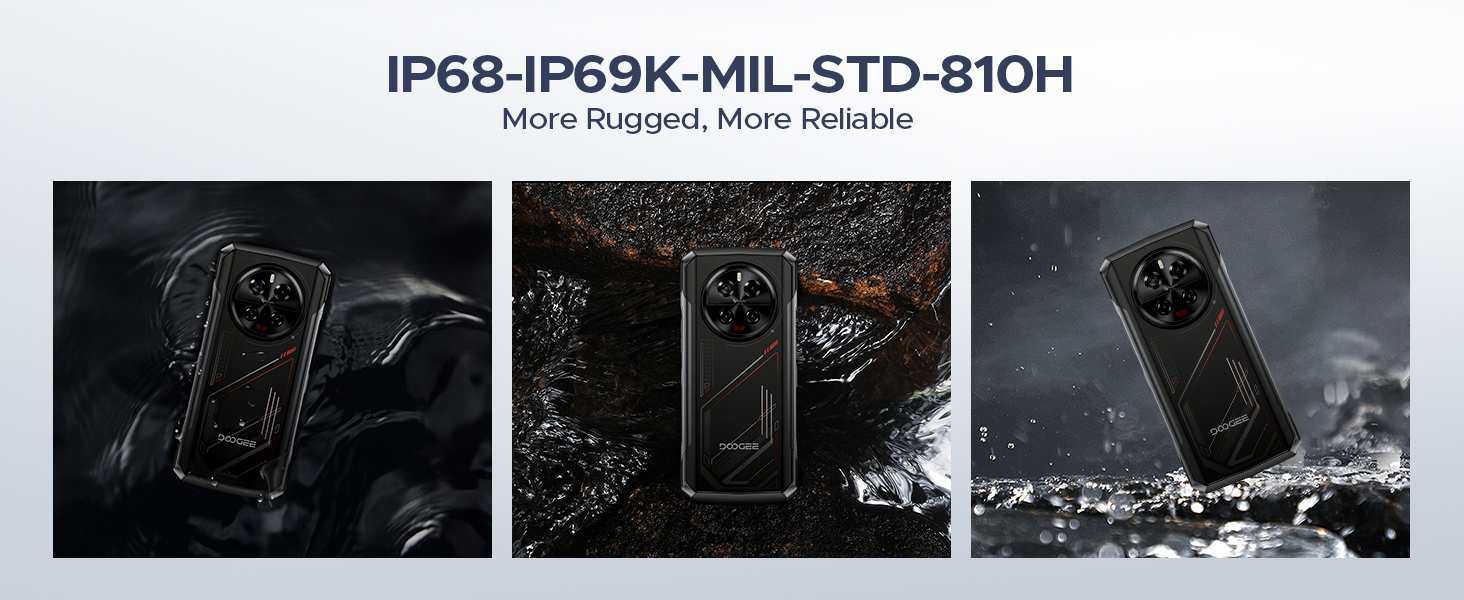
Image: The 8680mAh large battery with 33W fast charging capability.
- Sistema operativo: Runs on the latest Android 14 with DOOGEE OS 4.0, offering enhanced features like Game Mode, App Cloning, and Dynamic Capsule.

Imaxe: Máis deview of the new DOOGEE OS 4.0 based on Android 14.
4.3 Características de durabilidade

Image: The DOOGEE V40 demonstrating its IP68, IP69K, and MIL-STD-810H durability in various environments.
The DOOGEE V40 is built to withstand harsh conditions, certified with:
- IP68: Resistente á auga e ao po.
- IP69K: Resistente a chorros de auga a alta presión e alta temperatura.
- Norma MIL-STD-810H: Military-grade durability against drops, shocks, and extreme temperatures.
5. Configuración
5.1 Instalación da tarxeta SIM e TF
- Localiza a bandexa da tarxeta SIM no lateral do dispositivo.
- Insert the SIM ejector tool (or a small paperclip) into the small hole next to the tray and press firmly until the tray pops out.
- Tire da bandexa con coidado.
- Place your Nano-SIM cards and/or TF card into the designated slots on the tray. Ensure the gold contacts are facing down and the cards are correctly oriented.
- Empurre con coidado a bandexa cara atrás na ranura ata que quede ao mesmo nivel que o dispositivo.
5.2 Acendido inicial e asistente de configuración
- Mantén premido o botón de acendido (situado no lateral) ata que apareza o logotipo de DOOGEE.
- Follow the on-screen instructions to complete the initial setup. This typically includes selecting your language, connecting to a Wi-Fi network, setting up your Google account, and configuring security features like fingerprint or Face ID.
5.3 Carga do dispositivo
Before first use, it is recommended to fully charge your DOOGEE V40. Connect the provided Type-C USB cable to the phone's charging port and the other end to the 33W fast charger. Plug the charger into a power outlet. The battery indicator on the screen will show the charging status.
6. Instrucións de funcionamento
6.1 Navegación básica
- Xestos na pantalla táctil: Toca para seleccionar, desliza para desprazarte, belisca para ampliar.
- Botón de encendido: Prema para activar/desactivar a pantalla, prema e manteña premida para apagar ou reiniciar.
- Botóns de volume: Axusta o volume multimedia, o volume das chamadas e o volume do ton de chamada.
6.2 Chamadas e mensaxes
- Facer chamadas: Abre a aplicación Teléfono, introduce o número e toca a icona de chamada.
- Envío de mensaxes: Abre a aplicación Mensaxes, inicia unha nova conversa, introduce o destinatario e a túa mensaxe.
6.3 Uso da cámara
The DOOGEE V40 features a versatile camera system:

Imaxe: Máis deview of the DOOGEE V40's camera system and Morpho Imaging Algorithm.
- Abrir a aplicación da cámara: Toca a icona da cámara na pantalla de inicio ou no caixón de aplicacións.
- Cambiar modos: Swipe left or right on the screen to switch between Photo, Video, Night Vision, Macro, and other modes.
- Take Photos/Videos: Toca o botón do obturador para capturar unha foto ou iniciar/deter a gravación de vídeo.
- Zoom: Pinch in or out on the screen to adjust zoom.
Video: DOOGEE V40 Android 14 Rugged Smartphone, Gaming Phone. This video demonstrates the phone's performance and gaming capabilities.
Video: DOOGEE V40 Rugged Phone, 200MP AI Camera+20MP Night Vision. This video highlights the advanced camera features of the phone.
6.4 Conectividade
- Wi-Fi: Connect to Wi-Fi networks via Settings > Network & internet > Wi-Fi. Supports Wi-Fi 6E for fast and stable connections.
- Bluetooth: Pair with Bluetooth devices via Settings > Connected devices > Bluetooth. Supports Bluetooth 5.4.
- NFC: Enable NFC for contactless payments (Google Pay) and quick data sharing via Settings > Connected devices > Connection preferences > NFC.
6.5 Características de seguridade
- Desbloqueo de impresión dixital: Register your fingerprints via Settings > Security & privacy > Device unlock > Fingerprint unlock.
- Face ID: Set up face recognition for convenient unlocking via Settings > Security & privacy > Device unlock > Face unlock.
6.6 Xestión da batería
- Modo de aforro de enerxía: Activate battery saver to extend battery life when needed via Settings > Battery > Battery Saver.
- Reverse Charging (OTG): Use your DOOGEE V40 as a power bank to charge other devices. Connect the devices using an OTG cable.

Image: The DOOGEE V40's OTG reverse charging capability, allowing it to charge other devices.
6.7 DOOGEE OS 4.0 Features
- Game Mode (No Disturb): Optimize your gaming experience by minimizing distractions.
- Clonación de aplicacións: Run multiple instances of the same app, useful for managing different accounts.
- Drama Mode (Video): Enhance video viewexperiencia ing.
- Cápsula dinámica: Provides quick access to notifications and system information.
7. Mantemento
Proper maintenance will extend the lifespan of your DOOGEE V40.
- Limpeza: Usa un pano suave e sen fiapos para limpar a pantalla e o corpo. Para a sucidade persistente, lixeiramenteampEnxágüe o pano con auga. Evite produtos químicos agresivos ou materiais abrasivos.
- Actualizacións de software: Regularly check for and install system updates via Settings > System > System update. Updates provide new features, security patches, and performance improvements.
- Coidado da batería: Avoid fully discharging the battery frequently. For long-term storage, charge the device to about 50% and store it in a cool, dry place.
- Xestión de almacenamento: Limpar periodicamente o innecesario fileaplicacións para liberar espazo de almacenamento e manter un rendemento óptimo.
8 Solución de problemas
If you encounter issues with your DOOGEE V40, try the following solutions before contacting support:
| Problema | Posible Solución |
|---|---|
| O dispositivo non se acende | Ensure the battery is charged. Connect to the charger and wait a few minutes before attempting to power on again. If it still doesn't turn on, try holding the Power button for 10-15 seconds. |
| A batería esgotarase rapidamente | Close unused apps running in the background. Reduce screen brightness. Turn off Wi-Fi, Bluetooth, or GPS when not in use. Check battery usage in Settings to identify power-hungry apps. |
| As aplicacións fallan ou conxélanse | Restart the app. Clear the app's cache and data (Settings > Apps > [App Name] > Storage > Clear cache/Clear data). Update the app to the latest version. If the problem persists, uninstall and reinstall the app. |
| Cannot connect to Wi-Fi/Mobile Network | Restart the device. Toggle Wi-Fi/Mobile Data off and on. Check if Airplane Mode is enabled. For Wi-Fi, restart your router. For mobile network, ensure SIM card is properly inserted and you have signal. |
| O sensor de impresión dixital non funciona | Asegúrate de que o dedo estea limpo e seco. Rexistra de novo as túas impresións dixitais en Configuración. |
| O dispositivo é lento ou non responde | Clear cache, uninstall unnecessary apps, and free up storage space. Restart the device. As a last resort, perform a factory reset (back up your data first). |
Video: DOOGEE V40 5G Rugged Phone, 36GB+512GB Android 14. This video showcases the phone's overall performance and features.
9. Especificacións
Detailed technical specifications for the DOOGEE V40 Rugged Smartphone:
| Característica | Especificación |
|---|---|
| Nome do modelo | V40 Rugged Smartphone Unlocked 5G |
| Sistema Operativo | Android 14 |
| Modelo CPU | MediaTek Dimensity 7300 Octa-core (4nm) |
| RAM | 12 GB (ampliable a 32 GB) |
| Almacenamento interno (ROM) | 512 GB |
| Almacenamento ampliable | Ata 2 TB mediante tarxeta TF |
| Tamaño de visualización | 6.78 polgadas |
| Resolución de visualización | 2560 x 1440 (FHD+) |
| Taxa de actualización | 120 Hz |
| Cámara principal | 108 MP |
| Cámara de visión nocturna | 20 MP |
| Cámara ultra gran angular/macro | 8 MP |
| Cámara frontal | 16 MP |
| Capacidade da batería | 8680 mAh |
| Cargando | Carga rápida de 33 W |
| Clasificacións de durabilidade | IP68, IP69K, MIL-STD-810H |
| Conectividade | 5G, Dual SIM, Wi-Fi 6E, Bluetooth 5.4, NFC |
| Peso do elemento | 13.3 onzas |
| Cor | VERMELLO |
Video: DOOGEE V40 Rugged Smartphone 5G Unlocked, NFC/WiFi 6E/Face ID. This video highlights the connectivity and security features.
10. Garantía e soporte
Your DOOGEE V40 Rugged Smartphone comes with a limited warranty. Please refer to the 'Manual and Warranty Card' included in your package for detailed terms and conditions, including warranty period and coverage.
For technical support, troubleshooting assistance, or warranty claims, please visit the official DOOGEE websitio web ou póñase en contacto co servizo de atención ao cliente. Garde o recibo da compra como proba de compra para os servizos de garantía.
Video: DOOGEE V40 Rugged Phone 5G, Android 14 Rugged Smartphone. This video provides a general overview of the phone's capabilities.
Video: DOOGEE V40 Rugged SmartPhone Unlocked with 1.47" Rear Screen. This video highlights the unique rear screen feature.


