1. Introdución
The Bose QuietComfort Wireless Noise Cancelling Earbuds deliver a high-quality audio experience with advanced noise cancellation capabilities. This manual provides essential information for the proper setup, operation, and maintenance of your earbuds to ensure optimal performance and longevity.
Key features include active noise cancellation, customizable tap controls, IPX4 water resistance, up to 8.5 hours of battery life per charge, and advanced Bluetooth 5.3 connectivity. The Bose QCE app allows for personalized sound adjustments and device management.
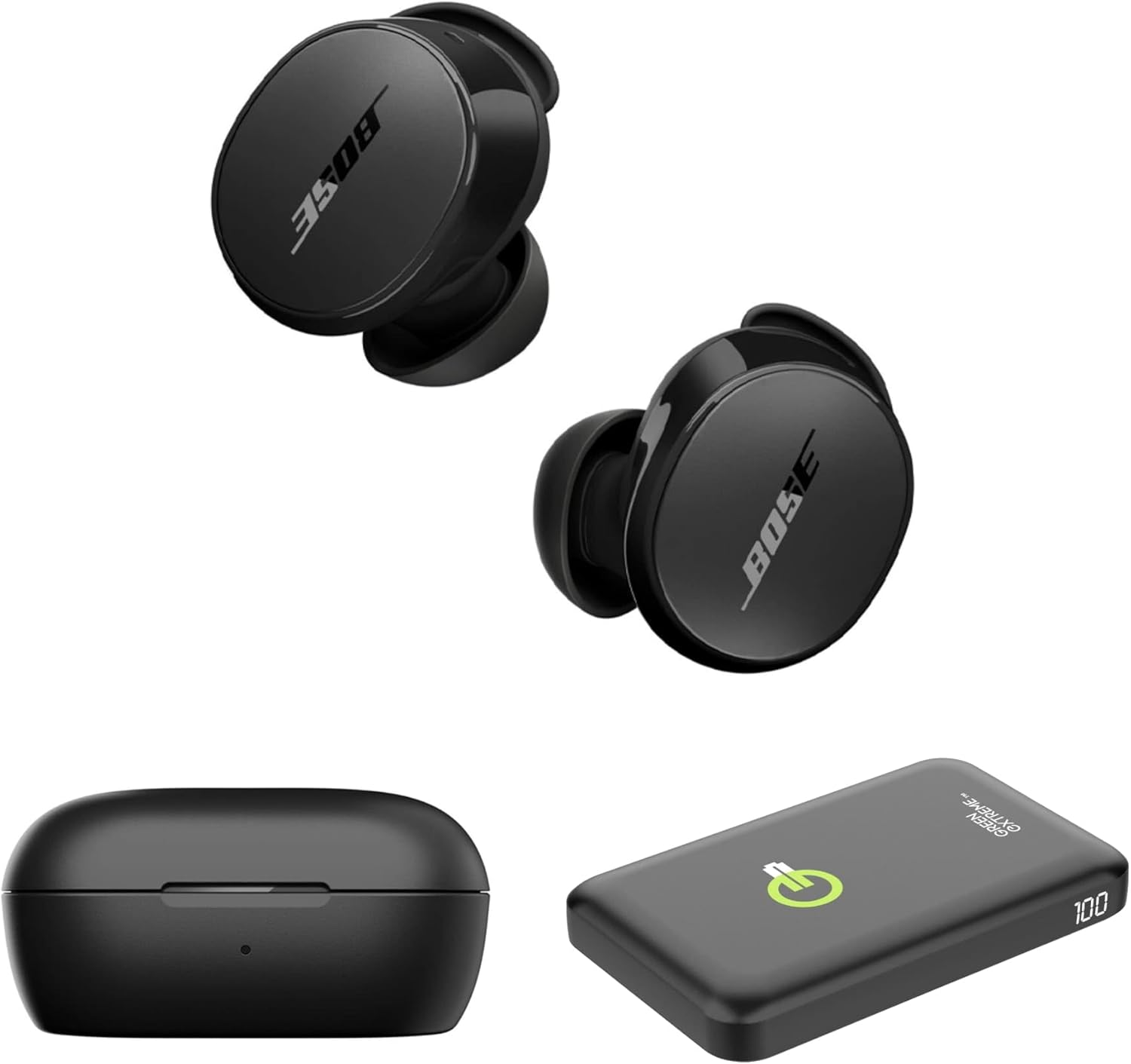
Image 1.1: Bose QuietComfort Earbuds, charging case, and Green Extreme portable charger.
2. Configuración
2.1 Desembalaxe e compoñentes
Comprobe que todos os compoñentes estean presentes na embalaxe:
- Bose QuietComfort Earbuds (Black)
- Estuche de carga
- Cable USB-A a USB-C
- Small, Medium, and Large Eartips & Stability Bands
- Green Extreme 10000mAh Qi Power Bank

Image 2.1: Bose QuietComfort Earbuds in open charging case with included eartips and stability bands.
2.2 Carga dos auriculares e da funda
- Coloca os auriculares na caixa de carga. Asegúrate de que estean ben asentados.
- Connect the USB-A to USB-C cable to the charging case and a power source.
- The charging case can also be charged wirelessly.
- A 20-minute charge provides approximately 2 hours of playback. Full charge provides up to 8.5 hours of playback. The case holds an additional 2.5 charges.

Image 2.2: Hand holding the Bose QuietComfort Earbuds charging case.
2.3 Selecting the Correct Fit
The earbuds come with three sizes of eartips and stability bands (S, M, L) to ensure a comfortable and secure fit. Experiment with different sizes to find the best seal for optimal sound quality and noise cancellation.
- Gently pull the eartip and stability band off the earbud.
- Select a new size and align it with the earbud.
- Press firmly until it clicks into place.

Image 2.3: Close-up of Bose QuietComfort Earbuds, highlighting the design and fit components.
2.4 Emparejamento Bluetooth
The earbuds utilize Bluetooth 5.3 for stable and efficient wireless connectivity.
- Abre a caixa de carga. Os auriculares entrarán no modo de emparellamento.
- No teu dispositivo (teléfono intelixente, tableta, ordenador), activa o Bluetooth e busca os dispositivos dispoñibles.
- Select "Bose QuietComfort Earbuds" from the list.
- The earbuds support multipoint connection, allowing seamless switching between multiple paired devices.
3. Instrucións de funcionamento
3.1 Customizable Tap Controls
The earbuds feature customizable tap controls for managing audio playback and calls. These controls can be configured via the Bose QCE app.
- Reproducir/Pausa: Toca un só auricular en calquera dos auriculares.
- Saltar pista: Toca dúas veces no auricular dereito.
- Control de volume: Swipe up or down on the earbud surface (customizable).
- Responder/Finalizar chamada: Toca un só auricular en calquera dos auriculares.
3.2 Cancelación activa de ruído (ANC)
The earbuds feature active noise cancellation to reduce ambient sound. ANC settings can be adjusted through the Bose QCE app.
- Modo silencioso: Maximizes noise cancellation for immersive listening.
- Modo consciente: Allows some ambient sound to pass through, enhancing situational awareness.
- Desactivado: Desactiva a cancelación de ruído.
3.3 Bose QCE App Integration
The Bose QCE app provides comprehensive control and customization options for your earbuds:
- Ecualizador axustable: Fine-tune bass, mid-range, and treble levels.
- ANC Settings: Switch between Quiet, Aware, and Off modes.
- Duración da batería: Monitor the current battery level of each earbud and the charging case.
- Atallos personalizados: Personalize tap control functions.
- Xestión de dispositivos: View and manage connected Bluetooth devices.
Vídeo 3.1: Un overview of the Bose QuietComfort Wireless Noise Cancelling Earbuds, demonstrating key features and design.
4. Mantemento
4.1 Limpeza
Unha limpeza regular axuda a manter o rendemento e a hixiene dos teus auriculares.
- Use a soft, dry cloth to wipe the earbuds and charging case.
- Para as almofadas, retíraas dos auriculares e límpaas cunha solución de xabón suave; despois, enxáugaas e sécaas ben antes de volvelas colocar.
- Evite o uso de materiais abrasivos ou produtos químicos agresivos.
4.2 Resistencia á auga
The earbuds have an IPX4 rating, meaning they are resistant to splashes, drips, and sweat. This rating does not indicate resistance to submersion in water. Avoid exposing the earbuds to excessive moisture or liquids.
5 Solución de problemas
If you encounter issues with your Bose QuietComfort Earbuds, refer to the following common solutions:
- Sen son/Mala calidade de son: Ensure earbuds are properly seated in your ears with a good seal. Check the volume levels on both your device and the earbuds. Verify EQ settings in the Bose QCE app.
- Problemas de conectividade: Ensure Bluetooth is enabled on your device and the earbuds are in pairing mode. Try unpairing and re-pairing the earbuds. Ensure your device is within the 30-foot Bluetooth range.
- Os auriculares non se cargan: Ensure the earbuds are correctly placed in the charging case. Check that the charging case itself is charged or connected to a power source. Clean charging contacts if necessary.
- A cancelación de ruído non funciona: Verify ANC settings in the Bose QCE app. Ensure a proper fit of the eartips and stability bands to create an effective seal.
For further assistance, consult the Bose support websitio ou póñase en contacto co servizo de atención ao cliente.
6. Especificacións
| Característica | Especificación |
|---|---|
| Marca | Bose |
| Número de modelo | 888507-Kit |
| UPC | 192223262270 |
| Versión Bluetooth | 5.3 |
| Alcance Bluetooth | 30 pés |
| Duración da batería (auriculares) | Ata 8.5 horas |
| Charging Case Charges | 2.5 additional charges |
| Carga rápida | 20 minutos para 2 horas de reprodución |
| Características de control de ruído | Cancelación activa de ruído |
| Nivel de resistencia á auga | IPX4 (resistente á auga) |
| Método de control | Toca |
| Tipo de controlador de audio | Driver dinámico |
| Forma do auricular | Punta redondeada |
| Material | Plastic or Aluminum (Case) |
7. Garantía e soporte
Your Bose QuietComfort Wireless Noise Cancelling Earbuds are covered by a manufacturer's warranty. Please refer to the warranty card included in your product packaging for specific terms and conditions.
For product support, frequently asked questions, and additional resources, visit the official Bose support websitio ou póñase en contacto co seu departamento de atención ao cliente.


